📘 ARAS Security manuals • Free online PDFs
ARAS Security logo

ARAS Security Manuals & User Guides

ARAS Security is a value-added distributor and manufacturer of electronic security systems, including access control, video surveillance, and intrusion detection solutions.

Tip: include the full model number printed on your ARAS Security label for the best match.

About ARAS Security manuals on Manuals.plus

ARAS Security is a leading Value Added Distributor (VAD) and developer of electronic security systems, primarily serving the European market. The company specializes in providing integrated solutions for access control, video surveillance (CCTV), and intrusion detection. In addition to distributing major third-party security brands, ARAS Security develops its own hardware and software modules to bridge gaps between systems, such as the ARAS整合介面GSM4接入 Mobile to Wiegand device.

With a strong focus on technical expertise, ARAS Security supports system integrators and installers with project advice, training, and support services. Their product lineup ranges from cloud-based sensors and smart access readers to complex management software integrations, ensuring robust security infrastructure for commercial and residential applications.

ARAS Security manuals

最新手冊 manuals+ 專為品牌精心挑選。

ARAS 安全 ARAS 整合式介面使用者指南

5 年 2024 月 XNUMX 日
ARAS SECURITY ARAS Integration Interface Specifications Product Name: ARAS Integration Interface for WinKAS Version: 1.0 Author: Robert Banasiak Date: 15.08.2024 Product Usage Instructions Description The ARAS Integration Interface for WinKAS…

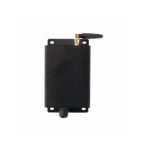
ARAS 安全無線運動傳感器安裝指南

3 年 2023 月 XNUMX 日
ARAS 安全無線運動傳感器 包裝盒內有什麼 您需要什麼 運行 DT Studio 的筆記本電腦或智能手機 
 web application studio?d21s?com> If your company does…

ARAS Security support FAQ

關於該品牌的使用手冊、註冊和支援方面的常見問題。

  • What is the GSM4ACCES device used for?

    The GSM4ACCES is a Mobile to Wiegand device that converts incoming phone numbers and keypad presses into Wiegand signals, allowing a mobile phone to function as an access card and keypad for security systems.

  • How do I record custom messages on the GSM4ACCES?

    To record custom messages, set DIP switch 5 to ON (Message recording enable). Call the device, and follow the voice prompts to record messages for slots 1-5. Press # to end a recording or * to restart.

  • What is the ARAS Integration Interface for WinKAS?

    This software interface synchronizes user and booking data from the WinKAS booking system with the SIMS/NOX security management system, enabling automated access rights based on bookings.

  • How do I reset the GSM4ACCES to default recordings?

    In recording mode (DIP 5 ON), call the device and enter '0' as the message number to delete all custom recordings and revert to the default English messages.