一、簡介
The Hello Kitty Sunrise Alarm Clock is designed to provide a gentle and natural waking experience with its sunrise simulation feature. This digital alarm clock includes multicolor lights, an LED display showing time, date, and temperature, a USB charging port, and a convenient snooze function. Its charming Cinnamoroll design adds a whimsical touch to any room.

Image 1: Hello Kitty Cinnamoroll Sunrise Alarm Clock with multicolor lighting.
2. 安全訊息
- 請勿將設備暴露在極端溫度、陽光直射或高濕度環境中。
- 請僅使用隨附的 USB 電源線或經認證的同等產品。
- 使設備遠離水或其他液體。
- 請勿嘗試自行拆卸或維修本設備。請聯絡合格的維修人員。
- 確保設備放置在穩定、平坦的表面上。
3. 包裝內容
請檢查包裝內是否有以下物品:
- Hello Kitty Sunrise Alarm Clock (Cinnamoroll design)
- USB電源線
- 用戶手冊(本文檔)
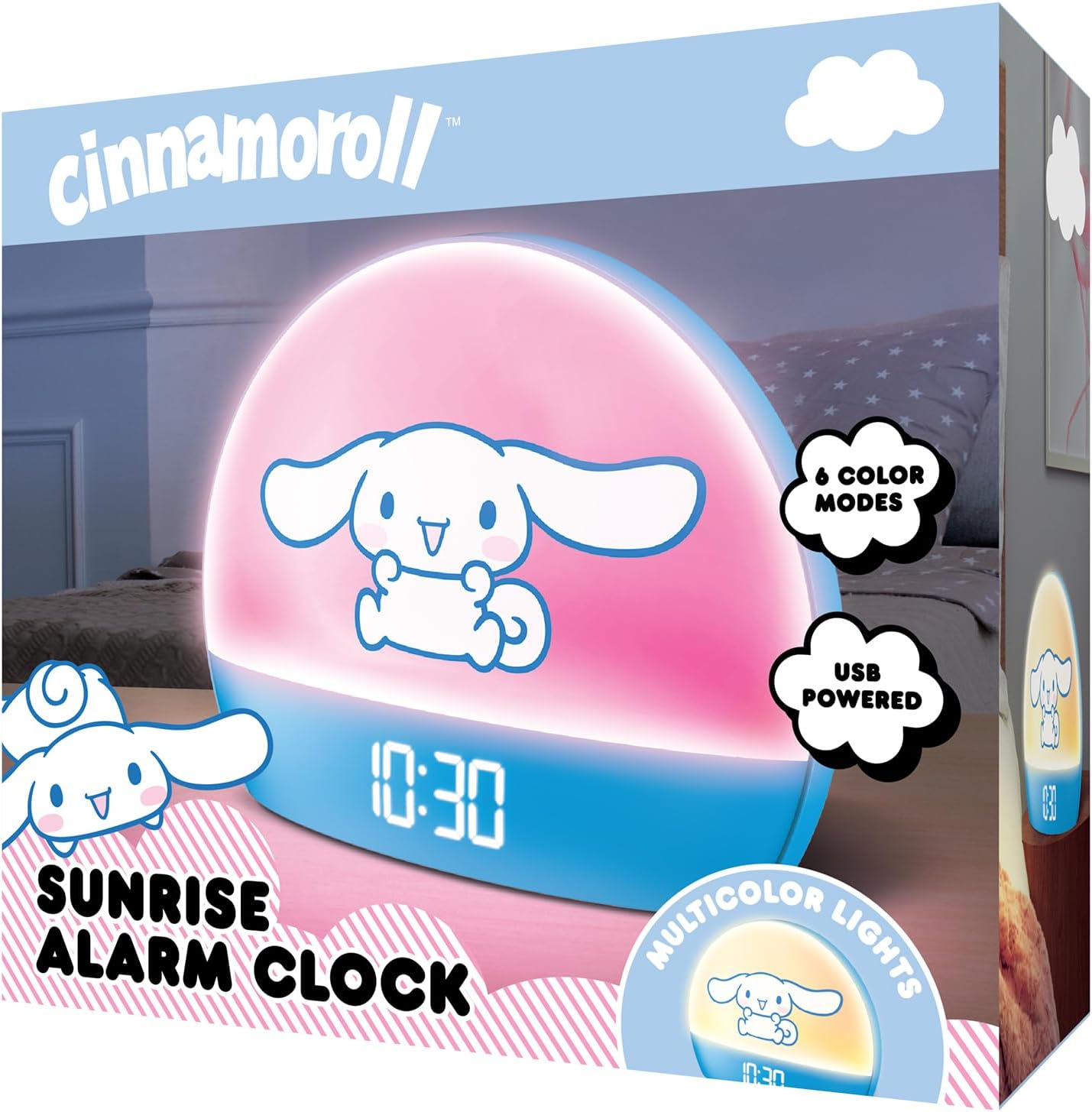
Image 2: Front packaging of the Hello Kitty Cinnamoroll Sunrise Alarm Clock.
4. 產品結束view
熟悉一下鬧鐘的主要組成部分。
- LED顯示屏: 顯示時間、日期和溫度。
- 燈板: Emits multicolor and sunrise simulation lights.
- 控制按鈕: Located on the back or bottom for setting time, alarm, and light functions.
- USB充電端口: For powering the device and charging external devices.
- 貪睡按鈕: Typically a prominent button on the top or front.

Image 3: Hello Kitty Cinnamoroll Sunrise Alarm Clock in a bedroom setting.
5. 設定
5.1 電源連接
- 將提供的 USB 電源線連接到鬧鐘背面的 USB 連接埠。
- 將 USB 連接線的另一端插入相容的 USB 電源轉接器(不包含)或帶電的 USB 連接埠。
- LED 顯示器將會亮起,表示裝置已通電。
5.2 設定時間和日期
Specific button names are not provided, so general instructions are given. Refer to the physical device for exact button labels.
- Press the "SET" or "TIME" button to enter time setting mode.
- Use the "UP" and "DOWN" buttons to adjust the hour. Press "SET" again to confirm.
- Adjust the minute using "UP" and "DOWN" buttons. Press "SET" to confirm.
- 重複此過程以設定年、月、日。
- The clock may offer 12-hour or 24-hour format selection. Follow on-screen prompts or consult the device's specific button functions.
6. 操作說明
6.1 設置鬧鐘
- 按下“ALARM”按鈕進入鬧鐘設定模式。
- Use "UP" and "DOWN" buttons to set the desired alarm hour. Press "ALARM" to confirm.
- Adjust the alarm minute. Press "ALARM" to confirm.
- Some models may allow setting alarm volume or sound. Follow prompts if available.
- To activate/deactivate the alarm, look for an "ALARM ON/OFF" button or a toggle within the alarm setting menu.
6.2 日出模擬
The sunrise simulation feature gradually increases light intensity before your set alarm time, mimicking a natural sunrise.
- This feature is typically linked to the alarm function. When the alarm is active, the light will begin to brighten a set period (e.g., 30 minutes) before the alarm sounds.
- Consult the device's specific controls for adjusting the duration or intensity of the sunrise simulation, if applicable.
6.3 顆多色燈
The clock offers various color modes for ambient lighting.
- Press the "LIGHT" or "COLOR" button to cycle through different color options or activate a color-changing mode.
- Press and hold the "LIGHT" button to turn off the ambient light.
- Brightness of the display and ambient light can often be adjusted using dedicated buttons or by holding the "LIGHT" button.
6.4 貪睡功能
When the alarm sounds, press the large "SNOOZE" button (usually on top) to temporarily pause the alarm. The alarm will sound again after a short interval (e.g., 5-10 minutes).
6.5個USB充電端口
The integrated USB port can be used to charge small electronic devices like smartphones or tablets. Simply connect your device's charging cable to the USB port on the alarm clock.
6.6 溫度顯示
The LED display shows the current room temperature. No specific action is usually required to view this, as it cycles with time and date or is displayed continuously.
7、維護保養
- 請用柔軟的乾布擦拭時鐘。請勿使用研磨性清潔劑或溶劑。
- 確保USB接口處無灰塵和碎屑。
- 長時間不使用時,請將鐘錶存放在陰涼乾燥處。
8。 故障排除
| 問題 | 可能的原因 | 解決方案 |
|---|---|---|
| 時鐘無法開機。 | USB cable not connected properly or power source issue. | Check USB cable connection. Try a different USB power adapter or port. Ensure the cable is securely inserted. |
| Time is incorrect or drifts. | Time not set correctly or internal clock issue. | Re-set the time following Section 5.2. If the issue persists, try disconnecting and reconnecting power. |
| 警報器沒有響。 | 警報未啟動或設定錯誤。 | Verify the alarm is set and activated (check for an alarm icon on the display). Ensure the volume is not set to zero if adjustable. |
| 按鈕沒有反應。 | Temporary software glitch or physical button issue. | Disconnect power for a few seconds and reconnect to reset the device. If buttons remain unresponsive, contact support. |
| USB充電埠無法運作。 | Cable issue, device not fully powered, or port malfunction. | Ensure the clock is properly powered. Try a different USB charging cable. Check if the port is clean and free of debris. |
9. 規格
| 品牌 | 凱蒂貓 |
| 型號 | HKCLK01CR-MFN |
| 顏色 | 肉桂捲 |
| 顯示類型 | 數位的 |
| 特色 | Adjustable Brightness, Alarm, Charging Port, LED Display, Temperature Display, Sunrise Simulation, Multicolor Lights |
| 產品尺寸 | 7 英吋寬 x 6 英吋高 |
| 電源 | 有線電動 (USB) |
| 材料 | 塑膠 |
| 物品重量 | 0.4 公斤(14 盎司) |
| 連接技術 | USB |
| 製造商 | 南方電信 |
10. 保固和支持
For warranty information or technical support, please refer to the contact details provided on the product packaging or visit the official Hello Kitty product support web地點。保留您的購買收據以備保固索賠之用。