
產品結束view
The Edillas 461D Square Digital Sport Watch is designed for durability and functionality, featuring a large 1.5-inch display for easy readability. It includes essential functions such as time, date, day of the week, alarm, and stopwatch, making it suitable for daily activities and sports. The watch is 50M water-resistant and built with a robust silicone strap and scratch-resistant resin crystal.
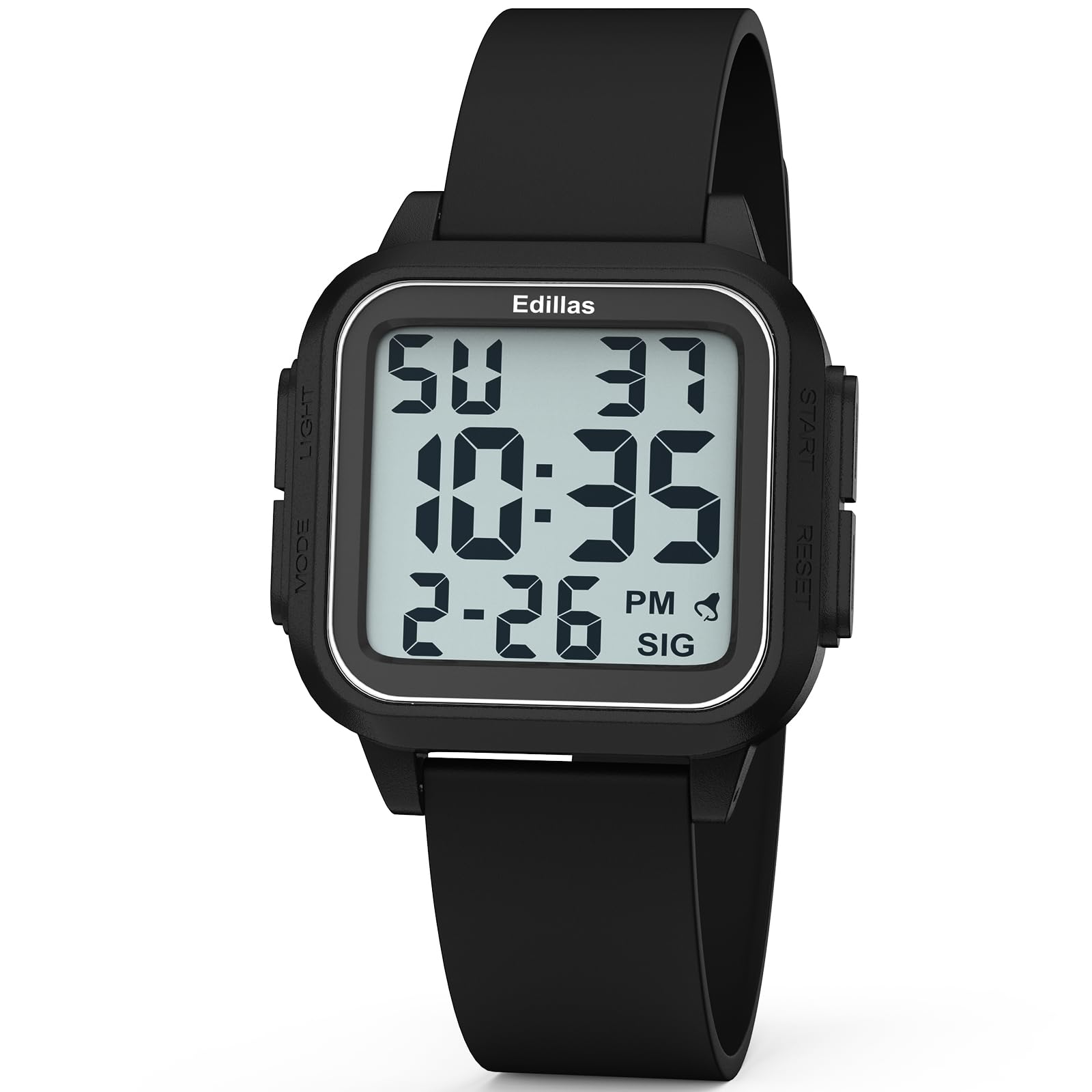
正面 view of the Edillas 461D Square Digital Sport Watch, showcasing its large digital display and black silicone strap.
手錶組件和控制
為了獲得最佳使用體驗,請熟悉手錶上的按鈕和顯示元素。

This diagram illustrates the various components and controls of the Edillas 461D watch, including the Mode, Light, Start, and Reset buttons, and display indicators for week, hour, minute, second, month, date, alarm, and hourlchi。
- 模式按鈕: Used to cycle through different modes (Time, Stopwatch, Alarm).
- 燈光按鈕: 開啟EL背光,提高在低光源環境下的可視性。
- 開始按鈕: Used to start/pause functions (e.g., stopwatch) or adjust settings.
- 復位按鈕: Used to reset functions (e.g., stopwatch) or switch between setting parameters.
設定和時間設定
設定時間和日期
- 在正常時間顯示模式下,按下 模式 按三次按鈕進入時間設定模式。秒數數字會閃爍。
- 按 重置 button to advance to the next setting: hours, minutes, month, date, day of the week.
- 當數字閃爍時,按下 開始 按下按鈕即可調整其值。
- 要切換 12 小時制和 24 小時制,請將小時設定調整到 12 或 24 以上。
- 所有設定調整完畢後,按下 模式 button to exit the time setting mode.
12/24 小時格式
The watch supports both 12-hour (AM/PM) and 24-hour (military time) formats. This can be toggled during the time setting process by adjusting the hour past 12 or 24.
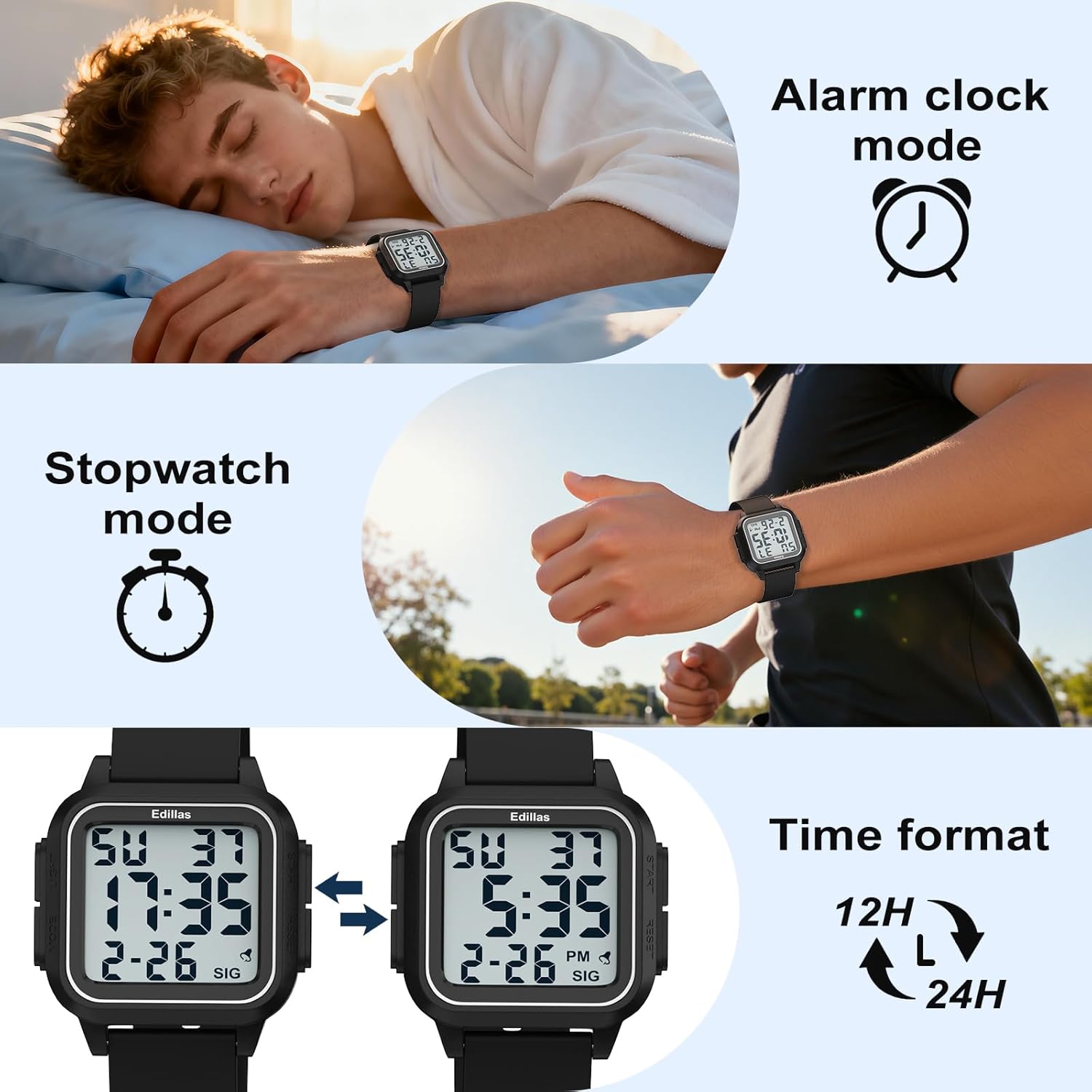
The watch display showing both 12-hour and 24-hour time formats, illustrating the flexibility in time representation.
操作說明
警報功能
The watch features an alarm and an hourly chime. Follow these steps to set and manage the alarm:
- 按 模式 button twice to enter the alarm mode.
- 按 開始 按鈕用於切換警報和urly chime on or off. A bell icon indicates the alarm is on, and "SIG" indicates the hourly chime is active. If neither is visible, both are off.
- 若要設定鬧鐘時間,請按 重置 按鈕。小時數字將會閃爍。
- 按 開始 按鈕調整小時。
- 按 重置 button to switch to minute setting, then press the 開始 按鈕調整分鐘。
- 設定好分鐘數後,按下 重置 確認。
- 按 模式 按下此按鈕退出鬧鐘設定模式。
Video demonstrating how to use the alarm function on the Edillas 461D watch, including setting the alarm time and activating/deactivating the alarm and hourlchi。
秒錶功能
The stopwatch function allows for precise timing of activities.
- 按 模式 按一下按鈕進入秒錶模式。
- 按 開始 按鈕開始計時。
- 按 開始 再次按下按鈕即可暫停秒錶。
- 暫停時,按下 開始 button again to resume timing.
- To use the SPL (Split) mode while the stopwatch is running, press the 重置 button. The current timing data will be frozen and displayed, while the stopwatch continues running in the background. This is useful for recording lap times.
- 按 重置 button again will exit SPL mode and display the current running time.
- To reset the stopwatch, first pause it by pressing the 開始 按鈕,然後按 重置 button to return it to its initial state (00:00:00).
- 按 模式 button once to exit the stopwatch mode.
Video demonstrating how to use the stopwatch function on the Edillas 461D watch, including starting, pausing, resuming, and resetting the timer, as well as utilizing the split (SPL) mode.
背光功能
The watch is equipped with an EL backlight for easy reading in dark environments.
- 按 光 button (typically located on the top-left side) to activate the backlight.
- The backlight will illuminate the display for a few seconds, then automatically turn off.

The Edillas 461D watch display illuminated by its backlight, showing clear visibility in low-light conditions.
防水指南
The Edillas 461D watch is rated 5ATM (50 meters) water-resistant. Please adhere to the following guidelines to maintain its water resistance:
- Suitable for daily water resistance such as splashes, rain, and shallow-water swimming.
- Suitable for cold showers.
- 不要 手錶浸入水中時,請勿按下任何按鈕。
- Avoid exposure to hot water, steam, or high temperatures (e.g., hot showers, saunas, hot tubs) as this can compromise the seals.
- 不適合潛水、浮潛或高速水上活動。

The Edillas 461D watch partially submerged in water, illustrating its 50M water resistance for activities like swimming.
維護和保養
- 打掃: 用柔軟的布擦拭手錶。amp 布料。避免使用刺激性化學物質或研磨性清潔劑。
- 貯存: 不使用時,請將手錶存放在陰涼乾燥處,避免陽光直射和極端溫度。
- 電池: The watch uses a CR2025 battery. Battery replacement should ideally be performed by a qualified technician to ensure water resistance is maintained.
- 錶帶保養: 矽膠錶帶可用溫和的肥皂水清洗。配戴前請確保錶帶完全乾燥。
- 保護膜: The watch comes with a high-definition, scratch-resistant protective film that does not need to be removed.

特寫 view of the Edillas 461D watch face, highlighting its high-definition, scratch-resistant protective film.
故障排除
| 問題 | 可能的原因 | 解決方案 |
|---|---|---|
| 顯示空白或暗淡。 | 電池電量低或沒電。 | 更換 CR2025 電池。 |
| 時間不正確。 | 時間設定不正確或誤按了按鈕。 | Re-set the time and date following the "Setup and Time Setting" instructions. |
| 警報器沒有響。 | 鬧鐘已關閉或設定不正確。 | Ensure the alarm is activated (bell icon visible) and the time is set correctly in alarm mode. |
| 手錶裡進水了。 | 水下按下按鈕或接觸熱水/蒸氣。 | 立即將手錶送至專業人士處進行檢查和維修。避免手錶再次接觸水。 |
規格
| 特徵 | 細節 |
|---|---|
| 型號 | 461D |
| 顯示類型 | 數位的 |
| 錶殼材質 | ABS (with Stainless Steel Case Back) |
| 錶帶材質 | 矽酮 |
| 防水深度 | 50公尺(5個大氣壓力) |
| 錶殼直徑 | 1.5吋(約3.81公分) |
| 錶殼厚度 | 0.47吋(約1.2公分) |
| 錶帶長度 | 9.45吋(約24公分) |
| 頻寬 | 0.86吋(約2.2公分) |
| 物品重量 | 0.07 公斤(約 40 克) |
| 電池類型 | 1 C battery (CR2025 included) |
| 附加功能 | Alarm, Stopwatch, EL Backlight, Date, Day, 12/24-hour format |

A detailed diagram illustrating the dimensions (case diameter, thickness, band length, band width) and weight of the Edillas 461D watch.
保固和支持
The Edillas 461D watch comes with a Lifetime Warranty. For any inquiries, missing parts, or issues, please contact customer support.
- 保固單: 終身保修。
- 售後服務: 2-year after-sales support.
- 返回: 30天無理由退貨政策。
- 客戶服務: 12小時線上客服。
- 聯絡信箱: yadelaiaftersale@163.com

Image detailing buyer support information, including warranty, return policy, and contact email for Edillas products.