
產品結束view
The TELESIN Pro Shot Imaging Grip Combo is an all-in-one creator bundle designed to enhance mobile photography and videography. It integrates a magnetic phone camera grip with a magnetic selfie light, offering a portable and versatile solution for various shooting scenarios.
This kit provides a DSLR-style ergonomic feel, strong magnetic hold, and long-lasting battery life for extended use. The included selfie light offers adjustable brightness and color temperature, making it suitable for diverse lighting conditions.
盒子裡有什麼
- TELESIN Pro Shot Imaging Master Grip x1
- TELESIN Magnetic Flash Selfie Light x1
- Colorful Keycaps x3 (Orange, Blue, Pink)
- 充電線 x1
- 磁性指環 x1(適用於非 MagSafe 設備)
- 說明書x1
- 清潔套件 x1
- 掛繩x1

Image: All components included in the TELESIN Pro Shot Imaging Grip Combo package.
相容性
The TELESIN Pro Shot Imaging Grip Combo is designed for wide compatibility with various smartphones:
- iOS 機種: Compatible with iPhone 12, 13, 14, 15, 16, 17 series and newer models with MagSafe, running iOS 26+ (requires updating to the latest firmware within the Reef Color camera app).
- Android Models: Compatible with Huawei (Mate 80, Pura 80, Pura 70 series), Samsung (S25, S26 series), and Xiaomi (17 series) including Pro & Ultra models. Note: Pure Harmony OS currently does not support firmware upgrades via the Joylink app, but this does not affect basic functionality.

Image: A visual representation of various flagship smartphones compatible with the imaging grip.
設定指南
1. Attaching the Grip and Light
- Ensure your smartphone is compatible (MagSafe or use the included magnetic ring).
- Align the TELESIN Pro Shot Imaging Master Grip with the back of your phone. The strong magnetic force will securely attach it.
- Attach the TELESIN Magnetic Flash Selfie Light to the designated magnetic area on the grip.
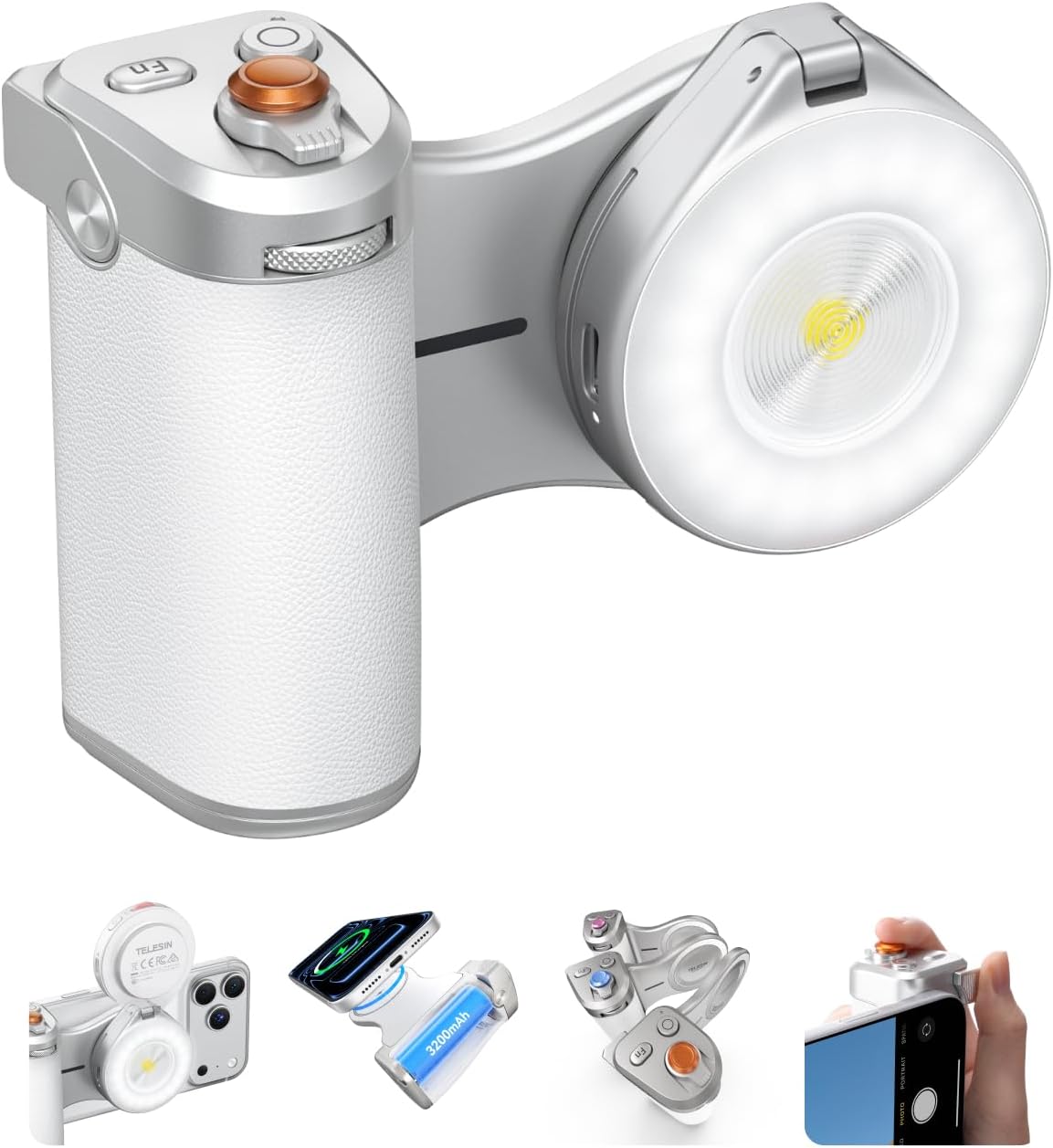
Image: The TELESIN Pro Shot Imaging Grip Combo securely attached to a smartphone.
2. 初始連線(藍牙)
- Long press the camera button on the grip for two seconds to turn on the device. The indicator light will flash.
- On your smartphone, go to Bluetooth settings and connect to "TELESIN_IPX".
- For the Magnetic Flash Selfie Light, long press its power button to turn it on. Then, in your phone's Bluetooth settings, connect to "TELESIN_LT03".
- Open the "ReefColor" app (available on app stores) and connect both devices within the app.

Image: Step-by-step guide for pairing the Magnetic Flash Selfie Light with the grip via Bluetooth.

Image: Visual instructions for initial Bluetooth connection and enabling zoom accessibility on iOS devices.
3. 為握把充電
The grip features a 3200mAh battery and supports wireless charging for your phone. To charge the grip itself, use the provided USB-C charging cable. To charge your phone, simply attach it to the grip and press the power button on the grip. The indicator lights will show the battery level.

Image: The grip's internal 3200mAh battery and its magnetic charging capability for smartphones.
操作說明
1. Grip Controls
- 射擊按鈕: Long press for 2 seconds to power on/off. Half-press to focus, full-press to shoot.
- Zoom Rocker: Rock right to zoom in, rock left to zoom out.
- 模式撥盤: Default switches between camera modes. Can be customized for filter intensity, exposure adjust, ISO, or shutter speed.
- Fn 自訂鍵: In app, press to switch dial mode. In video mode, press to capture, double-click to start/stop recording.
- 螢幕關閉喚醒按鈕: Press and hold for 2 seconds to wake the camera. Press to switch cameras (front/rear).

Image: Detailed diagram labeling all buttons, dials, and ports on the TELESIN Pro Shot Imaging Grip.
2. Using the Magnetic Flash Selfie Light
- The light attaches magnetically to the grip.
- It features a 180° flip design, allowing you to direct light forward for selfies or backward for illuminating subjects.
- Adjust brightness and color temperature using the controls on the light or through the ReefColor app.
- The light can function as a beauty fill light or a flash, improving photo quality in low-light conditions.

Image: The magnetic flash selfie light in use, providing illumination for a subject.
3. Recommended Flash Settings (via ReefColor App)
- Open grip settings in the "ReefColor Camera" app.
- Set the dial function to "adjust shutter speed".
- Select "FNC" (no filter) mode in the shooting interface.
- Adjust shutter speed to around 1/100 via the dial, then shoot.

Image: Screenshots from the ReefColor app demonstrating recommended flash settings for optimal results.
4. Custom Keycaps
The kit includes three colorful keycaps (Warm Orange, Elegant Blue, Sweet Pink) to customize the look of your grip's shutter button, allowing you to match your mood or style.

Image: Various colored keycaps that can be interchanged on the grip's shutter button.
5. 用作手機支架
The grip can also function as a convenient phone stand, allowing you to prop up your device for hands-free view既可豎屏拍攝,也可橫屏拍攝。

Image: The TELESIN Pro Shot Imaging Grip supporting a smartphone in an upright position.
維護
- 打掃: Use the provided cleaning kit or a soft, dry cloth to wipe down the grip and light. Avoid harsh chemicals or abrasive materials.
- 貯存: 將設備存放在陰涼乾燥處,避免陽光直射和極端溫度。
- 電池保養: For optimal battery life, avoid fully discharging the grip frequently. Charge it regularly, even if not in use for extended periods.
- 磁性表面: Keep the magnetic surfaces clean and free of debris to ensure a strong and secure connection.
故障排除
- 設備未連接:
- Ensure both the grip and light are powered on and fully charged.
- Check your phone's Bluetooth settings to confirm successful pairing. Try unpairing and re-pairing if issues persist.
- Make sure the "ReefColor" app is updated to the latest version.
- Flash Light Not Working:
- Verify the light is securely attached to the grip and powered on.
- Check the light's battery level.
- Ensure the correct settings are applied within the "ReefColor" app (refer to "Recommended Flash Settings").
- 按鈕無響應:
- Confirm the grip is connected via Bluetooth to your phone.
- 重啟手機和手機支架。
- Ensure the "ReefColor" app is open and active.
- Magnetic Ring Not Sticking:
- Clean the back of your phone or case thoroughly before applying the adhesive magnetic ring.
- Apply firm pressure for several seconds after placement to ensure strong adhesion.
規格
| 特徵 | 細節 |
|---|---|
| 產品尺寸 | 3.2 x 2.5 x 4.5 英寸 |
| 物品重量 | 1.23磅 |
| 產品型號 | Pro Shot Imaging Grip Combo |
| 電池 | 需要 1 顆電池(附) |
| 特色 | DSLR Style True Feel, Ergonomic Design |
| 製造商 | 崔辛 |
| 相容設備 | iOS Models (Requires iOS 26 and later): iPhone 12, 13, 14, 15, 16, 17 series. Android Models: Huawei / Samsung / Xiaomi (S25, S26, Mate 80, Pura 80, Pura 70, Xiaomi 17 series). |
官方產品視頻
TELESIN 磁吸式手機相機手柄
影片:結束view of the TELESIN Magnetic Phone Camera Grip, showcasing its features and magnetic attachment.
Pro Shot Imaging Grip Versatile Kit
Video: Demonstrates the versatility of the Pro Shot Imaging Grip kit, highlighting its various uses and components.
TELESIN All-in-One Creator Bundle for Versatile Shooting
Video: Showcases the complete creator bundle and its applications for diverse shooting needs.
TELESIN Pro Shot Imaging Master Grip With Flash Selfie Light
Video: A detailed look at the Master Grip combined with the Flash Selfie Light, highlighting their integrated functionality.
TELESIN Magnetic Phone Camera Grip Usage Video
Video: Practical demonstration of how to use the TELESIN Magnetic Phone Camera Grip for various photographic tasks.
保固和支持
有關保固資訊和客戶支持,請參考 TELESIN 官方網站。 website or contact their customer service directly. The product includes a manual with detailed contact information and warranty terms.
Additional protection plans are available for purchase, including 2-Year and 3-Year plans, as well as a monthly "NEW Complete Protect" option. Please check the product listing or contact the seller for more details on these plans.