
一、簡介
Thank you for choosing the SUNLU S4 Filament Dryer. This device is designed to effectively dry 3D printer filaments, improving print quality and preventing common issues caused by moisture absorption. The S4 features a large capacity for up to four 1KG spools, rapid heating, uniform drying with triple fans, and intelligent humidity control for optimal filament conditioning.
2. 安全須知
- 操作設備前請先閱讀所有說明。
- 確保電源電壓tage matches the specifications indicated on the device.
- 請勿用濕手或在乾燥環境下操作設備amp 環境。
- 請將本設備遠離易燃物和熱源。
- 操作期間請勿堵塞通風口。
- 不使用設備或清潔設備前,請將設備從電源插座拔下。
- 請勿嘗試自行拆卸或修理設備。 請聯絡客戶支援尋求協助。
- 請將本品放在兒童接觸不到的地方。
3. 包裝內容
請檢查包裝內是否有以下物品:
- SUNLU S4 Filament Dryer Unit
- 電源適配器
- 用戶手冊(本文檔)
- 1KG White High Speed PLA+2.0 Filament (bundled item)
4. 產品結束view
The SUNLU S4 Filament Dryer is designed to provide optimal drying conditions for various 3D printing filaments. Key features include:
- 大容量: Accommodates up to four 1KG spools simultaneously, enabling multi-color or multi-machine printing without interruption.
- 快速加熱: Equipped with a 350W PTC heater, the S4 heats from 25℃ to 50℃ in approximately 30 minutes, ensuring efficient drying.
- Uniform Drying: Three built-in fans (two circulating on sides, one on bottom) maintain a temperature balance within ±3℃ for consistent drying throughout the box.
- Triple Security: Features PTC, temperature switch, and software protection for enhanced safety and real-time temperature monitoring.
- Smart Auto Humidity Control: Allows users to set a desired humidity range (30%~50%). The dryer automatically starts drying when humidity exceeds the set range and stops when it falls below 25% to prevent over-drying.
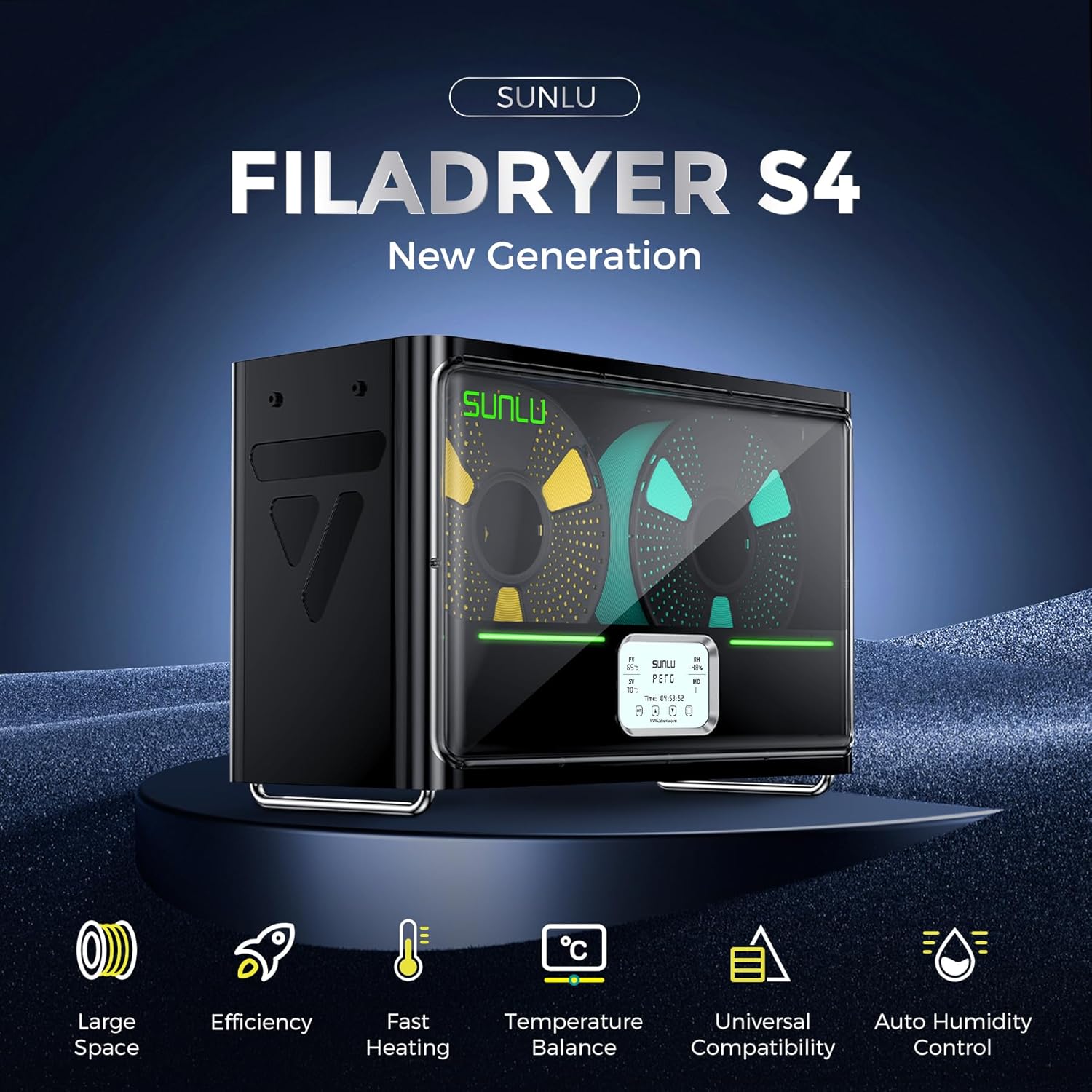
Image: The SUNLU S4 Filament Dryer highlighting its main features including large space, efficiency, fast heating, temperature balance, universal compatibility, and auto humidity control.
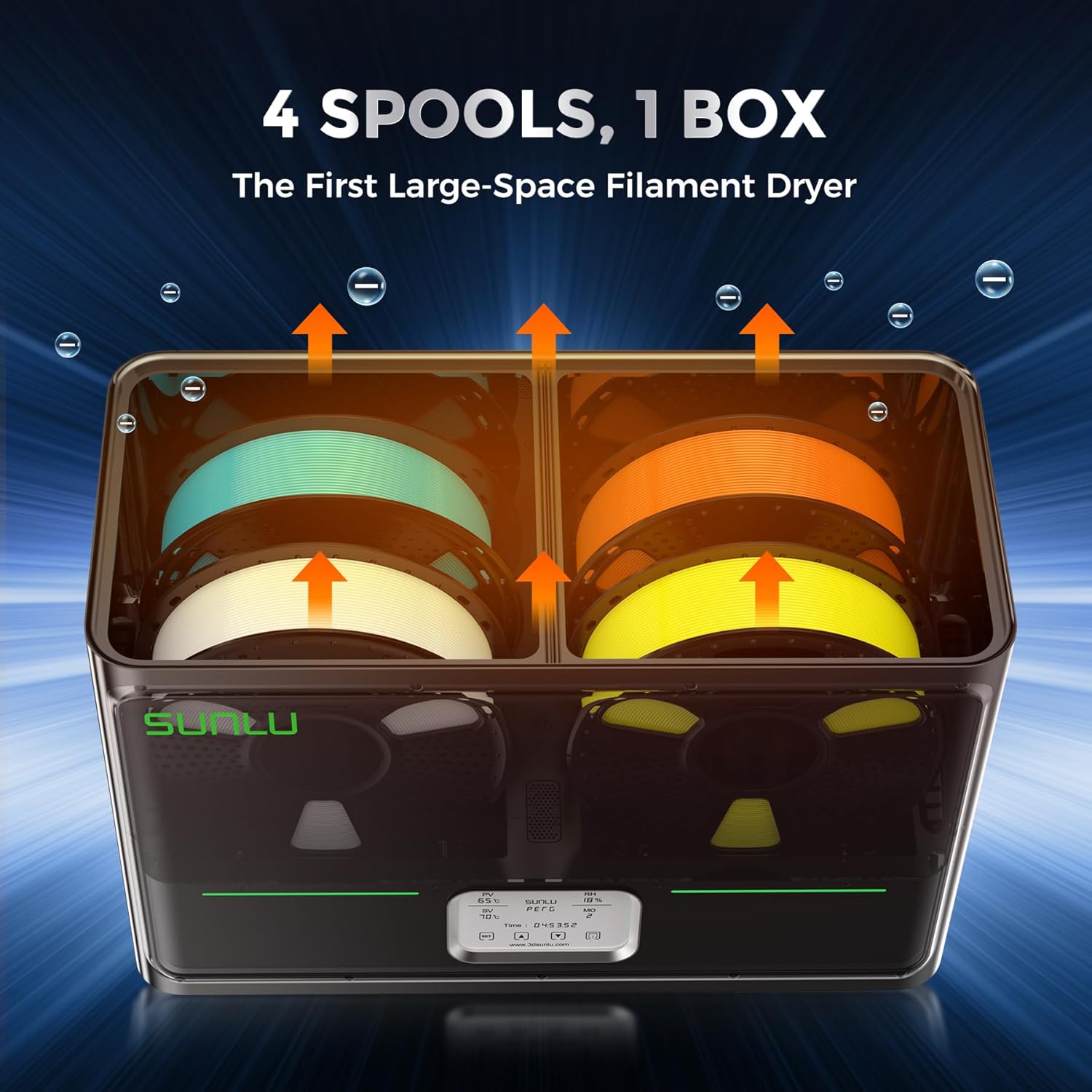
圖:內部 view of the SUNLU S4 Filament Dryer demonstrating its capacity to hold four 1KG filament spools, with arrows indicating airflow for drying.

Image: A visual comparison showing a 3D printed object made with wet filament (left, rough surface) versus the same object made with dried filament (right, smooth surface), illustrating the benefits of drying.
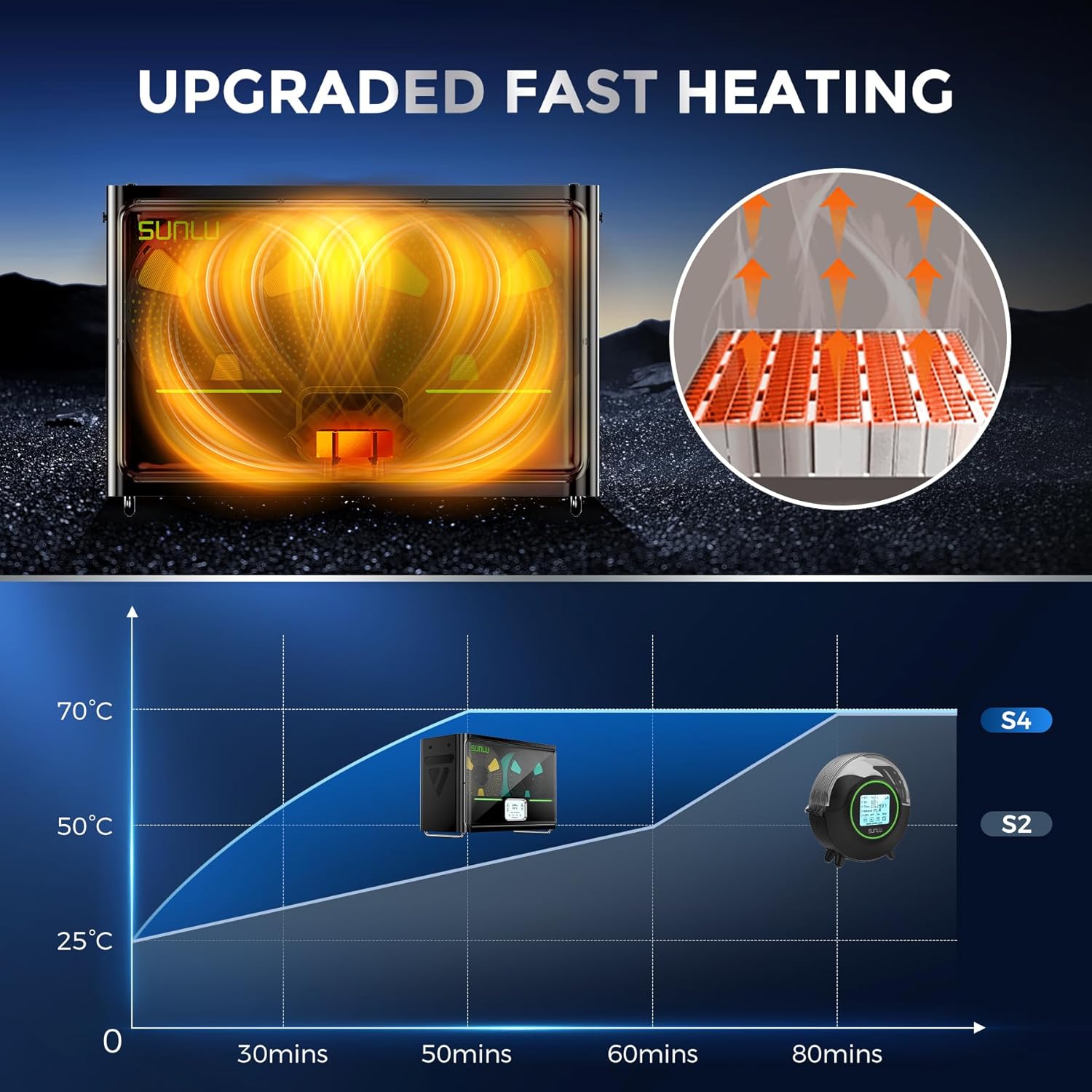
Image: A graph illustrating the rapid heating capability of the SUNLU S4, showing it reaches 50°C from 25°C in approximately 30 minutes, significantly faster than previous models.

Image: An illustration depicting the three internal fans of the SUNLU S4, highlighting their role in circulating air for uniform and 360-degree drying of filament.

Image: A diagram showing the triple security features of the S4: Smart PTC, Temperature Switch, and Software Protection, ensuring safe operation with real-time temperature monitoring.
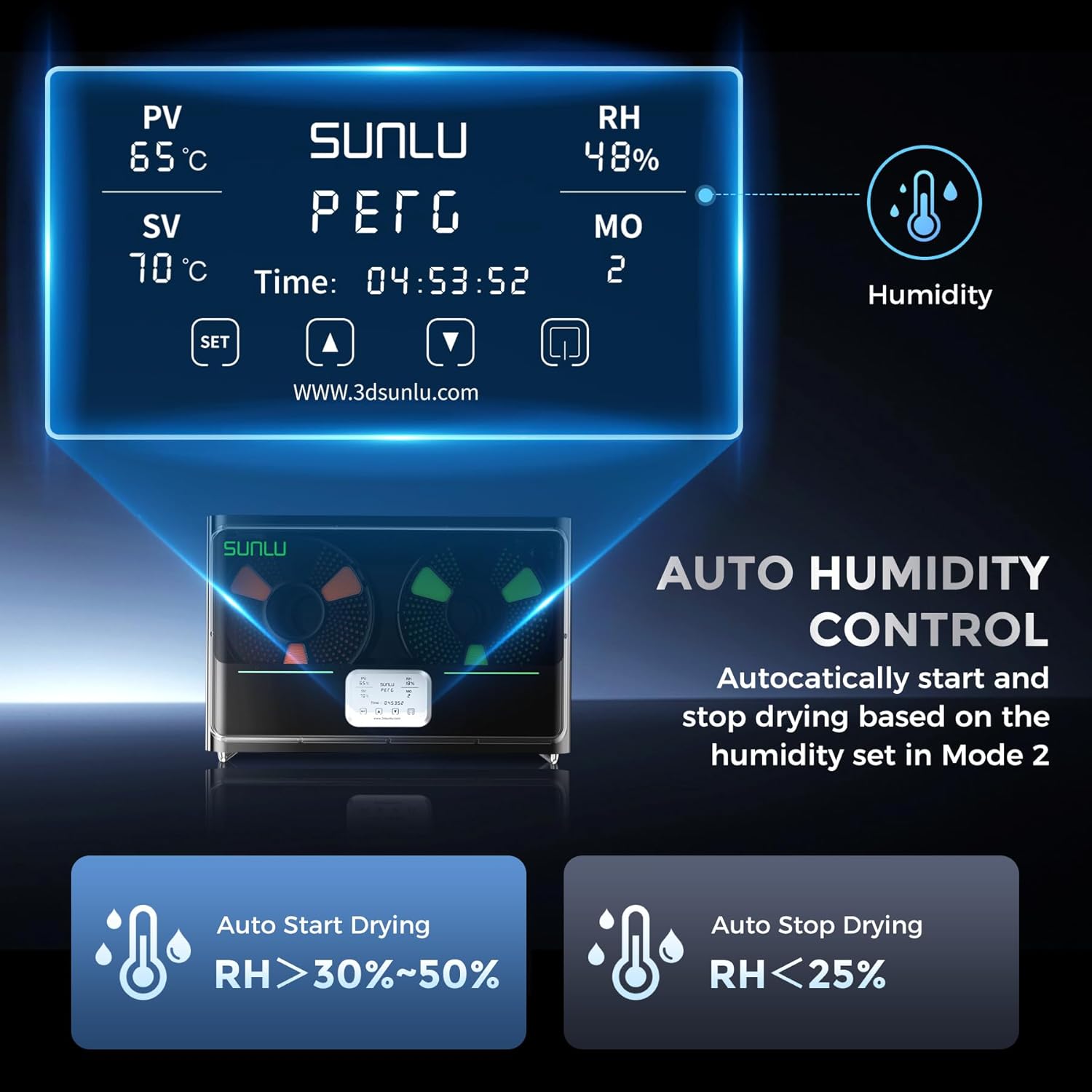
Image: The control panel display of the SUNLU S4, showing current temperature (PV), set temperature (SV), relative humidity (RH), and mode (MO). It also illustrates the auto humidity control logic for starting and stopping drying.
5. 設定
- 開箱: Carefully remove the SUNLU S4 Filament Dryer and all accessories from the packaging.
- 放置: 將烘乾機放置在穩定、平坦且耐熱的表面上,並確保機器周圍有足夠的通風。
- 裝入耗材: Open the lid of the dryer. Place up to four 1KG filament spools onto the internal rollers. Ensure the filament can unroll smoothly.
- 連接電源: Plug the power adapter into the dryer's power input port, then connect the adapter to a suitable power outlet.
- 開機: Press the power button to turn on the device. The display will illuminate.
6. 操作說明
The SUNLU S4 offers various modes for drying filament. Refer to the display and control buttons for operation.
6.1. 基本操作
- 電源開/關: 按電源按鈕打開或關閉設備。
- Temperature Setting (SV): Use the 'SET' button to enter temperature adjustment mode. Use the up/down arrows to set the desired drying temperature. Press 'SET' again to confirm.
- Drying Time Setting: The dryer typically operates for a set duration or until humidity targets are met. Consult the on-screen display for current drying time.
6.2. Auto Humidity Control (Mode 2)
This mode allows the dryer to automatically manage humidity levels to prevent over-drying while ensuring optimal conditions.
- Activate Mode 2: Navigate to Mode 2 on the display.
- 設定濕度範圍: In Mode 2, you can adjust the target humidity range, typically between 30% and 50%.
- 自動操作: The S4 will automatically initiate drying when the internal relative humidity (RH) rises above your set range.
- 自動停止: Drying will automatically cease when the internal RH drops below 25%, preserving filament quality.
筆記: Always refer to the specific filament manufacturer's recommendations for optimal drying temperatures and durations.
7、維護保養
- 打掃: Ensure the device is unplugged before cleaning. Use a soft, dry cloth to wipe the exterior. Do not use abrasive cleaners or solvents.
- 內部清潔: Periodically check the interior for any filament debris or dust. Use a soft brush or compressed air to gently remove any accumulation.
- 貯存: When not in use for extended periods, store the dryer in a cool, dry place, away from direct sunlight and moisture.
8。 故障排除
| 問題 | 可能的原因 | 解決方案 |
|---|---|---|
| 設備無法開機 | 無電源;連接鬆動 | 檢查電源線連接;確保插座功能正常。 |
| 燈絲乾燥效果不佳 | Incorrect temperature/time settings; heavily saturated filament | Increase drying temperature or duration; ensure correct mode is selected. |
| 溫度波動 | Blocked vents; extreme ambient temperature | Ensure vents are clear; operate in a stable room temperature environment. |
| 顯示器不工作 | Power issue; internal fault | Power cycle the device. If issue persists, contact support. |
9. 規格
| 特徵 | 細節 |
|---|---|
| 模型 | S4 |
| 品牌 | 孫祿 |
| 加熱功率 | 350W PTC加熱器 |
| 燈絲容量 | Up to 4 x 1KG spools |
| 溫度控制 | ±3℃ balance |
| 濕度控制 | Auto start (RH > 30-50%), Auto stop (RH < 25%) |
| 安全特性 | PTC, Temperature Switch, Software Protection |
| ASIN | B0FS74DPRD |
| 首次可用日期 | 6 年 2025 月 XNUMX 日 |
10. 保固和支持
SUNLU products are manufactured to high-quality standards. For warranty information, technical support, or service inquiries, please refer to the official SUNLU website or contact your retailer. Please have your product model (S4) and purchase information ready when contacting support.