
一、簡介
This manual provides detailed instructions for the FULODE X1-16C 16-Channel Audio Mixer. Please read this manual thoroughly before operating the device to ensure proper usage and to maximize its performance and longevity. This professional audio console is designed for various applications including studio recording, live performances, DJ events, and karaoke.

2. 安全訊息
To prevent electric shock, fire, or damage to the device, please observe the following safety precautions:
- 請勿開啟設備 casing. 所有維修工作應交由合格人員進行。
- 確保電源電壓tage 符合設備上指定的要求。
- 請勿讓設備接觸水、潮濕環境及過熱環境。
- Do not operate the device if the power cord is damaged or frayed.
- 清潔或進行維護前,請務必先斷開電源。
- 僅使用製造商指定的附件/配件。
3. 包裝內容
確認包裹內所有物品齊全:
- FULODE X1-16C 16-Channel Audio Mixer
- Power Adapter (AC 90-240V, 50-60Hz)
- 使用者手冊
4. 產品結束view: 控制和連接
The FULODE X1-16C mixer features a comprehensive layout for intuitive control over your audio. Familiarize yourself with the various inputs, outputs, and control elements.

4.1 前面板控制
- Composite Interface: Combination XLR/TRS input for microphones and line-level signals.
- 幻影開關: 啟動電容式麥克風的 +48V 幻象電源。
- 增益調整: Controls the input sensitivity of each channel.
- Treble/Midrange/Bass Adjustment (3-Band EQ): Equalization controls for high, mid, and low frequencies on each channel.
- AUX Adjustment: Controls the auxiliary send level for external effects or monitor mixes.
- Adjustment of Effect: Controls the amount of internal DSP effect applied to the channel.
- 平底鍋平衡: 調整聲道訊號的立體聲位置。
- Channel Mute Switch: Mutes or unmutes the individual channel.
- Channel Volume Pusher: Fader to control the output level of each channel.
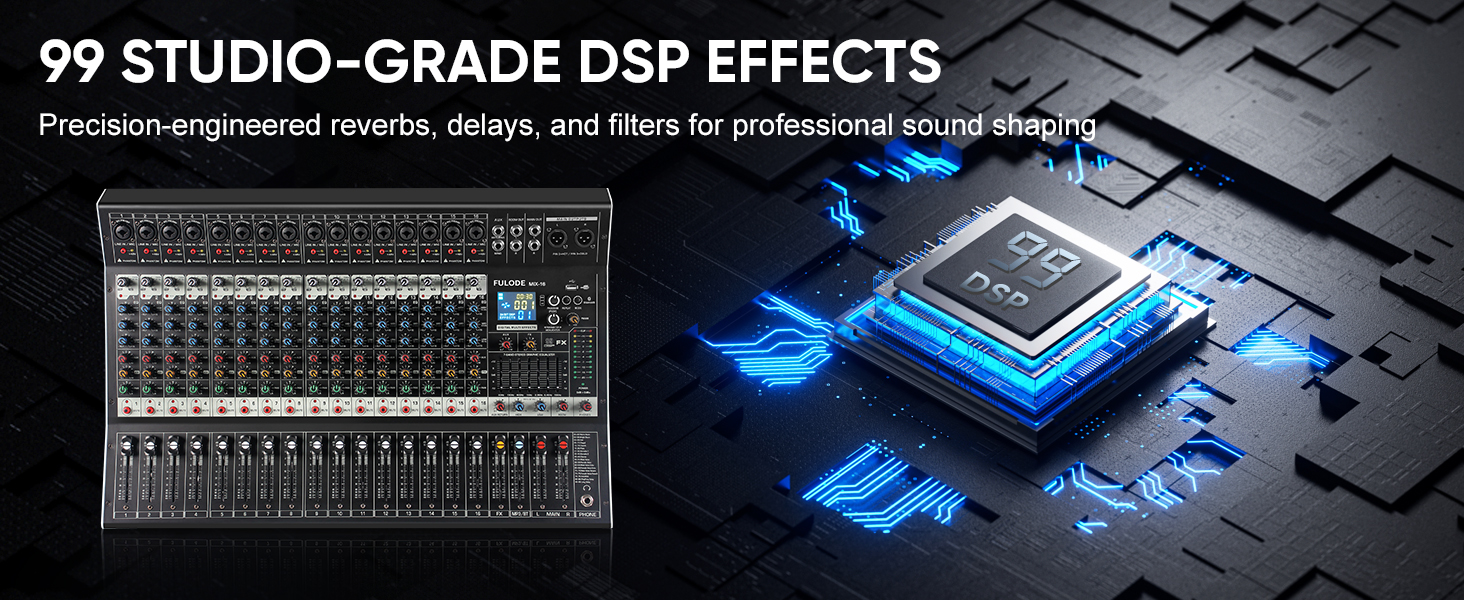
- Reverberation Effect Selection: Knob to select from 99 built-in DSP effects.
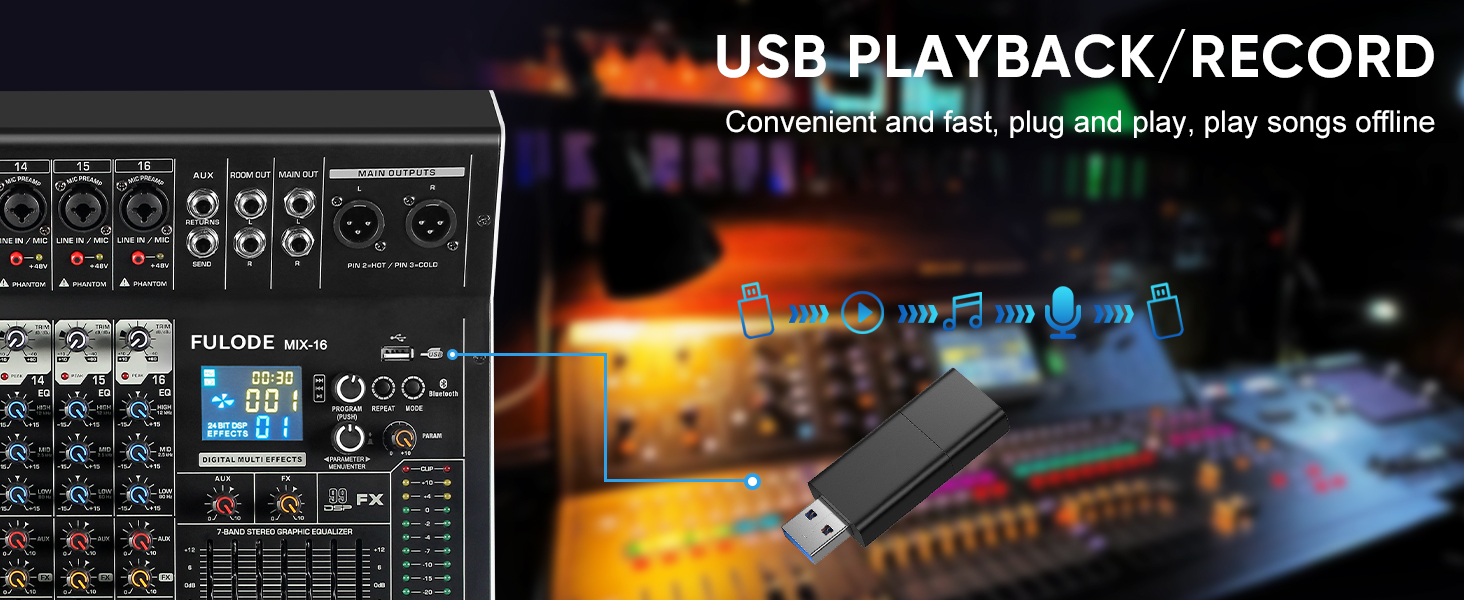
- USB/MP3 Playback: Section for USB drive and Bluetooth audio input, with transport controls and digital display.
- 液位指示燈: Visual display of output levels.
- Main Channel Seven Segment Balance: Graphic equalizer for the main stereo output.
- Monitor Volume Adjustment: 控制耳機輸出的音量。
- Effect Main Volume Adjustment: Controls the overall level of the selected DSP effect.
- Left/Right Main Volume Adjustment: Faders for the main stereo output.
- Earphone Monitoring Interface: 1/4" jack for headphone monitoring.
- MP3 Main Volume Adjustment: Controls the output level of the USB/MP3/Bluetooth section.
4.2 後面板連接
- 電源開關: 打開或關閉混音器。
- 電源介面: 連接至所提供的電源供應器。
5. 設定
Follow these steps for initial setup of your FULODE X1-16C Audio Mixer.
5.1 電源連接
- 確保攪拌機的電源開關處於關閉位置。
- Connect the power adapter to the Power Interface on the rear panel of the mixer.
- Plug the power adapter into a suitable AC power outlet (110V).
- Turn the mixer's power switch to the ON position. The digital display should illuminate.
5.2 連接麥克風和樂器
- For microphones or line-level instruments, connect them to the Composite Interface (XLR or 1/4" TRS) on the desired channel.
- 如果使用電容式麥克風,請按下 幻像開關 (+48V) for that specific channel. An indicator light will confirm activation.
- 調整 增益調整 knob for each input channel to achieve an optimal signal level without clipping.

5.3 連接輸出設備
- 連接您的主揚聲器或 amp改善者 Main Output Interface (XLR or 1/4" TRS) on the top right of the mixer.
- 監聽時,請將耳機連接到 Earphone Monitoring Interface.
6. 操作說明
6.1 通道控制
- 獲得: Adjust the input gain for each channel to prevent clipping (indicated by the PEAK LED) and ensure a strong signal.
- 三段均衡: Use the HI, MID, and LOW knobs to shape the tone of each input.
- 輔助: Control the amount of signal sent to the auxiliary output for external effects or monitor mixes.
- 外匯: Adjust the level of the internal DSP effect applied to the channel.
- 潘: Position the channel's signal in the stereo field (left to right).
- 沉默的: Press the MUTE button to instantly silence a channel.
- 通道推子: Use the fader to control the overall volume of the channel in the main mix.
6.2 種 DSP 效果
The mixer includes 99 built-in 24-bit DSP effects for enhancing your sound.
- 使用 Reverberation Effect Selection knob to browse through the 99 available effects (e.g., Warm Room, Bright Room, Hall, Plate, Chorus, Delay). The digital display will show the selected effect number.
- 按下旋鈕確認您的選擇。
- 調整 Effect Main Volume Adjustment to control the overall wet/dry mix of the effects.
- Use the individual channel's FX knob to send more or less of that channel's signal to the effects processor.

6.3 USB/MP3/Bluetooth Playback
The mixer supports audio playback from USB drives and Bluetooth-enabled devices.
- USB播放: 插入包含 MP3 的 USB 隨身碟 files into the USB port. Use the transport controls (Play/Pause, Skip) and the MP3 Main Volume Adjustment 控製播放。
- 藍牙連接: Press the MODE button on the USB/MP3 section until 'BT' appears on the digital display. On your smart device, search for 'MIX-BT' (or similar) and pair. Once connected, you can stream audio wirelessly to the mixer.

6.4 主要輸出和監控
- 使用 Left/Right Main Volume Adjustment faders to control the overall output level of the mix.
- 這 液位指示燈 provides visual feedback on the main output levels. Adjust faders to keep levels within the optimal range (avoiding red/clipping).
- 這 Main Channel Seven Segment Balance (graphic EQ) allows for fine-tuning the overall frequency response of your main mix.
- 調整 Monitor Volume Adjustment for comfortable listening through headphones.

6.5 官方產品影片展示
Watch this video for a visual demonstration of the FULODE mixer's features and operation. Note: The video features a MIX-12 model, which shares many similar functionalities with the X1-16C.
7、維護保養
妥善保養可確保攪拌機的使用壽命長久且性能最佳。
- 打掃: Use a soft, dry cloth to wipe the surface of the mixer. Do not use liquid cleaners or solvents, as they may damage the finish or internal components.
- 貯存: Store the mixer in a cool, dry place away from direct sunlight and extreme temperatures. If storing for extended periods, cover the unit to protect it from dust.
- 通風: 確保攪拌機周圍通風良好,防止過熱。切勿堵塞通風口。
8。 故障排除
If you encounter issues with your FULODE X1-16C mixer, refer to the following common problems and solutions:
| 問題 | 可能的原因 | 解決方案 |
|---|---|---|
| 沒電 | Power cable not connected; Power switch off; Faulty power adapter/outlet | Check power cable connection; Ensure power switch is ON; Try a different power outlet or adapter. |
| 頻道無聲音 | Channel muted; Gain too low; Cable issue; Phantom power not activated (for condenser mics) | Check MUTE button; Increase Gain; Verify cable connections; Activate +48V phantom power if needed. |
| No sound from main output | Main faders down; Output cables disconnected; Amplifier/speakers off | Raise Main Volume faders; Check output cable connections; Ensure amplifier/speakers are powered on and connected. |
| 藍牙未連接 | Mixer not in Bluetooth mode; Device too far; Already connected to another device | Press MODE until 'BT' appears; Ensure device is within 33 ft; Disconnect from other devices. |
| 聲音失真 | Gain too high (clipping); EQ settings extreme; Faulty cable/microphone | Reduce Gain (ensure PEAK LED is not constantly lit); Adjust EQ to neutral or moderate settings; Test with different cables/microphones. |
9. 規格
Technical specifications for the FULODE X1-16C 16-Channel Audio Mixer:
- 模型: X1-16C
- 頻道數: 16
- DSP 效果: 99 built-in 24-bit effects
- 均衡: 3-band EQ per channel, 7-band graphic EQ on main output
- 幻像電源: +48V(每個通道可切換)
- 連接性: USB (playback/recording), Bluetooth, XLR, 1/4" TRS
- 電源: 有線電動
- 卷tage: 110 伏 (AC)
- 產品尺寸: 15.55吋深 x 18.9吋寬 x 4.13吋高(39.5公分深 x 48公分寬 x 10.5公分高)
- 物品重量: 18.16 磅(8.24 公斤)
10. 保固和支持
For warranty information and technical support, please refer to the documentation included with your purchase or contact FULODE customer service through their official channels. Keep your proof of purchase for any warranty claims.