
介紹
This manual provides detailed instructions for the installation, operation, and maintenance of your be quiet! Pure Loop 3 280mm Black CPU Liquid Cooler. This all-in-one (AIO) liquid cooling system is designed to deliver high cooling performance for all consumer CPUs, including heavily overclocked systems, while maintaining quiet operation.
The Pure Loop 3 features a state-of-the-art PWM pump with a 6-pole motor to minimize vibrations, two Pure Wings 3 140mm PWM high-speed fans for high static pressure and quiet operation, and flexible sleeved tubes for easy handling. Please read these instructions carefully before proceeding with installation.

Image: The be quiet! Pure Loop 3 280mm Black CPU Liquid Cooler, showcasing the radiator, fans, pump, and product packaging.
盒子裡有什麼
安裝前,請確認您的包裝盒內包含以下所有組件:
- Pure Loop 3 280mm AIO Liquid Cooler (Radiator, Pump, and Tubes pre-assembled)
- 2x Pure Wings 3 140mm PWM High-Speed Fans
- 導熱膏
- Mounting kit for Intel sockets (LGA 1954/1851/1700/1200/1151/1150/1155)
- Mounting kit for AMD sockets (AM5/AM4)
- 適配器電纜
- 使用者手冊(本文檔)

Image: All included components of the Pure Loop 3 280mm cooler, including the radiator, fans, pump, mounting hardware, thermal paste, and cables.
設定和安裝
Proper installation is crucial for optimal cooling performance. Follow these general steps. Refer to the detailed diagrams in the included printed manual for specific socket instructions.
1. 準備散熱器和風扇
- Attach the two Pure Wings 3 140mm PWM fans to the radiator using the provided screws. Ensure the fan airflow direction is appropriate for your case's ventilation.
- Connect the daisy-chained PWM fan cables to a single PWM header on your motherboard or to the included adapter cable.
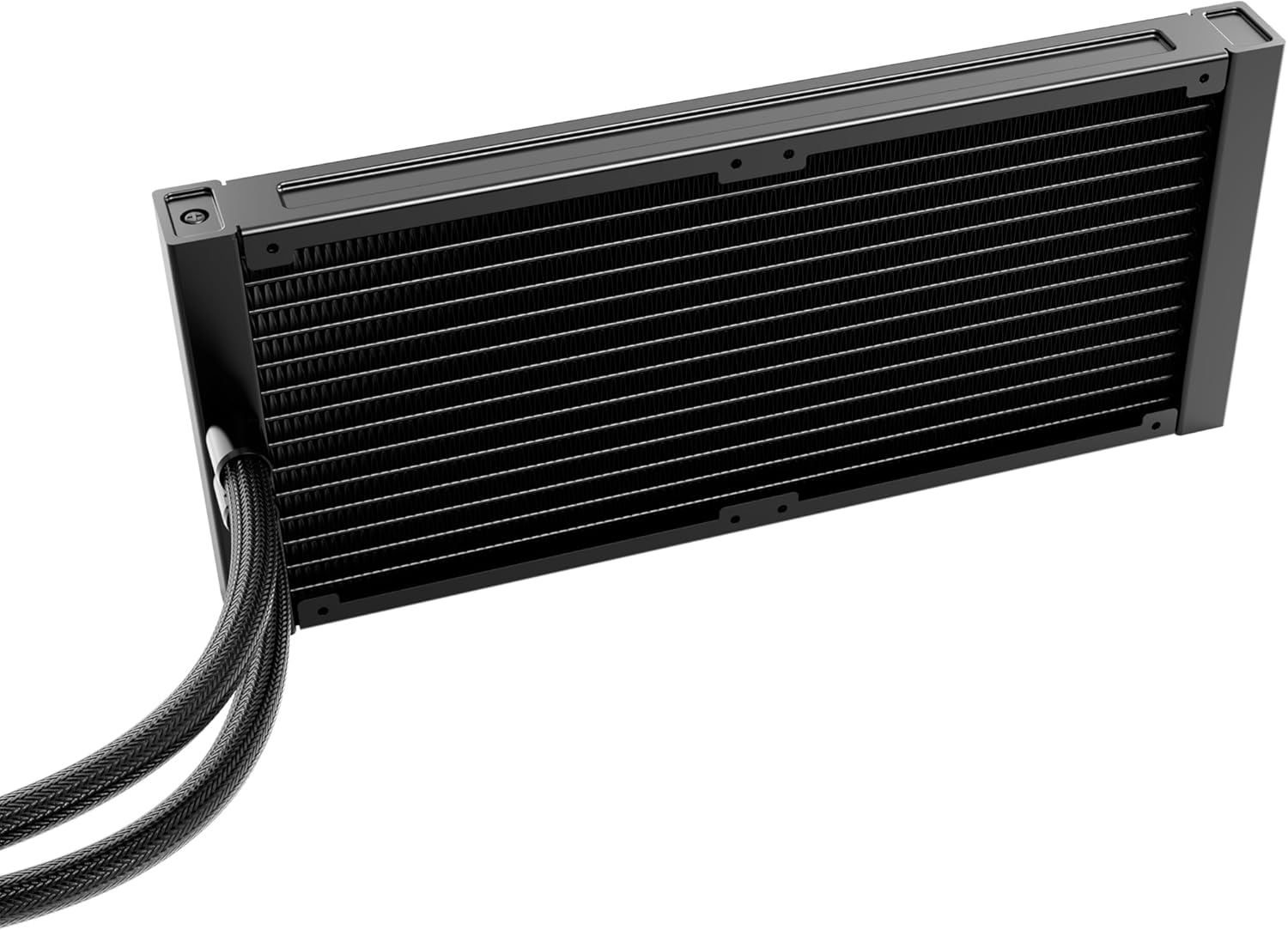
圖片:詳細 view of the radiator, showing its fin structure and connection points for the tubes.
2. Install the Radiator in Your PC Case
Mount the radiator assembly to an available fan mounting location in your PC case (e.g., top, front, or rear). Use the appropriate screws for your case. Ensure there is sufficient clearance for the radiator and fans.
3. 準備 CPU 插槽
- 請確定您的CPU插槽類型(Intel LGA或AMD AM)。
- Install the correct backplate (if required) and mounting brackets for your socket type onto the motherboard.
- 用異丙醇清潔CPU表面,去除灰塵或舊的導熱矽脂。
- Apply a small amount of the provided thermal paste to the center of the CPU's integrated heat spreader (IHS).
4 安裝幫浦/冷板
- Carefully place the pump/cold plate assembly onto the CPU, aligning it with the mounting holes on the brackets.
- Secure the pump/cold plate with the appropriate screws, tightening them in a diagonal pattern until snug. Do not overtighten.
- Connect the pump's 4-pin power cable to the designated CPU_FAN or AIO_PUMP header on your motherboard.
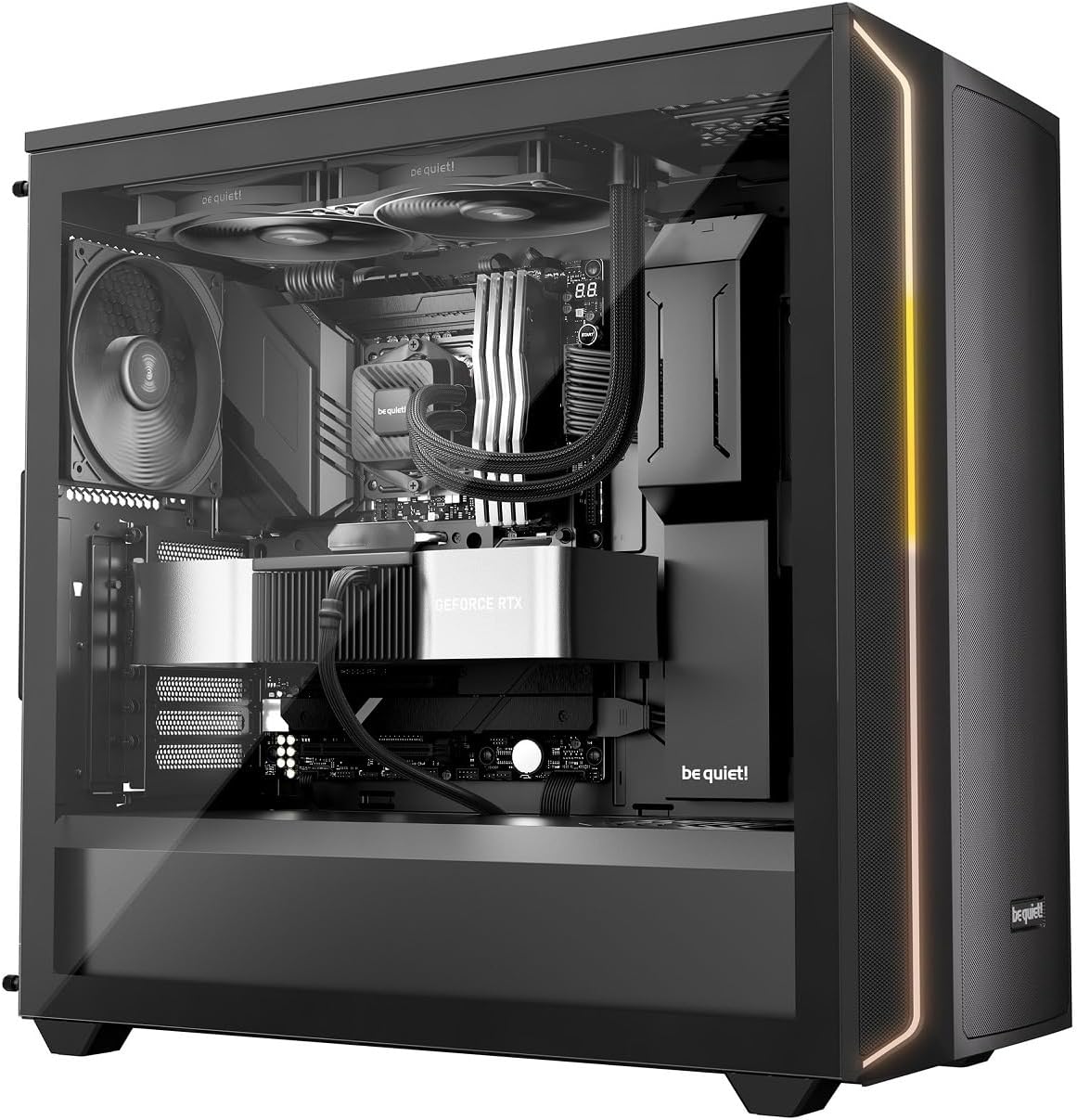
Image: The Pure Loop 3 liquid cooler installed within a computer case, demonstrating its placement and integration with other components.
操作說明
Once installed, the Pure Loop 3 liquid cooler operates automatically based on your motherboard's fan and pump control settings. For optimal performance and acoustics, it is recommended to configure these settings in your motherboard's BIOS/UEFI.
- 泵操作: The PWM pump features a 6-pole motor designed for quiet and efficient operation. Ensure the pump is connected to a dedicated AIO_PUMP or CPU_FAN header that provides continuous power or is configured for PWM control based on CPU temperature.
- 風扇操作: The two Pure Wings 3 140mm PWM high-speed fans are daisy-chained for simplified cable management. Connect them to a single PWM fan header. Configure a fan curve in your BIOS/UEFI to balance cooling performance and noise levels according to your preferences.
- 初始啟動: After installation, power on your system and monitor CPU temperatures using monitoring software. Ensure the pump is running and fans are spinning. A slight gurgling sound may be heard initially as air bubbles are purged from the loop; this should subside quickly.
維護
The be quiet! Pure Loop 3 is designed for low maintenance. However, periodic checks can help ensure long-term performance.
- 除塵: 定期使用壓縮空氣或軟毛刷清除散熱器鰭片和風扇葉片上的灰塵。清潔時請確保風扇停止運轉。
- 補貨港: The Pure Loop 3 features an easy-to-access refill port on the pump unit. Over time, a small amount of coolant may evaporate. If you notice a significant increase in CPU temperatures or hear unusual pump noises, you may need to top up the coolant. Use only high-quality, non-conductive liquid cooling fluid specifically designed for AIO systems. Refer to the be quiet! website for recommended coolant types and detailed refill instructions.
- 管材檢測: Occasionally inspect the flexible sleeved tubes for any signs of kinks, leaks, or damage.
故障排除
If you encounter issues with your Pure Loop 3 liquid cooler, consider the following common troubleshooting steps:
- CPU溫度過高:
- Ensure the pump is running and connected correctly to a motherboard header.
- Verify that the fans are spinning and installed with the correct airflow direction.
- Check if the cold plate is making proper contact with the CPU. Re-seat if necessary, ensuring thermal paste is applied correctly.
- Inspect the radiator for dust buildup and clean if necessary.
- Check coolant levels via the refill port if temperatures remain high after other checks.
- Unusual Noises (Gurgling, Whining):
- A slight gurgling sound during initial startup is normal as air purges. If it persists, gently tilt your PC case to help trapped air move to the radiator.
- Ensure the pump is not running at excessively high RPMs if controllable.
- 檢查風扇葉片是否有阻塞或損壞。
- 風扇不轉:
- Verify fan cables are securely connected to the motherboard header or adapter.
- Check BIOS/UEFI settings to ensure fan control is enabled and not set to a very low RPM curve at idle temperatures.
- 水泵不運轉:
- Ensure the pump's 4-pin cable is securely connected to the correct motherboard header (AIO_PUMP or CPU_FAN).
- Check BIOS/UEFI settings to ensure the pump header is enabled and receiving power.
If these steps do not resolve your issue, please contact be quiet! customer support for further assistance.
規格
| 特徵 | 細節 |
|---|---|
| 型號 | BW028EU |
| 散熱器尺寸 | 280毫米 |
| 風扇尺寸 | 2x 140 mm Pure Wings 3 PWM High-Speed |
| 相容的英特爾插槽 | LGA 1954, 1851, 1700, 1200, 1151, 1150, 1155 |
| 相容的AMD插槽 | AM5, AM4 |
| 冷卻方式 | Liquid(多合一) |
| 泵浦馬達 | 6-pole PWM motor |
| 噪音水平 | Up to 36.6 Decibels (dB) |
| 電源連接器類型 | 4針(用於水泵和風扇) |
| 產品尺寸 | 11.02吋長 x 11.02吋寬 x 11.02吋高(整體尺寸,約數) |
| 加油口 | Yes, easy-to-access |
保固和支持
be quiet! products are manufactured to the highest quality standards. This product comes with a manufacturer's warranty. For specific warranty terms and conditions, please refer to the warranty card included in your product packaging or visit the official be quiet! web地點。
For technical support, troubleshooting assistance, or to inquire about replacement parts, please contact be quiet! customer service. You can find contact information and frequently asked questions on the official be quiet! web地點: www.bequiet.com.