
CarpodGo T3 Pro
CarpodGo T3 Pro 可攜式無線 CarPlay 使用手冊
型號:T3 Pro
品牌:CarpodGo
一、簡介
The CarpodGo T3 Pro is a portable 8.9-inch wireless CarPlay and Android Auto display designed to enhance your in-car entertainment and navigation experience. Featuring a fully laminated 1920x720 IPS touch screen, it offers seamless integration with your smartphone, supporting both wireless CarPlay and Android Auto functionalities. Its innovative design includes a magnetic base for flexible mounting and a Display-Only Bluetooth Mode for optimized audio routing through your vehicle's existing sound system.

Figure 1.1: CarpodGo T3 Pro Portable Display with CarPlay Interface.
2. 安全訊息
- Always ensure the device is securely mounted and does not obstruct your view 或乾擾車輛控制。
- 請勿嘗試拆卸或改裝設備。否則可能會使保固失效並造成安全隱患。
- 避免將設備暴露在極端溫度、長時間陽光直射或過度潮濕的環境中。
- 請僅使用提供的電源轉接器和線纜,以防止損壞或火災危險。
- 請負責任地操作設備。分心駕駛會導致事故。
3. 包裝內容
請小心拆箱,確認所有物品齊全且完好無損。如有任何物品缺失或損壞,請聯絡客服。

Figure 3.1: Package Contents of CarpodGo T3 Pro.
- CarpodGo T3 Pro Portable Display Unit
- 磁性底座
- Fixed Console Mount
- 9V Power Cord (Car Charger)
- OTG適配器
- 使用者手冊
- Central Control Seamless Mounts (complementary)
- Suction Cup Mount (for glass)
- 可選配件(可能單獨出售): Backup Camera, Bluetooth Aux Receiver
4. 設定
4.1 安裝設備
The CarpodGo T3 Pro features a strong magnetic base for secure attachment. It is compatible with a 17mm ball head mount and includes complementary central control seamless mounts and a suction cup mount for glass surfaces.
- 選擇安裝位置: 選擇儀錶板或擋風玻璃上不會遮擋視線的位置。 view of the road, airbags, or vehicle controls.
- 安裝支架:
- For Dashboard (Seamless Mounts): Clean the dashboard surface thoroughly. Attach the central control seamless mount to the desired location.
- For Windshield (Suction Cup Mount): Clean the windshield surface. Press the suction cup firmly against the glass and engage the lever to secure it.
- For Fixed Console Mount: Secure the fixed console mount to a suitable flat surface using adhesive or screws (if applicable and safe).
- 安裝磁性底座: Connect the magnetic base to the chosen mount (e.g., 17mm ball head).
- Secure the T3 Pro Display: Align the back of the T3 Pro display with the magnetic base. The strong magnets will firmly hold the display in place. Ensure it is stable and does not wobble.

Figure 4.1: Magnetic Base and Mount.
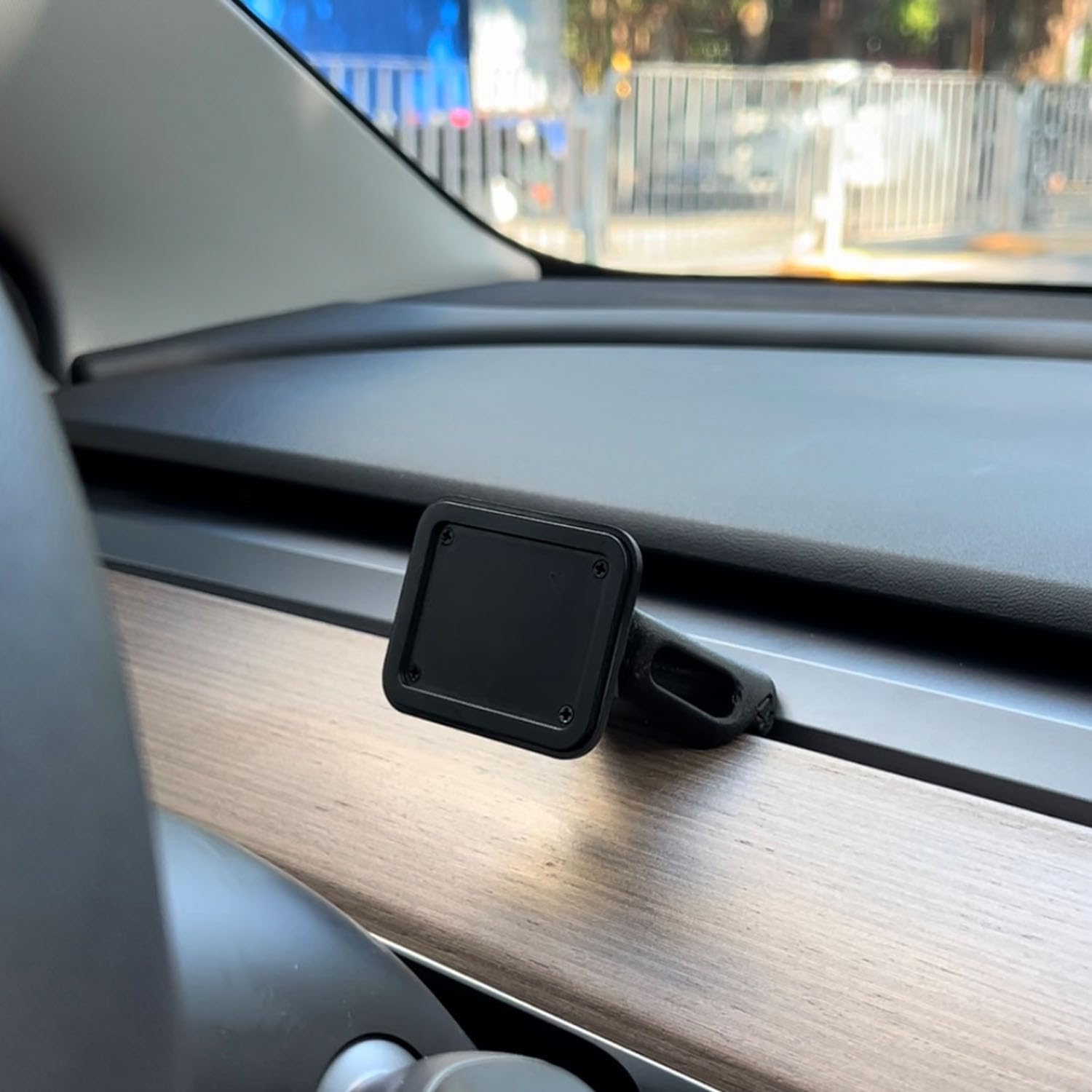
Figure 4.2: Magnetic Base Installed on Dashboard.
4.2 電源連接
Connect the provided 9V power cord to the "Power" port on the side of the T3 Pro unit and plug the other end into your vehicle's 12V accessory outlet (cigarette lighter socket).
4.3 初始啟動
Once powered, the device will automatically boot up. The multi-core Linux system is designed for fast startup, typically displaying the CarPlay interface within 12 seconds.

Figure 4.3: Fast Boot-Up and Connectivity.
5. 操作說明
5.1 無線 CarPlay / Android Auto 連接
The T3 Pro supports wireless CarPlay and Android Auto for seamless smartphone integration.
- On the T3 Pro, navigate to the CarPlay or Android Auto icon on the main screen.
- 在您的智慧型手機上啟用藍牙和Wi-Fi。
- 搜尋 the T3 Pro's Bluetooth name (usually "CarpodGo T3 Pro" or similar) on your phone and pair with it.
- Once paired via Bluetooth, your phone will automatically establish a Wi-Fi connection for CarPlay/Android Auto.
- The T3 Pro supports 60fps wireless CarPlay for smoother scrolling and responsiveness. This can typically be adjusted in the device settings if needed.
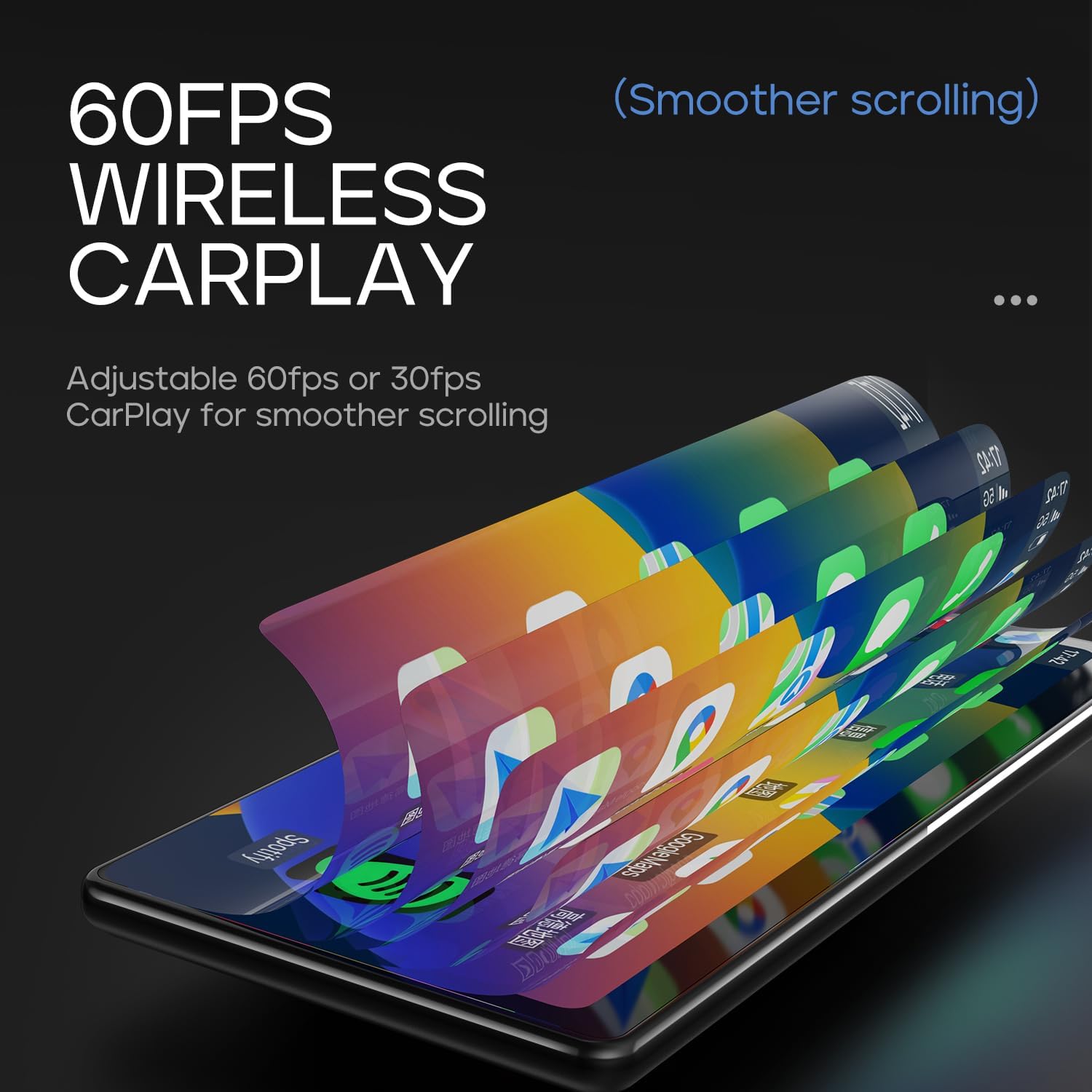
Figure 5.1: 60fps Wireless CarPlay for Smooth Operation.
5.2 Display-Only Bluetooth Mode
This mode allows you to route audio (maps, music, calls) through your car's existing Bluetooth system, utilizing your car's speakers and microphone, while the T3 Pro handles the display.
- On the T3 Pro, activate "Display-Only Bluetooth Mode" in the settings. Refer to the on-screen interface for the exact location of this setting.
- Connect your smartphone directly to your car's Bluetooth system.
- The T3 Pro will continue to display CarPlay/Android Auto, but all audio will be managed by your car's Bluetooth connection. This mode also supports steering wheel controls for audio and calls, provided your car's Bluetooth system is compatible.

Figure 5.2: Display-Only Bluetooth Mode Configuration.
5.3 使用者介面 (UI) 導航
The T3 Pro features a new Carpod interface UI with a line neomorphism style, designed for intuitive use. Navigate through menus and applications using the touch screen. Swipe gestures and taps are used for interaction.

Figure 5.3: CarpodGo T3 Pro User Interface Examp萊斯。
6、維護保養
- 打掃: Use a soft, lint-free cloth to clean the screen and body of the device. Do not use abrasive cleaners, alcohol, or solvents.
- 貯存: 如果長時間存放設備,請斷開電源,並將其存放在陰涼乾燥處,避免陽光直射。
- 軟體更新: 定期檢查製造商的 website or the device settings for available firmware updates to ensure optimal performance and new features.
7。 故障排除
| 問題 | 可能的原因 | 解決方案 |
|---|---|---|
| 設備無法開機。 | No power connection or faulty power cord. | Ensure the 9V power cord is securely plugged into the device and the car's 12V outlet. Check if the car's outlet is functioning. |
| 無線CarPlay/Android Auto無法連線。 | Bluetooth/Wi-Fi issues, phone settings. |
|
| 無音訊或音訊品質差。 | Audio routing issue, volume settings. |
|
| 螢幕無反應或凍結。 | 暫時的軟體故障。 | Perform a soft reset by disconnecting and reconnecting the power. If the issue persists, contact customer support. |
8. 規格
| 特徵 | 細節 |
|---|---|
| 型號 | T3專業版 |
| 顯示尺寸 | 8.9寸 |
| 螢幕解析度 | 1920×720 IPS |
| 顯示技術 | Fully Laminated Screen, 16.7 million colors, 700nit highlight |
| 無線連線 | 無線 CarPlay、無線 Android Auto、Wi-Fi、藍牙 |
| 藍牙模式 | 僅顯示藍牙模式 |
| 幀率 | Supports 60fps Wireless CarPlay |
| 安裝 | Magnetic design, compatible with 17mm ball head mount, central control seamless mounts, suction cup mount |
| 控制器類型 | Push Button, Steering Wheel Controls (via Display-Only BT Mode) |
| 音頻輸出模式 | 立體聲 |
| 連接器類型 | 3.5毫米耳機插孔、HDMI介面、USB接口 |
9. 保固和支持
CarpodGo products are designed for reliability and performance. For warranty information, technical support, or service inquiries, please refer to the warranty card included in your package or visit the official CarpodGo web網站。請保留您的購買收據,作為保固索賠的購買憑證。
聯絡資訊: Please refer to the contact details provided in your product packaging or on the official CarpodGo web取得最新支援資訊的網站。
Ask a question about this manual
Ask about setup, troubleshooting, compatibility, parts, safety, or missing instructions. Manuals+ will review the question and use this page’s manual context to help answer it.