
Sony DSCRX1RM3B
Sony RX1R III Full-Frame Premium Compact Camera Instruction Manual
Model: DSCRX1RM3B
一、簡介
The Sony RX1R III is a full-frame premium compact camera designed for photographers seeking exceptional image quality in a portable form factor. It features a 61 MP CMOS sensor, a high-quality ZEISS Sonnar T* 35mm F2 lens, the advanced BIONZ XR™ processor, and AI-based subject recognition for precise autofocus and tracking. This manual provides essential information for setting up, operating, and maintaining your camera.
2. 設定
2.1.開箱及初步檢查
小心地從包裝中取出所有組件。確保包含以下物品:
- Sony RX1R III Camera Body
- 可充電電池組(NP-FW50)
- 交流電源轉接器
- USB Type-C電纜
- 肩帶
- 鏡頭蓋
- 鞋帽
- 目鏡罩
- 使用說明書(本文件)
檢查相機及配件是否有損壞跡象。如有任何物品缺失或損壞,請聯絡零售商。
2.2. 安裝肩帶
Attach the provided shoulder strap to the camera's strap lugs for secure handling.

Image: User attaching a wrist strap to the camera, demonstrating how to secure it for carrying.
2.3. 電池充電
Insert the NP-FW50 rechargeable battery pack into the camera. Connect the camera to the AC adaptor using the USB Type-C cable, then plug the AC adaptor into a wall outlet. The charging indicator will light up during charging and turn off when complete. A full charge takes approximately 150 minutes.
Note: The camera is compatible with NP-FW50 rechargeable battery packs, offering up to 300 images on a single charge (CIPA standard, using LCD monitor). Fast charging via USB Power Delivery (PD) is supported with an 18 W (9 V/2 A) or higher output capacity USB Type-C cable.
2.4.插入記憶卡
Open the memory card/battery cover. Insert a compatible SD card (sold separately) into the memory card slot with the label facing the front of the camera until it clicks into place. Close the cover securely.
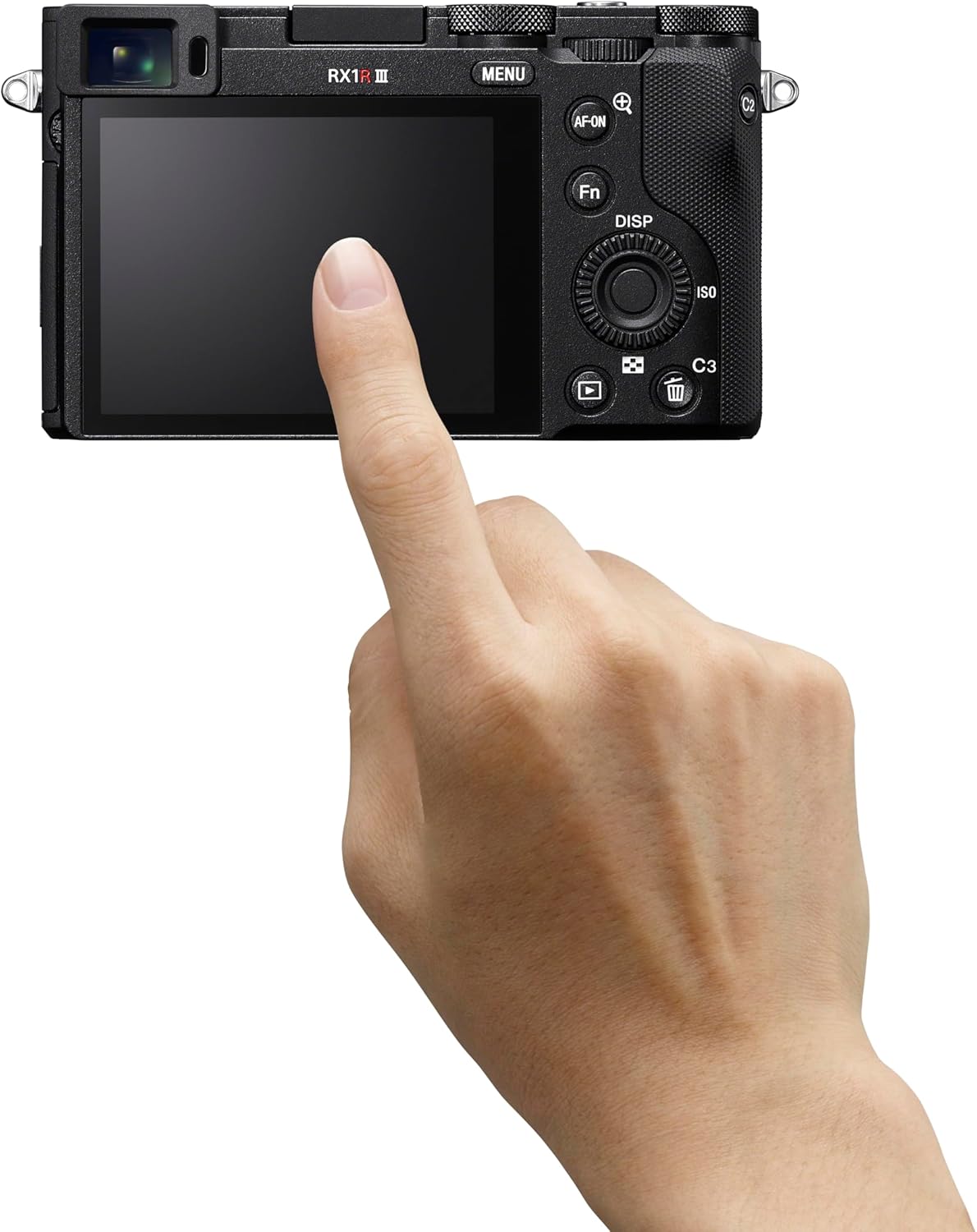
圖片:後視圖 view of the Sony RX1R III, showing the LCD screen and control buttons. The memory card slot is typically located near the battery compartment on the bottom or side.
2.5. 初始開機和設定
Turn the camera on using the ON/OFF switch. Follow the on-screen prompts to set the language, date, time, and time zone. These settings are crucial for proper image metadata.
3. 操作相機
3.1 基本攝影模式
The RX1R III offers various shooting modes accessible via the mode dial on the top of the camera:
- 自動程序 (P): 相機會自動設定光圈和快門速度,以獲得最佳曝光效果。
- 光圈優先(A): 你只要設定光圈,相機就會自動調整快門速度。這非常適合控制景深。
- 快門優先 (S): 你設定快門速度,相機自動調整光圈。非常適合控制運動模糊。
- 手動曝光(M): 您可以控制光圈和快門速度。
- 自動(AUTO): Fully automatic mode for quick shooting.
- 情景選擇: 針對特定場景(如人像、風景、運動)的預設模式。
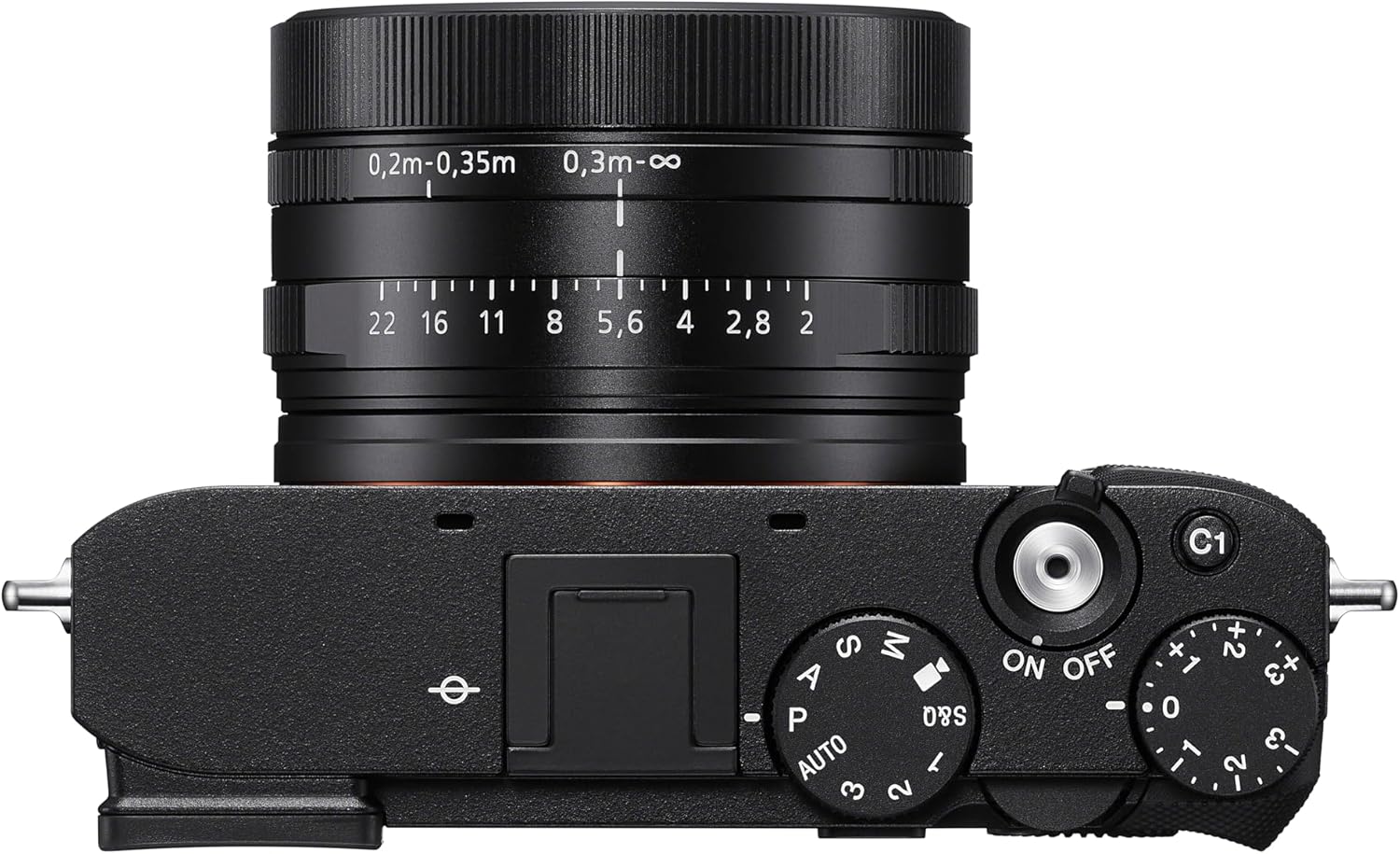
圖:頂部 view of the Sony RX1R III, highlighting the mode dial, shutter button, and exposure compensation dial.
3.2 自動對焦(AF)系統
The camera features an advanced 693-point phase-detection AF system with AI-based subject recognition and real-time tracking. This allows for fast and precise focusing on a wide range of subjects, including humans, animals, and birds.
- 即時追蹤: The camera recognizes color, pattern, and spatial data to track subjects accurately.
- Subject Recognition: Automatically detects and focuses on human eyes/faces, animal eyes/bodies, and bird eyes/bodies.
- AF-ON按鈕: Use the dedicated AF-ON button to activate autofocus independently from the shutter button.
Video: Official Sony RX1R III Product Feature Video. This video demonstrates the camera's key features, including its advanced autofocus system and image quality.
3.3. Step Crop Shooting
Leverage the camera's 61 MP sensor with Step Crop Shooting to achieve different focal lengths without changing lenses. This feature allows you to crop images to 50mm equivalent (29 MP) or 70mm equivalent (15 MP) from the native 35mm lens, providing flexibility in composition. This function is not available for movies.
3.4. Creative Look Modes
The RX1R III includes Creative Look modes for expanded in-camera expression. These modes allow you to apply various stylistic effects to your photos directly, such as Standard, Portrait, Neutral, Vivid, Film, Instant, Soft Highkey, Black & White, and Sepia.
3.5. 視頻錄製
該相機支援高品質視訊錄製:
- 4K視頻: Record stunning 4K video at 30 frames per second (4K/30p).
- 完整高清影片: Capture smooth Full HD video at up to 120 frames per second (1080p/120fps) for slow-motion effects.
- XAVC Format: Videos are recorded in the XAVC format for high quality.
3.6. 連接性
The RX1R III offers versatile connectivity options:
- 無線網路和藍牙: Connect wirelessly to your smartphone for remote control, image transfer, and direct upload to Creators' App or Creators' Cloud Web.
- USB C 型: For fast data transfer and charging.
- HDMI輸出: Connect to an external display for video playback.
4、維護保養
4.1. 清潔相機
- 相機機身: 用柔軟的乾布擦拭相機機身。對於頑固污漬,請使用沾有乾粉的布輕輕擦拭。amp用水或溫和的清潔溶液沖洗。
- 鏡片: 先用鏡頭刷清除灰塵,然後用鏡頭清潔布和鏡頭清潔液輕輕擦拭。避免用手指觸摸鏡頭表面。
- 感應器: Cleaning the image sensor should only be performed by authorized service personnel to prevent damage.
4.2. 電池保養
To prolong battery life, avoid exposing the battery to extreme temperatures. Store batteries in a cool, dry place when not in use. Fully charge the battery before extended shooting sessions.
4.3. 儲存
長時間存放相機時,請取出電池和記憶卡。將相機存放在乾燥通風處,最好放在裝有乾燥劑的相機包中,以防止發黴。
5。 故障排除
If you encounter issues with your Sony RX1R III, refer to the following common troubleshooting tips:
- 相機無法開機: 確保電池已充滿電並正確插入。
- 圖片模糊不清: Check your focus mode and ensure the subject is within the camera's focusing range. Verify shutter speed is fast enough to prevent motion blur.
- 記憶卡錯誤: 請確保記憶卡已正確插入且未滿或未損壞。嘗試格式化記憶卡(這將清除所有資料)。
- 連線問題: Check Wi-Fi/Bluetooth settings on both the camera and your smart device. Ensure the Creators' App is up to date.
如需更詳細的故障排除信息,請訪問索尼官方支援網站。 web請造訪網站或查閱完整的線上手冊。
6. 規格
| 特徵 | 細節 |
|---|---|
| 型號名稱 | DSCRX1RM3B |
| 光電感測器分辨率 | 61萬像素(有效靜態解析度:60萬像素) |
| 光電感測器尺寸 | 全片幅(35mm) |
| 鏡頭類型 | ZEISS Sonnar T* 35mm F2 lens (Fixed Focal Length) |
| 最大光圈 | F2 |
| 影像穩定 | 數位的 |
| 處理器 | BIONZ XR™ |
| 自動對焦點 | 693(相位檢測) |
| 視訊解析度 | 4K (30p), 1080p (120fps) |
| 螢幕尺寸 | 3英寸 |
| 連接性 | Bluetooth, Wi-Fi, USB Type-C, HDMI |
| 電池 | NP-FW50 Rechargeable Battery Pack |
| 物品重量 | 1 磅 |
7. 保固和支持
7.1. 保固信息
This Sony RX1R III camera comes with a 1 年有限保固 自購買日起生效。本保固涵蓋正常使用情況下材料和工藝方面的缺陷。請保留您的購買憑證以用於保固索賠。
7.2. 客戶支持
For further assistance, technical support, or service inquiries, please visit the official Sony Support web地點:
You can also find additional resources, FAQs, and software updates on the support page.
相關文件 - DSCRX1RM3B
 |
Sony RX1R III 相機 - 相機, 相機 Sony RX1R III 型號請注意,請注意以下事項: |
 |
Sony RX1R III 數位相機入門指南 本指南提供有關設定和使用索尼 RX1R III Cyber-shot 數位相機的基本信息,包括初始設定、拍攝模式、電池充電和軟體安裝。 |
 |
Sony RX1R III 數位相機快速入門指南 簡明指南,介紹如何設定和使用索尼 RX1R III 數位相機,內容包括包裝內容、電池充電、透過智慧型手機進行初始設定、基本拍攝操作以及重要的使用注意事項和規格。 |
 |
Sony RX1R III 數位相機啟動指南 簡明指南,介紹如何設定和開始使用索尼 RX1R III 數位相機,內容涵蓋初始準備、充電、設定、拍攝模式和重要使用注意事項,以及技術規格和合規性資訊。 |
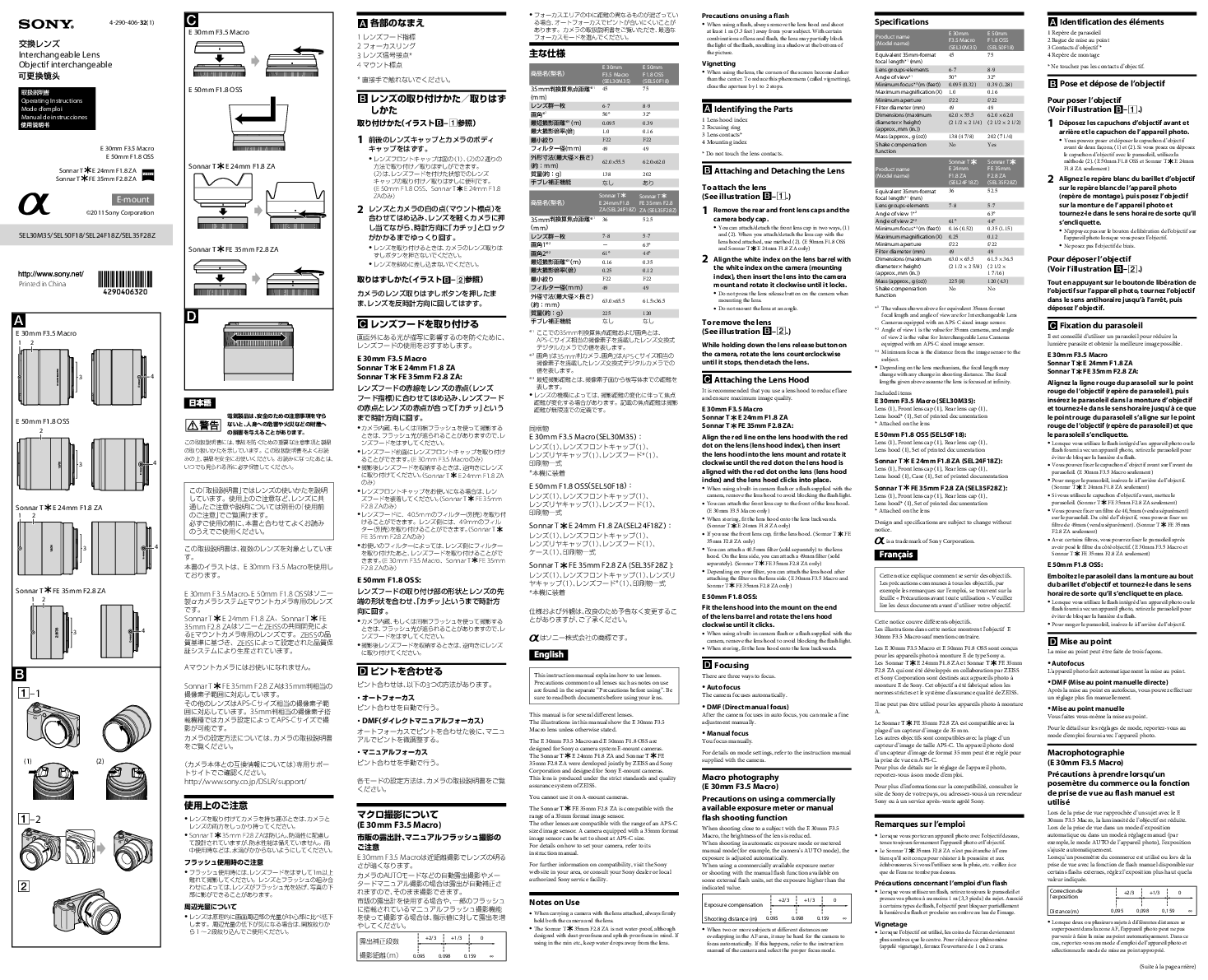 |
索尼E卡口可更換鏡頭操作說明 SonyE卡口可換鏡頭操作綜合指南,包括E 30mm F3.5微距鏡頭、E 50mm F1.8 OSS鏡頭、Sonnar TE 24mm F1.8 ZA鏡頭和Sonnar T FE 35mm F2.8 ZA鏡頭。內容涵蓋鏡頭安裝、對焦、注意事項和詳細規格。 |
 |
索尼數位娛樂tagT* FE 35mm F1.4 ZA 鏡頭操作說明 這是索尼Dis的操作手冊。tag本指南將指導使用者如何安裝、對焦、調整曝光以及了解T* FE 35mm F1.4 ZA可換鏡頭的相關規格。探索這款與卡爾蔡司共同開發的鏡頭的各項功能。 |
Ask a question about this manual
Ask about setup, troubleshooting, compatibility, parts, safety, or missing instructions. Manuals+ will review the question and use this page’s manual context to help answer it.