
一、簡介
This manual provides instructions for the operation and maintenance of your ciciglow 14MP Film and Slide Scanner. This device is designed to convert various film types and slides into digital JPEG images, offering a convenient way to preserve and share your memories.

Figure 1: The ciciglow 14MP Film and Slide Scanner, displaying a vibrant autumn landscape on its 5-inch LCD screen.
2. 包裝內容
請檢查以下所有物品是否均包含在您的包裹中。如有任何物品缺失或損壞,請聯絡客服。
- 1 x ciciglow Film Scanner
- 1 x 高清數據線
- 1 條 Type-C 電纜
- 1 x 清潔刷
- 1 x 使用者手冊(本文檔)
- 1 x 110 電影支架
- 1 個 Super8 底片支架
- 1 x 126 電影支架
- 1 個負極適配器
- 1 個滑動轉接器
3. 產品結束view
熟悉掃描器的各個組成部分和控制功能。
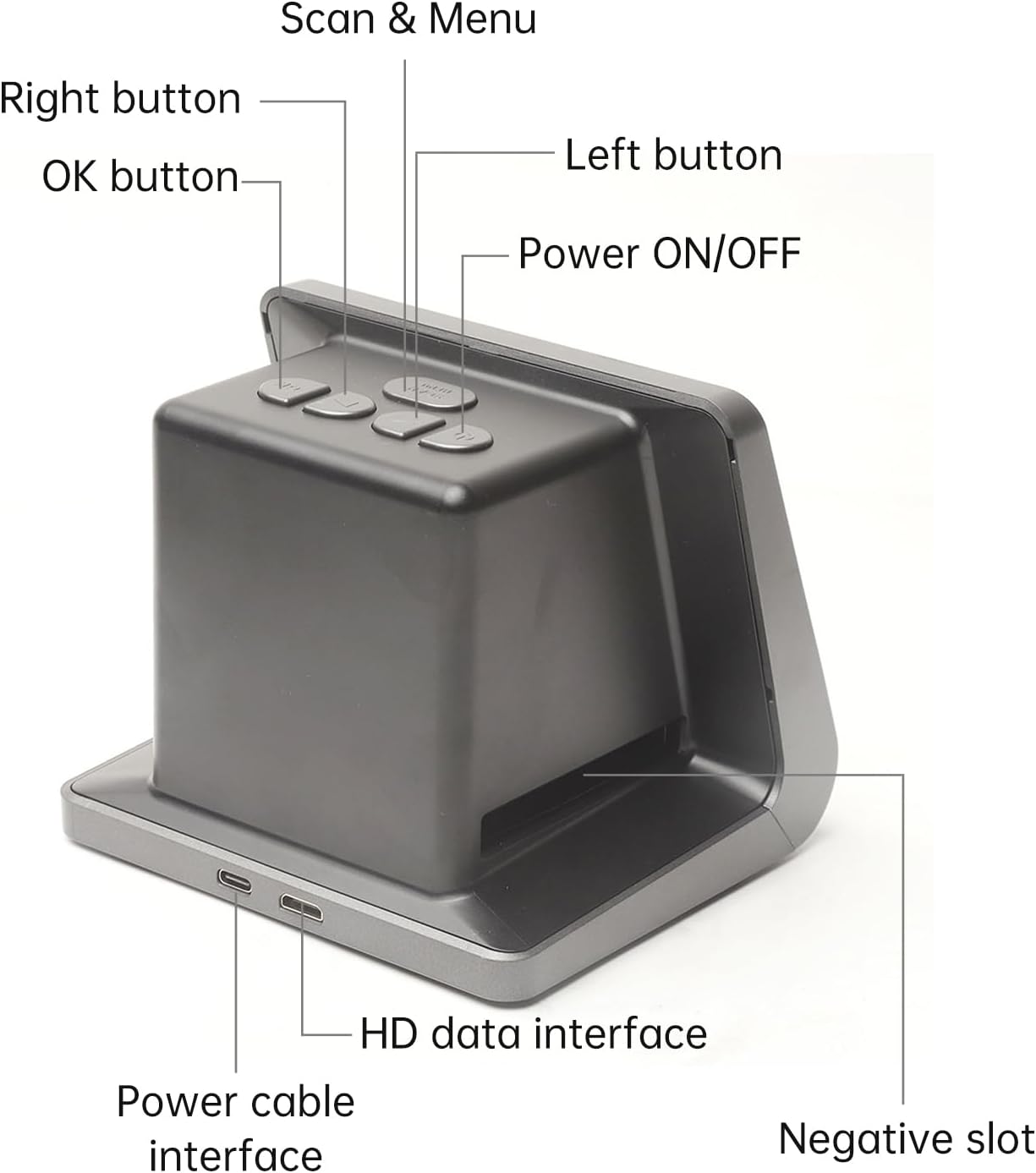
Figure 2: Labeled diagram of the scanner's top panel buttons and rear ports.
- 電源開/關: 開啟或關閉設備。
- Scan & Menu: Initiates scanning or accesses the menu.
- 左鍵: Navigates left in menus or adjusts settings.
- 右鍵: Navigates right in menus or adjusts settings.
- 確定按鈕: 確認選擇或操作。
- Power cable interface: Connects to the DC 5V power adapter or USB port.
- HD data interface: Connects to a computer or TV for display/data transfer.
- Negative slot: Slot for inserting film stands.
4. 設定
- 電源連接: Connect the provided Type-C cable to the "Power cable interface" on the scanner and the other end to a DC 5V adapter (not included) or a USB port on a computer.
- 開機: 按 電源開/關 button to turn on the scanner. The 5-inch LCD screen will illuminate.
- 語言選擇: If this is your first use, you may be prompted to select a language. Use the 左邊 和 正確的 導航按鈕和 OK button to confirm. Supported languages include English, French, German, Italian, Spanish, Japanese, S-Chinese, and T-Chinese.
- Optional: Connect to External Display: 到 view scanned images on a larger screen, connect the HD Data Cable from the scanner's "HD data interface" to an available HD input on your TV or monitor.
5. 操作說明
5.1 裝入底片和幻燈片
The scanner supports various film types using specific adapters and stands.

Figure 3: Visual guide for preparing and inserting slides into the scanner's slide adapter.
- Prepare the Slide/Film: Hold the slide or film strip up to the light to identify the correct orientation.
- Open the Adapter/Stand: Take out the appropriate film stand (e.g., 110, 126, Super8) or slide adapter. Open it carefully.
- Place Film/Slide: Place your film or slide into the recessed area of the adapter/stand. Ensure it is seated correctly. For film strips, align them within the guides.
- 封閉且安全: Close the adapter/stand and press the edges firmly until it locks in place.
- Insert into Scanner: Insert the loaded adapter/stand into the "Negative slot" on the right side of the film scanner, as indicated in Figure 3.
5.2 掃描過程
- 選擇膠片類型: On the scanner's screen, navigate to the "Film Type" option in the menu (use 掃描和選單 button to access, then 左/右 to navigate). Select the type of film you have loaded (e.g., 135 Film, 110 Film, Slide).
- 調整設置(可選): You can adjust exposure compensation (Automatic / Manual -2.0 EV to +2.0 EV) and white balance (Automatic) via the menu if needed.
- 預view 影像: The scanner's 5-inch LCD screen will display a live preview of your film or slide.
- 掃描: 按 掃描和選單 button to capture the image. The scanner will process the image and save it to the built-in 16GB memory.
- Review: After scanning, the image will be displayed. You can use the 左/右 buttons to browse through saved images.
- 繼續掃描: Remove the scanned film/slide from the adapter, advance to the next frame, or load a new slide, then repeat the process.
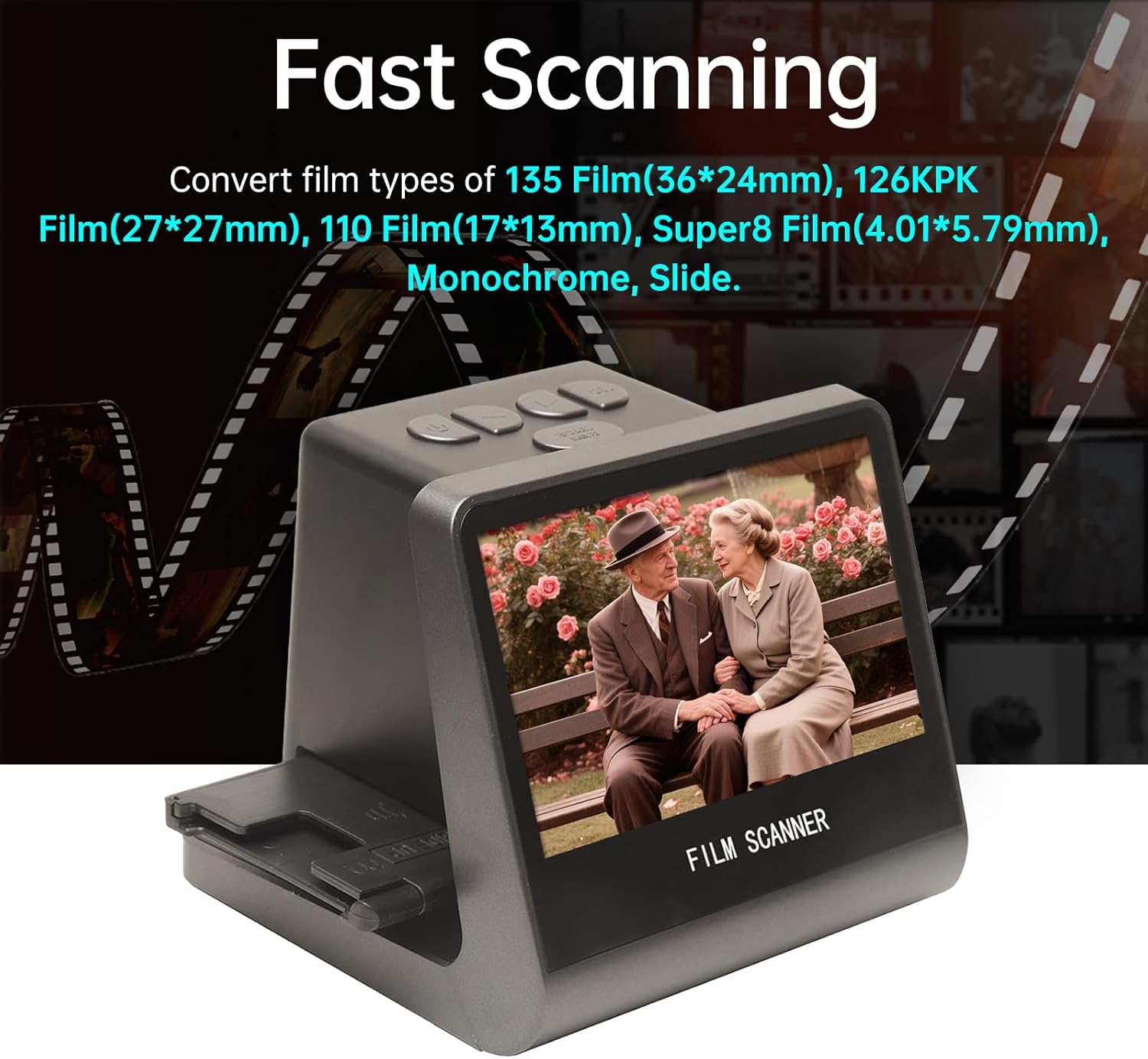
Figure 4: The scanner in operation, demonstrating its ability to quickly convert various film types into digital images.
5.3 將影像傳輸到計算機
The scanner can connect to a computer to transfer your digitized photos.
- 連接到計算機: With the scanner powered off, connect the Type-C cable to the scanner and your computer's USB port.
- 開機: Power on the scanner. It should enter USB MSDC (Mass Storage Device Class) mode.
- 使用權 Files: Your computer will recognize the scanner as an external drive. Navigate to the drive to access your saved JPEG images.
- 複製 Files: Copy the desired images from the scanner's internal memory (16GB) to your computer.
- 安全彈出: Safely eject the scanner from your computer before disconnecting the cable.

Figure 5: The scanner connected to a computer for data transfer and a television for larger display, illustrating its versatile connectivity.
6. 規格
| 特徵 | 規格 |
|---|---|
| 功能 | 膠片掃描器/USB MSDC |
| 介面 | Type-C,Mini HD |
| 影像感測器 | 14.0 Megapixels (4416x3312), 1/2.33” CMOS sensor |
| 展示 | 5吋彩色液晶高清螢幕 |
| 曝光控制 | Automatic / Manual (-2.0 EV ~ +2.0 EV) |
| 白平衡 | 自動的 |
| 解決 | 14.0 萬畫素/22 兆像素(內插) |
| 支援的膠片類型 | 135 Film (36x24mm), 126KPK Film (27x27mm), 110 Film (17x13mm), Super8 Film (4.01x5.79mm), Single Color, Slide |
| File 格式 | JPEG |
| 電視輸出類型 | NTSC/PAL制式 |
| 內建記憶體 | 16GB |
| 電源 | 直流 5V 適配器/USB 連接埠 |
| 支援的語言 | 簡體中文、繁體中文、英文、法文、德文、義大利文、西班牙文、日文 |
| 支援的作業系統 | Windows Vista, Windows 7, Windows 8, OS X 10.7.3 and above |
| 產品尺寸 | 132 x 115 x 110 毫米(5.2 x 4.5 x 4.3 英吋) |
| 物品重量 | 1.6磅(約725公克) |

Figure 6: Physical dimensions of the ciciglow 14MP Film and Slide Scanner.
7、維護保養
- 清潔鏡頭: Use the provided cleaning brush to gently remove dust or debris from the scanner's lens and film slot. Do not use liquid cleaners directly on the lens.
- 外部清潔: Wipe the exterior of the scanner with a soft, dry cloth. Avoid abrasive materials or harsh chemicals.
- 貯存: 不使用時,請將掃描器存放在陰涼乾燥處,避免陽光直射和過多灰塵。
- 薄膜處理: Always handle film and slides by their edges to avoid fingerprints and scratches.
8。 故障排除
| 問題 | 可能的原因 | 解決方案 |
|---|---|---|
| 掃描器無法開機。 | 電源線連接不正確或電源有問題。 | Ensure the Type-C cable is securely connected to both the scanner and a working 5V power source. Try a different USB port or power adapter. |
| 影像模糊或有灰塵。 | Dust on film/slide or scanner lens. | Clean the film/slide with a soft, lint-free cloth or air blower. Use the provided brush to clean the scanner lens and film slot. |
| 無法轉移 file發送到電腦。 | Incorrect connection mode or driver issue. | Ensure the scanner is powered on and connected via the Type-C cable to the computer. The scanner should appear as a removable drive. If not, try a different USB port or cable. No special drivers are typically required for MSDC mode. |
| 顏色不準確。 | Incorrect white balance setting or film type selection. | Check the "Film Type" setting in the menu to ensure it matches your film. Verify "White Balance" is set to Automatic or adjust manually if available. |
9. 保固和支持
For warranty information or technical support, please refer to the documentation provided at the time of purchase or contact ciciglow customer service through their official web購買該產品的網站或零售商。
製造商: ciciglow
首次可用日期: 18 年 2025 月 XNUMX 日