
介紹
This manual provides comprehensive instructions for the setup, operation, and maintenance of your memzuoix WM125B Wireless Mouse. Designed for comfort and precision, this 2.4GHz wireless mouse offers adjustable DPI settings and broad compatibility for various computing needs.
主要特點:
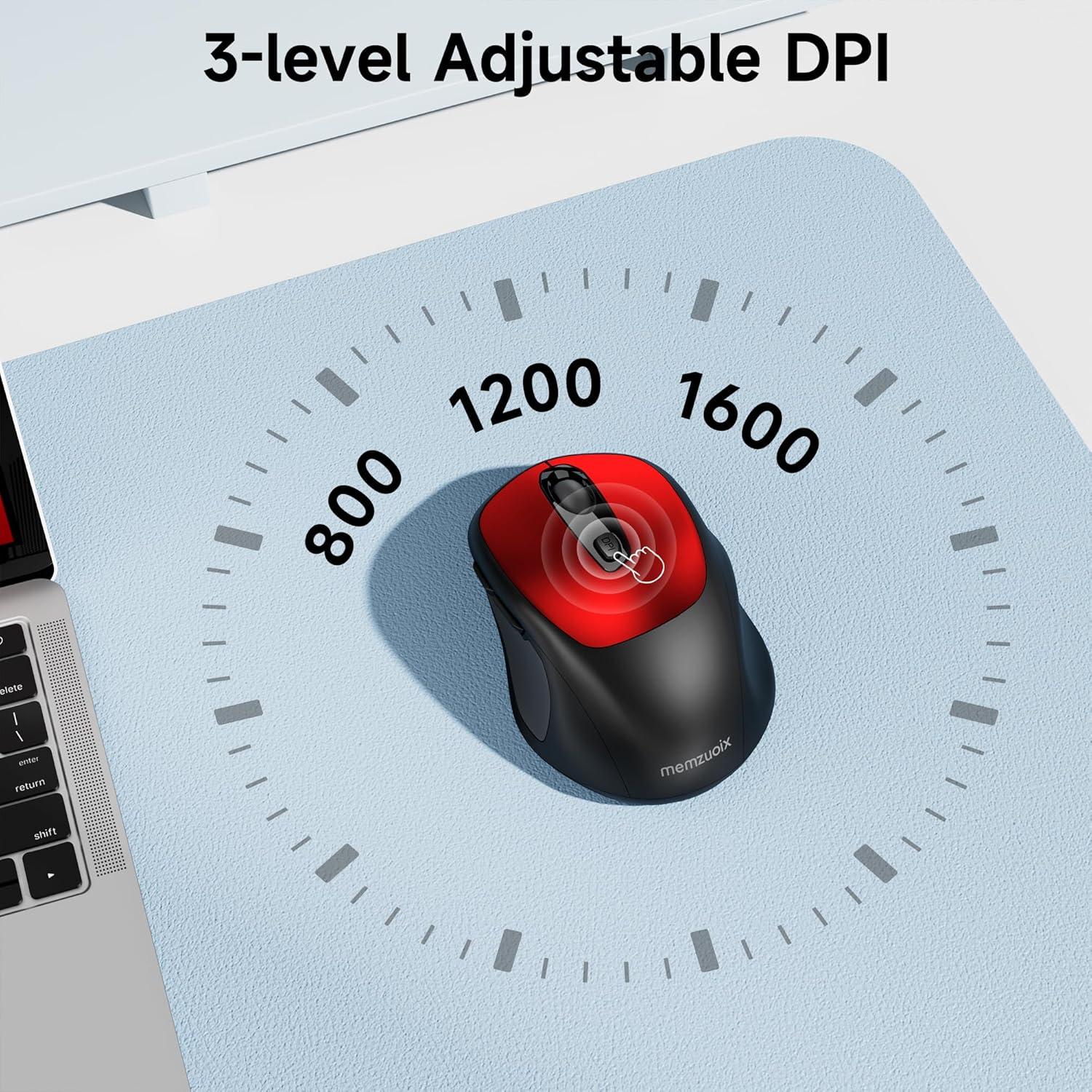
- 3 檔可調式 DPI: Easily switch between 800, 1200, and 1600 DPI for optimal control.
- 符合人體工學且左右手均可使用的設計: Contoured shape with rubberized side grips for comfortable use by both left and right-handed users.
- Plug & Play 2.4GHz Nano Receiver: Instant connectivity without software installation, offering a reliable 33ft range.
- 耐用構造: Buttons and scroll wheel tested for 10 million clicks, ensuring long-term reliability.
- 通用兼容性: Works seamlessly with Windows, macOS, Linux, and ChromeOS devices.
- 便攜式設計: Lightweight and compact, ideal for travel and on-the-go use.
設定指南
1.安裝電池
- 找到滑鼠底部的電池倉蓋。
- 輕輕滑動或抬起蓋子即可打開隔間。
- 裝入兩顆AAA電池,注意極性(+/-)。
- 蓋上電池倉蓋,直到聽到喀嚓一聲牢固地卡入到位。

2. 連接USB接收器
- Locate the nano USB receiver, typically stored within the battery compartment of the mouse.
- Plug the USB receiver into an available USB port on your computer (PC, Mac, laptop, etc.).
- 電腦應自動偵測並安裝必要的驅動程式。無需安裝其他軟體。

操作說明
1. 電源開關
Locate the ON/OFF switch on the underside of the mouse. Slide the switch to the 'ON' position to activate the mouse. Slide it to 'OFF' when not in use to conserve battery life.
2. 按鍵功能
- 左鈕: 主要點選功能。
- 右鍵: 輔助點擊功能(上下文選單)。
- 滾輪: 上下捲動文檔 web pages. Can also be clicked for middle-button functionality.
- DPI 按鈕: 循環切換 DPI 設定 (800/1200/1600)。
- 前進按鈕: 向前航行 web 瀏覽器或 file 探險家。
- 後退按鈕: 向後導航 web 瀏覽器或 file 探險家。
3. 調整DPI靈敏度
按 DPI按鈕 located below the scroll wheel to cycle through the available sensitivity settings: 800 DPI (for precise control), 1200 DPI (standard use), and 1600 DPI (for faster cursor movement). The mouse will indicate the change, often with a brief LED flash.
維護
1. 清潔
為了保持最佳性能,請定期清潔滑鼠。使用柔軟、不起毛的布輕輕擦拭。amp用清水或溫和的清潔劑清洗。避免使用強力化學品或研磨性材料。確保液體不會進入滑鼠內部組件。
2. 更換電池
When the mouse's performance degrades or it stops responding, it may be time to replace the batteries. Follow the steps in the 'Install Batteries' section of this manual to replace the two AAA batteries. Dispose of old batteries responsibly according to local regulations.
故障排除
- 滑鼠無響應:
- Ensure the mouse is switched 'ON' using the power switch on the underside.
- 檢查電池是否安裝正確且電量充足。如有必要,請更換電池。
- 請確認USB接收器已牢固插入電腦上正常運作的USB連接埠。如果問題仍然存在,請嘗試使用其他USB連接埠。
- 重新啟動電腦。
- 遊標移動不穩定或不準確:
- Ensure the mouse is used on a clean, non-reflective surface. Avoid glass or highly reflective surfaces.
- 用軟布清潔滑鼠底部的光學感應器。
- 嘗試使用 DPI 按鈕調整 DPI 設定。
- Connection issues or frequent disconnections:
- Ensure the mouse is within the effective operating range (approximately 33 feet) of the USB receiver.
- 避免在強電磁幹擾源(例如其他無線設備、大型金屬物)附近使用滑鼠。
- Re-pair the mouse with the receiver if possible (refer to manufacturer's website for specific pairing instructions if needed, as this model is typically plug-and-play).
規格
| 特徵 | 細節 |
|---|---|
| 品牌 | 梅姆佐伊克斯 |
| 型號 | WM125B |
| 連接技術 | 2.4GHz 無線(USB Nano 接收器) |
| DPI 級別 | 800 / 1200 / 1600 |
| 按鈕數量 | 6(左、右、滾輪、DPI、前進、後退) |
| 運動檢測技術 | 光學的 |
| 電源 | 2 顆 AAA 電池(不包含在供貨範圍內) |
| 物品重量 | 3.2 盎司 |
| 包裝尺寸 | 4.8 x 3.23 x 1.85 英寸 |
| 顏色 | 紅色的 |
| 相容性 | PC, Mac, Laptop (Windows, macOS, Linux, ChromeOS) |
保固和支持
The memzuoix WM125B Wireless Mouse comes with a standard manufacturer's warranty. For specific warranty details, return policies, or technical support, please refer to the product packaging or contact memzuoix customer service directly through their official web購買該產品的網站或零售商。
如需進一步協助,請訪問 memzuoix Store on Amazon.