
一、簡介
This manual provides detailed instructions for the setup, operation, and maintenance of your RORIOS AA-AFG001 Digital Sport Watch. Please read this manual thoroughly to ensure proper use and to fully utilize all features of your new timepiece.
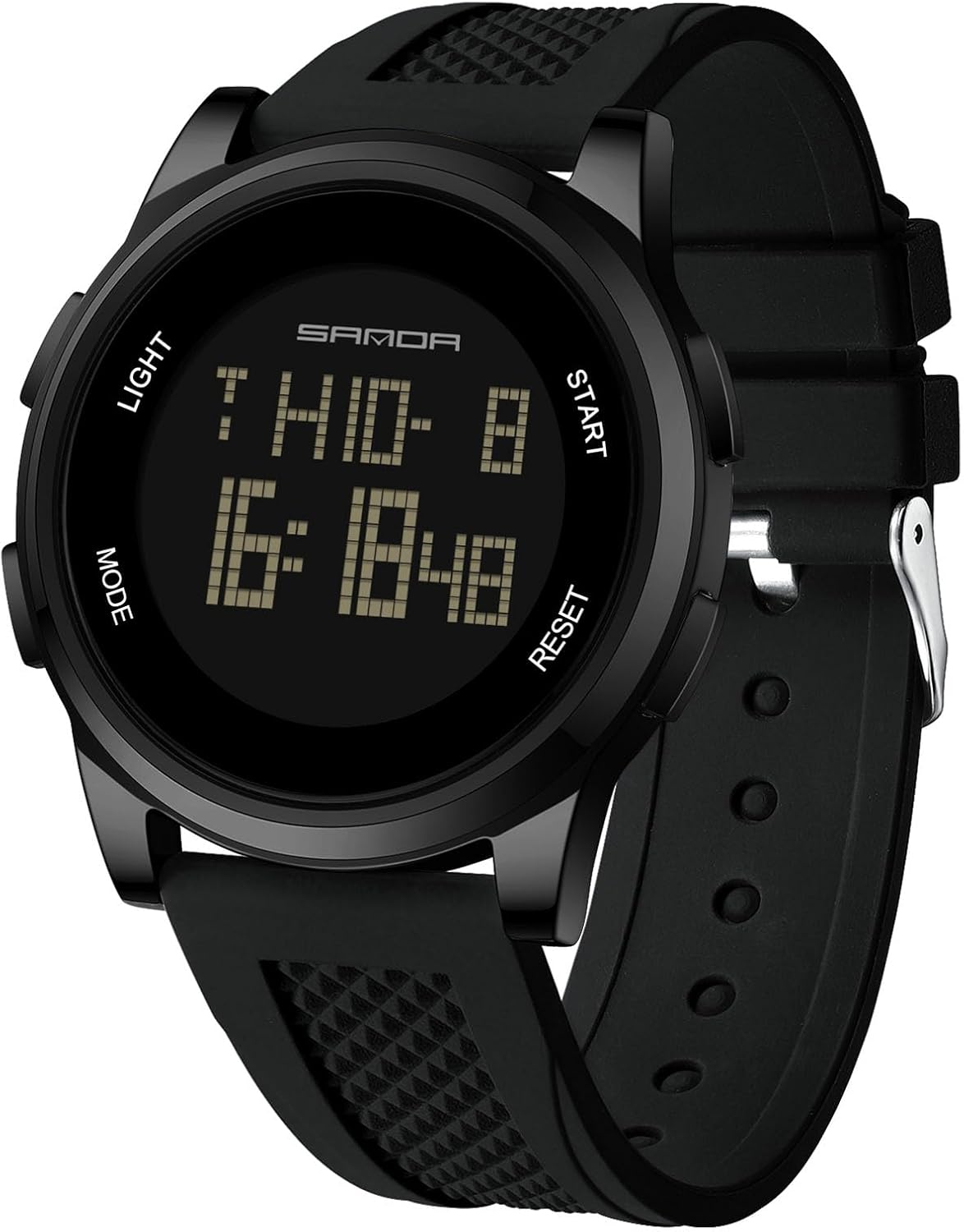
圖 1:正面 view of the RORIOS AA-AFG001 Digital Sport Watch, displaying current time and date.
2.產品特點
- 數字顯示: Large electronic screen with high-definition display for clear readability.
- 多功能的: Includes time, calendar, alarm clock, stopwatch, countdown timer, metronome, second time display, altitude measurement, atmospheric pressure measurement, and compass.
- 耐水性: 50 meters (5 ATM) for daily life activities such as hand washing, rain exposure, and short-term soaking. Note: Do not operate buttons while submerged in water.
- 發光背光: One-key cold light mode for clear visibility in dark environments.
- 耐用的結構: High-hardness mineral tempered glass for scratch resistance.
- 穿著舒適: High-quality silicone strap for a comfortable fit.
- Hourly 鈴聲: Option for hourl報告。
- 時間格式: 支援 12 小時制和 24 小時制時間格式。

Figure 2: Key features of the RORIOS AA-AFG001 watch, including its luminous function, daily life waterproof capability, high-quality anti-scratch glass, and removable silicone strap.
3. 按鍵功能
Your RORIOS AA-AFG001 watch features four buttons for navigation and setting:
- 按鈕 A(燈光): Activates the backlight for 3 seconds in any mode.
- 按鈕 B(模式): Cycles through different operational modes (Timekeeping, Pedometer, Alarm, Chronograph, Countdown Timer, Metronome, Second Time, Altitude, Atmospheric Pressure, Compass). Also used to enter/exit setting modes.
- Button C (RESET/DECREASE): Used to reset values or decrease numerical settings. In some modes, it reviews records.
- Button D (START/INCREASE): Used to start/stop functions or increase numerical settings. In some modes, it shifts display content.

Figure 3: Diagram illustrating the watch's buttons and their primary functions, including Light, Mode, Start, and Reset/Setup keys, along with Week, Month/Date, and Time Display areas.
4. 安裝和操作說明
This section details how to set up and operate the various functions of your RORIOS AA-AFG001 watch. For a visual guide, please refer to the official instruction video below.
Video 1: Official instruction video for the RORIOS Digital Sport Watch (Model TG-2106, similar to AA-AFG001), covering all modes and settings.
4.1. 時間和日期設置
- In normal timekeeping mode, press and hold 按鈕B for 3 seconds until the seconds start flashing.
- 按 按鈕C or 按鈕D 將秒數設為零。
- 按 按鈕B to cycle through the items you wish to change: Time (Hour, Minute), Date (Year, Month, Day), 12/24-hour format, Luminance, Key sounds on/off, Weather signs.
- 使用 按鈕C 降低價值或 按鈕D to increase the value. Hold the button to adjust quickly.
- 所有設定完成後,按住 按鈕B for 3 seconds to exit the setting mode. The watch will automatically exit setting mode after 1 minute of inactivity.
4.2. 計步器模式
- From timekeeping mode, press 按鈕B repeatedly until you reach the Pedometer mode (indicated by 'STEP').
- To turn the pedometer on/off, press and hold 按鈕C for 3 seconds. The pedometer symbol will display when it is on.
- 按 按鈕D to shift between displayed data: Steps → Mileage → Calories → Exercise Time → Steps.
- To set units (metric/imperial): In Pedometer mode, press and hold 按鈕B for 3 seconds. The unit will flash. Press 按鈕C to select the desired unit (e.g., km/inch, kg/weight). Press 按鈕B to select the item to change. Use 按鈕C or 按鈕D to increase/decrease the value.
- After setting, press and hold 按鈕B 長按 3 秒即可退出。
4.3.鬧鐘模式
- From timekeeping mode, press 按鈕B repeatedly until you reach the Alarm mode (indicated by 'ALM1', 'ALM2', or 'CHIME').
- 按 按鈕D to shift between Alarm 1 (ALM1), Alarm 2 (ALM2), and Hourly Chime (CHIME).
- 按 按鈕C 開啟選定的警報或urly chime ON or OFF.
- To set an alarm: In Alarm mode, press and hold 按鈕B for 3 seconds. The minute display will flash.
- 按 按鈕B to select between Minute and Hour.
- 使用 按鈕C 減少或 按鈕D 來增加價值。
- 按住 按鈕B 長按 3 秒即可退出。
- When an alarm sounds, it will beep for 20 seconds. Press any button to stop it.
4.4. 計時(秒錶)模式
- From timekeeping mode, press 按鈕B repeatedly until you reach the Chronograph mode (indicated by 'CHR'). The maximum timing range is 99 hours, 59 minutes, and 59.99 seconds.
- 按 按鈕D 啟動或停止計時功能。
- 停止時,按住 按鈕C for 3 seconds to reset the chronograph to zero.
- Split Time Record: 計時表運轉時,按下 按鈕C to record a LAP time. The LAP time will display for 15 seconds, then return to the running chronograph. Press 按鈕C 下一圈繼續。
- 重新view LAP records: Stop the chronograph with 按鈕D。 按下並按住不動 按鈕B for 2 seconds to enter LAP record mode. Use Button C/D 重新view LAPs.
- To exit LAP record mode: Press and hold 按鈕B 3 秒。
- Background Operation: 您可以按 按鈕B to enter other modes while the chronograph is running in the background. When the chronograph stops, it will return to timekeeping mode after 5 minutes.
4.5. 倒數計時模式
- From timekeeping mode, press 按鈕B repeatedly until you reach the Countdown Timer mode (indicated by 'TMR'). The maximum countdown range is 99 hours, 59 minutes, and 59.99 seconds.
- To start/stop the timer: Press 按鈕D.
- To return to your set value: When the timer is stopped, press 按鈕C.
- 倒數結束時,將響起30秒的警報聲。
- To set the timer: In Countdown Timer mode, press and hold 按鈕B for 3 seconds. The hour display will flash.
- 按 按鈕B to select Hour, Minute, or Second.
- 使用 按鈕C 減少或 按鈕D to increase the value. Hold the button to adjust quickly.
- 按住 按鈕B for 3 seconds to exit. The watch will automatically exit setting mode after 1 minute of inactivity.
4.6. 節拍器模式
- From timekeeping mode, press 按鈕B repeatedly until you reach the Metronome mode (indicated by 'PACER').
- 按 按鈕D 打開/關閉節拍器。最大值為 99999。
- 停止時,按 按鈕C 3 秒復位。
- To set frequency (30-180): In Metronome mode, press and hold 按鈕B 3 秒。
- 使用 按鈕C 減少或 按鈕D to increase the frequency. Hold the button to adjust quickly.
- 按住 按鈕B for 3 seconds to exit. The watch will automatically exit setting mode after 1 minute of inactivity.
4.7. Second Time Setting
- From timekeeping mode, press 按鈕B repeatedly until you reach the Second Time mode (indicated by 'T2').
- 按住 按鈕B for 3 seconds. The minute display will flash.
- 按 按鈕B to select Hour or Minute.
- 使用 按鈕C 減少或 按鈕D to increase the value. Hold the button to adjust quickly.
- 按住 按鈕B for 3 seconds to exit. The watch will automatically exit setting mode after 1 minute of inactivity.
4.8. Altitude Measurement Mode
- 在計時模式下,按 按鈕C to enter Altitude Measurement mode.
- 按 按鈕D 將頂部行顯示內容切換:溫度 → 海拔趨勢。
- 趨勢圖顯示後,您可以重新view 前任url快速按下按鈕,即可繪製 y 曲線 按鈕C.
- The watch will return to timekeeping mode after 24 hours without any button presses. When displaying the curve, the first line flashes (current altitude).
- To shift units: Press and hold 按鈕D for 3 seconds to cycle through °C/ft → °C/m → °F/m → °F/ft → °C/ft.
- 海拔設定: 按住 按鈕B 按住 3 秒鐘進入海拔設定模式。 按鈕B 移動並放置以下物品:
- 相對高度設定(零點): 按 按鈕 D/C to shift between "YES"/"NO". "YES" means the relative altitude is 0. "NO" uses the default value (calculated based on default sea level atmosphere 1013.25mb). If "YES" is chosen, the measurement result is relative, and '(r)' will appear on screen.
- 輸入目前海拔高度 (ALTI): 按 按鈕D 增加或 按鈕C to decrease the value. Hold the button to adjust quickly. Press 按鈕B for 3 seconds to confirm and return to altitude measurement mode.
- 輸入海平面大氣值(SEAP): 按 按鈕D 增加或 按鈕C to decrease the value. Hold the button to adjust quickly. Press 按鈕B for 3 seconds to confirm and return to altitude measurement mode.
- 出廠預設海平面大氣壓力值(FDEF): 按 按鈕 D/C to shift between "YES"/"NO". "YES" means using the default value 1013.25mb. Press 按鈕B for 3 seconds to confirm and return to altitude measurement mode.
4.9. Atmospheric Pressure Measurement
- 在計時模式下,按 按鈕D to enter Atmospheric Pressure Measurement mode.
- 按 按鈕D 切換顯示:溫度 → 海平面大氣壓力 → 趨勢。
- 趨勢圖顯示後,您可以重新view 前任url快速按下按鈕,即可繪製 y 曲線 按鈕C。按 按鈕D 返回。
- To shift units: Press and hold 按鈕D for 3 seconds to cycle through °C/hpa/mb → °C/Inhg → °F/Inhg → °F/hpa/mb.
- 按 按鈕B to return to timekeeping mode. The watch will automatically return to timekeeping mode after 24 hours without any button presses.
- Atmospheric Pressure Setting: 在計時模式下,按 按鈕D to enter atmospheric pressure measurement mode. Press 按鈕B for 3 seconds to enter atmospheric pressure setting mode. Press 按鈕B 移動並放置以下物品:
- 輸入當前大氣壓力(AIRP): 按 按鈕 D/C to increase or decrease the value. Hold the button to adjust quickly. Press 按鈕B for 3 seconds to confirm and return to atmospheric pressure measurement mode.
- 輸入電流溫度(TEMP): 按 按鈕 D/C to increase or decrease the value. Hold the button to adjust quickly. Press 按鈕B for 3 seconds to confirm and return to atmospheric pressure measurement mode. Note: When adjusting temperature, if the unit is °C, it will increase/decrease by 0.1 each press. If the unit is °F, it will increase/decrease by 0.2 each press.
- 出廠預設大氣壓力值(FDEF): 按 按鈕 D/C to shift between "YES"/"NO". "YES" means using the default value for pressure and temperature. Press 按鈕B for 3 seconds to confirm and return to atmospheric pressure measurement mode.
4.10. 指南針模式
筆記: If your compass has never been used before, please adjust it using the following method.
- Compass Adjust Mode (CAL): In compass mode, press and hold 按鈕B for 3 seconds to enter CAL mode. Then, turn the watch slowly, both clockwise and anti-clockwise. This watch will exit the correction mode automatically and return to compass measurement mode after simply turning two circles in the same direction.
- During compass correction, after 60 direction points illuminate and go out one by one sequentially, it will confirm the correction automatically. (Note: After changing the battery and using the compass for the first time, it will enter automatically adjust mode first).
- 數位調節模式(DEC): The maximum correction angle range is ±90° ("W" "E" ±90°). If you have a correct north, and after CAL, it still deviates much, then use the DEC to correction. In compass mode, press and hold 按鈕B for 3 seconds to enter CAL, press 按鈕B again to enter DEC (press 按鈕D to increase 1, 按鈕C to decrease 1). Press 按鈕B for 3 seconds to confirm the corrected value, and return to normal measurement mode.
- Compass Using: In the Compass mode, position the watch horizontally, rotate the watch to make the needle point to 0. The 12 o'clock direction is the north.
- In compass measurement mode, press 按鈕C to turn on/off reverse direction display. When open the reverse direction, there is a "--" on the bottom left of the screen. And when needle point to 0, the "S" direction indicated by the 12 o'clock position is the south.
- It will exit the measuring mode after 1 minute without button pressing. You can measure again by pressing 按鈕D.
The following table indicates the meaning of each acronym for each direction:
| 目錄 | 意義 | 目錄 | 意義 | 目錄 | 意義 | 目錄 | 意義 |
|---|---|---|---|---|---|---|---|
| N | 北 | 北北東 | 北偏東北 | NE | 東北 | 埃尼 | 東北偏東 |
| E | 東方 | 歐洲經濟環境局 | 東南偏東 | SE | 東南 | 上證所 | 南南東 |
| S | 南 | SSW | 西南偏南 | SW | 西南 | WSW | 西南偏西 |
| W | 西方 | 西西北 | 西北偏西 | NW | 西北 | 神經網絡 | 北西北 |
5、維護保養
- 定期用柔軟的布清潔手錶。amp 布。避免刺激性化學物質。
- Do not expose the watch to extreme temperatures (hot or cold) for extended periods.
- 避免手錶受到強烈撞擊或跌落。
- While the watch is water-resistant, avoid operating buttons underwater to prevent water ingress.
- 如果手錶接觸到海水,請用淡水沖洗並徹底擦乾。
- 為保持防水性能,電池更換應由合格的技術人員進行。
6。 故障排除
- 顯示空白或暗淡: 電池電量可能不足。請更換電池。
- 按鈕無響應: Ensure the watch is not in a locked mode (if applicable) or try resetting the watch by removing and reinserting the battery (professional assistance recommended to maintain water resistance).
- 時間不準確: 請按照第 4.1 節中的說明重新設定時間和日期。
- 手錶裡進了水: 立即將手錶送至專業人士進行檢查和維修,以防止進一步損壞。
- 指南針不準確: Perform the compass calibration steps outlined in Section 4.10.
7. 規格
| 特徵 | 細節 |
|---|---|
| 型號 | AA-AFG001 |
| 製造商 | 羅裡奧 |
| 產品尺寸 | 1.57 x 1.57 x 1.57 英寸 |
| 物品重量 | 2.12 盎司 |
| 錶盤直徑 | 44毫米 |
| 錶殼厚度 | 10毫米 |
| 錶帶長度 | 240毫米 |
| 頻寬 | 24毫米 |
| 扣環類型 | 扣上 |
| 移動 | 電子的 |
| 耐水性 | 50公尺(5個大氣壓力) |
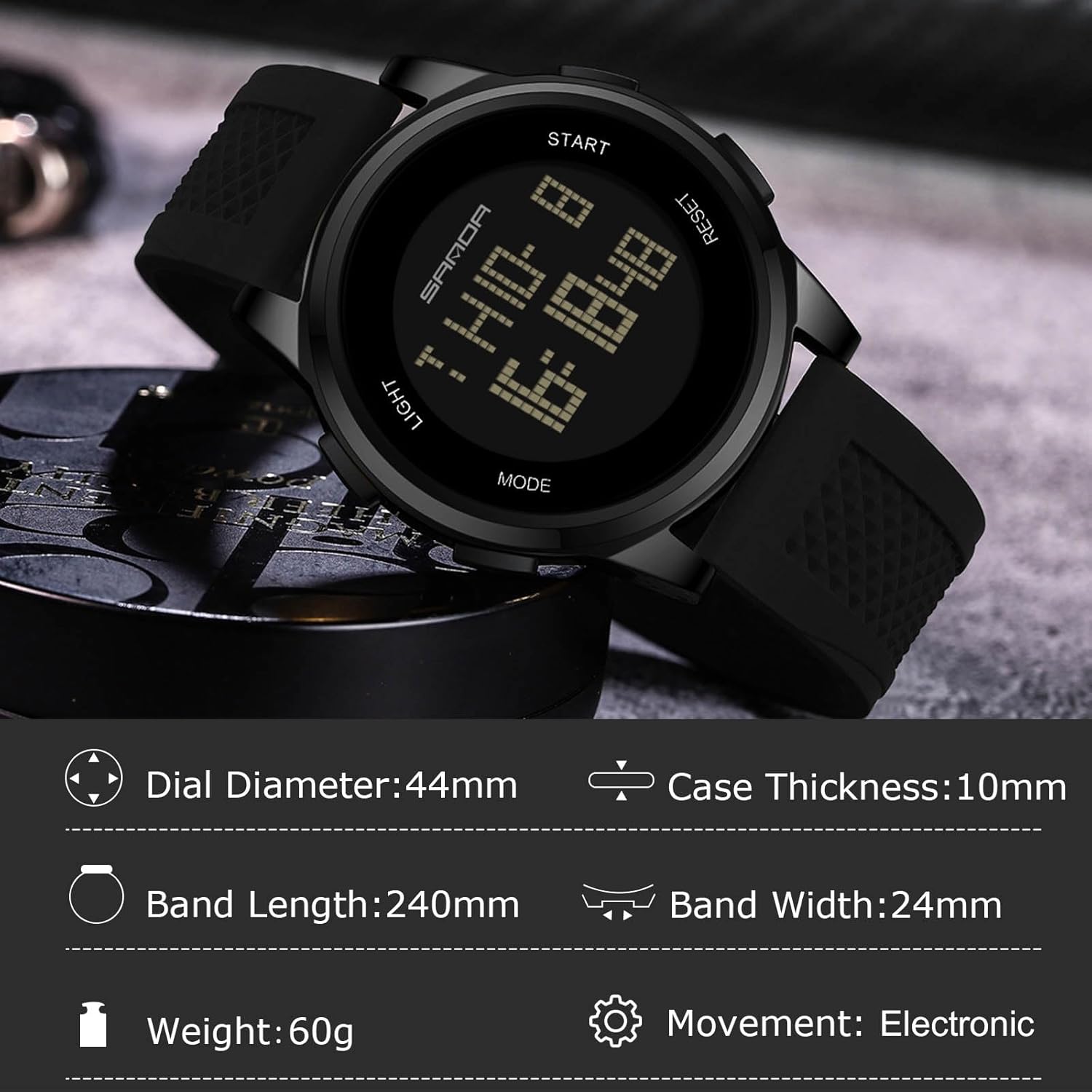
Figure 4: Detailed dimensions and specifications of the RORIOS AA-AFG001 Digital Sport Watch.
8. 保固和支持
Your RORIOS AA-AFG001 watch comes with a user manual and warranty information included in the beautiful gift box. For any support inquiries or warranty claims, please refer to the contact information provided in your warranty documentation or visit the official RORIOS web地點。

Figure 5: The RORIOS watch is presented in a beautiful gift box, which also contains the user manual and warranty information.