
一、簡介
This manual provides essential information for the proper use and maintenance of your MSI Katana 15 HX B14WGK-248CA gaming laptop. Please read this guide thoroughly before operating your device to ensure optimal performance and longevity. This laptop is designed for high-performance computing, featuring an Intel Core i7-14650HX processor, NVIDIA GeForce RTX 5070 Laptop GPU, and a 15.6-inch QHD 165Hz display with 4-zone RGB keyboard.

圖 1:正面 view of the MSI Katana 15 HX B14WGK-248CA Gaming Laptop.
2. 包裝內容
打開包裝後,請檢查所有物品是否齊全且完好:
- MSI Katana 15 HX B14WGK-248CA Gaming Laptop
- 交流電源轉接器
- 電源線(因地區而異)
- 快速入門指南(本文檔)
- 保固卡
3. 設定
3.1 連接電源轉接器
- 將交流電源轉接器連接到筆記型電腦的電源插孔。
- 將電源線插入交流電源供應器。
- 將電源線的另一端連接到接地的電源插座。
建議首次使用前將電池充滿電。
3.2 初始啟動和 Windows 安裝
- 打開筆記型電腦的蓋子。
- 按下電源按鈕,該按鈕通常位於鍵盤上方或側面。
- Follow the on-screen instructions to complete the Windows 11 Home setup process. This includes selecting your region, language, creating a user account, and connecting to a network.
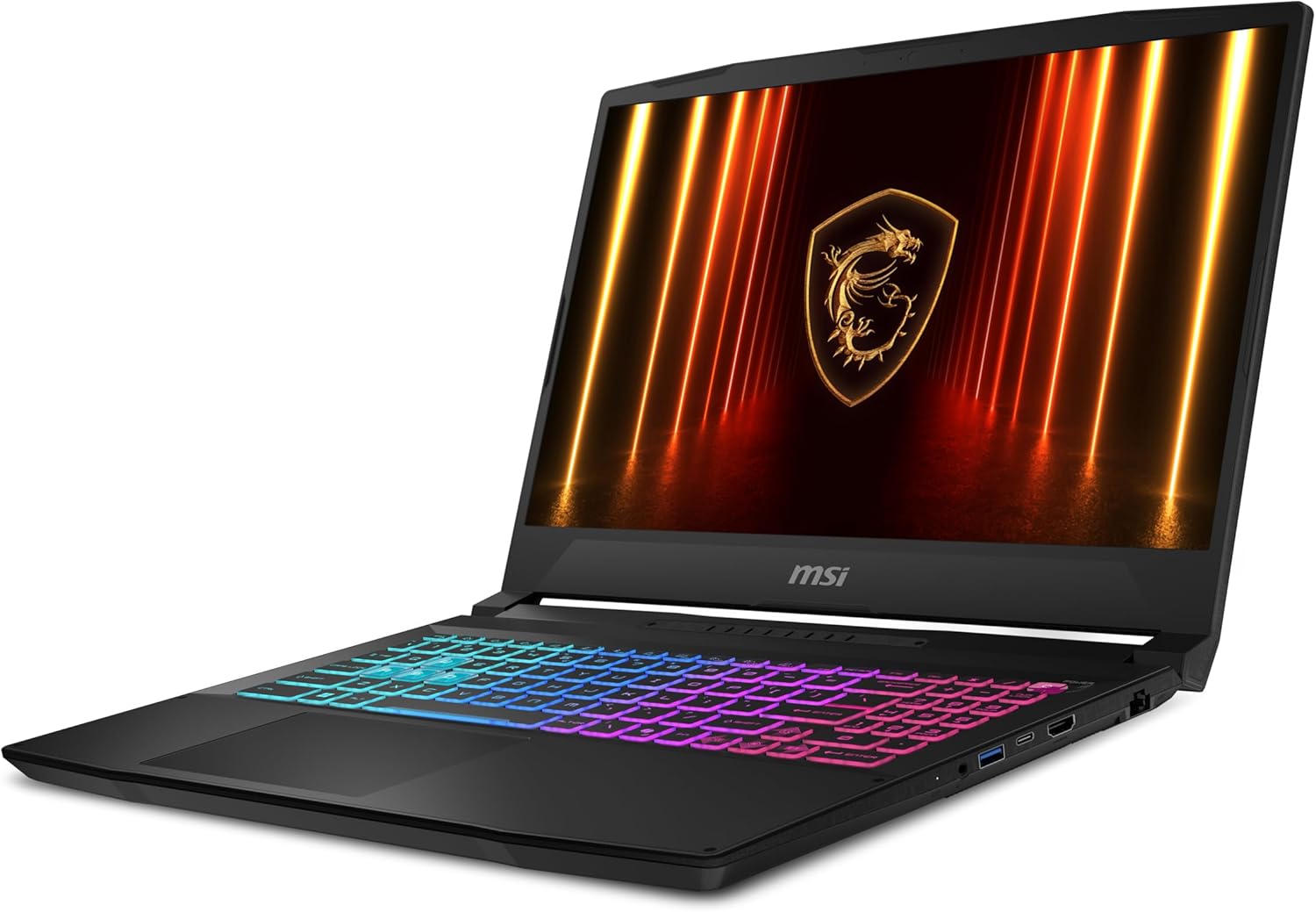
圖 2:前右 view of the laptop, illustrating the keyboard and display.
4. 操作筆記型電腦
4.1 電源管理
- 開機: 按電源按鈕。
- 睡眠模式: 合上蓋子或從 Windows 開始功能表中選擇「睡眠」。
- 關閉: 從 Windows 開始功能表中選擇「關機」。
- 重新啟動: 從 Windows 開始功能表中選擇「重新啟動」。
4.2 鍵盤和觸控板
The laptop features a 4-zone RGB backlit keyboard. You can customize lighting effects through MSI software (e.g., MSI Center). The touchpad supports multi-touch gestures for navigation.
- 功能鍵(Fn): 結合 Fn key with F1-F12 keys for quick access to features like volume control, brightness adjustment, and Wi-Fi toggle.
- 觸控板手勢: Refer to Windows settings for a full list of supported gestures.

圖 3:自上而下 view 筆記型電腦,展示asing the RGB keyboard.
4.3 顯示
Your laptop is equipped with a 15.6-inch QHD (2560x1440) display with a 165Hz refresh rate, offering a smooth visual experience for gaming and multimedia. Adjust display settings via Windows Display Settings or NVIDIA Control Panel.
4.4 連接性
The MSI Katana 15 HX B14WGK-248CA provides various ports for external devices:
- 1x USB 3.2 Gen 2 / DisplayPort (with PD3.0 Charging)
- 2 個 USB 3.2 第 2 代
- 1 個 USB 3.2 第 1 代
- HDMI輸出
- Ethernet (RJ45) port
- 音訊組合插孔
For wireless connectivity, the laptop supports Wi-Fi 6E (802.11ax) and Bluetooth 5.3.

圖 4:左側 view of the laptop, highlighting available ports.
5、維護保養
5.1 清潔
- 螢幕: 使用不起毛的軟布輕輕擦拭amp用清水或螢幕清潔劑擦拭即可。避免使用刺激性化學物質。
- 鍵盤/機殼: 使用軟布擦拭。除塵時,請使用壓縮空氣。
- 通風口: 定期用壓縮空氣清潔冷卻通風口,以防止灰塵積聚並保持最佳氣流。

圖 5:底部 view 筆記型電腦的散熱通風口示意圖。
5.2 軟件更新
Keep your operating system, drivers, and MSI software (e.g., MSI Center) updated to ensure system stability, security, and performance. Check for updates regularly through Windows Update and MSI's official web地點。
5.3 電池保養
- 避免將筆記型電腦暴露在極端溫度下。
- 不要經常將電池完全放電。
- 如果長時間存放筆記型電腦,請確保電池電量在 50-60% 左右。
6。 故障排除
This section addresses common issues you might encounter. For more detailed troubleshooting, refer to the MSI support web地點。
| 問題 | 可能的解決方案 |
|---|---|
| 筆記型電腦無法開機。 | 確保電源轉接器連接牢固,電源插座運作正常。檢查電池電量。 |
| 螢幕空白或黑色。 | Check display brightness. Connect to an external monitor to verify if the laptop is outputting video. Restart the laptop. |
| 系統緩慢或無響應。 | 關閉不必要的應用程式。檢查後台進程。確保有足夠的可用儲存空間。更新驅動程式。 |
| Wi-Fi 連線問題。 | Ensure Wi-Fi is enabled (Fn+F10). Restart your router and laptop. Update Wi-Fi drivers. |
| Excessive fan noise or overheating. | Ensure cooling vents are clear of obstructions. Use the laptop on a hard, flat surface. Adjust fan profiles in MSI Center. |
7. 規格
Key technical specifications for the MSI Katana 15 HX B14WGK-248CA:
- 模型: Katana 15 HX B14WGK-248CA
- 處理器: Intel Core i7-14650HX (1.6 GHz base)
- 圖形: NVIDIA GeForce RTX 5070 筆記型電腦顯示卡(8 GB GDDR6)
- 展示: 15.6-inch QHD (2560x1440) 165Hz, 100% DCI-P3
- 記憶體: 32GB DDR5
- 貯存: 1TB NVMe PCIe SSD
- 作業系統: Windows 11 家用版
- 無線的: Wi-Fi 6E (802.11ax)、藍牙 5.3
- 連接埠: 1x USB 3.2 Gen 2/DP (w/PD3.0 Chargin), 2x USB 3.2 Gen2, 1x USB 3.2 Gen1, HDMI, RJ45, Audio Combo Jack
- 尺寸(長x寬x高): 14.13 x 0.99 x 10.31 英寸
- 重量: 9.46磅
- 電池: 1 顆鋰離子電池(隨附)

圖 6:背面 view of the laptop, showing the cooling vents and some rear ports.
8. 保固和支持
Your MSI Katana 15 HX B14WGK-248CA laptop comes with a manufacturer's warranty. Please refer to the warranty card included in your package for specific terms and conditions. For technical support, driver downloads, and further assistance, visit the official MSI support web地點:
9. 安全訊息
- 請勿將筆記型電腦暴露在極端溫度、潮濕環境或陽光直射下。
- 避免在筆記型電腦上放置重物。
- 請僅使用提供的交流電源供應器和電源線。
- 請勿自行嘗試拆卸或維修筆記型電腦。請聯絡合格的維修人員。
- 使液體遠離設備。