
Monster Open Ear AC601
Monster AI翻譯耳機 Open AC601 使用手冊
Brand: Monster | Model: Open Ear AC601
一、簡介
Welcome to the user manual for your Monster AI Translation Earbuds Open AC601. These innovative earbuds combine high-quality audio with advanced real-time language translation capabilities, designed for seamless communication and entertainment. This manual provides essential information on setup, operation, maintenance, and troubleshooting to ensure optimal performance and user experience.

Image: The Monster AI Translation Earbuds Open AC601, showing both earbuds and their sleek charging case.
2. 包裝內容
請確認所有物品均包含在您的產品包裝中:
- Monster AI Translation Earbuds (Left and Right)
- 充電盒
- USB充電線
- 用戶手冊(本文檔)
- 快速入門指南
3. 設置指南
3.1. 為耳機和充電盒充電
Before first use, fully charge the earbuds and the charging case. The case provides additional charges for extended use.
- 將 USB 充電線連接到手機殼上的充電埠和相容的 USB 電源。
- 充電盒上的指示燈會顯示充電狀態。
- 將耳機放入充電盒中。確保耳機放置到位;耳機將自動開始充電。
- A full charge provides up to 8 hours of earbud use and a total of 32 hours with the charging case. Fast charging allows for 1 hour of use after a short charge.

Image: Visual representation of the 32-hour total playtime, including earbud and charging case battery life.
3.2. How to Wear the Earbuds
The Monster Open AC601 earbuds feature an open-ear design for comfort and awareness of your surroundings.
- Identify the small part of the earbud, which goes into the ear canal, and the larger part, which rests behind the ear.
- Gently clip the earbud onto your ear, ensuring the small part is comfortably seated in your ear and the larger part hooks securely behind your ear.
- Adjust the earbud to a comfortable and stable position. The flexible design allows for a secure fit for various ear shapes.

Image: Step-by-step diagram illustrating the correct way to wear the Monster Open AC601 earbuds, highlighting the ear clip design.

Image: Comparison showing the comfort and stability of the ear clip design versus traditional in-ear earbuds that may cause discomfort or fall out.
3.3.藍牙配對
此耳機採用藍牙5.4技術,可實現穩定且高效的連接。
- 打開充電盒。耳機將自動進入配對模式。
- 在您的裝置(智慧型手機、平板電腦等)上,啟用藍牙並搜尋可用裝置。
- Select "Monster Open AC601" from the list of found devices.
- 連接成功後,您會聽到聲音確認,耳塞上的指示燈也可能會改變。

Image: The Monster Open AC601 earbuds and case, illustrating their strong compatibility with Bluetooth 5.4, iOS, and Android operating systems.
4. 操作說明
4.1. 觸控
The Monster Open AC601 earbuds feature intuitive touch controls for managing calls, music playback, and translation functions.
| 行動 | 功能 |
|---|---|
| 點擊兩次(左/右) | 接聽/結束通話,播放/暫停音樂 |
| 點擊兩次(左/右) | 拒絕電話 |
| 點選 x3 (L) | 上一首歌曲 |
| 點選 x3 (R) | 下一首歌 |
| 點選 x1 (R) | 增加音量 |
| 點選 x1 (L) | 減少音量 |
| Press and Hold 2s (L/R) | 啟動語音助手 |

Image: A visual guide detailing the various touch control gestures and their corresponding functions on the Monster Open AC601 earbuds.
4.2 語言翻譯功能
The Monster Open AC601 earbuds offer real-time translation for 115 languages, powered by AI-driven natural interpretation technology.
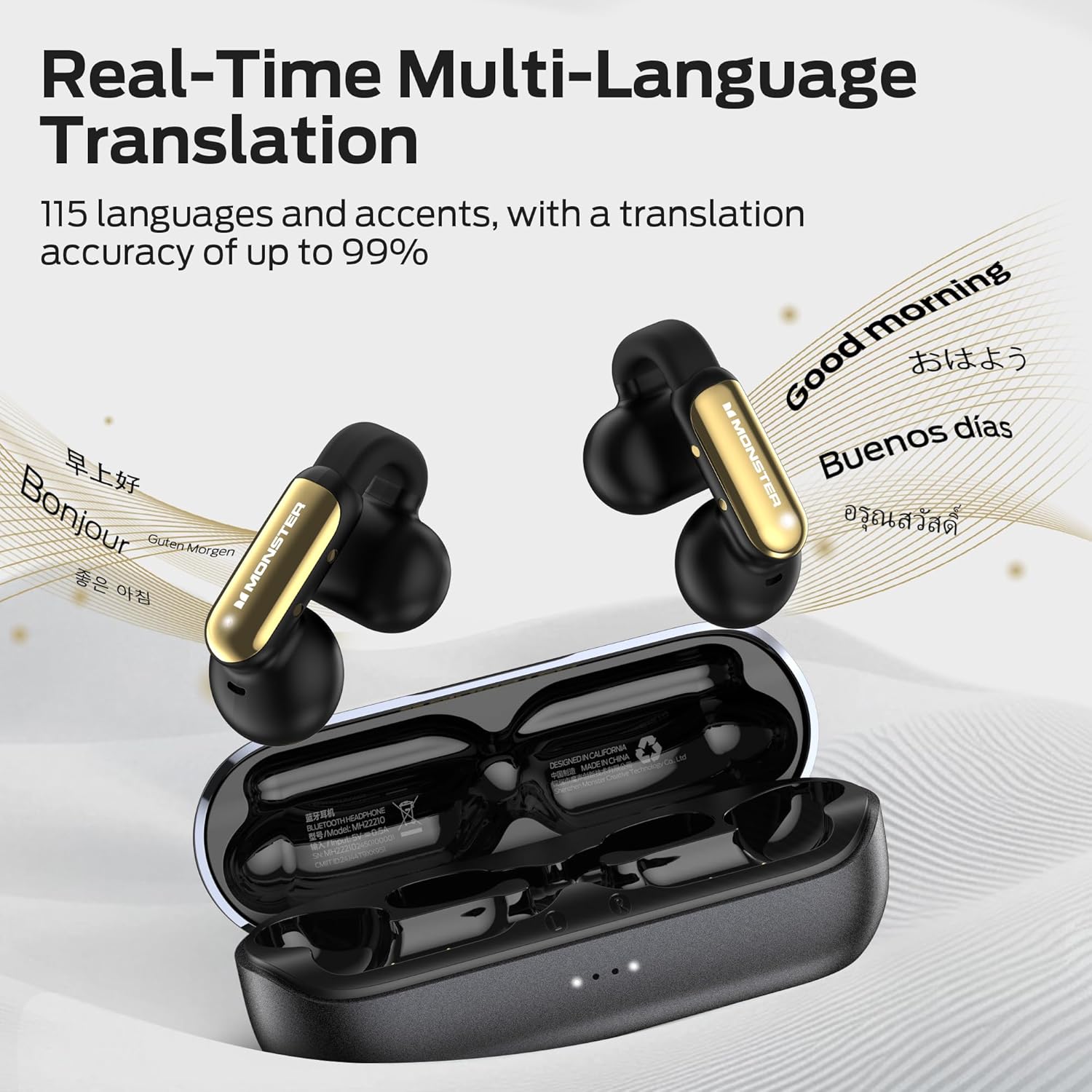
Image: The earbuds and case with text bubbles showing various languages, illustrating the real-time multi-language translation capability.
翻譯模式:
The earbuds support three distinct translation modes:
- 自由交談模式: Ideal for natural, flowing conversations. Speak freely, and the earbuds will translate in real-time for your conversation partner.
- 翻譯機模式: Use your smartphone as a display for translated text while the earbuds handle audio input and output.
- Headphones & Phone Mode: Seamlessly integrates translation with music playback and phone communication, allowing you to switch between functions.
To utilize the translation features, download the dedicated app (e.g., "Nebula Buds" as mentioned in a review, or the official Monster app if specified) on your smartphone. Within the app, you can select languages and switch between translation modes.
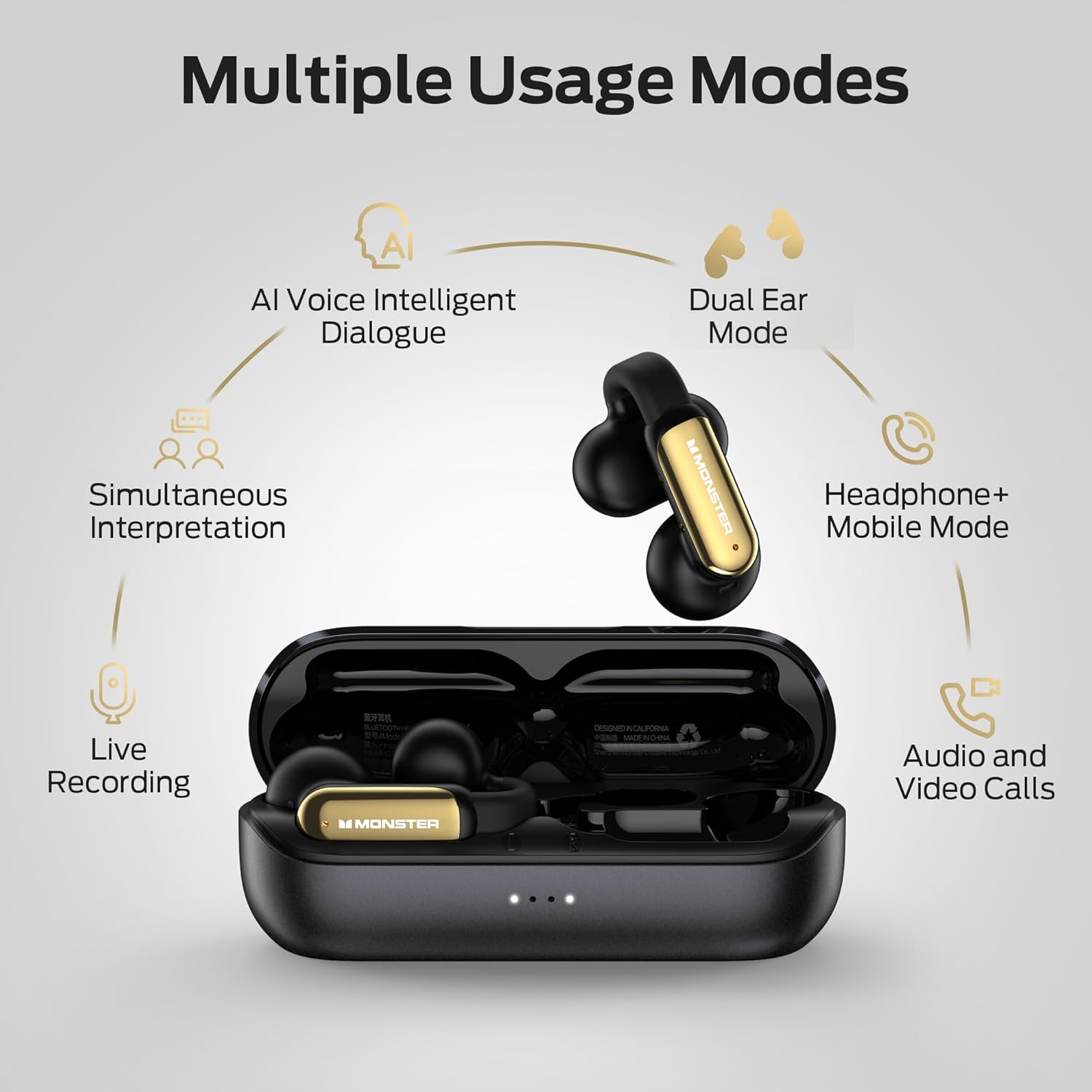
Image: A diagram illustrating the multiple usage modes, including AI Voice Intelligent Dialogue, Dual Ear Mode, Headphone+Mobile Mode, Simultaneous Interpretation, Live Recording, and Audio and Video Calls.
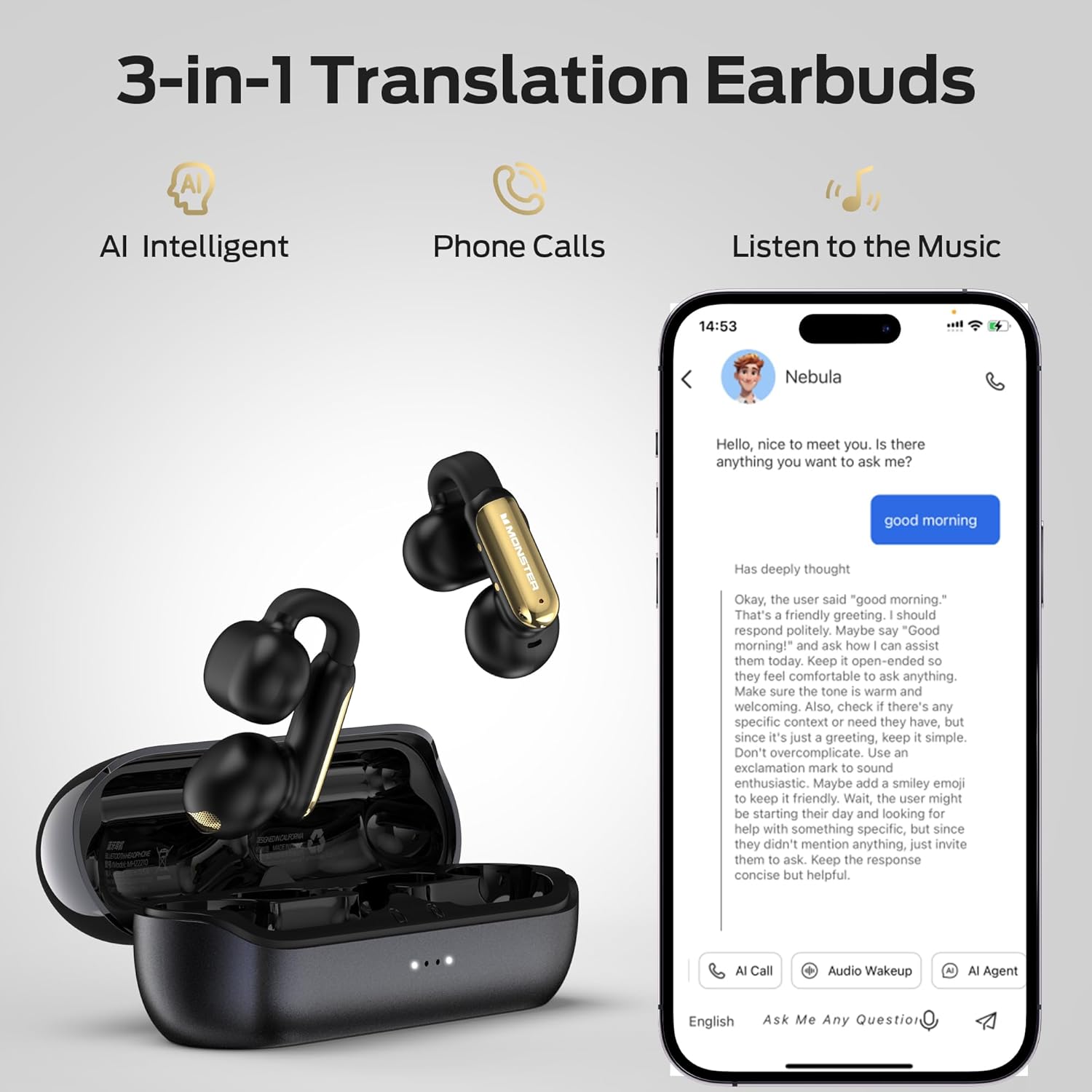
Image: A visual emphasizing the 3-in-1 functionality of the earbuds: AI Intelligent translation, phone calls, and music listening, shown with a smartphone interface.
4.3. Call Management and Audio Playback
The earbuds provide clear audio for calls and music, enhanced by ENC (Environmental Noise Cancellation) technology for calls.
- 接聽/掛斷電話: Use the touch controls as described in Section 4.1.
- 音樂播放: Control play, pause, skip tracks, and adjust volume using the touch controls.
- ENC通話降噪: This feature automatically reduces background noise during phone calls, ensuring clearer conversations.

Image: A visual demonstrating the ENC (Environmental Noise Cancellation) feature for clear calls, with a waveform indicating noise reduction.
4.4 使用場景
The Monster Open AC601 earbuds are versatile and suitable for various daily activities:
- 商業: For international calls or meetings requiring real-time translation.
- 會議: Facilitate understanding in multilingual environments.
- Face-to-Face Chat: Enable direct communication with individuals speaking different languages.
- 日常使用: Enjoy music, podcasts, and calls during commutes, workouts, or relaxation.

Image: A collage depicting individuals using the earbuds in different settings, including business interactions, meetings, casual conversations, and while walking, highlighting their versatility.
5. 維護和保養
妥善保養可確保耳機的使用壽命更長,性能更佳。
- 打掃: 請用柔軟、乾燥、不起毛的布輕輕擦拭耳機和充電盒。請勿使用研磨性清潔劑或溶劑。
- 耐水性: The earbuds have an IPX5 waterproof rating, protecting them from splashes and sweat. Do not submerge them in water or expose them to strong jets of water. Dry them thoroughly if they get wet.
- 貯存: 不使用時,請將耳機放入充電盒中,以保護耳機並保持充電。請存放在陰涼乾燥處,避免極端溫度。
- 電池保養: 為延長電池壽命,請避免經常將耳機和充電盒的電量完全耗盡。即使不常使用,也請定期充電。

Image: The Monster Open AC601 earbuds shown with water splashes, indicating their IPX5 waterproof rating, which protects against sweat and light rain.
6。 故障排除
If you encounter issues with your Monster AI Translation Earbuds, refer to the following common solutions:
| 問題 | 可能的原因 | 解決方案 |
|---|---|---|
| 耳機無法配對/連接 | Earbuds not in pairing mode, Bluetooth off on device, out of range, interference. |
|
| 沒有聲音或音量太小 | Volume too low, earbuds not properly seated, connection issue, media source problem. |
|
| Translation app not working/connecting | App not updated, incorrect settings, temporary software glitch, specific app compatibility issue. |
|
| 耳機無法充電 | Cable issue, power source issue, dirty charging contacts, earbuds not seated correctly. |
|
7. 規格
Detailed technical specifications for the Monster AI Translation Earbuds Open AC601:
| 特徵 | 細節 |
|---|---|
| 型號名稱 | 開耳AC601 |
| 連接技術 | 無線(藍牙) |
| 藍牙版本 | 5.4 |
| 無線通訊技術 | 藍牙 |
| 相容設備 | Smartphones, Tablets, Laptops, Desktops, Smart Home Devices, Cars |
| 物品重量 | 7 盎司(0.2 公斤) |
| 防水等級 | IPX5 防水 |
| 頻率範圍 | 20赫茲 - 20,000赫茲 |
| 電池壽命(耳機) | 長達 8 小時 |
| 總電池續航力(含充電盒) | 長達 32 小時 |
| 控制方式 | 觸碰 |
| 音訊驅動類型 | 動態驅動器 |
| 耳朵放置 | 開耳 |
| 外形尺寸 | 入耳式 |
| 製造商 | 怪物 |

圖:類似X光片 view of the earbud's internal components, emphasizing the advanced Bluetooth 5.4 chip and its benefits like low latency and stable connection.
8. 保固和支持
保固資訊: Specific warranty details for your Monster AI Translation Earbuds Open AC601 are typically provided with the product packaging or can be found on the official Monster web網站。請保留您的購買憑證,以便進行保固索賠。
客戶支援: For further assistance, technical support, or inquiries regarding your product, please visit the official Monster support website or contact their customer service department. Refer to the contact information provided in your product packaging or on the Monster brand web地點。
線上資源: You may find additional FAQs, video tutorials, and software updates on the Monster support page.
9. 重要安全訊息
Please read and follow all safety instructions to prevent damage to your device or injury to yourself:
- Do not expose earbuds or case to extreme temperatures, direct sunlight, or fire.
- 避免設備跌落或受到強烈撞擊。
- 請勿嘗試拆卸或改裝耳機或充電盒。否則將導致保固失效。
- 請將其放在兒童和寵物接觸不到的地方。
- 僅使用提供的充電線或經過認證的同等產品。
- 長時間暴露在高音量下可能會損傷聽力。請以中等音量聆聽。
- Be aware of your surroundings when using earbuds, especially in traffic or hazardous environments.
Ask a question about this manual
Ask about setup, troubleshooting, compatibility, parts, safety, or missing instructions. Manuals+ will review the question and use this page’s manual context to help answer it.