
一、簡介
Thank you for choosing the Bennett Read Alphabot Ultra Robotic Vacuum. This cutting-edge cleaning solution combines powerful performance with smart functionality, designed to handle sweeping, vacuuming, and wet-mopping. Equipped with advanced laser navigation and anti-fall sensors, it ensures precise tracking and smooth obstacle avoidance. This manual provides essential information for the safe and efficient operation, maintenance, and troubleshooting of your device.
請在使用產品前仔細閱讀本手冊並妥善保管以供日後參考。
2. 安全須知
為降低受傷或財產損失的風險,請遵守以下安全預防措施:
- 8 歲及以上兒童以及身體、感官或精神能力有缺陷或缺乏經驗和知識的人員可以使用本設備,前提是他們接受了有關如何安全使用本設備的監督或指導並了解所涉及的危險。
- 兒童不得玩耍該設備。兒童不得在無人監督的情況下進行清潔和使用者維護。
- 請僅使用製造商提供的原廠電源轉接器。
- Do not use the product in environments with open flames or fragile objects.
- Do not use the product to clean liquids, burning objects, or sharp objects.
- 確保充電底座放置在靠牆的水平面上,周圍留有空隙。
- 讓頭髮、寬鬆的衣服、手指和身體的所有部位遠離開口和活動部件。
- 在清潔或進行維護之前拔掉設備電源插頭。
3. 包裝內容
驗證包裝中是否存在所有組件:
- 1 x Bennett Read Alphabot Ultra Robotic Vacuum with Sweep and Wet-Mop
- 充電座
- 電源適配器
- 邊刷
- 清潔工具
- 使用者手冊
4. 產品結束view
Familiarize yourself with the main components of your Alphabot Ultra Robotic Vacuum.

圖片4.1: 頂部 view of the Bennett Read Alphabot Ultra Robotic Vacuum, showing its sleek black design and control indicators.
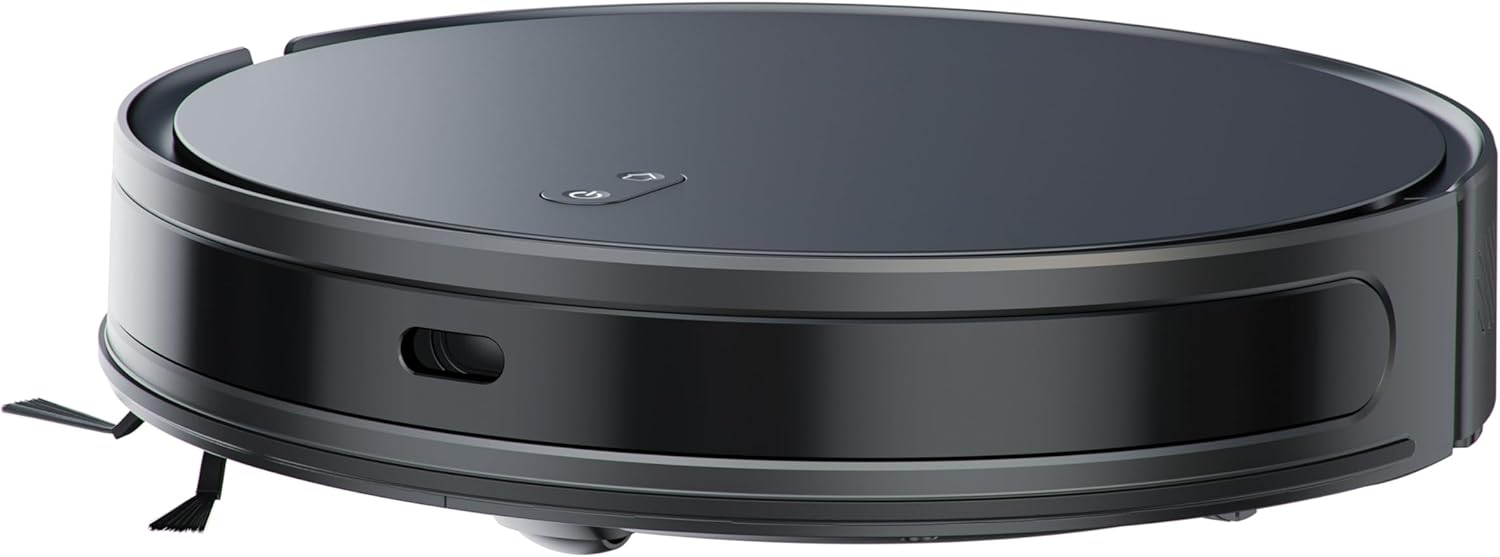
圖片4.2: 邊 view of the Alphabot Ultra, highlighting its low profile and side brushes.

圖片4.3: Diagram illustrating the powerful suction path and internal components of the Alphabot Ultra.

圖片4.4: 底面 view of the Alphabot Ultra, showing the main brush, side brushes, and mopping pad attachment.
5. 設定
5.1 開箱
- Remove the robotic vacuum and all accessories from the packaging.
- Remove any protective films or stickers from the device and charging dock.
5.2 充電底座放置
- 將充電底座放置在靠牆的堅硬、平坦的表面上。
- Ensure there is at least 1 meter (3 feet) of clear space on both sides of the dock and 2 meters (6 feet) in front of it for optimal navigation.
- 將電源轉接器連接到充電底座,然後將充電底座插入牆壁插座。

圖片5.1: The Alphabot Ultra robotic vacuum docked at its self-charging station, illustrating the automatic charging feature.
5.3 初始費用
- Place the robotic vacuum onto the charging dock, ensuring the charging contacts align.
- Allow the vacuum to charge completely before its first use. The indicator lights will show charging status. A full charge can take several hours.
5.4 App Connection (Smart Life App)
- Download the 'Smart Life' app from your mobile device's app store.
- 註冊或登入您的Smart Life帳戶。
- Follow the in-app instructions to add your Bennett Read Alphabot Ultra. Ensure your Wi-Fi network is 2.4GHz, as 5GHz networks are not supported.
- The app allows for scheduling, mapping, and customization of cleaning preferences.

圖片5.2: Screenshot of the Smart Life app interface, demonstrating cleaning preference settings for water volume and suction.
6. 操作說明
6.1 電源開關
- To power on, press and hold the power button on the vacuum or use the app.
- To power off, press and hold the power button until the indicators turn off, or use the app.
6.2 種清潔模式
The Alphabot Ultra supports multiple cleaning modes:
- 清掃和吸塵: Utilizes the side brushes, main brush, and 5000Pa suction power for dry debris removal.
- Wet-Mop: For light wet cleaning of hard floors. Ensure the water tank is filled and the mopping pad is attached.
- 組合模式: Sweeps, vacuums, and mops simultaneously for comprehensive cleaning.
6.3 調度
Use the Smart Life app to set up cleaning schedules. You can customize cleaning times, days, and specific areas for the vacuum to clean automatically.
6.4 導航和感測器
The Alphabot Ultra uses advanced laser navigation for precise mapping and efficient cleaning paths. Anti-fall sensors prevent the vacuum from falling down stairs or ledges, while anti-collision sensors help it avoid obstacles.

圖片6.1: The Alphabot Ultra demonstrating its anti-fall sensors, preventing it from falling down stairs or ledges.
7、維護保養
定期維護可確保機器人吸塵器的最佳性能並延長其使用壽命。
7.1 垃圾桶和過濾器清潔
- 按下垃圾箱釋放按鈕並取出垃圾箱。
- Open the dustbin cover and empty its contents into a waste bin.
- Remove the filter assembly and tap it gently to dislodge dust. Do not wash the HEPA filter with water.
- 如有必要,請用水沖洗垃圾桶,確保其完全乾燥後再重新安裝。
- Reassemble the filter and dustbin, then reinsert into the vacuum.
7.2 刷子清潔
- 主刷: Remove the main brush cover and lift out the brush. Use the provided cleaning tool to cut and remove any tangled hair or debris.
- 側刷: Gently pull the side brushes to remove them. Clean off any hair or debris. If brushes are damaged, replace them.
7.3 拖把墊保養
- After each mopping session, remove the mopping pad from the water tank.
- Wash the mopping pad with water and mild detergent.
- Allow the mopping pad to air dry completely before reattaching or storing.

圖片7.1: The Alphabot Ultra with its 2-in-1 tank, designed for both sweeping/vacuuming and wet-mopping functionalities.
7.4 傳感器清潔
- Periodically wipe the cliff sensors, wall sensors, and charging contacts with a clean, dry cloth to ensure proper function.
8。 故障排除
If you encounter issues with your Alphabot Ultra, refer to the following common problems and solutions:
| 問題 | 可能的原因 | 解決方案 |
|---|---|---|
| 吸塵器無法通電 | 電池電量低;電源按鈕未正確按下 | Charge the vacuum; Press and hold the power button for a few seconds. |
| 真空不會充電 | 充電觸點髒污;充電底座未通電 | Clean charging contacts on both vacuum and dock; Ensure dock is plugged in and powered. |
| 吸力差 | 集塵盒已滿;過濾器堵塞;主刷纏繞 | 清空集塵盒;清潔或更換過濾器;清潔主刷。 |
| 吸塵器經常卡住 | 地面有障礙物;懸崖感應器髒污 | 清除電纜、地毯和小物件;清潔懸崖感應器。 |
| 應用程式連接問題 | Incorrect Wi-Fi band; Router too far | Ensure 2.4GHz Wi-Fi; Move vacuum closer to router; Restart router and vacuum. |
如果問題仍然存在,請聯絡客戶支援。
9. 規格
| 特徵 | 規格 |
|---|---|
| 品牌 | 班尼特·里德 |
| 型號名稱 | Alphabot Ultra |
| 型號 | HVC403 |
| 顏色 | 黑色的 |
| 產品尺寸 | 30 長 x 8 寬 x 35 高 厘米 |
| 物品重量 | 1.8公斤 |
| 吸力 | 5000帕 |
| 電池類型 | 3200mAh 鋰離子電池 |
| 運行時 | 最長 180 分鐘 |
| 導航 | Advanced Laser Navigation |
| 連接性 | Wi-Fi(僅 2.4GHz) |
| 馬達類型 | 耐用的無刷電機 |
| 清潔功能 | Sweep, Vacuum, Wet-Mop |
| 電源 | 有線電源(用於充電底座) |
10. 保固和支持
Your Bennett Read Alphabot Ultra Robotic Vacuum is covered by a manufacturer's warranty. Please refer to the warranty card included in your package for specific terms and conditions.
For technical support, troubleshooting assistance beyond this manual, or to inquire about spare parts, please contact Bennett Read customer service. Contact details can typically be found on the official Bennett Read web網站或產品包裝上。