
一、簡介
Thank you for choosing the CUKTECH 65W USB-C Charger and 20000mAh Power Bank Combo. This product is designed to provide versatile and rapid charging solutions for a wide range of electronic devices, including smartphones, tablets, and laptops. Please read this manual carefully to ensure proper use and optimal performance.
2. 包裝內容
- CUKTECH 65W USB-C Charger
- CUKTECH 20000mAh Power Bank with Integrated USB-C Cable
- 使用者手冊
3. 產品結束view
The CUKTECH combo offers a powerful 65W wall charger and a high-capacity 20000mAh power bank. The wall charger features 3 output ports (2 USB-C, 1 USB-A) for simultaneous charging. The power bank includes an integrated USB-C cable for convenience and supports up to 45W fast charging output.

圖片:正面 view of the CUKTECH 65W USB-C Charger and 20000mAh Power Bank Combo, showcasin它們的緊湊設計。
4. 設定
4.1 初始行動電源充電
Before first use, fully charge the 20000mAh power bank. Connect the power bank to the 65W wall charger or another compatible USB power source using a USB-C cable. The LED indicators on the power bank will show the charging status. A full charge is recommended for optimal battery performance.
4.2 Understanding the Built-in USB-C Cable
The power bank features an integrated USB-C cable that can be tucked into a slot for storage. This cable supports dual-sided fast charging, allowing it to be used for both charging devices and recharging the power bank itself.

Image: The CUKTECH power bank demonstrating its built-in USB-C cable, showing how it tucks into a slot for simple storage and its length of 0.48ft (14.7cm).
5. 操作說明
5.1 Using the 65W USB-C Charger
Plug the 65W charger into a standard wall outlet. Connect your devices using appropriate USB cables to the charger's USB-C or USB-A ports. The charger automatically detects the connected device and delivers optimal charging power up to 65W for a single USB-C port.
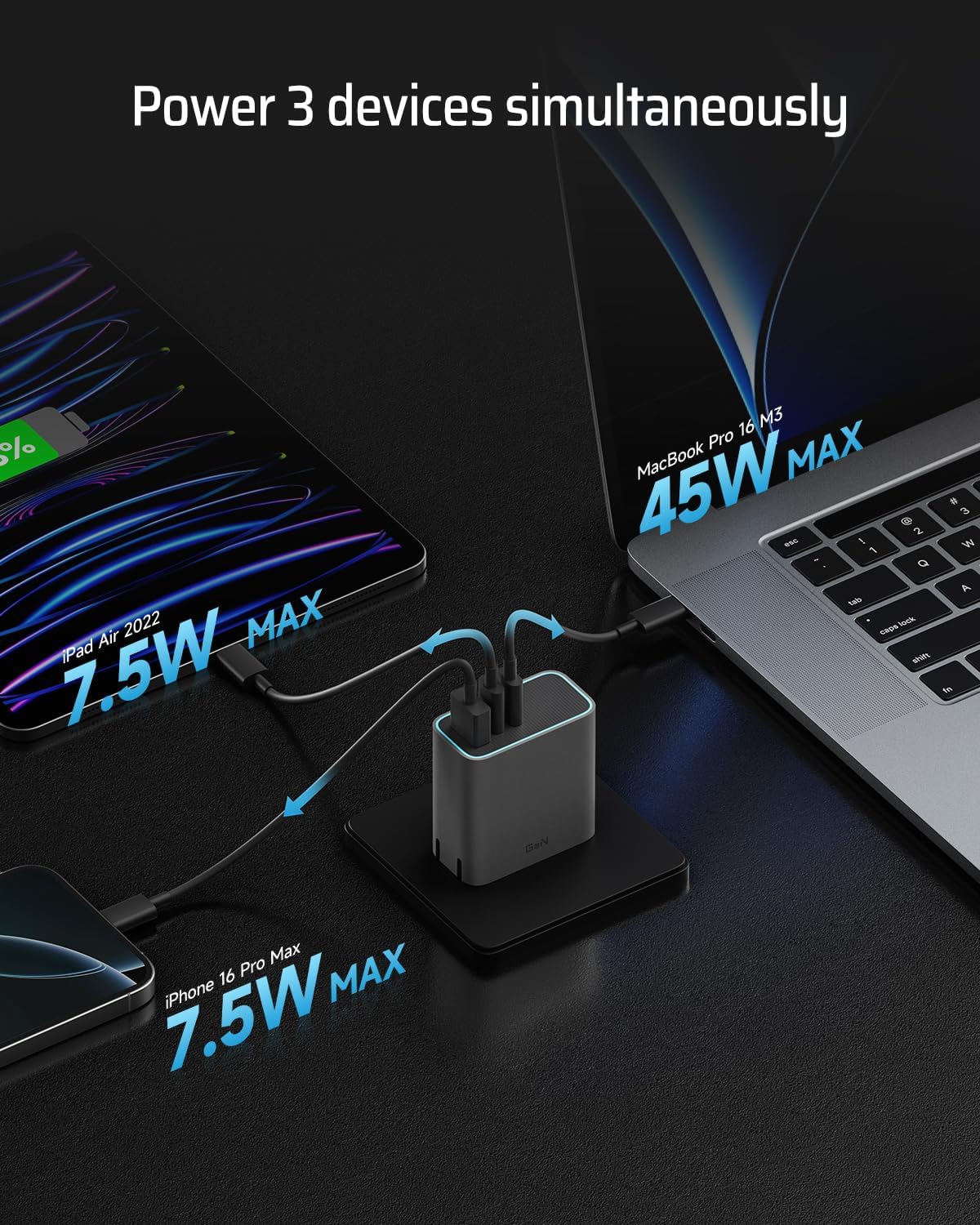
Image: A person using the CUKTECH 65W charger to fast charge a laptop, illustrating its high-speed charging capability for larger devices.
5.2 Charging Multiple Devices Simultaneously (65W Charger)
The 65W charger features two USB-C ports and one USB-A port, allowing you to charge up to three devices concurrently. The total power output is dynamically distributed among the connected devices to ensure efficient charging.

Image: The CUKTECH 65W charger simultaneously charging a MacBook Pro, an iPad Air, and an iPhone, demonstrating its 3-port capability.
5.3 Using the 20000mAh Power Bank
Connect your device to the power bank using the integrated USB-C cable or another compatible USB cable. The power bank will automatically begin charging your device. The 20000mAh capacity provides multiple charges for most smartphones and tablets.
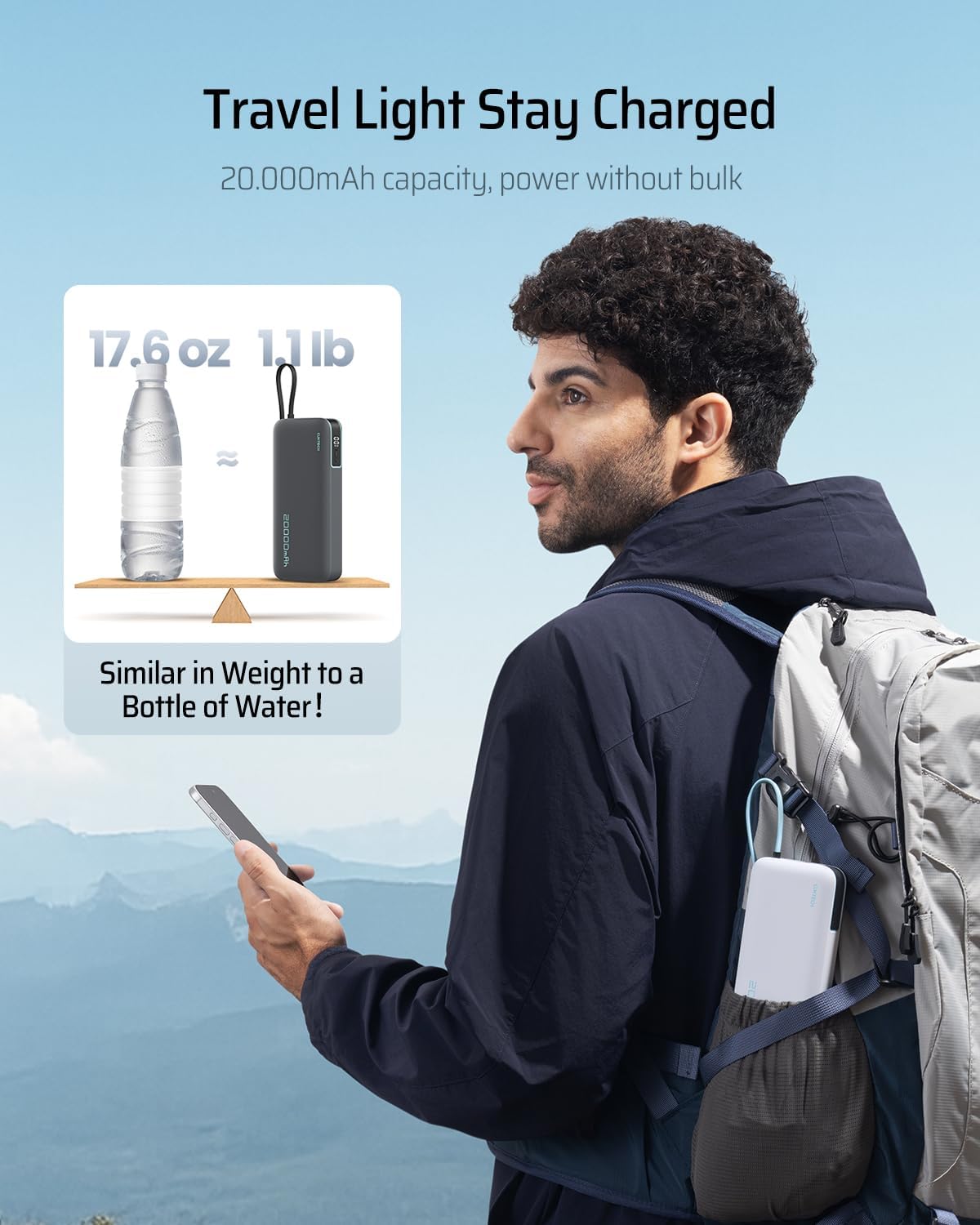
Image: The CUKTECH 20000mAh power bank providing 45W MAX fast charging to an iPhone, indicating a 58% charge in 30 minutes.
5.4 為行動電源充電
To recharge the power bank, connect it to a wall charger (such as the included 65W charger) using the integrated USB-C cable or a separate USB-C cable. The power bank supports fast recharging.
6、維護保養
6.1 清潔
Wipe the charger and power bank with a soft, dry cloth. Do not use liquid cleaners or abrasive materials, as these can damage the product.
6.2 儲存
Store the product in a cool, dry place away from direct sunlight, extreme temperatures, and humidity. Avoid storing in environments with corrosive gases or liquids.
6.3 Battery Care (Power Bank)
For optimal battery longevity, avoid fully discharging the power bank frequently. Recharge it when the battery level is low. If storing for extended periods, charge the power bank to approximately 50-70% every three months.
7。 故障排除
- 設備未充電: Ensure the cables are securely connected to both the charger/power bank and the device. Verify that the charger is plugged into a live power outlet. Try a different cable or port.
- 行動電源無法充電: Check the charging cable and power source. Ensure the power bank's input port is clean and free of debris.
- 充電慢: Ensure you are using a compatible cable. Some devices may limit charging speed based on their battery status or temperature. For optimal speed, use the appropriate port (e.g., USB-C for higher wattag電子設備)。
- Product feels warm during use: It is normal for charging devices to generate some heat. If the product becomes excessively hot, disconnect it immediately and contact support.
8. 規格
| 特徵 | 細節 |
|---|---|
| 產品名稱 | CUKTECH 65W USB-C Charger and 20000mAh Power Bank Combo |
| 充電器輸出 | Up to 65W (single USB-C port) |
| 充電端口 | 2 個 USB-C、1 個 USB-A |
| 移動電源容量 | 20000毫安培時 |
| 移動電源輸出 | 最大功率 45W |
| Power Bank Integrated Cable | USB-C, 0.48 ft (14.7 cm) length |
| Weight (Power Bank) | Approximately 1.1 lb (17.6 oz) |
| 尺寸(行動電源) | Approximately 6.37in x 2.83in x 1.17in |
| 相容性 | MacBook Pro 16 (65W MAX), iPad Air 2022 (30W MAX), Switch (15W MAX), Legion Go (65W MAX), Samsung S24 Ultra (45W MAX), iPhone 16 Pro Max (30W) |
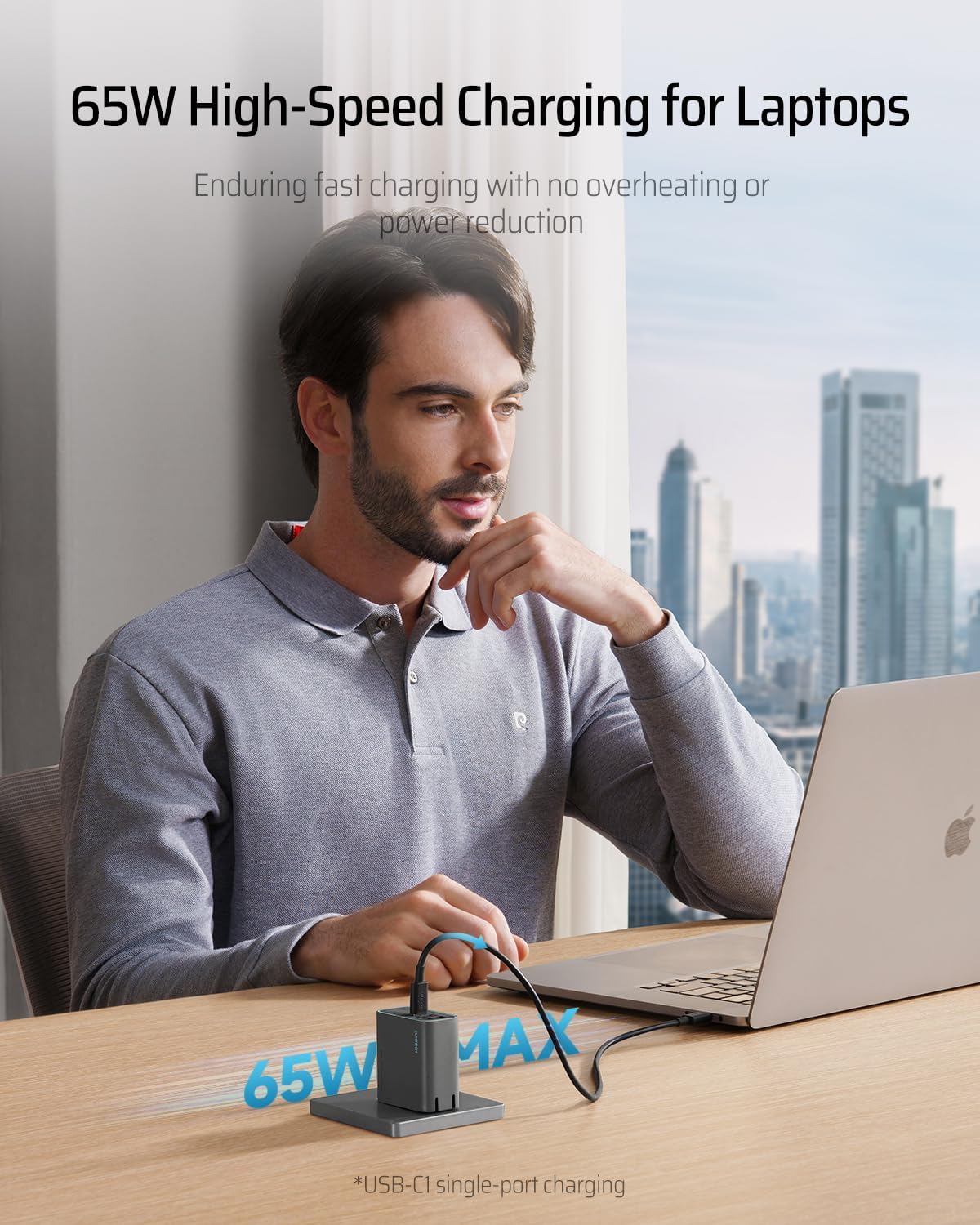
Image: The CUKTECH power bank's dimensions and weight (1.1 lb / 17.6 oz) compared to a bottle of water, highlighting its portability.

Image: The CUKTECH 65W charger being placed into a bag, illustrating its compact size and ultimate portability, noted as 49% smaller than a 67W Apple Charger.
9. 安全訊息
- Do not expose the product to water, fire, or extreme temperatures.
- 請勿拆解、改裝或嘗試修理產品。
- 避免產品跌落或受到強烈撞擊。
- 請將本品放在兒童接觸不到的地方。
- Use only original or certified compatible cables.
10. 保固和支持
CUKTECH products come with a standard manufacturer's warranty. For specific warranty terms and conditions, please refer to the warranty card included with your purchase or visit the official CUKTECH website. If you encounter any issues or have questions regarding your product, please contact CUKTECH customer support for assistance.
客戶支援: Please refer to your product packaging or the official CUKTECH web提供最新聯絡資訊的網站。