
介紹
Thank you for choosing the exsulity K118 Language Translation Earbuds. These earbuds are designed to facilitate global communication by providing real-time translation for up to 144 languages. With advanced Bluetooth 5.4 connectivity, they offer a seamless experience for both translation and audio playback, making them ideal for business, travel, and everyday use.

Image: The K118 Language Translation Earbuds, beige in color, resting within their matching charging case. The case features a digital display showing '90', indicating battery level.
產品結束view
The K118 earbuds are engineered for comfort and high performance, featuring a C-bridge design for secure fit and Hi-Fi audio with noise reduction. They support various translation modes and offer robust connectivity.
- 即時翻譯: Supports 144 languages with high accuracy.
- 藍牙 5.4 連線: Ensures stable signal reception up to 15 meters.
- Seamless Calling: Answer, end calls, and record conversations with clear sound.
- Knowledge and Search Enhancement: Access information and inspiration effortlessly.
- 人體工學設計: C-bridge design for comfortable and secure wear during various activities.
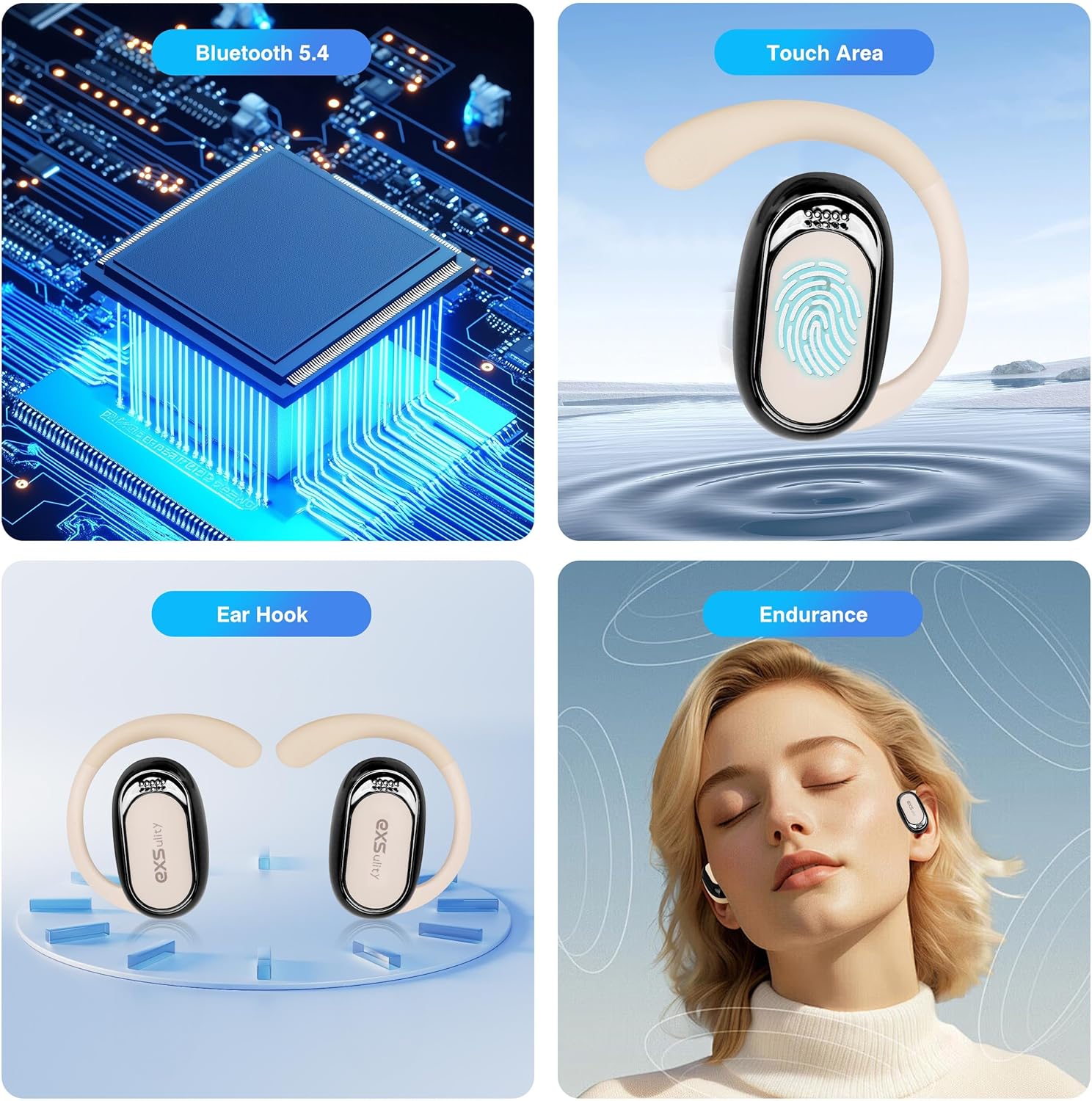
Image: A composite image highlighting the core technologies of the K118 earbuds: the Bluetooth 5.4 chip for connectivity, the touch-sensitive area for controls, the ergonomic ear hook design, and the long-lasting endurance.

圖片:詳細 view of the earbud's C-bridge design, demonstrating how it comfortably and securely fits around the ear, making it suitable for active use such as running or playing sports.
設定
1. 初始充電
Before first use, fully charge the earbuds and the charging case. Place the earbuds into the charging case and connect the case to a power source using the provided USB cable. The digital display on the case will indicate the charging status.
2. 應用程式下載和安裝
The K118 earbuds require a dedicated mobile application for full functionality, especially for translation features. 搜尋 the 'wooask' app on your mobile device's app store (e.g., Apple App Store for iOS or Google Play Store for Android) and install it. Do not use any QR codes found on packaging, as they may lead to outdated or incorrect links.

Image: A visual representation instructing users to download the 'wooask' application on their mobile phone, featuring the app's distinctive icon.
3.藍牙配對
- 請確保耳機已充電並放置在充電盒中。
- 打開充電盒蓋。耳機將自動進入配對模式。
- 在您的行動裝置上,前往藍牙設定並啟用藍牙。
- 從可用裝置清單中選擇“K118”進行配對。
- Once paired, open the 'wooask' app and follow the in-app instructions to connect the earbuds for translation features.
操作說明
翻譯模式
The K118 earbuds offer multiple translation modes to suit various communication scenarios:
- 揚聲器模式: One person speaks into the phone, and the translation is played through the earbuds and the phone's speaker.
- 觸摸模式: Each person wears an earbud. Tap your earbud to speak, and the translation is heard by the other person through their earbud.
- Free-talk Mode: Both parties speak naturally, and the earbuds provide continuous real-time translation without needing to tap.
- 照片翻譯: 使用該應用程式拍攝文字照片,它就會翻譯文字。

Image: A visual guide depicting the four distinct translation modes available with the K118 earbuds: Speaker Mode, Touch Mode, Free-talk Mode, and Photo Translation, each represented by an icon.

Image: A smartphone screen demonstrating the real-time translation capability, showing a German phrase and its English translation, indicating the device's ability to overcome language barriers.
通話功能
The earbuds allow for seamless call management:
- 接聽/結束通話: Use the touch controls on the earbuds to manage incoming and outgoing calls.
- Conversation Recording: The app may offer features to record conversations for later review.
- Text Message Conversion: Some features may allow for conversion of text messages to speech or vice-versa within the app.
維護
打掃
- 用柔軟、乾燥、不起毛的布輕輕擦拭耳塞和充電盒。
- 請勿使用研磨性清潔劑、酒精或化學溶劑。
- 避免水分進入任何開口處。
貯存
- 不使用時,請將耳塞存放在充電盒中,以保護它們並保持充電。
- 請將設備置於陰涼乾燥處,避免陽光直射和極端溫度。
電池保養
- 即使不經常使用,也要定期為設備充電,以保持電池健康。
- 避免頻繁地將電池完全耗盡。
故障排除
| 問題 | 可能的原因 | 解決方案 |
|---|---|---|
| 耳機未配對 | Low battery; Bluetooth off; Already paired to another device. | Charge earbuds; Enable Bluetooth on device; Disconnect from other devices and try again. |
| 翻譯不準確 | Unclear speech; Background noise; Dialect not fully supported. | Speak clearly and at a moderate pace; Reduce background noise; Ensure correct dialect is selected in app. |
| 音量低 | Device volume too low; Earbuds not properly seated. | Increase volume on your connected device; Adjust earbud position for a better fit. |
| 應用程式無法連接到耳機 | Earbuds not Bluetooth paired; App outdated; App permissions. | Ensure Bluetooth pairing is successful; Update the 'wooask' app; Check app permissions in phone settings. |
規格
| 特徵 | 細節 |
|---|---|
| 型號 | exsulityvourgiws5b-12 |
| 包裝尺寸 | 6.15 x 3.82 x 1.54 英寸 |
| 物品重量 | 4.6 盎司 |
| 連接性 | 藍牙5.4 |
| 翻譯語言 | 144 種語言 |
| 製造商 | 排泄 |
| 首次可用日期 | 26 年 2024 月 XNUMX 日 |
保固和支持
For warranty information and technical support, please refer to the documentation included with your purchase or visit the official exsulity website. You may also contact exsulity customer service directly for assistance with product issues or inquiries.
如需了解最新資訊和支援資源,請訪問 exsulity Store on Amazon.