
一、簡介
This manual provides essential information for the safe and effective use of your TODO T3840-NEW Foldable Treadmill. Please read it thoroughly before assembly, operation, or maintenance. Keep this manual for future reference.
The TODO T3840-NEW is a versatile 2-in-1 foldable treadmill designed for home use, offering speeds from 1 to 12 km/h. It features an adjustable incline, an LCD screen, and supports control via remote or a dedicated fitness application.
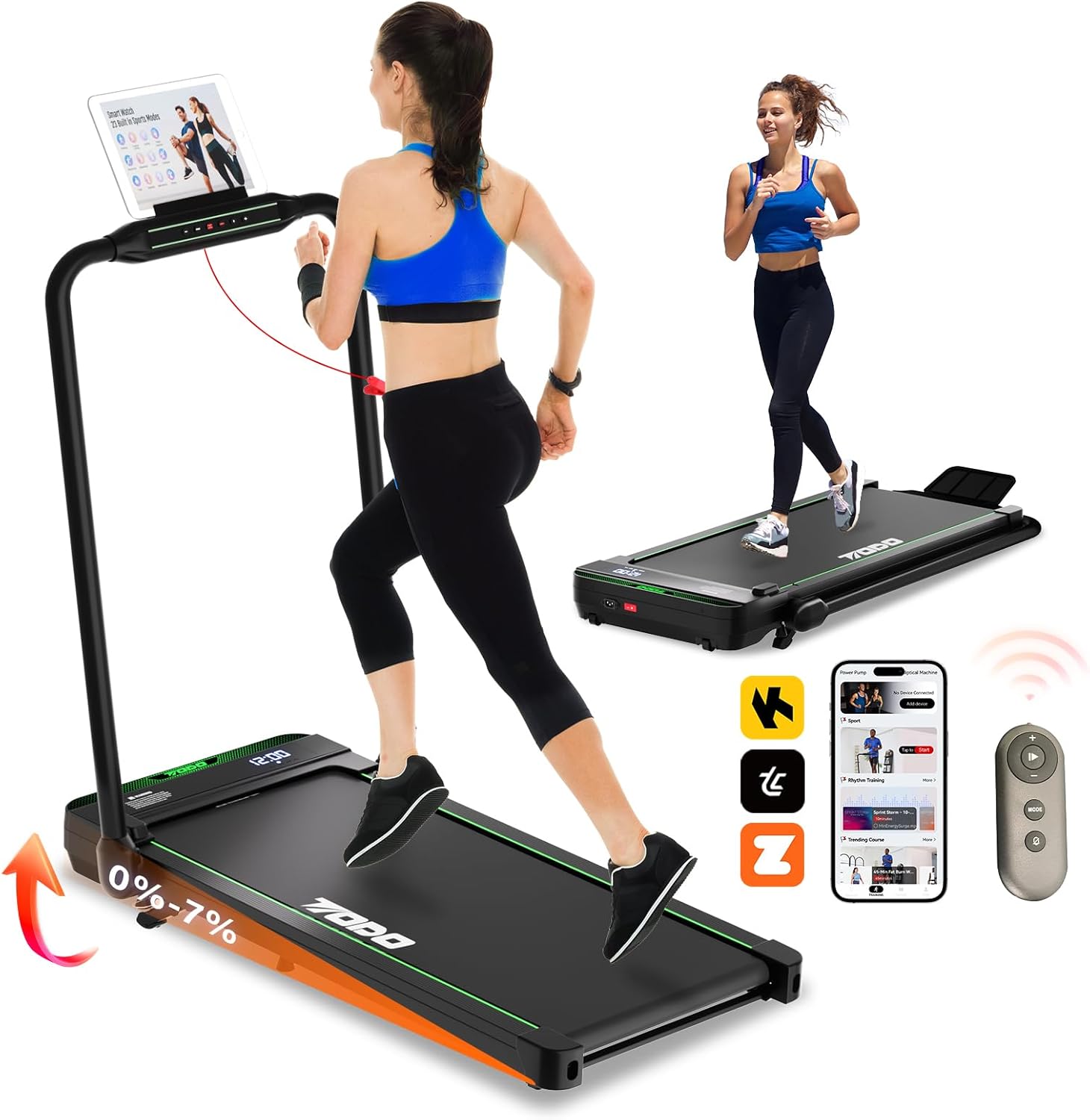
Image 1.1: The TODO T3840-NEW Foldable Treadmill in both upright running mode and folded walking pad mode. It highlights the 0-7% incline capability, app support, and remote control.
2. 安全訊息
警告: 為降低嚴重受傷的風險,請在使用跑步機前閱讀本手冊中的所有重要注意事項和說明。
- 在開始任何運動計劃之前請諮詢醫生。
- 在跑步機運作期間,讓兒童和寵物遠離跑步機。
- 將跑步機放置在平坦的地面上,跑步機後面至少留出 2 公尺(6.5 英尺)的空地,兩側各留出 0.6 公尺(2 英尺)的空地。
- 啟動跑步機前,請確保安全鑰匙已正確連接。
- 穿合適的運動服和運動鞋。
- 若跑步機損壞或故障,請勿使用。
- 不使用跑步機或進行清潔/維護前,請將跑步機從電源插座拔下。
3. 產品結束view
主要特點:
- 可調傾斜度: Features a 7% adjustable incline to enhance calorie burning and workout intensity.
- 三合一設計: Functions as a walking pad (1-6 km/h) and a running treadmill (6-12 km/h).
- 靜音強勁的馬達: Equipped with a 2.5 HP motor, operating at approximately 45 dB, supporting users up to 120 kg.
- 緊湊且可折疊: No assembly required, easily foldable for storage under furniture. Transport wheels for mobility.
- 應用程序連接: Supports popular fitness apps like Zwift, Kinomap, and the proprietary TOUSAINS app for real-time data tracking and control.
- Knee Strain Reduction: Features a 5-layer running belt and 6 anti-slip pads for improved cushioning.
成分:
The package includes the TODO T3840-NEW Treadmill and a remote control. Other accessories may vary.
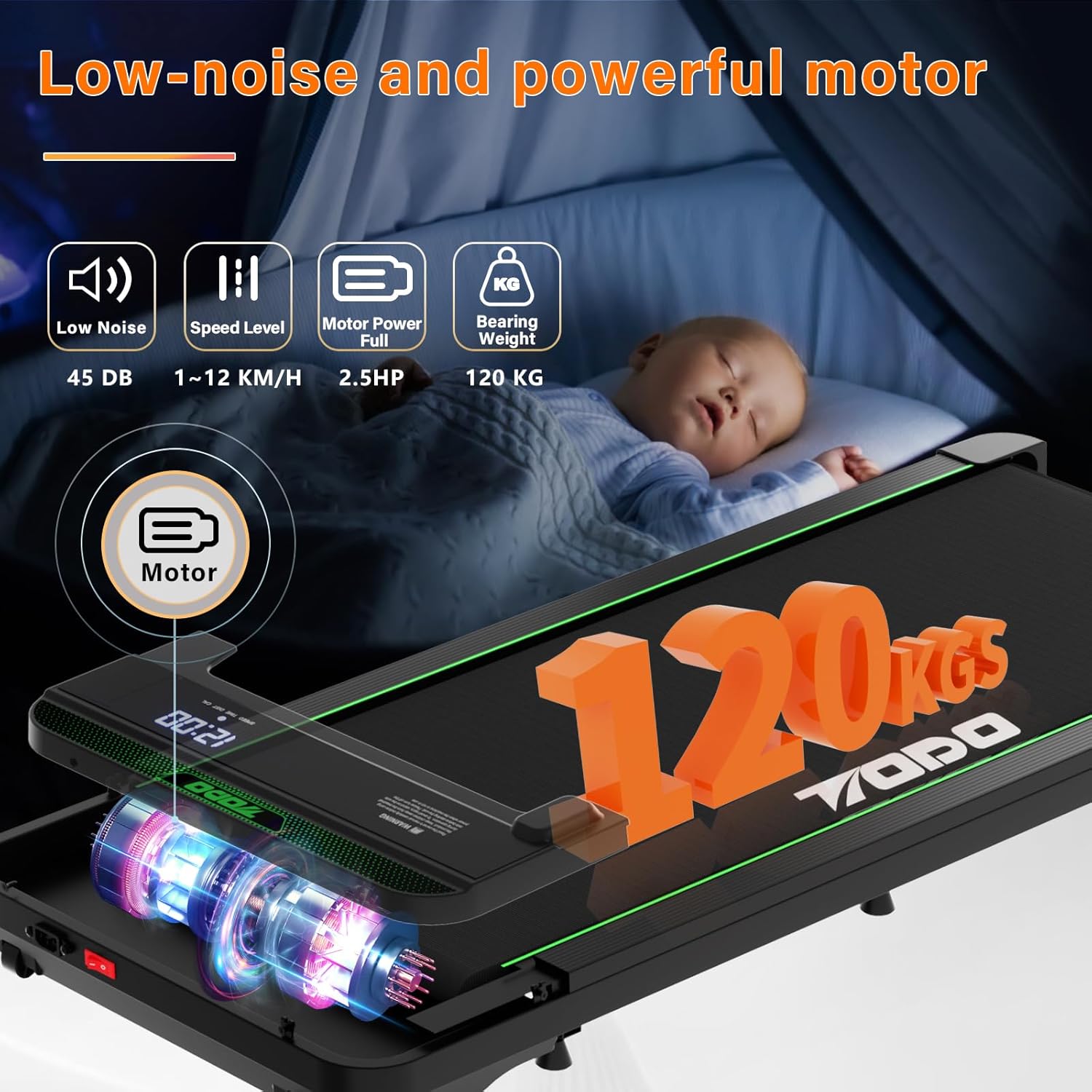
Image 3.1: Illustration of the treadmill's low-noise 2.5 HP motor and its 120 kg weight capacity.
4. 設定
拆箱及放置:
- Remove the treadmill from its packaging. No assembly is required.
- Place the treadmill on a firm, level surface. Ensure adequate clearance around the unit as described in the safety section.
- 將電源線連接到接地的電源插座。
展開扶手(跑步模式):
To transition from walking pad mode to running mode, raise the handrail. The handrail is designed for easy and stable deployment.
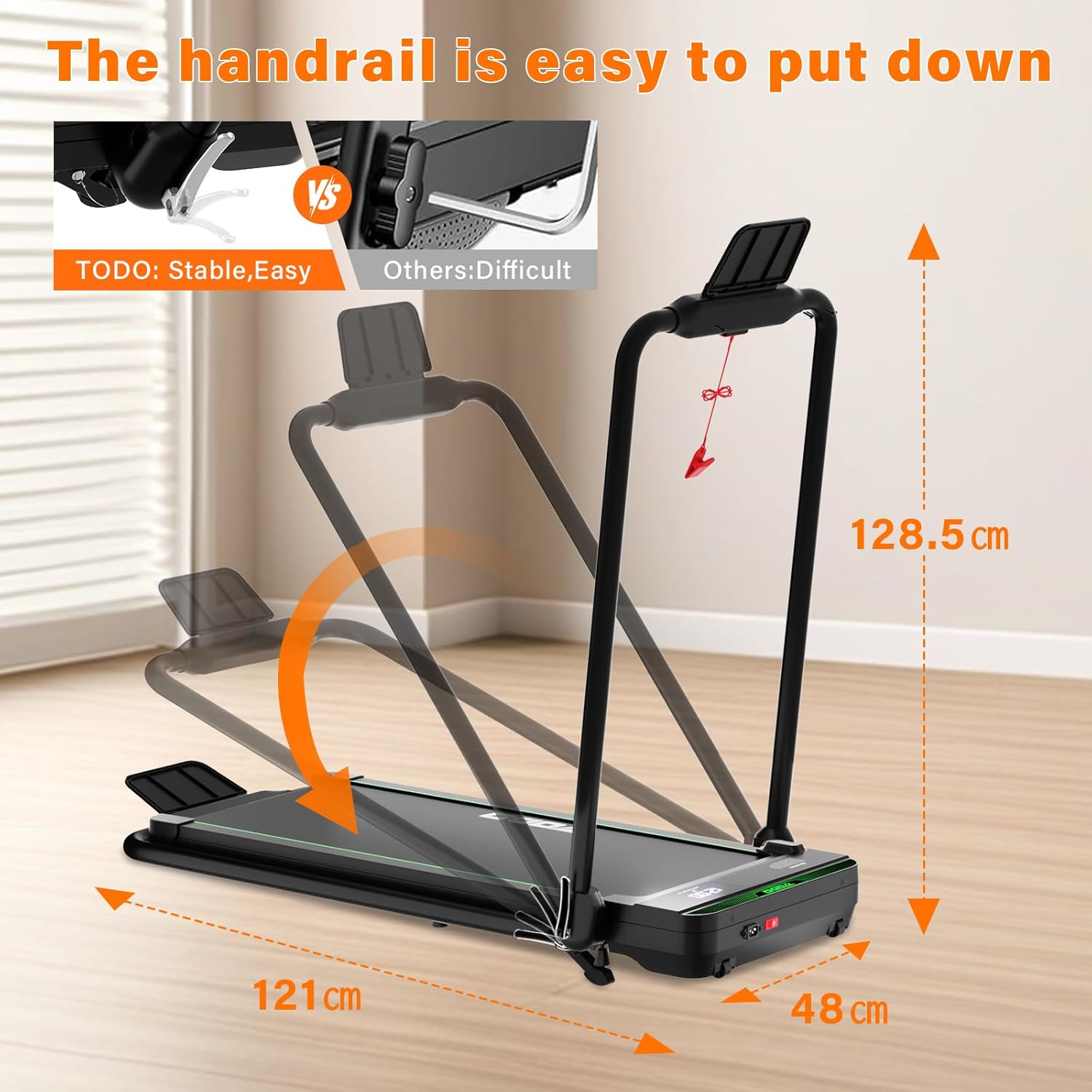
Image 4.1: The handrail can be easily raised for running mode or lowered for walking pad mode and compact storage.
5. 操作說明
控制方法:
The treadmill can be controlled via the console, remote control, or a compatible fitness application.

Image 5.1: The treadmill offers multiple control options: console buttons, remote control, and smartphone/tablet app.
運作模式:
- 步行模式: 1-6 km/h. Ideal for light exercise or walking while working.
- 運行模式: 6-12 km/h. Suitable for jogging and running workouts.
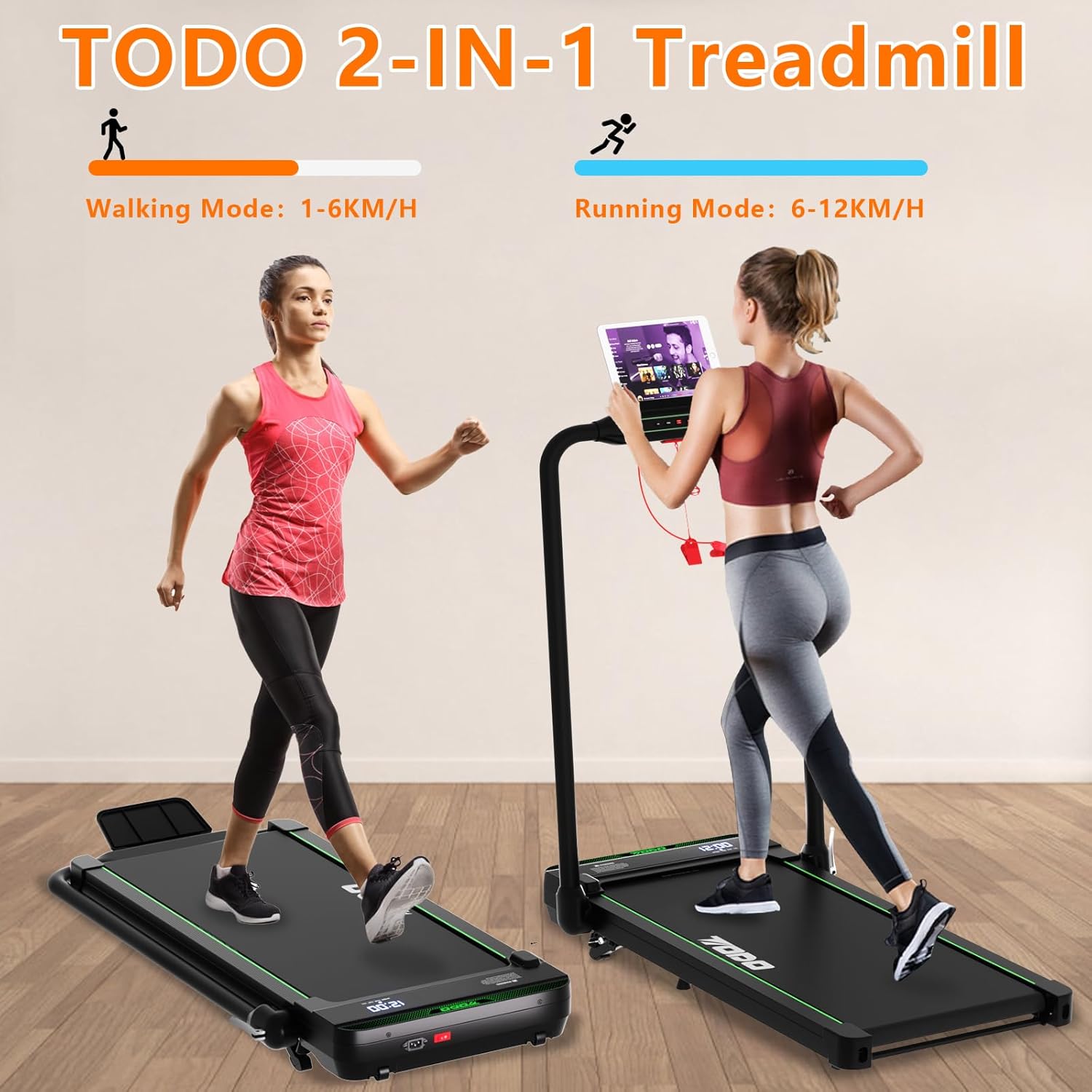
Image 5.2: The treadmill supports both walking (1-6 km/h) and running (6-12 km/h) modes.
調整坡度:
The treadmill features a 7% adjustable incline. Adjusting the incline increases the intensity of your workout, leading to higher calorie expenditure.

Image 5.3: The incline can be adjusted up to 7% to vary workout intensity.
Using Fitness Applications:
The treadmill is compatible with various fitness applications, including Zwift, Kinomap, and the TOUSAINS app. These apps allow you to view real-time training data, control the treadmill, and access a variety of workout courses.
- Download the desired app from your device's app store (e.g., App Store, Google Play).
- Follow the app's instructions to connect it to your treadmill via Bluetooth.
- Utilize the app for enhanced workout tracking and control.

Image 5.4: The treadmill supports various fitness applications for interactive workouts and data tracking.

Image 5.5: The TOUSAINS app provides diverse exercise courses and detailed data recording.
數據記錄:
The treadmill accurately records workout data. If you temporarily step off the treadmill without stopping it, data recording will pause and resume from the original base when you return, ensuring data accuracy.
6、維護保養
一般清潔:
- 清潔跑步機前務必拔掉電源插頭。
- 用清潔劑擦拭控制台和外部表面。amp 布。 避免使用磨蝕性清潔劑。
- 定期用吸塵器清潔跑步機底部,防止灰塵堆積。
Running Belt Maintenance:
The treadmill features a 5-layer running belt and 6 anti-slip pads designed to reduce strain on your knees. Regular inspection of the belt is recommended.

Image 6.1: The 5-layer running belt and 6 anti-slip pads provide cushioning and reduce impact on joints.

圖 6.2:詳細信息 view of the treadmill's multi-layer running belt.
- 潤滑: Refer to the separate lubrication instructions (if provided with the product) for proper running belt lubrication frequency and method.
- 皮帶對齊: If the running belt shifts to one side, adjust it according to the instructions in the troubleshooting section or a separate guide.
7。 故障排除
| 問題 | 可能的原因 | 解決方案 |
|---|---|---|
| 跑步機無法啟動。 | Power cord not connected; safety key not in place; power switch off. | Ensure power cord is securely plugged in. Insert the safety key. Turn on the power switch. |
| 跑步帶滑脫或停止運動。 | Belt too loose; belt requires lubrication. | Adjust belt tension (refer to specific instructions). Lubricate the running belt. |
| Loud rattling or grinding noise. | 零件鬆動;皮帶錯位;馬達故障。 | 檢查螺絲是否鬆脫。調整皮帶位置。如果噪音仍然存在,請聯絡客戶支援。 |
| 顯示不工作。 | 電纜連接鬆脫;電源問題。 | Check all cable connections. Ensure power supply is stable. |
8. 規格
| 特徵 | 細節 |
|---|---|
| 型號 | T3840-NEW |
| 品牌 | 待辦事項 |
| 馬達功率 | 2.5馬力 |
| 速度範圍 | 1 - 12 公里/小時 |
| 傾斜 | 高達 7% |
| 最大用戶體重 | 120公斤 |
| 噪音水平 | 約 45 分貝 |
| 展開尺寸(長 x 寬 x 高) | 133 x 50 x 94 厘米 |
| 折疊尺寸(長 x 寬 x 高) | 66.5 x 51 x 94 厘米 |
| 產品重量 | 24公斤 |
| 顯示類型 | 液晶顯示器 |
| 主要材質 | 金屬 |
| 特色 | Foldable, App Support |
9. 保固和支持
For warranty information and customer support, please refer to the documentation included with your product or contact the manufacturer directly. The manufacturer is ZHE JIANG TODO HARDWARE MANUFACTURE CO.,LTD.
For further assistance, you may also visit the official TODO web網站或聯繫他們的客戶服務部門。