
產品結束view
The SUNLINKCO 16-inch 3-Color Motion Sensor LED Under Cabinet Light is a versatile lighting solution designed for various indoor spaces. It features smart motion sensing, adjustable light colors, stepless dimming, and a USB rechargeable battery for cordless operation. The unique 'Cat’s Eye Hill Corrugated Effect' enhances display items, making it ideal for cabinets, showcases, and other areas requiring accent lighting.
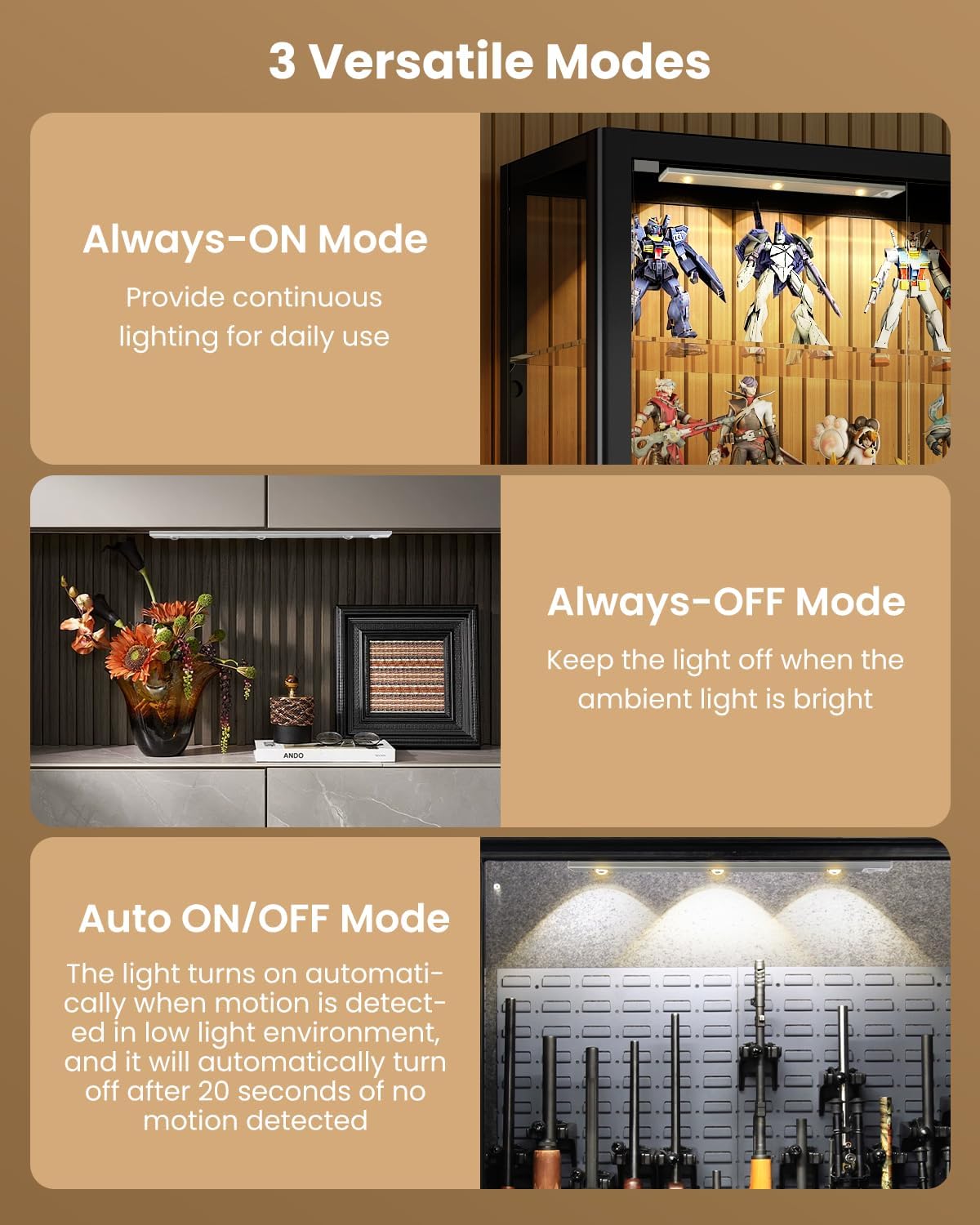
- Smart Motion Sensor & Versatile Modes: Offers Always-ON, Always-OFF, and Auto ON/OFF modes. In auto mode, it detects motion within 10 feet and a 100° sensing range in darkness, turning off after 20 seconds of no movement.
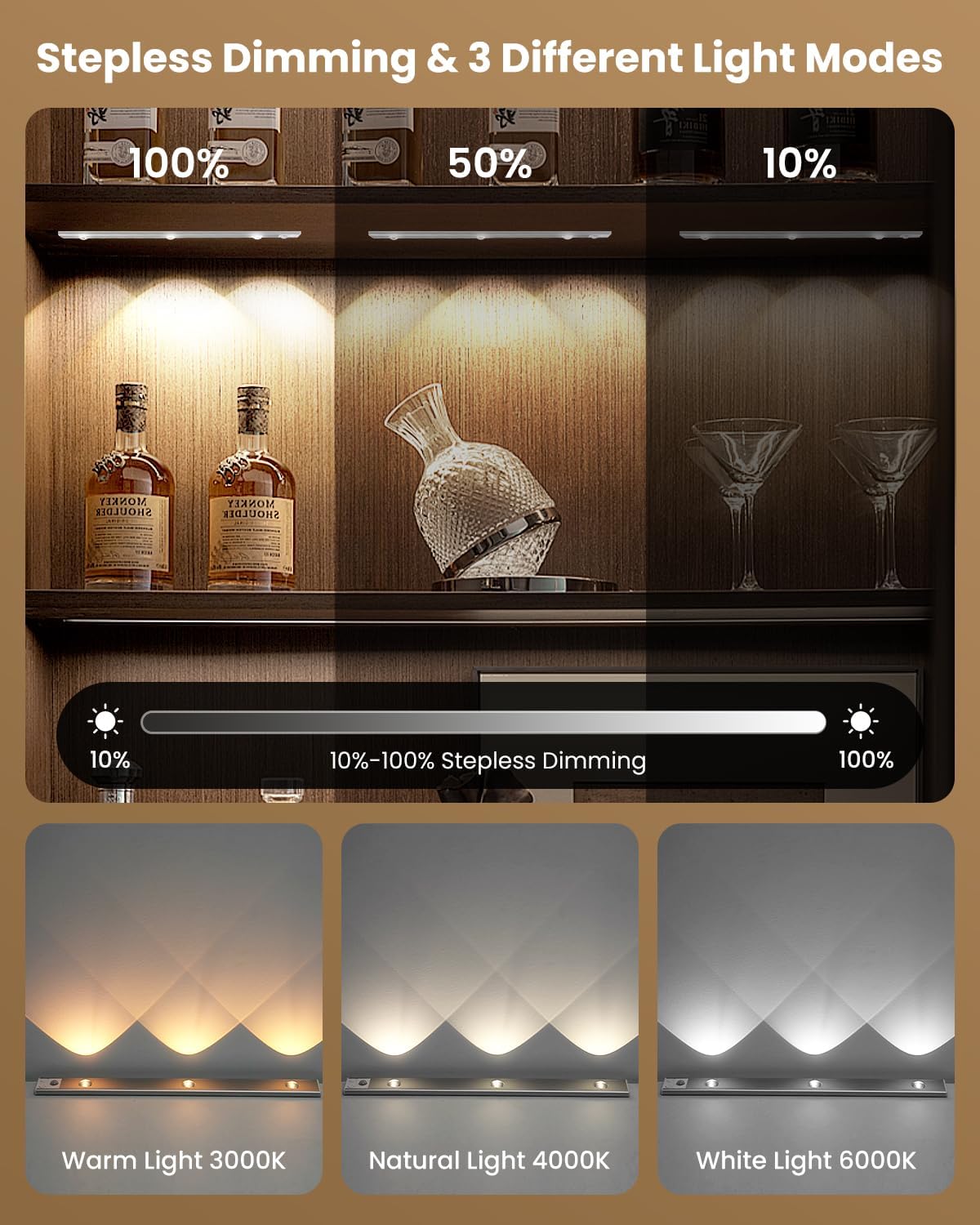
- Stepless Dimming & Adjustable Light Color: Brightness can be adjusted from 10% to 100%. Provides 3 color temperatures: 3000K warm light, 4000K natural light, and 6000K white light. Features a memory function to recall the last brightness setting.
- USB充電: Equipped with a 2200 mAh rechargeable battery, offering 4 to 80 hours of continuous lighting in Always-ON mode (depending on brightness) or up to 90 days in motion sensing mode. Charges fully in 3 to 5 hours via the included USB Type-C cable.
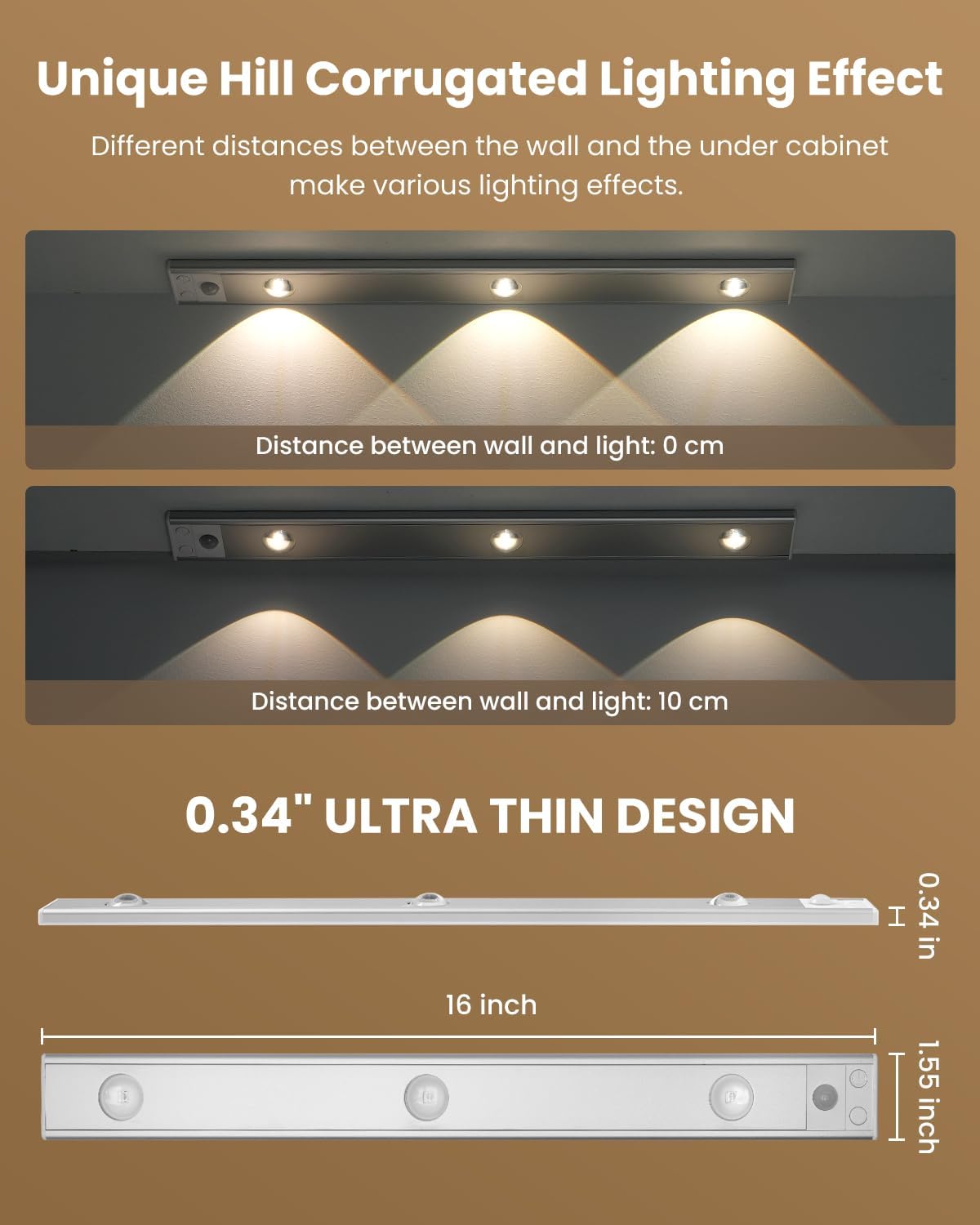
- Unique Light Effect & Wide Application: Three LEDs create a 'Cat’s Eye Hill Corrugated Effect', perfect for displaying collections. Suitable for display cabinets, wine cabinets, jewelry cabinets, counters, entrance cabinets, bedrooms, and shelves.
設定和安裝
The SUNLINKCO LED Under Cabinet Light offers two convenient installation methods: magnetic attachment for metal surfaces and adhesive mounting for non-metal surfaces.
包裝內容:
- Under Cabinet Lights (x2)
- USB 充電線 (x2)
- Mounting Hardware (x4)
安裝步驟:
- 適用於金屬表面: The light features built-in powerful magnets. Simply attach the light directly to any flat ironwork surface.
- 對於非金屬表面:
- Place the iron plates (mounting hardware) onto the light, aligning them with the built-in magnets.
- Tear off the protective paper from the adhesive tapes on the iron plates.
- Attach the light with the iron plates to the desired location on the non-metal surface. Ensure the surface is clean and dry for optimal adhesion.

The magnetic and portable design allows for easy removal of the light whenever it needs to be charged or moved to a different location.
操作說明
電源開/關和模式選擇:
The light features a control button for power and mode selection.
- Always-ON Mode: Press the button once to turn the light on for continuous illumination.
- Always-OFF Mode: Cycle through modes until the light is off.
- Auto ON/OFF Mode (Motion Sensor): Press the button until the light blinks, indicating motion sensor mode is active. In this mode, the light will turn on when motion is detected in a dark environment and automatically turn off after 20 seconds of no movement.
Motion Sensor Details:
The motion sensor detects movement within a 10-foot (3-meter) range and a 100° detection angle. It activates only in darkness or low-light conditions to conserve energy.

調整亮度和色溫:
The light allows for stepless dimming and adjustment of color temperature.
- 無段調光: While the light is on, press and hold the control button to adjust the brightness level from 10% to 100%. Release the button when the desired brightness is reached.
- 色溫調節: Briefly press the control button to cycle through the 3 available color temperatures: 3000K (warm light), 4000K (natural light), and 6000K (white light).
Unique Lighting Effect:
The light is designed with 3 LEDs that create a 'Cat’s Eye Hill Corrugated Effect', providing an eye-catching display for your items.
維護與充電
為電池充電:
The light is equipped with a 2200 mAh rechargeable battery. Use the provided USB Type-C charging cable to recharge the device.
- Connect the USB Type-C cable to the charging port on the light.
- 將電纜的另一端連接到相容的 USB 電源(例如,牆壁適配器、電腦 USB 連接埠)。
- 充滿電通常需要 3 到 5 小時。
- 電池指示燈將顯示充電狀態。

電池壽命:
- Always-ON Mode: 4 to 80 hours (varies with brightness level).
- 運動感應模式: Up to 90 days (depends on frequency of use).
故障排除
- 燈不亮: Ensure the battery is charged. Check the selected mode (Always-ON or Auto ON/OFF). If in Auto ON/OFF mode, ensure there is sufficient darkness and motion is detected.
- 運動感測器不工作: Verify the light is in Auto ON/OFF mode. Ensure the environment is dark enough for the sensor to activate. Check for obstructions blocking the sensor.
- Light not dimming or changing color: Ensure the light is in Always-ON mode. For dimming, press and hold the button. For color change, briefly press the button.
- 黏合劑失效: Ensure the installation surface is clean, dry, and smooth. Reapply with new adhesive if necessary, ensuring proper surface preparation.
規格
| 特徵 | 細節 |
|---|---|
| 品牌 | 順聯科 |
| 型號名稱 | 01 |
| 尺寸 | 16英寸 |
| 顏色 | 3 Color-Motion Sensor |
| 材料 | 鋁,聚碳酸酯 |
| 產品尺寸 | 3.3 英吋長 x 17.5 英吋寬 x 0.7 英吋高 |
| 電源 | 電池供電(2200 mAh 鋰離子電池) |
| 光源類型 | 引領 |
| 色溫 | 3000K(暖色),4000K(自然色),6000K(白光) |
| 亮度 | 200流明 |
| 特色 | Motion Sensor, Stepless Dimming, USB Rechargeable, Magnetic Installation |
| 安裝類型 | Surface-Mounted (Magnetic & Adhesive) |
| 室內/室外使用 | 室內的 |
保固和支持
This motion sensor cabinet light comes with a 2年保固.
For further assistance, troubleshooting, or warranty claims, please contact SUNLINKCO customer support through your retailer's platform or the official SUNLINKCO web地點。