
一、簡介
This manual provides detailed instructions for the Winnes Car Dashcam Model 24A01013-W. Please read this manual carefully before using the device to ensure proper operation and to maximize its features. Keep this manual for future reference.
The Winnes Car Dashcam is a three-channel recording system designed to capture video from the front, interior, and rear of your vehicle. It features 1080P Full HD video recording, a 3.0-inch IPS display, wide-angle lenses, G-Sensor, WDR technology, 24-hour parking mode, and loop recording.
2. 包裝內容
確認包裹內所有物品齊全:
- 1 x Winnes Dashcam (Main Unit)
- 1 x Rear Camera (Lens)
- 1 x安裝支架
- 1 x Type-C Car Charger (Power Cable)
- 1 x 使用說明書
- 1 張 64GB TF 卡(Micro SD 卡)
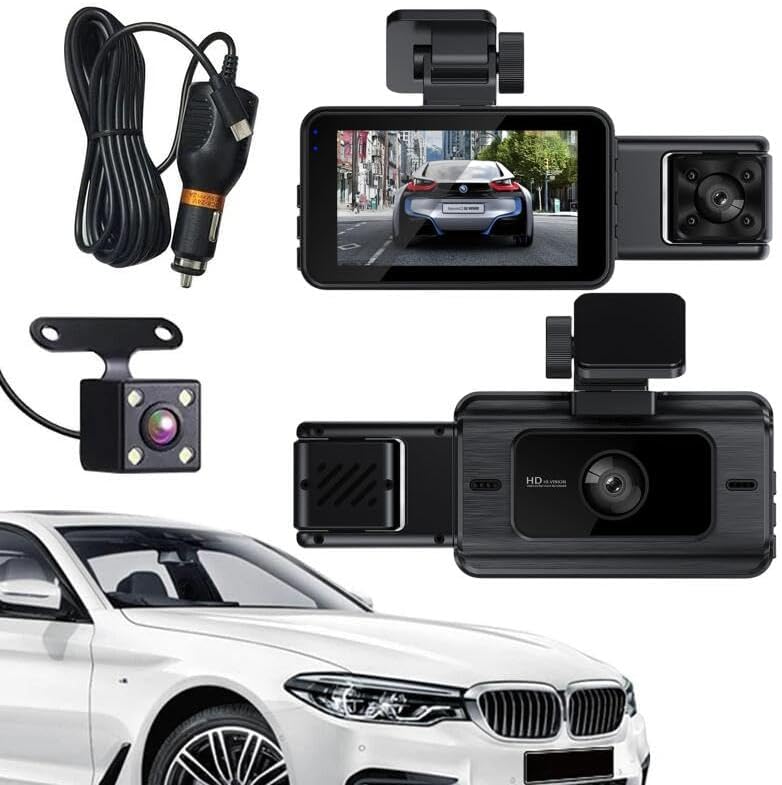
圖2.1: Contents of the Winnes Car Dashcam package.
視頻2.1: 開箱和初始超過view of the Winnes Car Dashcam and its components.
3. 產品結束view
The Winnes Car Dashcam is equipped with advanced features to provide comprehensive vehicle surveillance.
3.1 主要特點
- 三聲道錄音: Simultaneous recording from front (140°), interior (100°), and rear (100°) cameras.
- 完整高清影片: 1080P front video resolution for clear recordings.
- 3.0吋IPS顯示幕: Provides real-time video feedback from all three cameras.
- 超強夜視和寬動態範圍: Enhanced clarity and color accuracy in low-light conditions.
- G 感測器: 自動鎖定 footag發生碰撞偵測時防止覆蓋。
- 循環錄音: Overwrites the oldest unprotected files 存儲卡已滿時。
- 24小時停車模式: Monitors your vehicle for collisions even when parked (no hardwire kit needed).
- 運動偵測: 當偵測到車輛周圍有移動物體時,會自動記錄。
- 無線網路連線: For easy access and management of recordings.
- 記憶卡支援: Supports up to 128GB TF card (64GB included).
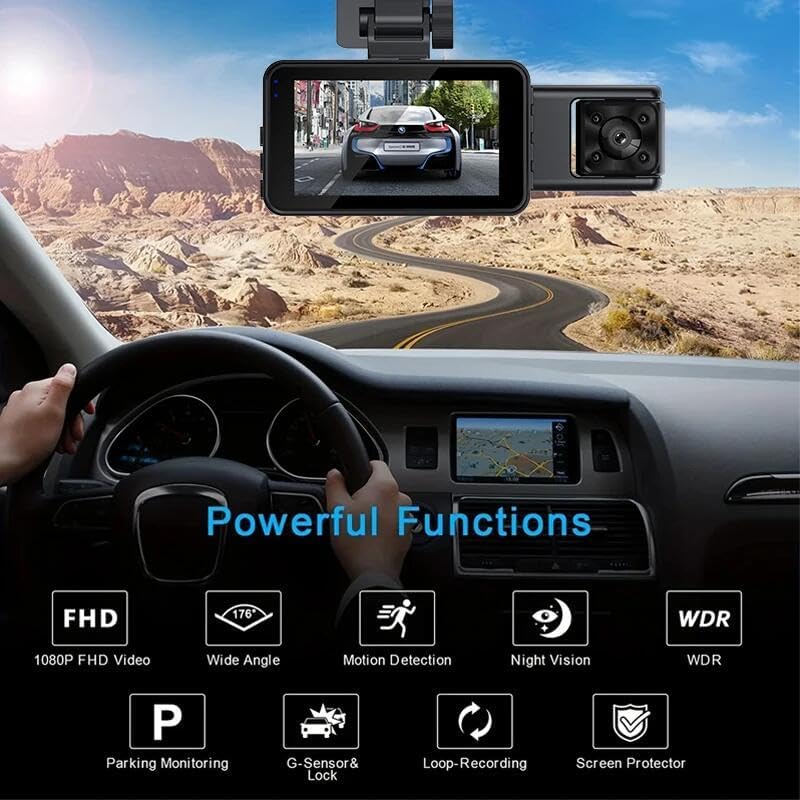
圖3.1: 超過view of the dashcam's powerful functions.

圖3.2: Three-channel recording capability.

圖3.3: UHD Night Vision with WDR technology.
4. 設定說明
4.1 插入存儲卡
- 請確保行車記錄器已關閉電源。
- Locate the TF card slot on the side of the main dashcam unit.
- Insert the provided 64GB TF card (or another compatible card up to 128GB) into the slot until it clicks into place.
4.2 安裝行車記錄儀
- Clean the windshield area where you intend to mount the dashcam. Ensure it is free from dust and grease.
- 將安裝支架連接到行車記錄器主機。
- 從支架上的黏合墊上撕下保護膜。
- Firmly press the dashcam with the attached bracket onto the chosen spot on your windshield, ideally behind the rearview 鏡子,避免遮擋你的視線 view. Hold for a few seconds to ensure a secure bond.
4.3 連接後置攝像頭
- 將後置攝影機線連接到行車記錄器主機上的指定連接埠。
- Route the rear camera cable neatly along the vehicle's headliner and pillar trim to the rear of the vehicle.
- Mount the rear camera on the rear windshield using its adhesive pad or screws, ensuring it has a clear view.
4.4 電源連接
- Plug the Type-C car charger into the dashcam's power input port.
- Insert the other end of the car charger into your vehicle's 12V power outlet (cigarette lighter socket).
- 將電源線整齊地佈置好,避免干擾駕駛控制裝置。
5. 操作說明
5.1 開關機
- The dashcam will automatically power on and begin recording when your vehicle's ignition is turned on (and power is supplied to the 12V outlet).
- 點火開關關閉時,它會自動斷電。
- To manually power on/off, press and hold the Power button on the dashcam.
5.2 基本錄音
- Once powered on, the dashcam will automatically start continuous loop recording.
- The 3.0-inch IPS screen will display live views from the front, interior, and rear cameras simultaneously.
- To switch between different display modes (e.g., front only, front + interior, all three), refer to the on-screen menu or dedicated buttons.

圖5.1: Main dashcam unit with live view.
5.3 G感知器(緊急錄影)
- The built-in G-Sensor detects sudden impacts or collisions.
- When a collision is detected, the dashcam automatically locks the current video segment, preventing it from being overwritten by loop recording.
- 這些鎖 file檔案儲存在 SD 卡上的一個單獨資料夾中。

圖5.2: G-Sensor collision detection and video locking.
5.4 循環錄音
- The dashcam records video in continuous segments (e.g., 1, 3, or 5 minutes).
- When the memory card is full, the oldest unprotected video segments are automatically overwritten by new recordings.
- Emergency recordings (triggered by G-Sensor) are protected and will not be overwritten.

圖5.3: Loop recording mechanism.
5.5 Parking Mode (24-Hour Monitoring)
- When the vehicle is parked and the dashcam detects a collision, it will automatically power on and record a protected video.
- This feature does not require a separate hardwire kit.
5.6 運動偵測
- When enabled, the dashcam will start recording automatically if it detects motion in its field of view while parked.
- This helps capture events like someone approaching your vehicle.
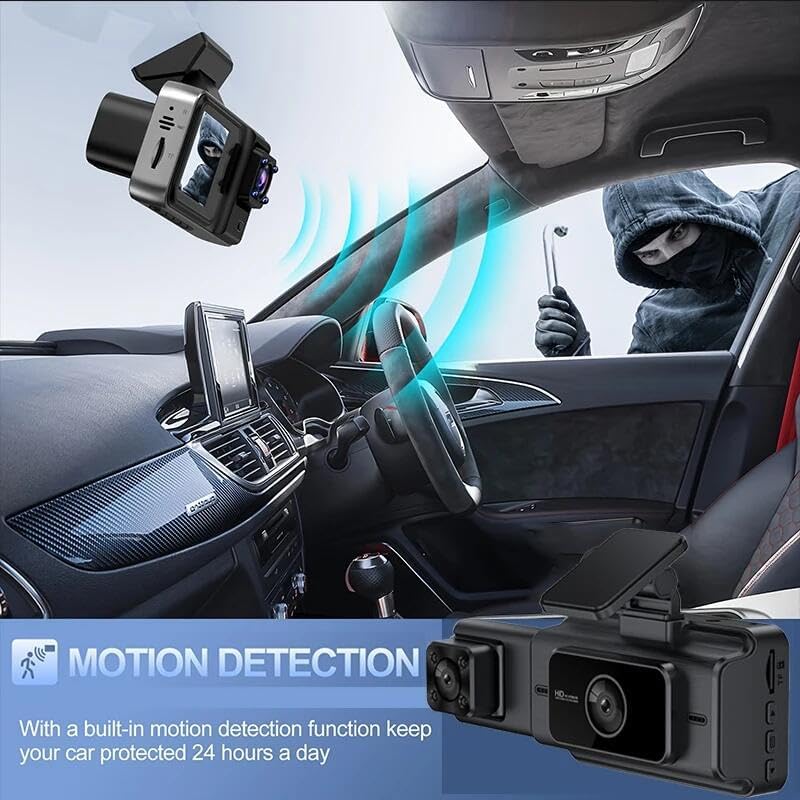
圖5.4: Motion detection feature in action.
5.7 Wi-Fi連接
- The dashcam supports 2.4G Wi-Fi.
- Refer to the user manual's specific section on Wi-Fi connection for detailed instructions on pairing with your smartphone and accessing recordings.
5.8 選單設置
Access the menu to configure various settings such as video resolution, photo resolution, loop recording duration, G-Sensor sensitivity, parking mode, motion detection, date/time, and language.

圖5.5: Full HD 1080P resolution display.
6、維護保養
6.1 清潔設備
- Use a soft, dry cloth to clean the dashcam body and screen.
- For lenses, use a specialized lens cleaning cloth to avoid scratches.
- 請勿使用磨蝕性清潔劑或溶劑。
6.2 記憶卡管理
- It is recommended to format the memory card periodically (e.g., once a month) to maintain optimal performance and prevent data corruption.
- Format the card directly through the dashcam's menu settings.
- Always power off the dashcam before inserting or removing the memory card.
7。 故障排除
| 問題 | 可能的原因 | 解決方案 |
|---|---|---|
| 行車記錄器無法開機。 | 無電源供應;車用充電器故障;連接鬆脫。 | 檢查車用充電器連接和車輛的12V電源插座。確保車用充電器功能正常。 |
| 錄製意外停止。 | Memory card full; memory card error; G-Sensor triggered too often. | Format the memory card. Replace the memory card if errors persist. Adjust G-Sensor sensitivity in settings. |
| 視頻tage 模糊不清或不清楚。 | Protective film on lens; dirty lens; poor lighting conditions. | Remove any protective film. Clean the camera lenses. Ensure sufficient lighting for optimal recording. |
| 後置相機不顯示。 | 連接鬆動;後置相機故障。 | 檢查後置相機線與主機的連接。 |
| Wi-Fi 連線問題。 | Incorrect password; out of range; interference. | Ensure correct Wi-Fi password. Move closer to the dashcam. Check for other wireless devices causing interference. |
8. 規格
| 特徵 | 細節 |
|---|---|
| 型號名稱 | 24A01013-W |
| 視訊解析度(前置) | 1920 x 1080P (FHD) |
| Video Resolution (Internal/Rear) | 640×480 |
| 影片格式 | AVI |
| 展示 | 3.0英寸IPS |
| 前置相機角度 | 140° |
| 內部攝影機角度 | 100° |
| 後置相機角度 | 100° |
| 連接技術 | 無線網絡 (2.4G) |
| 特色 | G-Sensor, Motion Detection, WDR, Night Vision, Parking Monitoring, Loop Recording |
| 記憶卡支援 | TF card up to 128GB (Class 10 or higher recommended) |
| 電源 | Type-C車用充電器 |
| 物品尺寸 | 6.02 x 4.33 x 2.83 英寸 |
| 物品重量 | 11.6 盎司 |
| 製造商 | 溫尼斯 |
9. 保固和支持
For warranty information and technical support, please refer to the contact details provided on the product packaging or the official Winnes web網站。請保留您的購買收據作為購買憑證。