
介紹
Welcome to the user manual for your Hodozzy 9-inch Android 8-Core Car Stereo. This manual provides comprehensive instructions for installation, operation, maintenance, and troubleshooting to ensure optimal performance and user experience. Please read this manual thoroughly before using the device.
安全資訊
Please read all safety warnings and instructions carefully before installing and operating this device. Failure to do so may result in injury or damage to the product or vehicle.
- 請勿以任何可能分散您駕駛注意力的方式操作本設備。始終將道路安全放在首位。
- Ensure all wiring is correctly connected to prevent short circuits, electrical hazards, or damage to the unit and vehicle.
- Consult a professional for installation if you are unsure about any steps or electrical connections.
- Keep the device away from water, excessive moisture, and extreme temperatures to prevent malfunction.
- 請勿嘗試拆卸或改裝本產品。否則將導致保固失效並可能造成損壞。
包裝內容
安裝前,請確認您的包裹中是否包含以下所有物品。

Image: The package contents include the main car stereo unit, power cable, RCA cable, rear camera input cable, GPS antenna, USB cable, mounting bracket, a user manual, an external microphone, and a rear camera.
- Hodozzy 9-inch Car Stereo Unit
- 電源線
- RCA線
- 後置相機輸入線
- GPS天線
- USB 線
- 安裝支架
- 使用者手冊
- 麥克風
- 後置攝像頭
產品結束view
The Hodozzy 9-inch Android 8-Core Car Stereo is designed to enhance your in-car entertainment and navigation experience. It features a high-definition IPS touchscreen, powerful 8-core processor, and extensive connectivity options.

Image: The main product image showcasing the 9-inch display with its Android interface, highlighting the 8-core processor, 6GB RAM, and 128GB ROM. Also shown are the included rear camera, external microphone, and smartphone integration features like Wireless Carplay, Android Auto, and Mirror Link.
主要特點
- 9-inch IPS HD Touchscreen for clear visuals and responsive interaction.
- Android 13 Operating System for a smooth and intuitive user experience.
- 8-Core Processor with 6GB RAM + 128GB ROM for fast performance and amp樂存儲。
- Wireless Carplay & Android Auto for seamless smartphone integration.
- Built-in DSP (Digital Sound Processor) with 32 EQ settings for customizable audio quality.
- GPS Navigation for reliable guidance, supporting both online and offline maps.
- Bluetooth Connectivity for hands-free calling and audio streaming.
- FM/RDS Radio for access to local and regional broadcasts.
- Mirror Link Function to display your smartphone's screen on the stereo.
- Split Screen Display to run two applications simultaneously.
- Support for Rear Camera and Steering Wheel Control (SWC) for enhanced safety and convenience.
設定和安裝
Proper installation is crucial for the performance and safety of your car stereo. It is recommended to have the unit installed by a qualified professional.
接線圖
請參考下圖進行正確的接線。接線錯誤可能會損壞設備或車輛。

Image: A comprehensive diagram illustrating the rear connections of the car stereo and the color-coded wiring harness. Labels indicate connections for power, RCA audio/video, USB, GPS, radio antenna, and specific control wires like REAR, FRONT, SUB WOOFER, AMP CONT, and SWC.
一般安裝步驟
- 斷開電池: 為防止短路,在進行任何電氣工作之前,請務必斷開車輛蓄電池負極。
- 拆除舊設備: Carefully remove the existing car stereo unit from your vehicle's dashboard.
- 連接接線: Connect the power cable, speaker wires, and other necessary cables (RCA, USB, GPS antenna, radio antenna) according to the provided wiring diagram. Ensure all connections are secure.
- 安裝GPS天線: 將GPS天線安裝在視野開闊的地方。 view 天空,通常位於儀錶板上或擋風玻璃下方。
- 連接後置相機(選購): If using the included rear camera, connect its input cable to the stereo and install the camera at the rear of the vehicle.
- 安裝單元: Secure the new Hodozzy car stereo unit into the dashboard using the provided mounting brackets.
- 重新連接電池: 重新連接車輛的蓄電池負極。
- 測試功能: Turn on the vehicle and test all functions of the stereo to ensure proper operation.
操作說明
基本操作
- 電源開/關: Press and hold the power button on the front panel or use the steering wheel control to turn the unit on or off.
- 音量控制: Use the volume buttons on the front panel or steering wheel controls to adjust the audio level.
觸摸屏界面
The 9-inch IPS HD touchscreen provides a clear and responsive interface. Navigate through menus and applications by tapping, swiping, and pinching. The system offers various UI themes and wallpaper options for personalization.
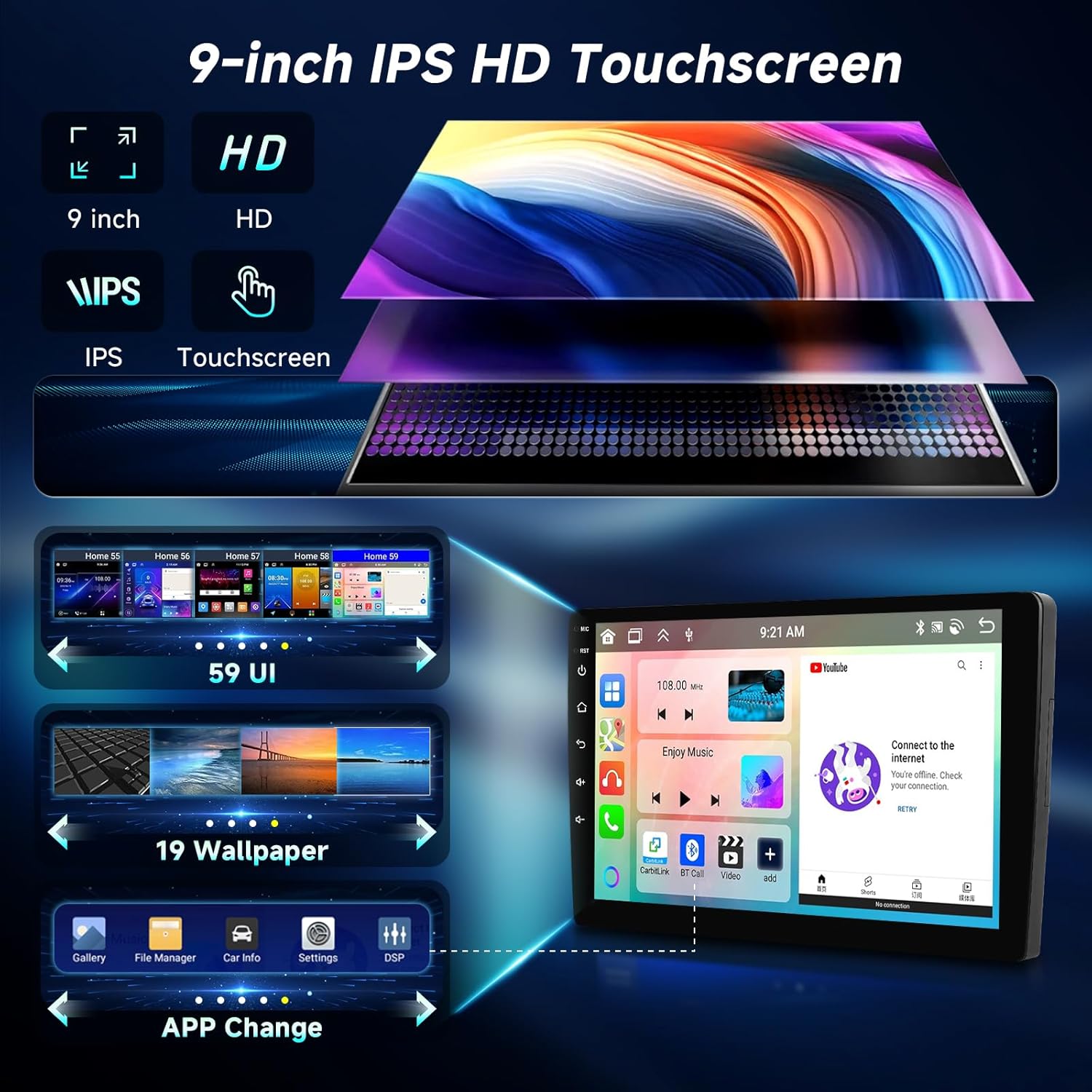
Image: This visual demonstrates the high-definition IPS touchscreen, showcasing different user interface themes and wallpaper customization options available on the device.
Wireless Carplay / Android Auto
Connect your compatible smartphone wirelessly for seamless integration of navigation, music, calls, and messages directly on the car stereo display.
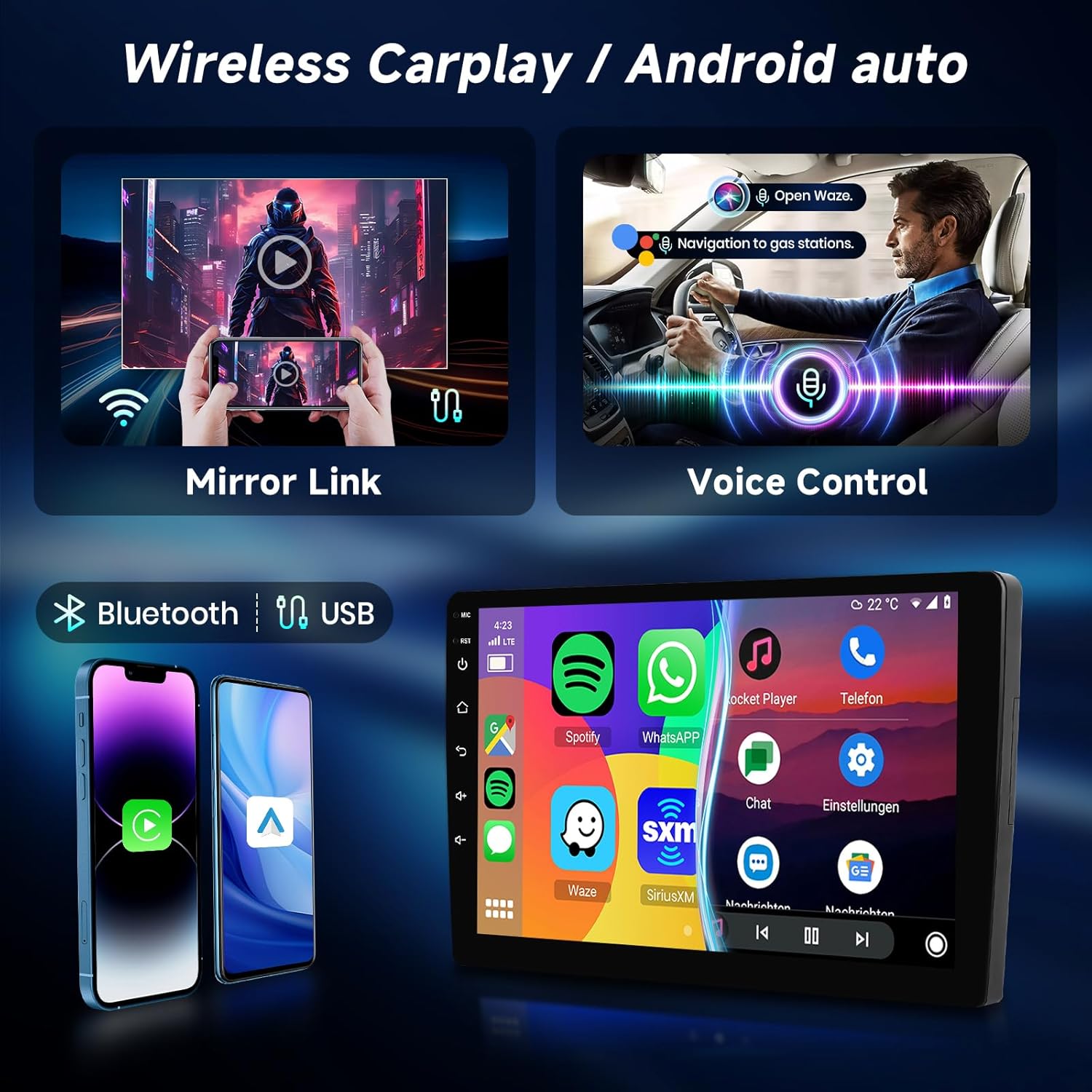
Image: This graphic highlights the wireless connectivity for Apple Carplay and Android Auto, enabling smartphone mirroring and voice control for hands-free operation.
連接步驟:
- 確保您的智慧型手機上啟用了藍牙和 Wi-Fi。
- On the car stereo, open the Carplay or Android Auto application.
- 依照螢幕提示配對您的裝置。
藍牙連接
Pair your mobile phone via Bluetooth for hands-free calling and audio streaming from your device.
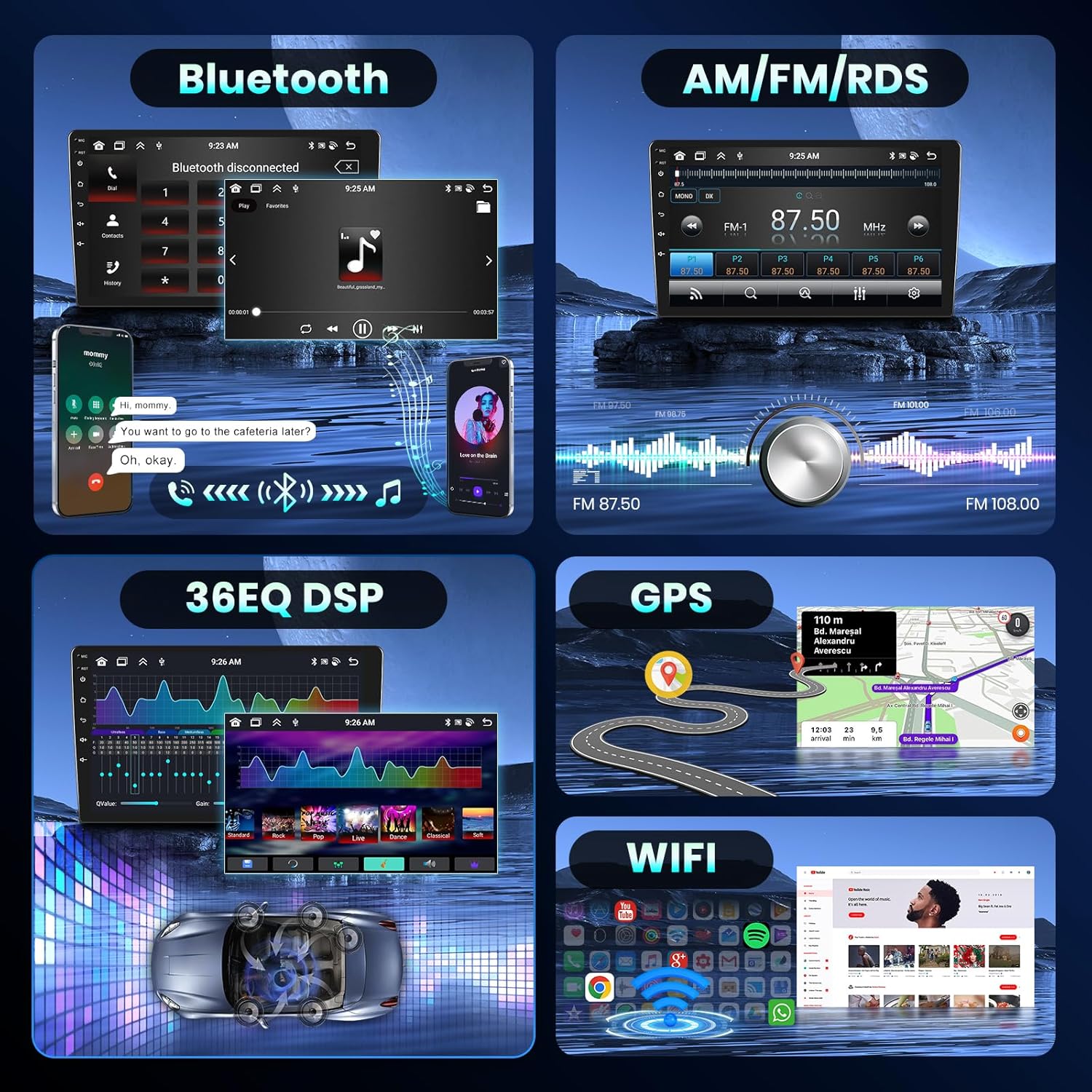
Image: A multi-panel display showing the Bluetooth interface for phone pairing and music playback, alongside other features like FM/RDS radio, DSP audio settings, GPS navigation, and WiFi.
配對步驟:
- 開啟車用音響的藍牙設定。
- 啟用手機藍牙並蒐索可用裝置。
- Select the car stereo's Bluetooth name (e.g., "Hodozzy Car Stereo") and confirm the pairing code.
GPS導航
The unit supports online and offline GPS navigation. Download maps for offline use or connect to Wi-Fi for real-time traffic updates and online map services.

Image: This graphic illustrates the GPS navigation capabilities, supporting both offline maps and online navigation with WiFi connectivity for internet-based services.
調頻/RDS收音機
Tune into your favorite radio stations with FM and RDS support. RDS (Radio Data System) displays station information such as song titles and artist names where available.
DSP Audio Settings
Customize your audio experience with the integrated Digital Sound Processor (DSP) and its 32-band EQ settings. Adjust frequencies to match your preferences and vehicle acoustics.
鏡像連結
Mirror your smartphone's screen directly onto the car stereo display, allowing you to view and control your phone's content on the larger screen.
分割畫面功能
利用分割畫面功能同時運行兩個應用程序,例如一邊進行導航,另一邊播放音樂,從而增強多任務處理能力。

Image: This image shows the car stereo display divided into multiple sections, demonstrating the split-screen functionality that allows users to view and interact with several applications concurrently.
後置相機操作
When the vehicle is shifted into reverse gear, the unit automatically displays the rear camera feed, providing a clear view 車輛後方區域,用於更安全地停車和操控。
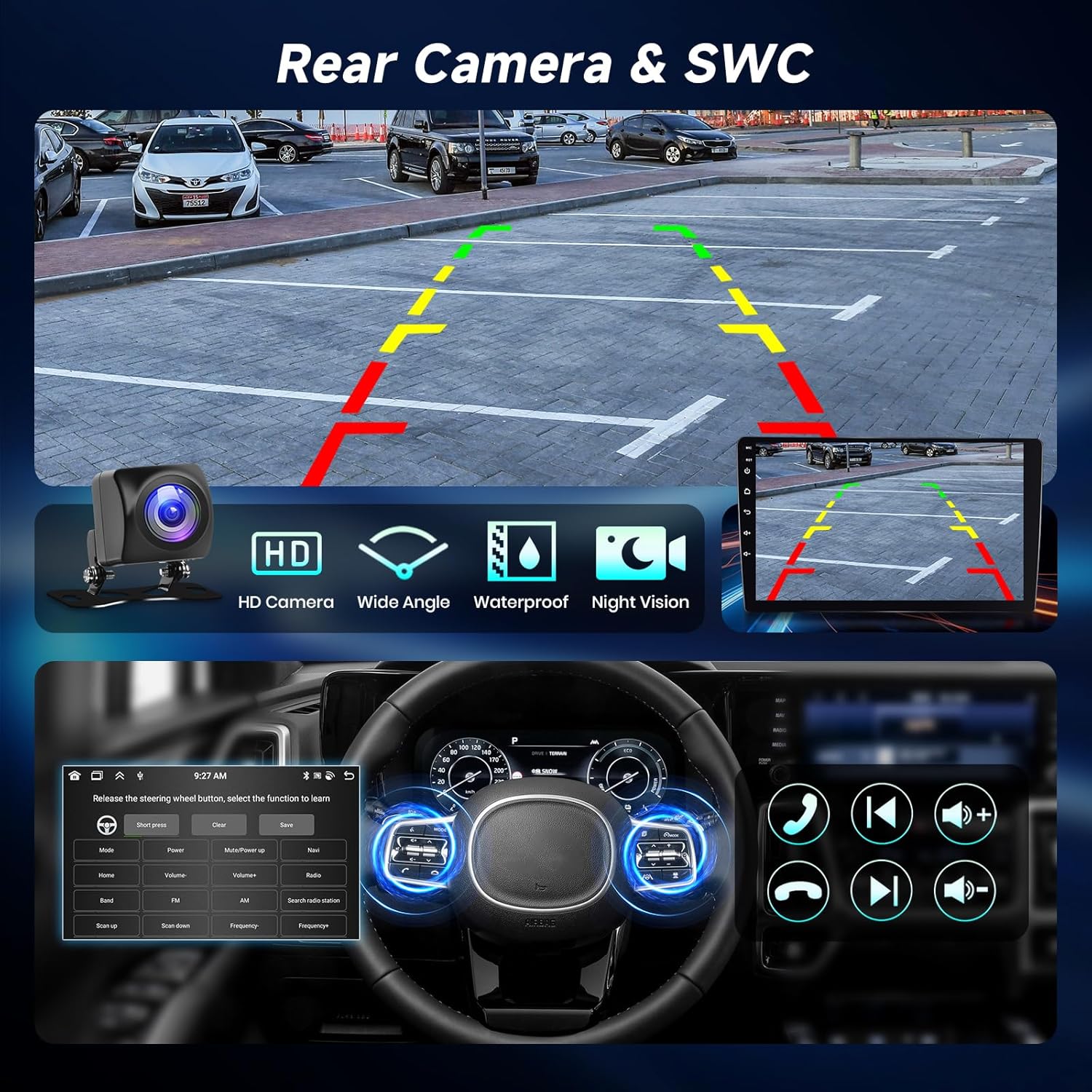
Image: This visual depicts the rear camera display with parking assistance lines and the interface for configuring steering wheel controls.
方向盤控制(SWC)
Configure your vehicle's steering wheel buttons to control the car stereo, allowing for safe and convenient operation without taking your hands off the wheel.
維護
- 打掃: Use a soft, dry cloth to clean the screen and unit. Avoid abrasive cleaners, solvents, or harsh chemicals that could damage the surface.
- 軟體更新: Periodically check for software updates through the system settings to ensure optimal performance, access to new features, and improved stability. Connect to Wi-Fi for updates.
- 溫度: Avoid exposing the unit to extreme temperatures, both hot and cold, as this can affect its performance and lifespan.
故障排除
If you encounter any issues with your Hodozzy car stereo, refer to the following table for common problems and their solutions.
| 問題 | 可能的原因 | 解決方案 |
|---|---|---|
| 設備無法開機。 | 線路連接錯誤;保險絲燒斷;車輛電瓶電量低。 | Check power connections (ACC and B+); Replace fuse in the vehicle's fuse box or on the stereo's wiring harness; Charge vehicle battery. |
| 沒有聲音。 | Volume too low; Speaker wires disconnected; DSP settings misconfigured; Mute activated. | Increase volume; Check speaker connections; Reset DSP settings to default; Deactivate mute function. |
| GPS訊號弱/遺失。 | GPS antenna obstructed or improperly installed; Antenna faulty. | 確保 GPS 天線清晰 view of the sky (e.g., on dashboard); Reinstall antenna in a better position; Test with a different GPS antenna if possible. |
| 觸控螢幕無反應。 | System frozen; Screen dirty; Software glitch. | Restart the unit by pressing the reset button or power cycling; Clean the screen with a soft cloth; Perform a software update if available. |
| 藍牙未連線。 | Bluetooth not enabled on either device; Incorrect pairing; Interference. | Ensure Bluetooth is on for both devices; Delete previous pairings and re-pair the devices; Move away from other electronic devices causing interference. |
| Wireless Carplay/Android Auto not working. | Wi-Fi/Bluetooth issues; Software glitch; Phone compatibility. | Restart phone and stereo; Check Wi-Fi/Bluetooth connection; Ensure your phone's OS is updated and compatible; Update stereo software. |
規格
Detailed technical specifications for the Hodozzy 9-inch Android 8-Core Car Stereo.
| 特徵 | 細節 |
|---|---|
| 模型 | 9寸 |
| 作業系統 | 安卓13 |
| 處理器 | 8核 |
| 記憶體 | 6GB |
| 唯讀記憶體 | 128GB |
| 展示 | 9吋IPS高清觸控螢幕 |
| 連接性 | 藍牙、Wi-Fi、USB |
| 音訊輸出功率 | 180 Watts (Max), 45 Watts (RMS) |
| 支援的功能 | Wireless Carplay, Android Auto, GPS, DSP, FM/RDS, Mirror Link, Rear Camera, SWC |
| 包裝尺寸 | 31.5 x 19.7 x 9 厘米 |
| 物品重量 | 1.29公斤 |
保固和支持
Hodozzy is committed to providing high-quality products and excellent customer service. This product comes with a 2-year replacement policy and lifetime technical support.

Image: Hodozzy's customer support information, detailing 18-hour response time, 60-day return policy, 2-year replacement warranty, and lifetime support, along with the support email address.
For technical assistance, troubleshooting, or warranty claims, please contact Hodozzy customer support at: hodozzyofficial@163.com.
Please provide your product model and purchase details when contacting support to help us assist you more efficiently.