
一、簡介
This manual provides detailed instructions for the installation, operation, and maintenance of the LTS LXIP3C82WI-28SDL Pro-X 8MP IP Camera. This camera is designed for both indoor and outdoor surveillance, offering high-resolution video and advanced detection features. Please read this manual thoroughly before using the product to ensure proper setup and functionality.
2. 安全訊息
- Ensure the power supply meets the camera's requirements (12V DC or PoE IEEE 802.3af).
- 請勿將相機暴露在極端溫度、濕度或腐蝕性環境中。
- Avoid pointing the lens directly at strong light sources for extended periods.
- 安裝工作應由合格人員進行,並符合當地電氣規範。
- Keep the camera clean and free from dust to maintain optimal performance.
3. 包裝內容
確認包裹內所有物品齊全:
- LTS LXIP3C82WI-28SDL Pro-X 8MP IP Camera (1 unit)
- 安裝五金(螺絲、錨栓)
- 快速入門指南
4. 產品結束view 及特色
The LTS LXIP3C82WI-28SDL is an 8 Megapixel (3840 x 2160) IP camera designed for advanced surveillance. Key features include:
- 高解析度: Captures video at up to 8 MP (3840 × 2160) at 30 frames per second.
- 固定鏡頭: Equipped with a 2.8 mm fixed lens.
- Advanced Illumination: Features built-in IR LED and warm light LED illuminators, providing clear images up to 98 feet (30 meters) even in low light conditions, enabling 24/7 color imaging.
- X-Deterrence: Integrated siren and visual alerts (red and blue flashing lights) for active deterrence.
- 雙向談話: Built-in dual microphones and speaker facilitate two-way audio communication.
- 運動偵測 2.0: Intelligent motion detection focusing on human and vehicle recognition to reduce false alarms.
- 寬動態範圍 (WDR): True WDR 120 dB for clear images in scenes with strong backlighting.
- 貯存: Supports MicroSD card storage up to 256 GB.
- 電源選項: Can be powered via Power over Ethernet (PoE IEEE 802.3af) or 12V DC.
- 耐用性: IP67 rated for outdoor use, providing protection against dust and water.
- 壓縮: Utilizes Smart H.264 / H.265 compression for efficient storage and bandwidth usage.
- 符合NDAA規定: This device adheres to NDAA compliance standards.
5. 設定
5.1°攝影機接線
The LXIP3C82WI-28SDL camera uses a network cable for both video and Power over Ethernet (PoE). It is not compatible with traditional DC power and BNC video connections.
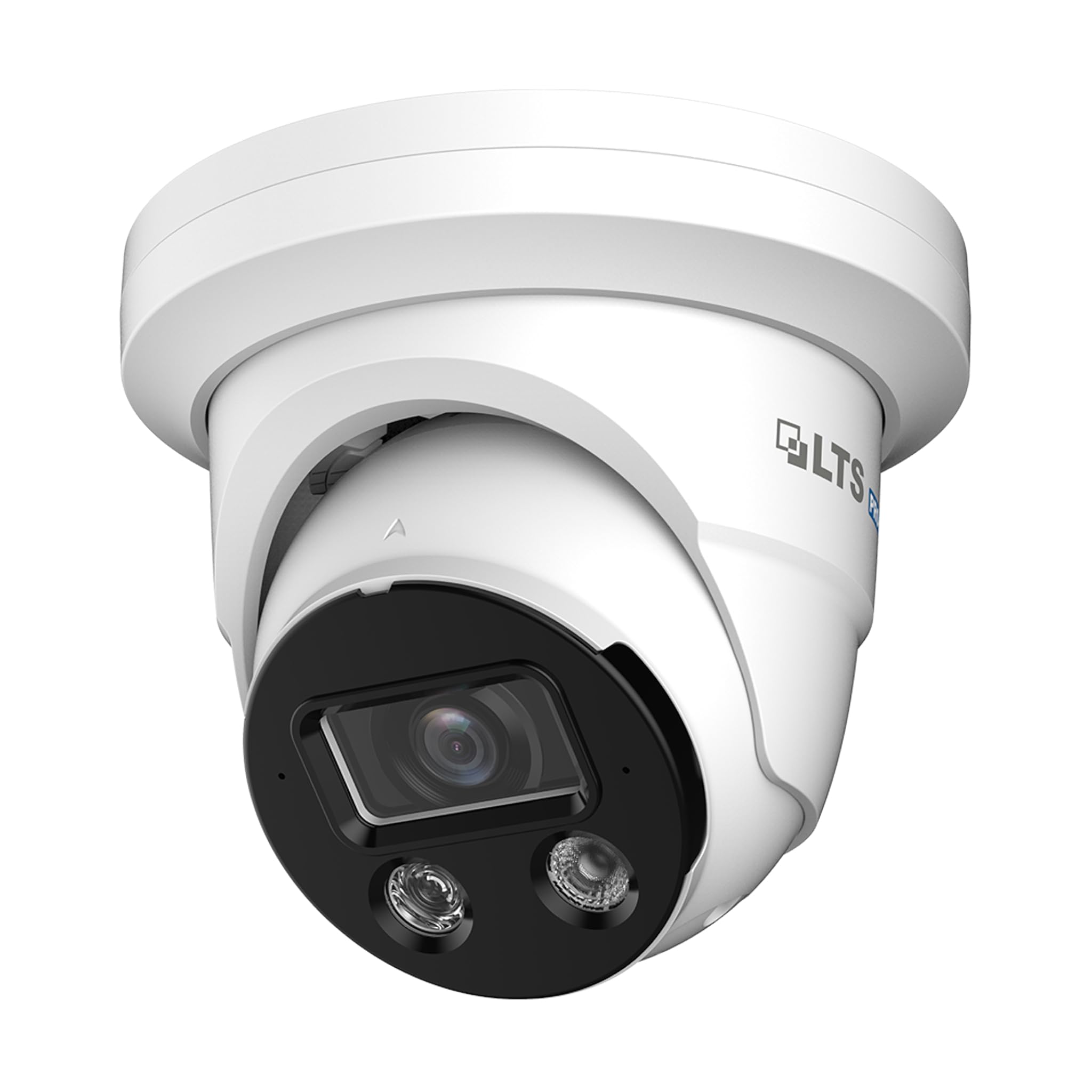
Image 1: Camera Wiring Compatibility. This diagram illustrates the correct wiring method using a network cable for both video and Power over Ethernet (PoE), marked as 'Compatible' with a green circle. It also shows traditional DC power and BNC video cables marked as 'Not Compatible' with a red cross, indicating they should not be used with this camera model.
- Connect a standard Ethernet network cable to the camera's network port.
- If using PoE, connect the other end of the network cable to a PoE-enabled switch or NVR.
- If not using PoE, connect the network cable to a standard network switch/router and provide 12V DC power to the camera's power input.
5.2 安裝
此攝影機設計用於天花板安裝。
- Choose a suitable mounting location on the ceiling that provides the desired field of view.
- Use the provided mounting template (if included) to mark the drill holes.
- Drill pilot holes and insert anchors if necessary.
- 使用提供的螺絲將攝影機底座固定在天花板上。
- 根據需要調整攝影機角度以獲得最佳覆蓋範圍。
5.3 網路連線和初始配置
After physical installation and wiring, connect the camera to your network. For best compatibility, pair this Pro-X series camera with a Pro-X NVR. It is not plug & play compatible with LTS Platinum NVRs.
- Ensure your network is properly configured for IP cameras.
- Use the manufacturer's provided software or a standard IP camera tool to discover the camera on your network.
- 網路攝影機 web interface using its IP address to perform initial configuration, including setting a strong password, network settings, and video parameters.
6.操作
6.1 視頻監控
Access live video feeds through a compatible NVR, PC software, or mobile application. The camera supports 8MP resolution for detailed surveillance.
6.2 Motion Detection 2.0
Configure Motion Detection 2.0 settings via the camera's web interface or NVR. This feature distinguishes between human and vehicle movement, reducing false alarms from other sources.
- Define detection zones and sensitivity levels.
- Set up recording schedules and notification preferences (e.g., email alerts, push notifications).
6.3 X-Deterrence (Siren and Lights)
The X-Deterrence feature can be activated manually or triggered by motion detection events. When triggered, the camera will emit a siren sound and flash red and blue lights to deter intruders.
- Configure X-Deterrence actions within the camera's event settings.
- Adjust siren volume and light flashing patterns if available.
6.4 雙向音頻
Utilize the built-in microphone and speaker for two-way audio communication. This feature is accessible through compatible NVRs or client software.
- Ensure audio input/output settings are enabled in the camera's configuration.
- Use the talk button in your monitoring software to speak through the camera's speaker.
6.5 本機儲存(MicroSD卡)
The camera supports a MicroSD card up to 256 GB for local video storage. This provides a backup or primary recording solution.
- Insert a compatible MicroSD card into the designated slot (refer to the camera's physical diagram for location).
- Format the MicroSD card via the camera's web 使用前的界面。
- Configure recording schedules and overwrite settings for the MicroSD card.
7、維護保養
7.1 清潔
定期清潔相機鏡頭和外殼,以確保影像品質清晰和正常操作。
- 用柔軟的乾布擦拭相機機身。
- For the lens, use a lens cleaning solution and a microfiber cloth to avoid scratches.
- 請勿使用刺激性化學品或研磨性清潔劑。
7.2 固件更新
定期檢查製造商的 web這是韌體更新網站。韌體更新可以提升效能、新增功能並增強安全性。
- Download the correct firmware version for your camera model.
- Follow the update instructions provided by the manufacturer carefully to avoid damaging the device.
8。 故障排除
8.1 沒有電源
- Verify that the power source (PoE switch/injector or 12V DC adapter) is functioning correctly.
- 檢查所有電纜連接是否牢固。
8.2 無視訊訊號
- 請確保攝影機已開啟並連接到網路。
- Verify network connectivity by pinging the camera's IP address.
- Check firewall settings on your network and view荷蘭國際集團設備。
- Confirm that the NVR or viewing software is compatible and correctly configured.
8.3 影像品質差
- 清潔相機鏡頭。
- Adjust video settings (resolution, bitrate, exposure) in the camera's web 介面.
- Ensure adequate lighting in the surveillance area, especially at night.
8.4 運動偵測功能失效
- Verify that motion detection is enabled and configured correctly in the camera settings.
- 調整檢測區域和靈敏度。
- 確保攝影機前方沒有障礙物。 view.
9. 規格
| 特徵 | 規格 |
|---|---|
| 型號 | LXIP3C82WI-28SDL |
| 有效靜止分辨率 | 8 萬畫素 (3840 x 2160) |
| 幀率 | 30 幀/秒 |
| 鏡片 | 固定 2.8 毫米 |
| Illuminator Distance | Up to 98 feet (IR LED & Warm Light LED) |
| 最低照度 | 0.001 lux @ f 1.0 (Color, 30 IRE), 0 lux with illuminator on |
| 壓縮 | Smart H.264 / H.265 |
| 感應器 | 1/2.8吋逐行掃描CMOS |
| X-Deterrence | Siren and visual alerts (red and blue flashing lights) |
| 聲音的 | Built-in dual mic and speaker, two-way talk |
| 寬動態範圍 | True WDR 120 dB |
| 貯存 | MicroSD 高達 256 GB |
| 電源 | 12V DC, PoE (IEEE 802.3af) |
| 入口保護 | IP67 |
| 運動偵測 | MD 2.0 - Human and vehicle detection |
| 安裝類型 | 吸頂式安裝 |
| 尺寸(長x寬x高) | 5.61 x 5.61 x 4.91 英寸 |
| 物品重量 | 3磅 |
| 製造商 | 長期運輸服務 |
10. 保固和支持
有關保固資訊和技術支持,請參閱官方 LTS。 web請造訪網站或聯絡您的授權經銷商。請保留購買憑證以備保固索賠之用。
- 製造商: 長期運輸服務
- 支持: Refer to the manufacturer's official support channels for assistance with product issues, firmware updates, and advanced configurations.