
一、簡介
This manual provides detailed instructions for the setup, operation, and maintenance of your Haomuren K67 Series USB Microphone. Please read this manual thoroughly before using the product to ensure optimal performance and longevity.
2. 包裝內容
- 1 x Haomuren K67 RGB USB Microphone
- 1 x Stable and Durable Metal Microphone Stand Base
- 1 x U-Shaped Arm Bracket with 5/8" Jack (for boom arm compatibility)
- 1 x 70.9-inch USB Audio Cable (Type-C to USB-A)
- 1 x Type-C Adapter (for iPhone 15, Type-C Phones, iPads, Android Tablets)
- 1 x USB Adapter (for iPhone, iPad)
- 1 本使用手冊

Image: All components included in the Haomuren K67 Series USB Microphone package.
3. 產品結束view
3.1 控件和端口
- RGB 按鈕: Touch to cycle through 5 static colors, dynamic 5-color gradient, and sequential 5-color mode. Touch and hold to toggle lights on/off.
- 靜音按鈕: Tap to mute/unmute. Hold to activate/deactivate noise cancellation (default is off). Red light indicates mute, green light indicates noise cancellation active.
- Mic/Monitor Volume Knob: Two-in-one knob. Press to switch between monitor mode and mic volume adjustment. Small icons light up to indicate selection.
- Echo Control Knob: 調整迴聲效果等級。
- Type-C介面: For connecting the microphone to compatible devices.
- 3.5mm Earphone Interface: For zero-latency monitoring with headphones.
- Inside Button: Located on the bottom, allows capturing accompanying music from your phone or computer during recording.

圖片:正面和背面 view of the microphone highlighting its controls and connection ports.
4. 設定
4.1 組裝
- Attach the microphone to the metal stand base by screwing it securely.
- Alternatively, use the U-shaped arm bracket to attach the microphone to a compatible boom arm (boom arm not included).
4.2 Connectivity (Plug and Play)
The Haomuren K67 Series USB Microphone is designed for plug-and-play operation, requiring no additional drivers or software for most devices.
- For Computers (PC, Laptop, Desktop, Mac OS): Connect the USB-A end of the provided 70.9-inch USB audio cable to your computer's USB port and the Type-C end to the microphone's Type-C interface.
- For iPhone 15, Type-C Phones/Tablets: Use the provided Type-C adapter. Connect the USB-A end of the cable to the adapter, then plug the adapter into your device's Type-C port.
- For iPhone (Lightning port), iPad: Use the provided USB adapter for iPhone/iPad. Connect the USB-A end of the cable to the adapter, then plug the adapter into your device's Lightning port.
- PS4/PS5平台: Connect the USB-A end of the cable to an available USB port on your console and the Type-C end to the microphone.

Image: Plug-and-play setup with various compatible devices.
Video: Demonstrates the plug-and-play functionality of the Haomuren K67 Series USB Microphone.
5. 操作說明
5.1 RGB燈光控制
The microphone features customizable RGB lighting:
- 變化效果: Tap the RGB button to cycle through 5 selectable static colors, a dynamic 5-color gradient, and a sequential 5-color mode.
- 開啟/關閉: Touch and hold the RGB button to turn the lights on or off.
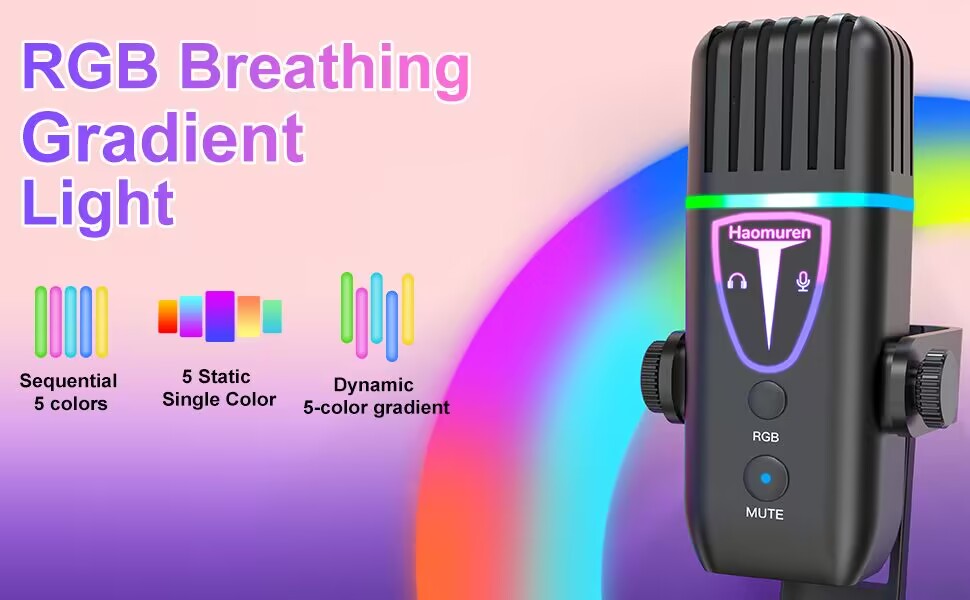
Image: RGB lighting modes on the microphone.
影片:展示asing the eye-catching RGB lights and sound quality of the microphone.
5.2 Mic Gain and Echo Control
- Mic/Monitor Volume: The two-in-one volume knob allows you to switch between adjusting the microphone input volume and the headphone monitor volume. Press the knob to toggle between these modes.
- 迴聲功能: Use the dedicated Echo control knob to adjust the level of the echo effect. This can be deactivated as needed.
- Inside Button: The 'inside' button on the bottom of the microphone enables you to capture accompanying music from your connected phone or computer during recording sessions.
5.3 Tap-to-Mute and Noise Cancellation
- 點擊靜音: A simple tap on the mute button (located directly on the microphone) will silence your audio. The RGB light will turn red when muted.
- 降噪: This feature is OFF by default. To activate noise cancellation, press and hold the mute button until the light turns green.
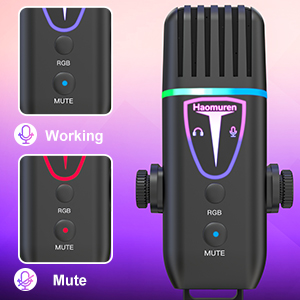
Image: Visual indicators for working, mute, and noise cancellation modes.
5.4 最佳使用
For best sound quality, position the microphone between 6 to 12 inches from your mouth. The cardioid polar pattern is designed to effectively minimize background noise and focus on sound directly in front of the microphone.
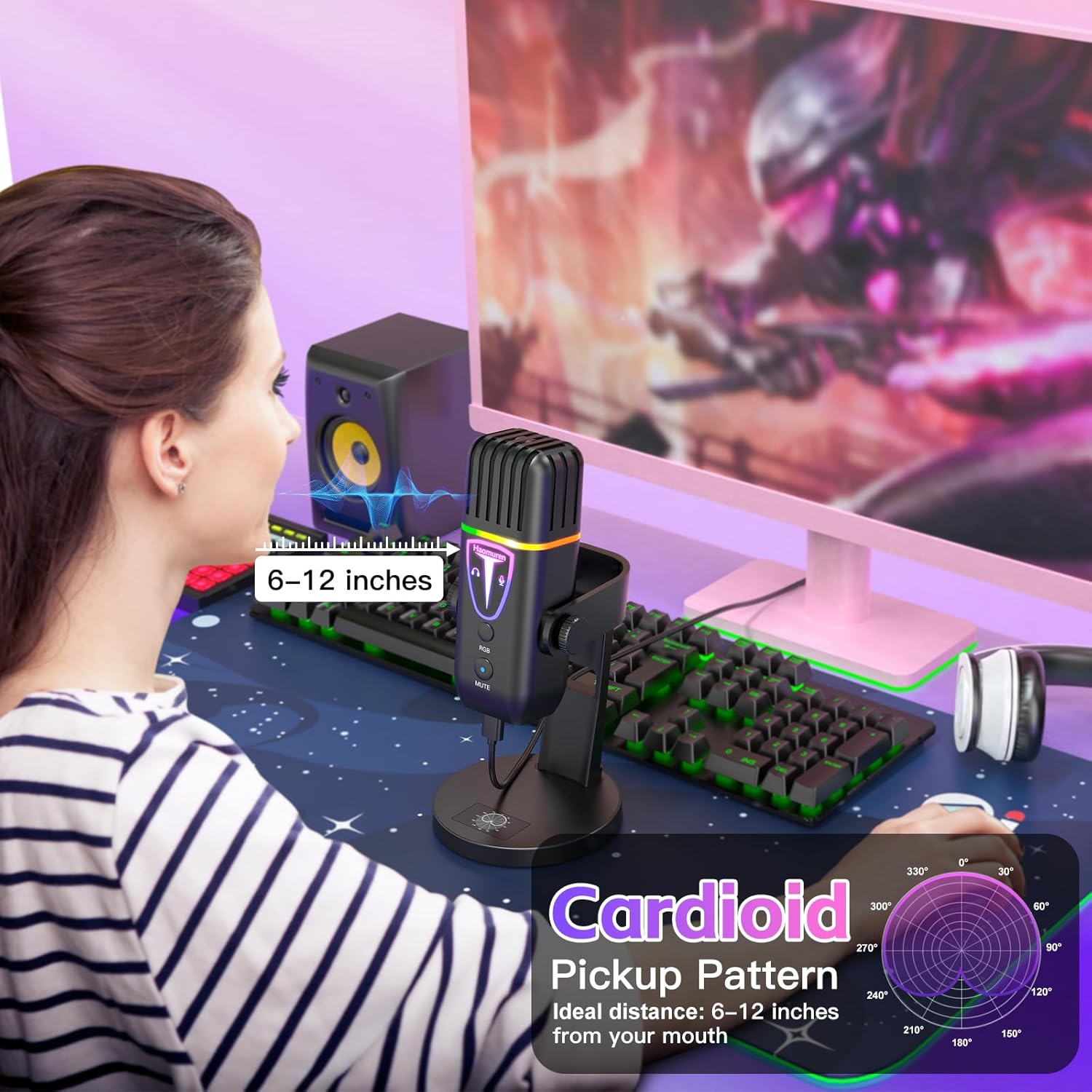
Image: Recommended microphone distance for optimal audio capture.
Video: Demonstrates the actual sound quality of the Haomuren K67 Series USB Microphone.
6、維護保養
- 用柔軟的乾布擦拭麥克風,保持其清潔。
- Avoid exposing the microphone to liquids, extreme temperatures, or high humidity.
- 不使用時,請將麥克風存放在安全的地方,以防止損壞。
7。 故障排除
- Q: Why does it not work with my Android phone but function well with my iPhone 15?
A: Please ensure that your Android device supports OTG and verify that it's enabled in the settings before use. (搜尋 "OTG" in the settings and enable it.) - Q: As an ASMR artist, I am experiencing excessive noise with this microphone, how can you help me resolve it?
A: The noise-canceling function is OFF by default. To activate noise cancel, press and hold the mute button until it turns green. - Q: What is the recommended distance to keep when using this desktop cardioid microphone?
A: The recommended distance to keep when using this microphone is generally between 6 to 12 inches from your mouth. But it's best to experiment with different distances to find the optimal one for your needs.
8. 規格
| 特徵 | 規格 |
|---|---|
| 音頻靈敏度 | 45分貝 |
| 物品重量 | 14.4 盎司 |
| 阻抗 | 2.2千歐姆 |
| 麥克風外形尺寸 | 桌面麥克風 |
| 電源 | 有線電動 |
| 材料 | 丙烯腈丁二烯苯乙烯,金屬 |
| 信噪比 | 85分貝 |
| 硬體平台相容性 | iPhone/iPad/Type C Phone & Tablet, Laptop/PC/Computer/MacBook/Chromebook, PS4 & PS5 |
| 頻道數 | 1 |
| 頻率響應 | 48KHz |
| 連接技術 | Type C & Smartphone Jack & 3.5mm Headphone Jack, USB |
| 特別報道 | Echo Control, Mic Gain Knob, Mute with Indicator, Noise Cancel, Volume Control |
| 極性模式 | 單向(心形) |
9. 保固和支持
The Haomuren K67 Series USB Microphone comes with free and responsive support for any inquiries or issues. Please refer to the contact information provided in your product packaging for assistance.