
一、簡介
Thank you for choosing the CHiQ 22F650 22-inch FHD Monitor. This manual provides essential information for setting up, operating, and maintaining your monitor. Please read it thoroughly before use to ensure optimal performance and safety.
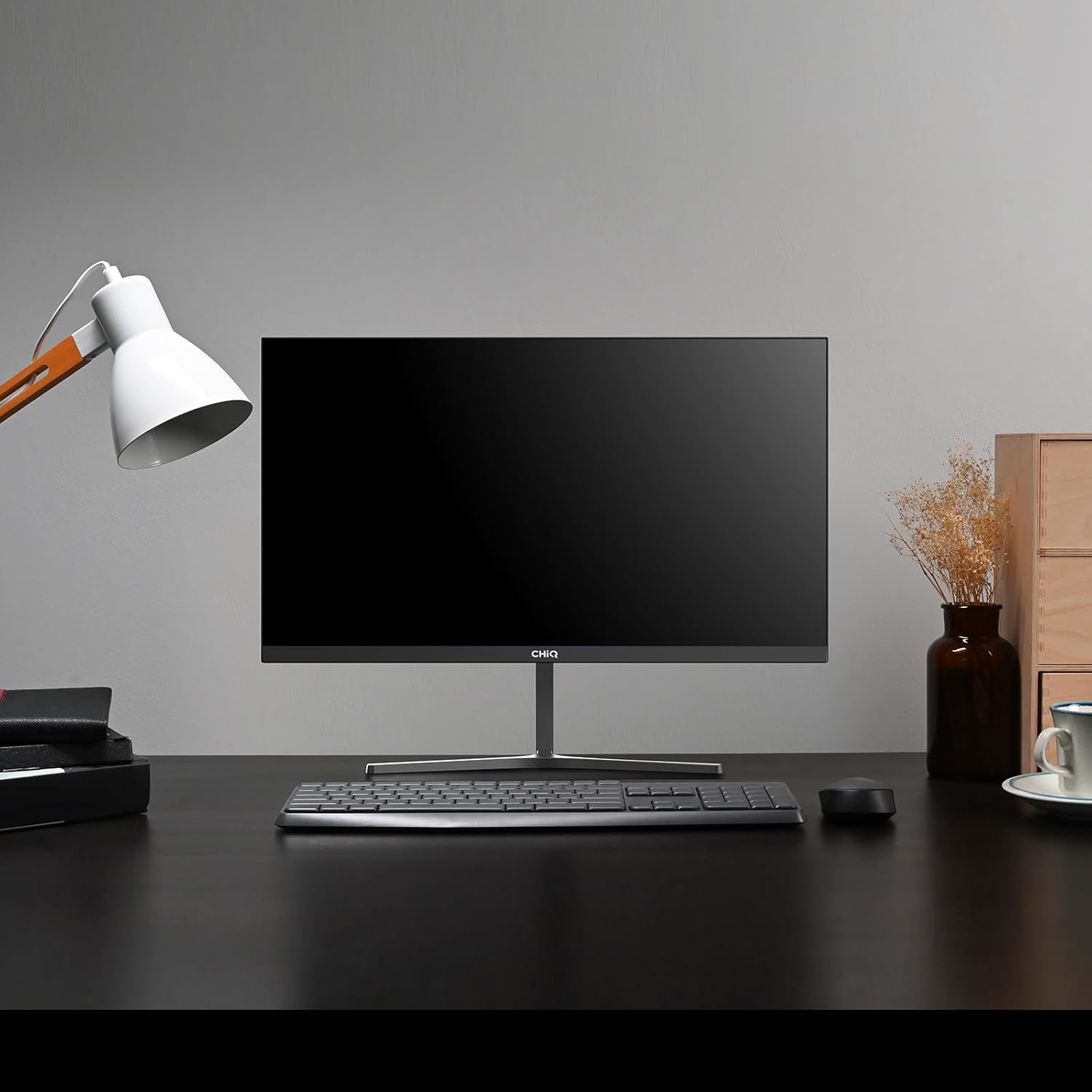
Image 1.1: The CHiQ 22F650 monitor set up on a desk.
The CHiQ 22F650 monitor features a 22-inch Full HD (1920 x 1080) display with a 100Hz refresh rate and AMD FreeSync technology for smooth visuals. Its ultra-thin, borderless design offers an immersive viewing experience, complemented by 100% sRGB color gamut and DC dimming for eye comfort.
2. 安全訊息
請遵守以下安全注意事項,以防止顯示器損壞並確保您的安全:
- 請勿將顯示器暴露在雨水、潮濕環境或極端溫度下。
- 確保顯示器周圍通風良好。請勿堵塞通風口。
- 請僅使用製造商提供或建議的電源轉接器和線纜。
- 避免在電源線上放置重物。
- 如果長時間不使用顯示器,請從插座拔下電源插頭。
- 請勿自行嘗試維修顯示器。所有維修工作應交給合格人員。
3. 包裝內容
確認包裹內所有物品齊全:
- CHiQ 22F650 Monitor
- 顯示器支架(底座和頸部)
- 電源適配器和電纜
- HDMI 線
- 用戶手冊(本文檔)
4. 組裝和設置
4.1 組裝支架
- 小心地將顯示器從包裝中取出,注意保護螢幕。
- 將支架頸部連接到顯示器面板。
- 使用提供的螺絲將支架底座固定在支架頸部。
The monitor features a quick detachable Y-shaped metal stand for easy assembly.
4.2 連接顯示器
使用可用連接埠將顯示器連接到電腦或其他裝置:
- HDMI接口: 將HDMI線從電腦的HDMI輸出埠連接到顯示器的HDMI輸入埠。
- VGA: 將VGA線纜從電腦的VGA輸出埠連接到顯示器的VGA輸入埠。
- 聲音的: Connect headphones or external speakers to the 3.5mm headphone output jack.
- 力量: 將電源適配器連接到顯示器的直流輸入端口,然後將其插入電源插座。

Image 4.1: Monitor connectivity ports (HDMI, VGA, Headphone Output).
4.3 Adjusting the Monitor Angle
The monitor's stand allows for tilt adjustment from +5° to -15° to achieve an optimal view角。

Image 4.2: Monitor tilt adjustment and VESA mount points.
4.4 VESA 壁掛式安裝
The monitor is compatible with VESA 75x75mm wall mounts. To mount the monitor on a wall, remove the stand and attach a compatible VESA bracket (sold separately) to the mounting holes on the back of the monitor.
5. 操作說明
5.1 電源開關
按下顯示器背面的電源按鈕即可開啟或關閉顯示器。
5.2 螢幕顯示 (OSD) 選單
The monitor features joystick-type buttons on the rear for navigating the OSD menu. Use these buttons to adjust various display settings:
- 亮度/對比度: 調整整體亮度以及明暗區域之間的差異。
- 顏色設定: 修改色溫、伽瑪值和各個 RGB 值。
- 輸入源: 手動選擇HDMI或VGA輸入。
- 圖片模式: 從預設顯示模式(例如,標準、遊戲、影片)中選擇。
- 聲音的: Adjust volume for the headphone output.

Image 5.1: Visual features of the CHiQ 22F650 monitor, including 100% sRGB and DC Dimming.
5.3 FreeSync 技術
The CHiQ 22F650 monitor supports AMD FreeSync technology, which synchronizes the monitor's refresh rate with your graphics card's frame rate. This helps eliminate screen tearing and stuttering, providing a smoother gaming and viewing experience. FreeSync is typically enabled automatically when connected to a compatible AMD graphics card.
Video 5.1: This video demonstrates the smooth performance of the CHiQ 22F650 monitor, highlighting features like 100Hz refresh rate and FreeSync technology, and its ultra-thin design.
6、維護保養
6.1 清潔顯示器
- 清潔前務必從電源插座拔下顯示器的插頭。
- 使用不起毛的軟布輕輕擦拭amp用清水或溫和的非研磨性螢幕清潔劑清洗。
- 請勿將清潔劑直接噴灑在螢幕上。
- 輕輕擦拭螢幕,去除灰塵和污漬。
- 對於顯示器 casing,請使用柔軟的乾布。
6.2 儲存
如果長時間存放顯示器,請將其放在原包裝盒內,置於乾燥陰涼處,以防止灰塵和損壞。
7。 故障排除
如果您遇到顯示器問題,請參考以下常見問題和解決方案:
| 問題 | 可能的原因 | 解決方案 |
|---|---|---|
| 屏幕上沒有圖像 | 電源線斷開,視訊線鬆脫/斷開,選擇了錯誤的輸入來源。 | Check power and video cable connections. Ensure the correct input source (HDMI/VGA) is selected in the OSD menu. |
| 影像模糊或扭曲 | 解析度錯誤,視訊線纜故障。 | Set the display resolution to 1920 x 1080. Try a different video cable. |
| 顏色不正確 | Color settings in OSD, faulty video cable. | 在螢幕顯示選單中調整顏色設定。嘗試更換視訊線。 |
| 屏幕閃爍 | Refresh rate mismatch, FreeSync issue, faulty cable. | Ensure your graphics card output matches the monitor's 100Hz refresh rate. Check FreeSync settings. Try a different video cable. |
| No audio from headphone output | Volume too low, incorrect audio output selected on computer. | Adjust volume in OSD. Ensure the monitor is selected as the audio output device on your computer. |
8. 規格
Detailed technical specifications for the CHiQ 22F650 monitor:
| 特徵 | 規格 |
|---|---|
| 品牌 | 智商 |
| 型號 | 22F650 |
| 製造商 | 長虹 |
| 螢幕尺寸 | 22英寸 |
| 解決 | FHD 1080p(1920 x 1080像素) |
| 縱橫比 | 16:9 |
| 螢幕表面 | Anti-glare / Anti-slip |
| 對比 | 3000:1 |
| 回應時間 | 6毫秒 |
| 重新整理率 | 100赫茲 |
| 自適應同步 | 自由同步 |
| 顯示類型 | 液晶顯示器 |
| View中角 | 178度 |
| 亮度 | 250 candelas per square meter |
| 影像增強 | DC Dimming, Anti-glare coating |
| 尺寸(深 x 寬 x 高) | 13.9 x 49.3 x 37.7 厘米 |
| 重量 | 1.92公斤 |
| 連接性 | 1x HDMI, 1x VGA, 1x Headphone Output |
| VESA支架 | Wall mount (75x75mm) |
| 卷tage | 220伏 |
| 顏色 | 黑色的 |
Image 8.1: Product Information Sheet with technical data. For more details, visit the EPREL 數據庫.
Image 8.2: EU Energy Label for the CHiQ 22F650 monitor. For more details, visit the EPREL 數據庫.
9. 保固和支持
9.1 保固信息
CHiQ monitors are protected by a 3年保固請保留您的購買憑證,以便進行保固索賠。
9.2 客戶支持
If you encounter any problems or have questions regarding your CHiQ 22F650 monitor, please do not hesitate to contact CHiQ customer service. An online hotline managed by professional staff is available on weekdays to assist you.
如需更多協助,請造訪 CHiQ 官方網站。 web請造訪網站或參考產品文件中提供的聯絡資訊。


