
介紹
Thank you for choosing Jiunai USB C Wired Earbuds. These earbuds are designed to provide a high-quality audio experience with the convenience of a wired USB-C connection. Featuring an in-ear design for sound isolation, magnetic earpieces for tangle-free storage, and an inline remote with a microphone, these earbuds are suitable for various audio needs, including music, calls, and video chats.
盒子裡有什麼
- 1 x Jiunai USB C Headphones
- 3 Pairs of Silicone Eartips (Small, Medium, Large)
- 1 個保護性便攜包
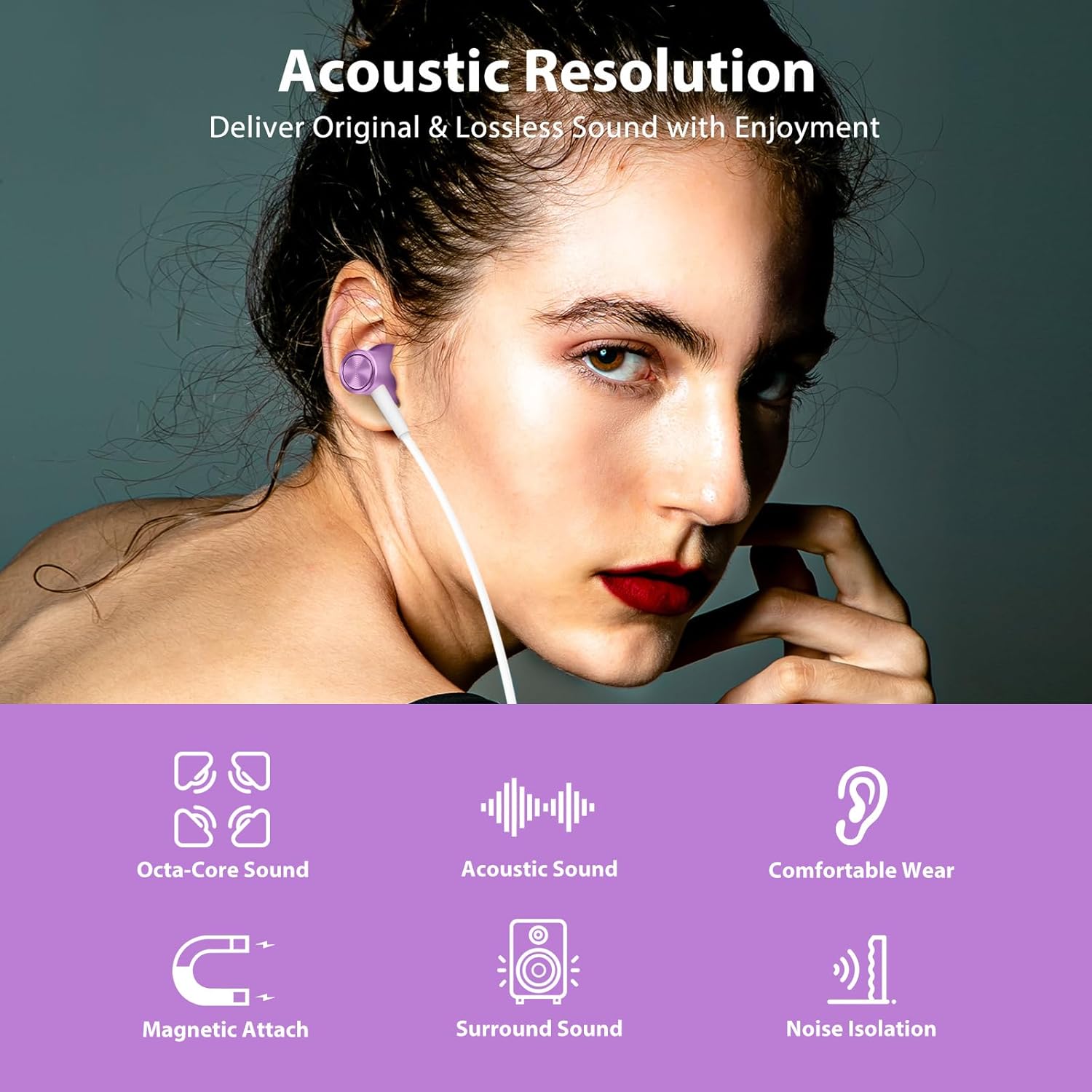
Image: Contents of the Jiunai USB C Wired Earbuds package.
產品特點
高品質音頻
The earbuds are equipped with 8mm dynamic drivers, engineered to deliver clear, original, and lossless sound quality, enhancing your listening experience.

Image: Acoustic resolution and dynamic driver features for enhanced sound.
Magnetic Attached Earpieces
The earpieces feature a magnetic design, allowing them to attach to each other when not in use. This helps prevent tangling and makes them easy to store or wear around your neck.
Video: Demonstration of the magnetic attached feature of the Jiunai USB C Wired Earbuds, showing how they connect to prevent tangling.
Comfortable In-Ear Design with Noise Isolation
The ergonomic design and soft silicone ear tips ensure a comfortable and secure fit, reducing pressure on your ears. The in-ear design also provides effective sound isolation, blocking out external noise for a more immersive audio experience.

Image: Sound isolation capabilities of the earbuds in various noisy environments.
Inline Remote Control and Microphone
The earbuds feature an inline remote for convenient control of volume, music playback, and phone calls. The built-in microphone accurately captures your voice for clear communication during calls or when activating voice assistance.
影片:結束view of the inline remote control and microphone on the Jiunai USB C Wired Earbuds.
廣泛的兼容性
These USB C headphones are compatible with a broad range of devices, including many Samsung Galaxy, Google Pixel, iPhone 15/16/17 series, iPad, and MacBook models that feature a USB-C port.

Image: Broad compatibility with various USB-C devices.
設定
連接到您的設備
- 尋找智慧型手機、平板電腦或電腦上的 USB-C 連接埠。
- 將耳機的 USB-C 連接器牢固地插入裝置的 USB-C 連接埠。
- Your device should automatically recognize the earbuds. If not, check your device's audio settings.
Selecting the Right Eartips
For optimal sound quality and comfort, choose the silicone eartips that best fit your ears. The package includes small, medium, and large sizes. Gently pull off the pre-installed eartips and replace them with the desired size.

Image: Different sizes of silicone eartips for a customized fit.
操作說明
音樂控制
- 播放/暫停: Single click the middle button.
- 下一首歌: Double click the middle button.
- 上一首歌曲: Triple click the middle button.
音量控制
- 提高音量: 按下“+”按鈕。
- 音量減小: 按下“-”鍵。
電話呼叫控制
- 接聽/結束通話: Single click the middle button.
- 拒絕來電: Long press the middle button.
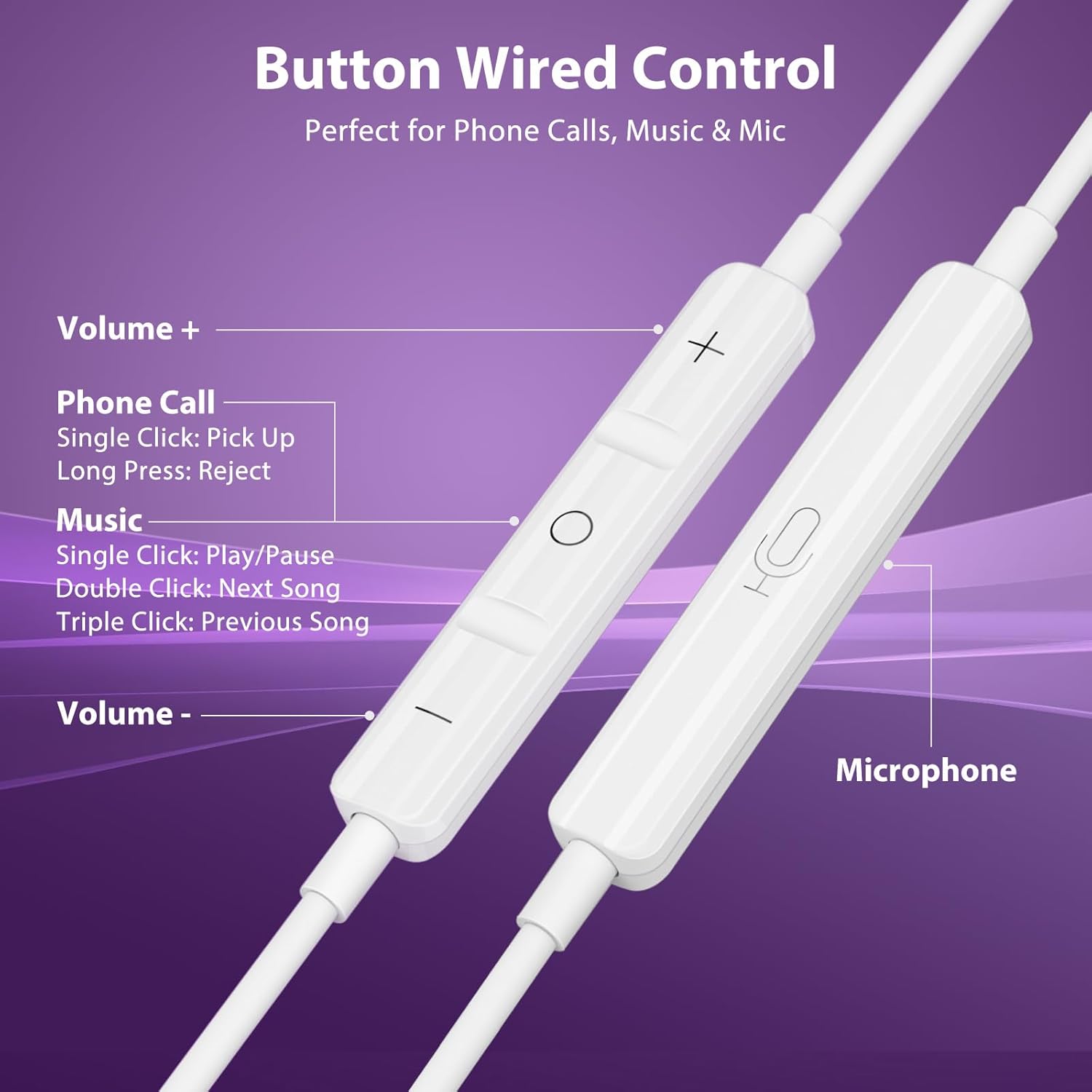
Image: Functions of the inline remote control.
維護
打掃
定期用柔軟的刷子清潔矽膠耳塞。amp cloth to remove earwax and debris. Ensure they are completely dry before reattaching them to the earbuds. Do not use harsh chemicals or abrasive materials.
貯存
When not in use, utilize the magnetic feature of the earpieces to keep them together and prevent tangling. Store the earbuds in the provided protective carry case to shield them from dust, dirt, and physical damage.
故障排除
No Sound from Headphones (Android Devices)
Some Android devices may require disabling USB Audio Routing in Developer Options for wired USB-C headphones to function correctly. Follow these steps:
- 前往 設定 > 關於電話.
- 輕敲 軟體資訊.
- 輕敲 內部版本號 7 times to enable Developer Mode.
- 返回 設定 > 開發者選項.
- Find and disable USB Audio Routing.
- Unplug and replug your headphones.

Image: Guide to disabling USB Audio Routing on Android.
其他問題
- 音質差: Ensure eartips are correctly sized and seated in your ear. Check for debris in the earbud nozzle.
- 麥克風不工作: Ensure the microphone is not obstructed. Check your device's privacy settings to ensure the app has permission to access the microphone.
- 間歇性連線: Ensure the USB-C plug is fully inserted into your device. Try connecting to a different USB-C port or device to rule out a device-specific issue.
規格
| 型號名稱 | Jiunai-2100 |
| 連接技術 | 有線 (USB-C) |
| 噪音控制 | 隔音 |
| 音訊驅動類型 | 動態驅動器 |
| 音訊驅動器大小 | 8毫米 |
| 頻率響應 | 20 Hz - 20 kHz (Standard Range) |
| 靈敏度 | 32分貝 |
| 阻抗 | 32歐姆 |
| 控制類型 | Volume Control, Music Playback, Call Management |
| 麥克風 | 內建 |
| 電纜特性 | 無纏結 |
| 材料 | 熱塑性彈性體 (TPE) |
| 防水等級 | 不防水 |
保固和支持
Jiunai products are designed for reliability and performance. For any support inquiries, troubleshooting assistance, or warranty information, please refer to the official Jiunai web您可以透過網站或購買平台聯絡客服。請保留購買憑證以備保固索賠。
如需了解更多資訊和產品,請訪問 Jiunai Store.