
Yunseity Yunseitygae9vnc58d-11
Yunseity 4G Unlocked Flip Design Senior Cell Phone User Manual
Model: Yunseitygae9vnc58d-11
1. 產品結束view
The Yunseity 4G Unlocked Flip Design Senior Cell Phone is engineered for ease of use, featuring large buttons, clear sound, and a simple operating system. It supports 4G networks and includes essential functions for daily communication and safety.
- 翻轉設計: Answer calls by flipping open the phone. Features large buttons and voice dialing for simplified use.
- 雙螢幕: Equipped with a 2.6-inch high-definition main screen and a 1.77-inch external color high-definition screen, displaying large fonts and icons.
- 強大的功能: Includes a powerful speaker, 4800mAh battery for long standby, flashlight, FM radio, camera, photo speed dial, GPS positioning, alarm clock, calculator, and calendar.
- Wide Network Compatibility: Supports 2G, 3G, and 4G network bands (GSM, CDMA, WCDMA, FDD, TDD) for reliable connectivity.
- SOS with GPS: Features an SOS function with GPS positioning. Includes 9 speed dial buttons for family contacts and 3 dedicated shortcut buttons.
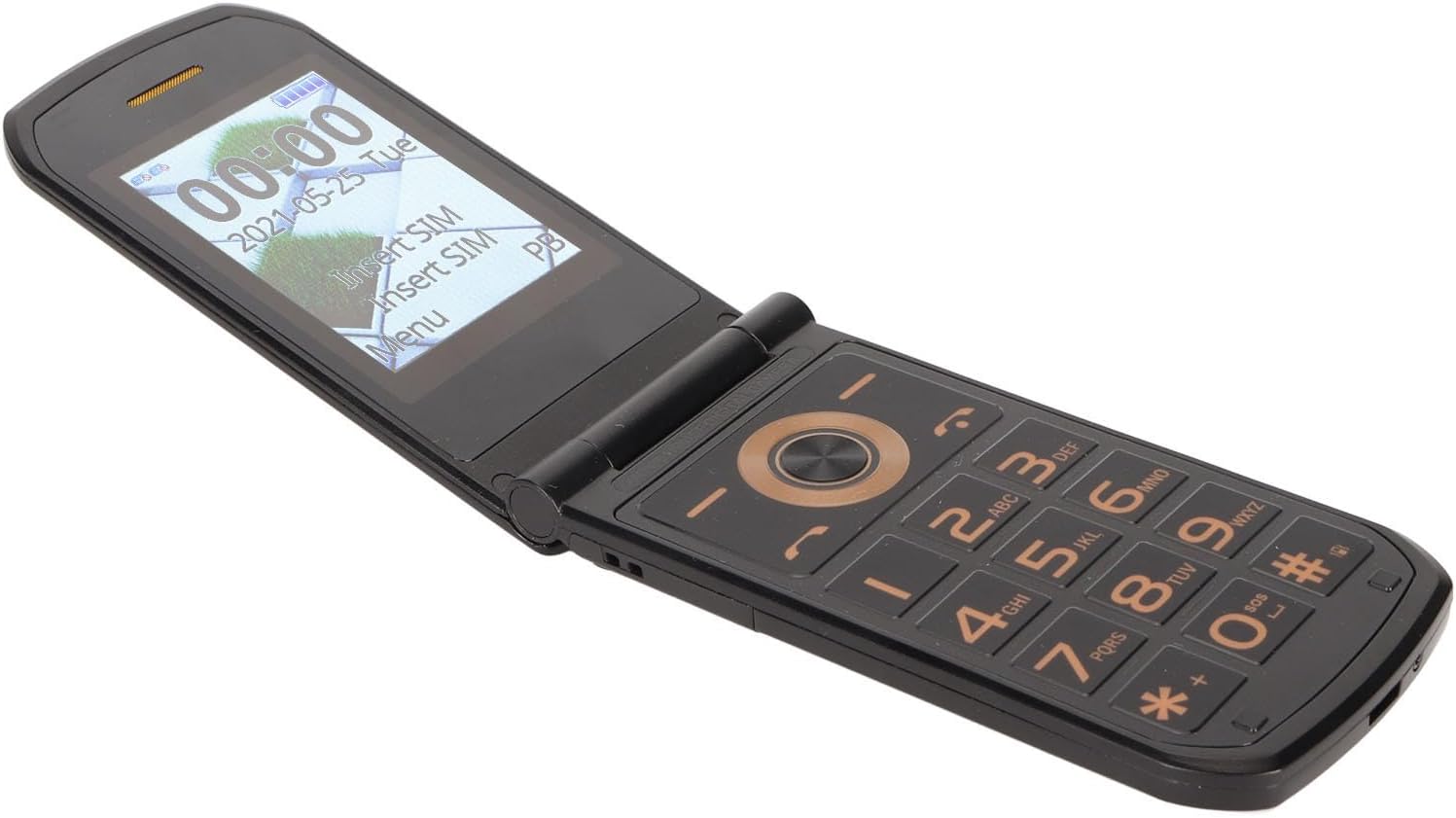
Figure 1.1: The Yunseity flip phone in its open position, showcasing the main display and large keypad.
2. 包含的內容
Your Yunseity Senior Cell Phone package contains the following items:
- Yunseity 4G Unlocked Flip Design Senior Cell Phone
- USB 線
- 電池(4800mAh)

Figure 2.1: Package contents: phone, battery, and USB cable.
3. 初始設定
3.1 安裝 SIM 卡和電池
- 小心地取下手機背蓋。
- Insert your SIM card(s) into the designated slot(s) according to the diagram inside the phone. Ensure the gold contacts face downwards.
- 將電池插入電池倉,對準觸點。
- 蓋上後蓋,直到聽到喀嚓一聲牢固地卡入到位。
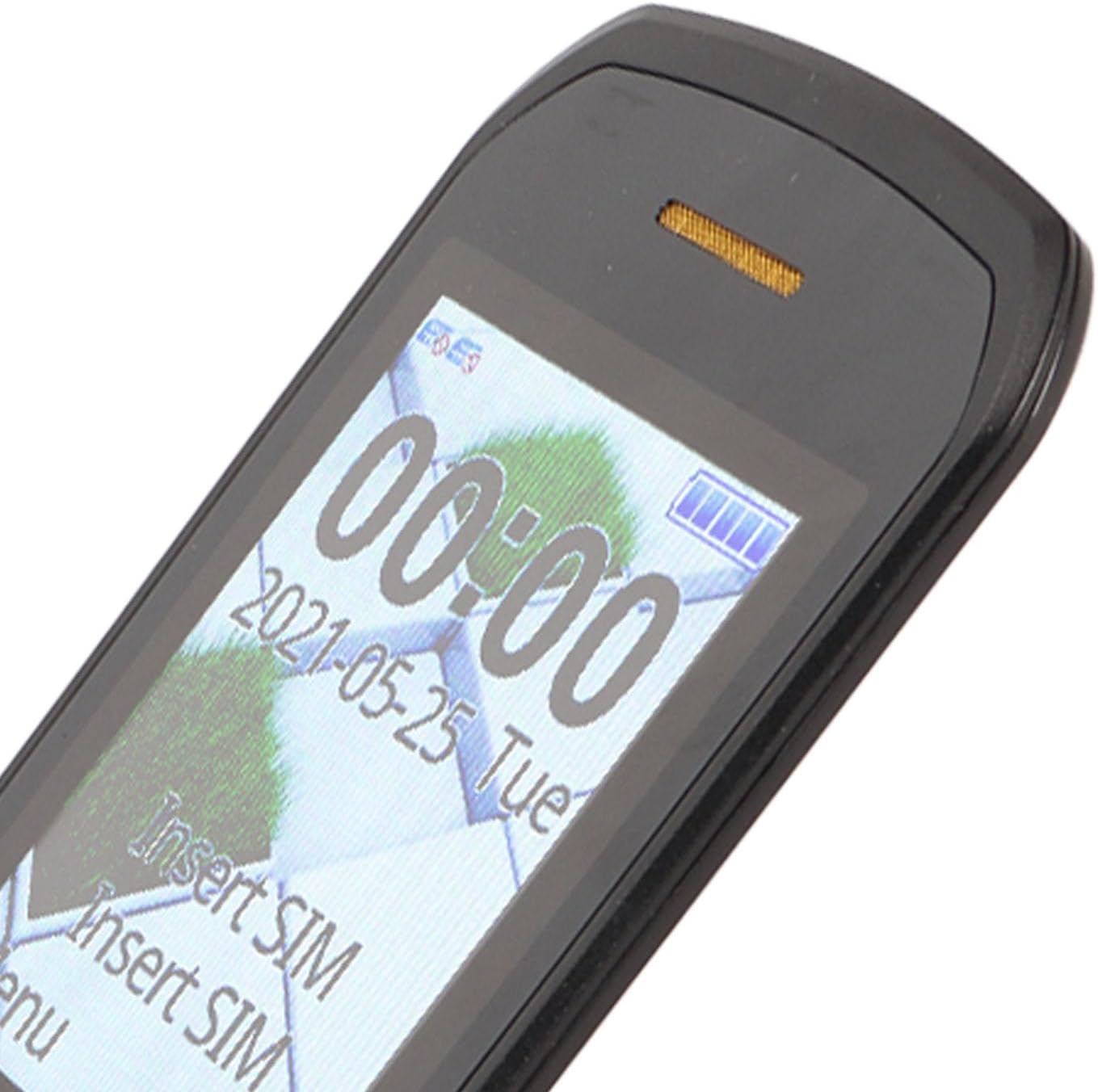
Figure 3.1: Phone screen prompting for SIM card insertion.
3.2. 電池充電
首次使用前,請將手機電池充滿電。
- Connect the small end of the USB cable to the charging port on the phone.
- 將 USB 連接線的另一端連接到相容的 USB 電源轉接器(不包含)或電腦的 USB 連接埠。
- 螢幕上的電池指示器會顯示充電進度。電池充滿後,請斷開充電器。
4. 操作手機
4.1. 電源開關
- 若要開機,請按住電源/結束通話按鈕,直到螢幕亮起。
- 若要關機,請按住電源/結束通話按鈕,然後從選項中選擇「關機」。
4.2. 撥打和接聽電話
- 撥打電話: Enter the phone number using the large keypad and press the Call button.
- 接聽電話: Flip open the phone to answer an incoming call, or press the Call button.
- 語音撥號: Utilize the voice dialing function for hands-free calling. Refer to the phone's on-screen menu for setup.

Figure 4.1: The phone features a large hearing aid receiver for clear sound.
4.3. Understanding Dual Screens
The phone features both an internal main screen and an external display.
- 這 external screen displays essential information such as time, date, battery status, and incoming call notifications without needing to open the phone.
- 這 main internal screen provides full access to all phone functions, menus, and applications.

Figure 4.2: Dual display functionality, showing external screen information and internal screen upon opening.
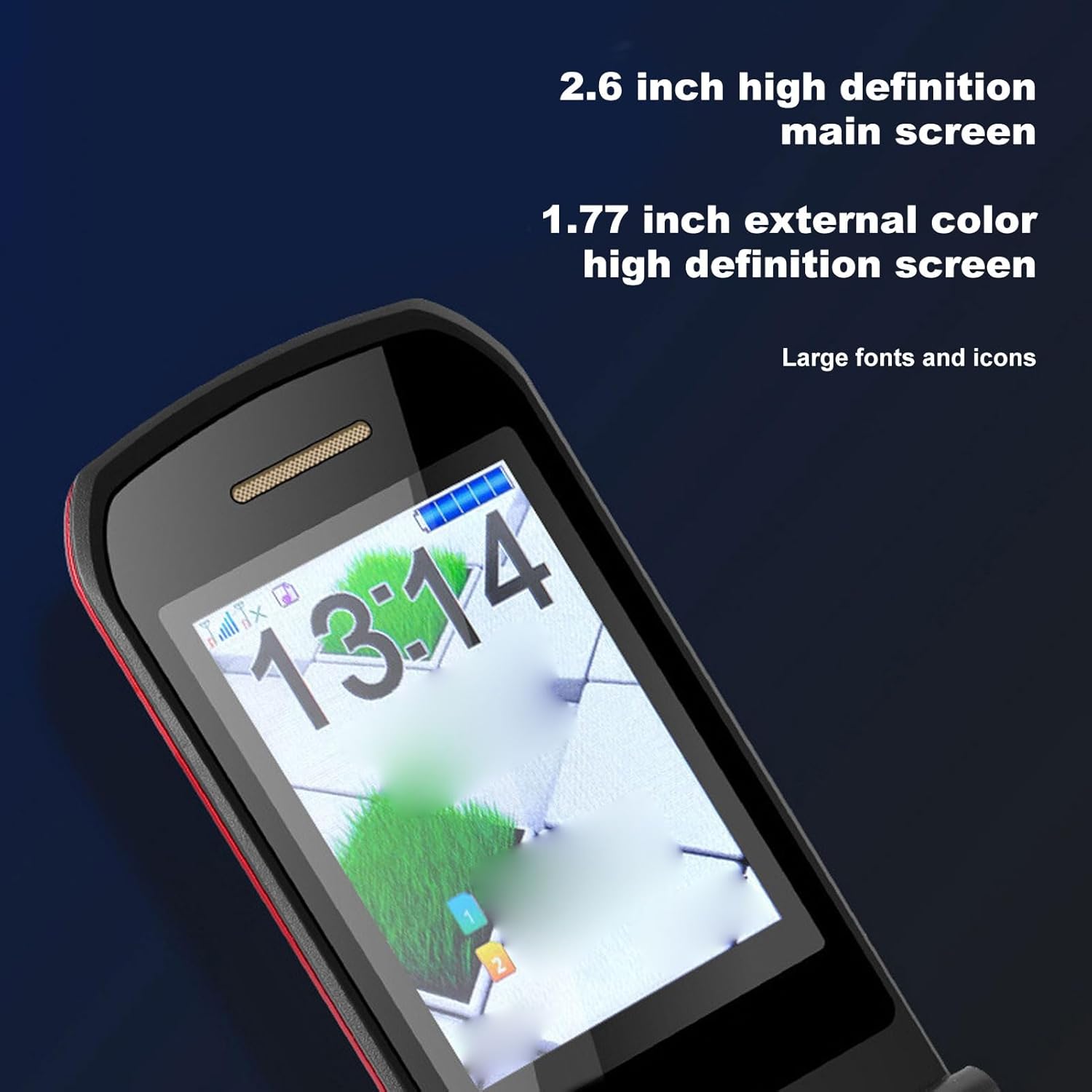
Figure 4.3: Screen dimensions and large font display for improved visibility.
4.4. SOS and Speed Dial Functions
- 求救功能: In an emergency, press and hold the dedicated SOS button. The phone will automatically dial pre-set emergency contacts and send GPS location information.
- 快速撥號: Set up to 9 speed dial numbers for quick access to frequently called family members or friends. Refer to the phone's settings menu for configuration.
- 快捷按鈕: Utilize the 3 dedicated shortcut buttons for quick access to specific functions or contacts.
4.5. Other Powerful Functions
Your phone includes several useful features:
- 手電筒: 在黑暗環境中,可開啟內置手電筒進行照明。
- 調頻收音機: 收聽您最喜歡的廣播電台。
- 相機: 使用內建相機拍攝照片。
- GPS定位: For location services, especially useful with the SOS function.
- Alarm Clock, Calculator, Calendar: Standard utility functions for daily organization.
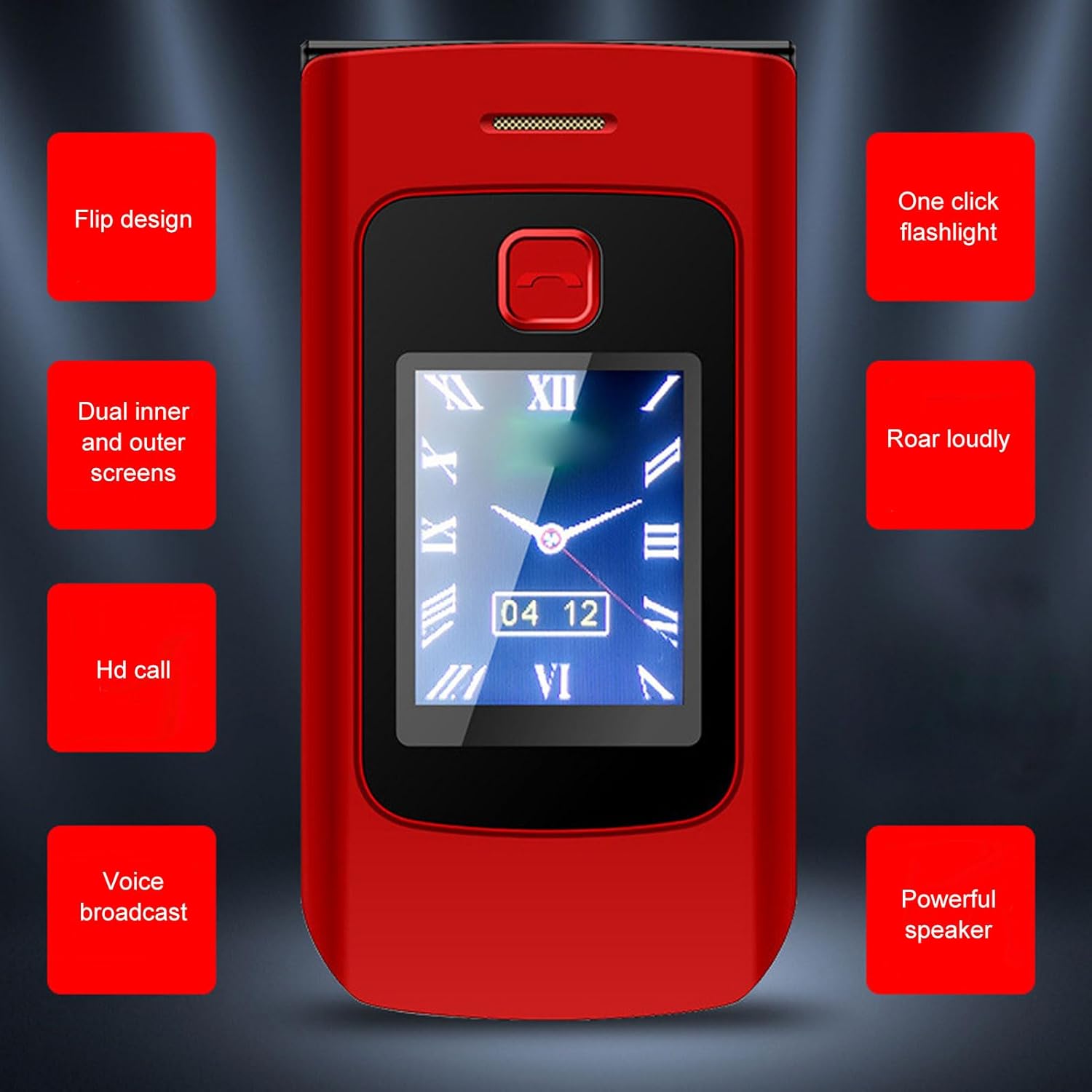
圖 4.4:結束view of key features including flashlight, HD call, and powerful speaker.
5. 網路相容性
This phone is designed for wide network compatibility, supporting various 2G, 3G, and 4G bands:
- GSM: B3(1800MHz)、B5(850MHz)、B8(900MHz)
- 碼分多址: BC0 (800MHz)
- 寬頻碼分多址: B1(2100MHz)、B5(850MHz)、B8(900MHz)
- FDD-LTE: B1 (2100MHz), B3 (1800MHz), B5 (850MHz), B7 (2600MHz), B8 (900MHz), B20 (800MHz)
- TDD-LTE: B38(2600MHz)、B39(1900MHz)、B40(2300MHz)、B41(2500MHz)
Ensure your cellular carrier supports these bands for optimal performance.
6. 保養與維護
- 打掃: 請使用柔軟的乾布清潔手機表面。避免使用液體清潔劑或研磨性材料。
- 電池保養: 請勿將電池暴露在極端溫度下。定期充電,但避免長時間過度充電。
- 貯存: 請將手機存放在陰涼乾燥處,避免陽光直射和潮濕。
- 處理: 避免掉落手機或使其受到強烈撞擊。
7。 故障排除
常見問題及解決方案:
| 問題 | 可能的解決方案 |
|---|---|
| 手機無法開機 | 請確保電池已正確安裝並充滿電。連接充電器後重試。 |
| 沒有網絡信號 | Check if the SIM card is properly inserted. Verify that your carrier's network is available in your area and supports the phone's bands. Restart the phone. |
| 無法撥打/接聽電話 | Check network signal. Ensure sufficient credit/plan with your carrier. Verify call barring settings. |
| Sound is unclear or low | Adjust volume settings. Ensure the speaker/earpiece is not obstructed. |
| 電池電量很快耗盡 | 降低螢幕亮度。關閉不使用的應用程式。限制後台資料使用。 |
如果問題仍然存在,請聯絡客戶支援。
三、技術規格
| 特徵 | 規格 |
|---|---|
| 品牌 | 雲色 |
| 型號名稱 | Yunseitygae9vnc58d-11 |
| 作業系統 | 凱iOS |
| 主螢幕尺寸 | 2.6英寸 |
| 外部螢幕尺寸 | 1.77英寸 |
| 主螢幕分辨率 | 240×320 |
| External Screen Resolution | 128×144 |
| 電池容量 | 4800 毫amp 時間 |
| 內存儲存容量 | 32MB |
| RAM 記憶體安裝大小 | 32MB |
| 連接技術 | USB |
| 無線通訊技術 | 蜂窩網路 |
| 全球定位系統 | 真的 |
| 音訊插孔 | 3.5毫米 |
| 外形尺寸 | 翻動 |
| 顏色 | 黑色的 |
| 物品重量 | 7.3 盎司 |
| 包裝尺寸 | 5.51 x 3.15 x 2.76 英寸 |
| 原產地 | 中國 |
9. 保固和支持
Your Yunseity 4G Unlocked Flip Design Senior Cell Phone is covered by a manufacturer's warranty against defects in materials and workmanship. Please refer to the warranty card included in your package for specific terms and conditions.
For technical support, troubleshooting assistance, or warranty claims, please contact Yunseity customer service through the retailer where you purchased the product or visit the official Yunseity brand store online.
請妥善保管您的購買收據,作為保固憑證。
Ask a question about this manual
Ask about setup, troubleshooting, compatibility, parts, safety, or missing instructions. Manuals+ will review the question and use this page’s manual context to help answer it.