
Salange HY350-US
Salange HY350 智慧投影機使用手冊
Model: HY350-US
一、簡介
感謝您的購買asing the Salange HY350 Smart Projector. This manual provides essential information for setting up, operating, and maintaining your projector. Please read it thoroughly before use to ensure optimal performance and safety.

圖1.1: 正面 view of the Salange HY350 Projector, showcasin其緊湊的設計和鏡頭。
2. 包裝內容
確保包裹內所有物品齊全:
- Salange HY350 Projector (without built-in battery)
- HDMI 線
- Power Cable (US Plug)
- 藍牙語音遙控器
- 使用者手冊
3. 產品結束view
3.1.主要特點
- Integrated Android 11.0 System: 2GB RAM + 32GB ROM for app downloads and streaming.
- Native 1080P Resolution with 4K Decoding Support: High brightness (15000LM) and 10000:1 contrast ratio for clear images.
- Dual-band WiFi 6 & Bluetooth 5.2: Supports 5G/2.4G WiFi for smooth streaming and Bluetooth for external audio devices.
- Automatic Keystone Correction & Electronic Focus: Front projection auto-correction and 4-point keystone adjustment (±50°). Focus controlled via remote.
- 多種連接選項: HDMI, USB, 3.5mm audio port for various devices.
- Built-in HI-FI Stereo Speakers: 5W speakers for immersive audio.
3.2. 介面和控制
Familiarize yourself with the projector's ports and buttons.

圖3.1: 後部和側面 view of the Salange HY350 Projector, showing HDMI, USB, and audio ports.
- HDMI端口: Connect to laptops, gaming consoles, TV sticks.
- USB連接埠: Connect USB flash drives for media playback or office documents.
- 3.5 公釐音訊插孔: 連接外接耳機或揚聲器。
- 電源輸入: 連接電源線。
4. 設置指南
4.1.放置
Choose a suitable location for your projector. The HY350 supports various mounting options:
- 三腳架安裝
- 壁掛式
- 地板安裝
- 吸頂式安裝
- 桌面放置
For optimal image quality, ensure the projector is placed on a stable, flat surface or securely mounted.

圖4.1: Illustration of different projection sizes (50", 100", 250") achievable with the Salange HY350 Projector, demonstrating its versatility in various room sizes.
4.2. 電源連接
- 將電源線連接到投影機的電源輸入埠。
- 將電源線的另一端插入電源插座。
- 按下投影機或遙控器上的電源按鈕將其開啟。
4.3. 初始設定
Upon first power-on, the projector will guide you through initial setup steps, including language selection and network connection.
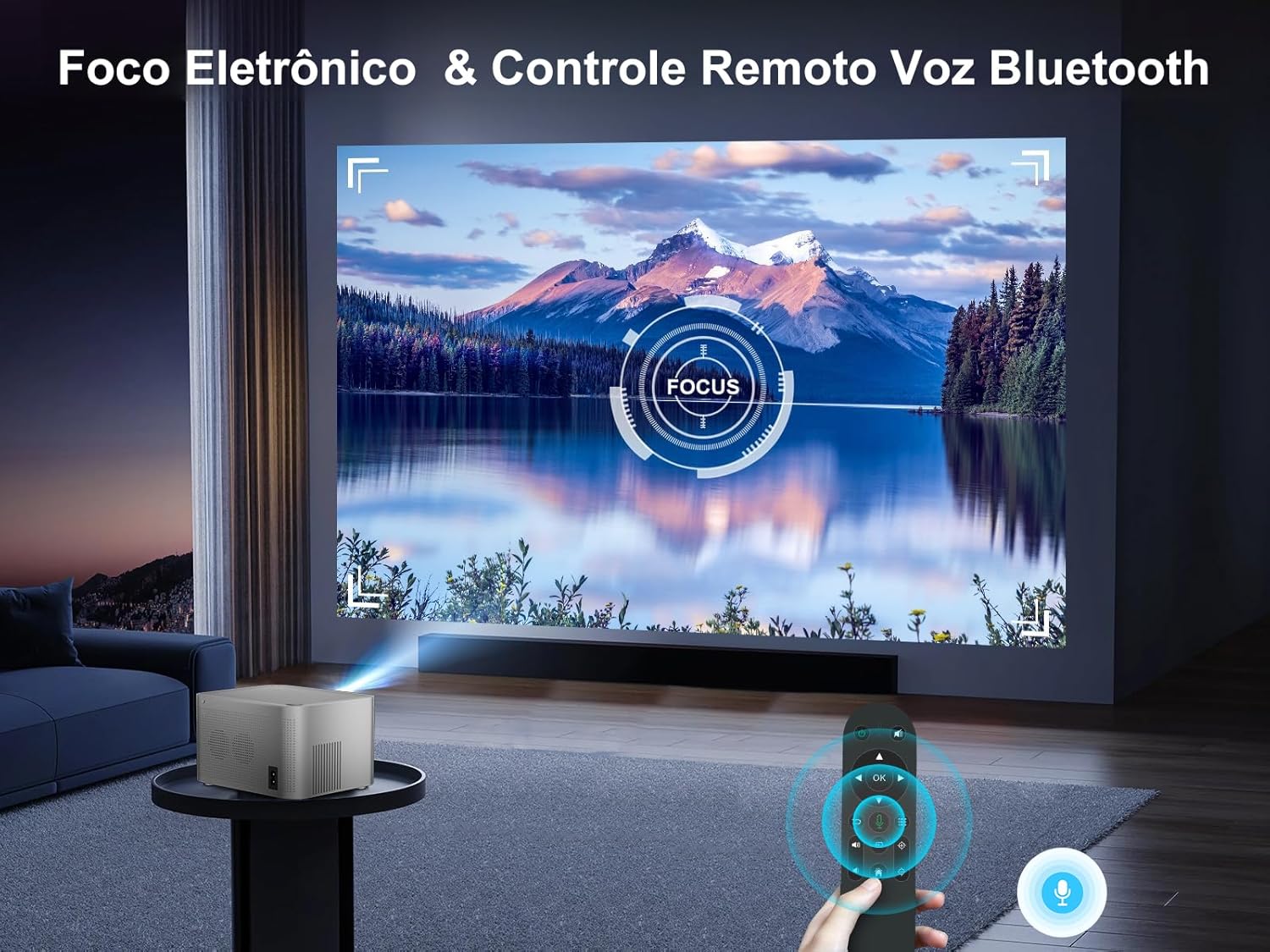
圖4.2: The Android TV interface of the Salange HY350 Projector, showing various streaming app icons like Netflix, YouTube, Disney+, and Prime Video, indicating its smart capabilities.
- 網絡連接: Navigate to Settings > Network & Internet to connect to your Wi-Fi network (supports 5G/2.4G WiFi 6).
- 藍牙配對: To connect the Bluetooth voice remote control or external Bluetooth speakers/headphones, go to Settings > Connected Devices > Pair new device.
5. 操作說明
5.1. 影像調整
The HY350 features automatic keystone correction and electronic focus for a clear image.

圖5.1: A hand holding the remote control, adjusting the electronic focus on the Salange HY350 Projector, with a clear image projected onto a screen.
- 自動梯形校正: For front projection, the image will automatically correct its shape.
- Manual Keystone Adjustment (4-point): If needed, you can fine-tune the image corners by navigating to Settings > Projection Settings > Keystone Correction. This allows individual adjustment of the four corners up to ±50°.
- 電子對焦: Use the remote control to adjust the focus for a sharp image.

圖5.2: Visual representation of the Salange HY350 Projector's automatic keystone correction, showing how distorted images are automatically squared and corrected for optimal viewing。
5.2. 連接外部設備
投影機支援多種輸入源:
- HDMI接口: Connect your laptop, game console (e.g., Switch), or TV stick to the HDMI port. Select the HDMI input source from the main menu.
- USB: Insert a USB flash drive into the USB port to play videos, view photos, or present office documents (Word, PPT, PDF, Excel).
- 無線屏幕鏡像: Supports iOS and Android wireless display. Navigate to the screen mirroring app on the projector and follow the on-screen instructions to connect your smartphone or tablet.

圖5.3: An illustration highlighting the advanced WiFi 6 and Bluetooth 5.2 technology of the Salange HY350 Projector, showing seamless connectivity for gaming and audio.
5.3. Using Smart Features (Android 11.0)
The integrated Android 11.0 system allows you to access a wide range of applications.
- 應用程式商店: Download over 8,000 applications from the integrated APP Store.
- 串流服務: Access popular streaming platforms like Prime Video, Netflix, YouTube, Disney+, etc.
- 語音控制: Use the Bluetooth voice remote control for convenient navigation and search.

圖5.4: The Salange HY350 Projector's smart interface, showcasing a variety of pre-installed and downloadable streaming applications, emphasizing its entertainment capabilities.
6、維護保養
6.1. 清潔
- 鏡片: 使用專為光學鏡片設計的柔軟無絨布。切勿使用研磨性清潔劑或溶劑。
- 外部的: 用柔軟的乾布擦拭投影機外殼。若要頑固污漬,可輕輕擦拭。amp 可以先用布擦拭,再用乾布擦拭。
- 通風口: Ensure ventilation ports are clear of dust and debris to prevent overheating. Use a soft brush or compressed air to gently clean them.
6.2. 儲存
長時間不使用時,請將投影機存放在陰涼乾燥處,避免陽光直射和極端溫度。使用原包裝盒或保護套,防止灰塵積聚和損壞。
7。 故障排除
| 問題 | 可能的原因 | 解決方案 |
|---|---|---|
| 未投射影像。 | Power cable not connected; Projector not turned on; Incorrect input source selected. | 檢查電源連接;按下電源按鈕;選擇正確的HDMI/USB輸入。 |
| 影像模糊 | Focus not adjusted; Projector too close/far from screen; Keystone not corrected. | Adjust electronic focus via remote; Adjust projection distance; Use auto or manual keystone correction. |
| 沒有聲音 | 音量過低;靜音;外部音訊設備連接不正確;藍牙未配對。 | Increase volume; Unmute; Check external audio connections; Re-pair Bluetooth device. |
| Wi-Fi 連線問題 | 密碼錯誤;路由器距離太遠;網路幹擾。 | Verify password; Move projector closer to router; Try connecting to 2.4Ghz band if 5Ghz is unstable. |
| 遙控器不起作用 | Batteries low/dead; Not paired (for Bluetooth remote); Obstruction between remote and projector. | Replace batteries; Re-pair Bluetooth remote; Ensure clear line of sight. |
8. 規格
| 特徵 | 規格 |
|---|---|
| 模型 | HY350-US |
| 作業系統 | 安卓11.0 |
| 記憶體+唯讀記憶體 | 2GB 記憶體 + 32GB ROM |
| 原始解析度 | 1920×1080P |
| 支援的分辨率 | 最高支援 4K 解碼 |
| 亮度 | 15000 流明 |
| 對比 | 10000:1 |
| 縱橫比 | 16:9 |
| 無線上網 | Dual-band 5G / 2.4G WiFi 6 |
| 藍牙 | BT 5.2 (bidirectional) |
| 梯形校正 | Automatic (front projection), 4-point (±50°) |
| 重點 | Electronic Focus (via remote) |
| 揚聲器 | 5W HI-FI Stereo |
| 介面 | HDMI、USB、3.5mm音訊接口 |
| 產品尺寸 | 16 x 12 x 19 厘米 |
| 產品重量 | 1.32公斤 |
| 耗電量 | 5 watts (speaker power) |
| 重新整理率 | 60赫茲 |
9. 保固和支持
Salange provides comprehensive support for your HY350 Projector:
- 保固單: 2年廠商保固。
- 維護: 3 years of maintenance support.
- 技術支援: 終身技術支援。
- 接觸: For any issues or inquiries, please feel free to contact Salange customer service.


圖9.1: Salange customer support commitments, including 24-hour response, 7-day return, 24-month warranty, and lifetime technical support.
Ask a question about this manual
Ask about setup, troubleshooting, compatibility, parts, safety, or missing instructions. Manuals+ will review the question and use this page’s manual context to help answer it.