
DEMICEA B17
DEMICEA LibreFit Aurora B17 骨傳導耳機使用手冊
型號:B17
品牌:DEMICEA
介紹
Welcome to the user manual for your new DEMICEA LibreFit Aurora B17 True Bone Conduction Headphones. These open-ear headphones are designed to provide high-quality audio while maintaining awareness of your surroundings, making them ideal for activities like night running and cycling. Featuring a unique Aurora Mode with RGB lights for enhanced visibility and an IP68 waterproof rating, these headphones offer comfort, durability, and up to 30 hours of playtime with the charging case.

盒子裡有什麼
您的包裹包含以下物品:
- LibreFit Aurora B17 earphones x2
- 充電盒 x1
- USB to Type-C Charging Cable x1
- 使用者手冊x1

設定指南
1.初始費用
Before first use, fully charge your headphones and charging case. Connect the provided USB to Type-C charging cable to the charging case and a power source. The charging case takes approximately 2.5 hours to fully charge.
2. Power On & Pairing
The headphones automatically power on when removed from the charging case. To pair with your device:
- Open the charging case. The indicator lights on the headphones will illuminate, indicating they are ready for pairing.
- 在您的智慧型手機或支援藍牙的裝置上,進入藍牙設定。
- Select "LibreFit B17" from the list of available devices.
- Once connected, you will hear an audible confirmation, and the lights may change or turn off.
操作說明
骨傳導技術
These headphones utilize true bone conduction technology, transmitting sound through vibrations directly to your inner ear bones. This innovative design allows your ear canal to remain open, ensuring you can hear your audio while staying aware of ambient sounds and your surroundings. This is particularly beneficial for outdoor activities where situational awareness is crucial for safety.

配戴耳機
The LibreFit Aurora B17 headphones feature an open-ear design with ear hooks for a secure and comfortable fit. Simply slip the ear hook over the top of your ear, ensuring the main speaker unit rests comfortably near your ear canal without entering it. The design is ultra-lightweight at under 0.28 oz (single earbud), providing all-day comfort without pressure.

Aurora Mode (RGB Light)
The Aurora Mode activates dynamic RGB lights on the headphones, enhancing your visibility during night activities such as running or cycling. This feature adds an extra layer of safety in low-light conditions.
To activate/deactivate Aurora Mode: Refer to the quick guide or full user manual for specific button press instructions.
Note: When Aurora Mode is active, the earphone playback time is approximately 3 hours.

Controls (Button Control)
這款耳機配備了直覺的按鈕控制,可實現各種功能:
- 播放/暫停: 按壓任一耳塞一次。
- 下一曲目: 雙擊右側耳塞。
- 上一曲目: 雙擊左側耳塞。
- 提高音量: 右耳塞按壓三下。
- 音量減小: 三次按壓左側耳塞。
- 接聽/結束通話: Single press during an incoming call.
- 拒絕來電: 來電時長按。
- 激活語音助手: 長按 2 秒。
主要特點和優點
- True Bone Conduction: Delivers audio through bone vibrations, keeping your ears open to ambient sounds for enhanced safety and awareness.
- Aurora Night Safety Lights: Dynamic RGB lighting increases visibility during nighttime activities.
- 超輕量設計: Weighing less than 0.28 oz per earbud, they provide comfortable all-day wear without ear canal pressure.
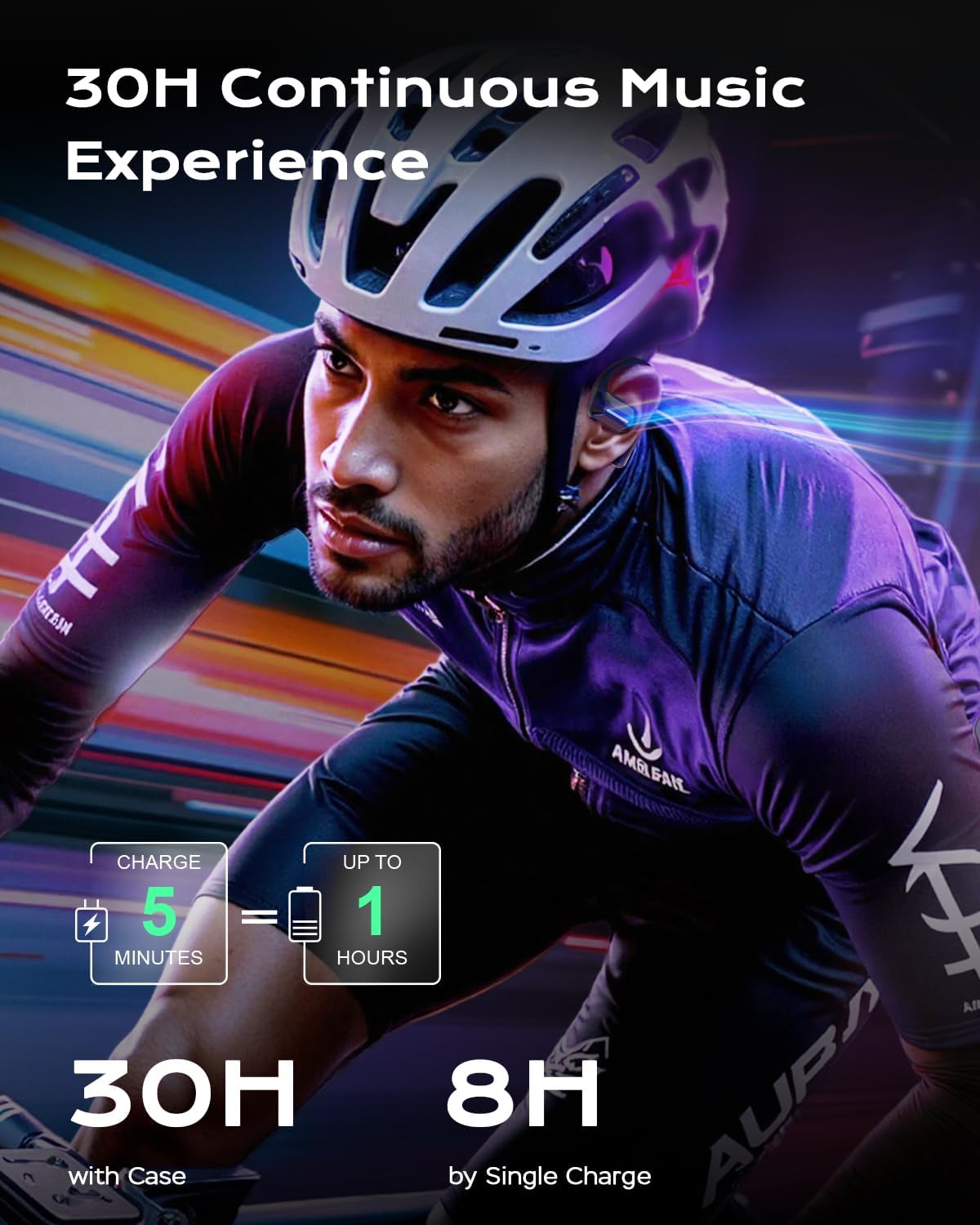
- 延長遊戲時間: Up to 8 hours of continuous listening on a single charge, and a total of 30 hours with the portable charging case. A 5-minute quick charge provides an extra hour of playtime.
- IP68防水等級: Fully protected against dust and water immersion, making them suitable for rain, humidity, and intense workouts. The hydrophobic coating prevents water accumulation.
- 藍牙5.3: 確保穩定且高效的無線連接,有效範圍可達 9.99 公尺。
維護與保養
- 打掃: Wipe the headphones and charging case with a soft, dry cloth. For stubborn dirt, a slightly damp cloth can be used, but ensure all components are dry before placing them back in the charging case or using.
- 貯存: 不使用耳機時,請將其存放在充電盒中,以保護耳機並保持電力充足。避免極端溫度。
- 水暴露: While IP68 rated, it is recommended to dry the headphones thoroughly after exposure to water or sweat to maintain longevity and performance.
- 收費: Use only the provided USB to Type-C charging cable.
故障排除
無電源/無法充電
- 確保充電線牢固地連接到外殼和電源。
- 檢查電源是否通電。
- Verify that the headphones are correctly seated in the charging case.
Cannot Pair / Disconnection Issues
- 確保您的裝置上啟用了藍牙。
- Make sure the headphones are within the Bluetooth range (approx. 10 meters).
- 關閉裝置上的藍牙功能,然後再重新開啟。
- Forget "LibreFit B17" from your device's Bluetooth list and attempt to re-pair.
- 請確保耳機電量充足。
Low Volume / Poor Sound Quality
- 調整設備和耳機上的音量。
- Ensure the headphones are positioned correctly on your ears, with the bone conduction transducers making proper contact.
- 檢查感測器上是否有任何堵塞物或碎屑。
技術規格
| 特徵 | 規格 |
|---|---|
| 型號名稱 | LibreFit B17 |
| 連接技術 | Wireless, Bluetooth, Bone Conduction |
| 藍牙版本 | 5.3 |
| 藍牙範圍 | 長達 9.99 米 |
| 電池續航力(耳機) | 8 Hours (3 Hours with Aurora Mode) |
| 總播放時間(含充電盒) | 長達 30 小時 |
| 充電時間(外殼) | 2.5 小時 |
| 防水等級 | IP68 |
| 音訊驅動類型 | 骨傳導驅動器 |
| 控制類型 | 按鈕控制 |
| 單隻耳塞重量 | Less than 0.28 oz |
保固和支持
For warranty information, technical support, or customer service inquiries, please refer to the contact details provided on the product packaging or visit the official DEMICEA web地點。保留您的購買收據以備保固索賠之用。
Ask a question about this manual
Ask about setup, troubleshooting, compatibility, parts, safety, or missing instructions. Manuals+ will review the question and use this page’s manual context to help answer it.