介紹
Welcome to the user manual for your new Infinix Smart 8 smartphone. This guide provides essential information on setting up, operating, maintaining, and troubleshooting your device. The Infinix Smart 8 is designed for efficient performance, featuring a G36 processor, 4GB RAM, 64GB internal storage, a 50MP main camera, and a long-lasting 5000 mAh battery. Please read this manual thoroughly to ensure optimal use of your device.
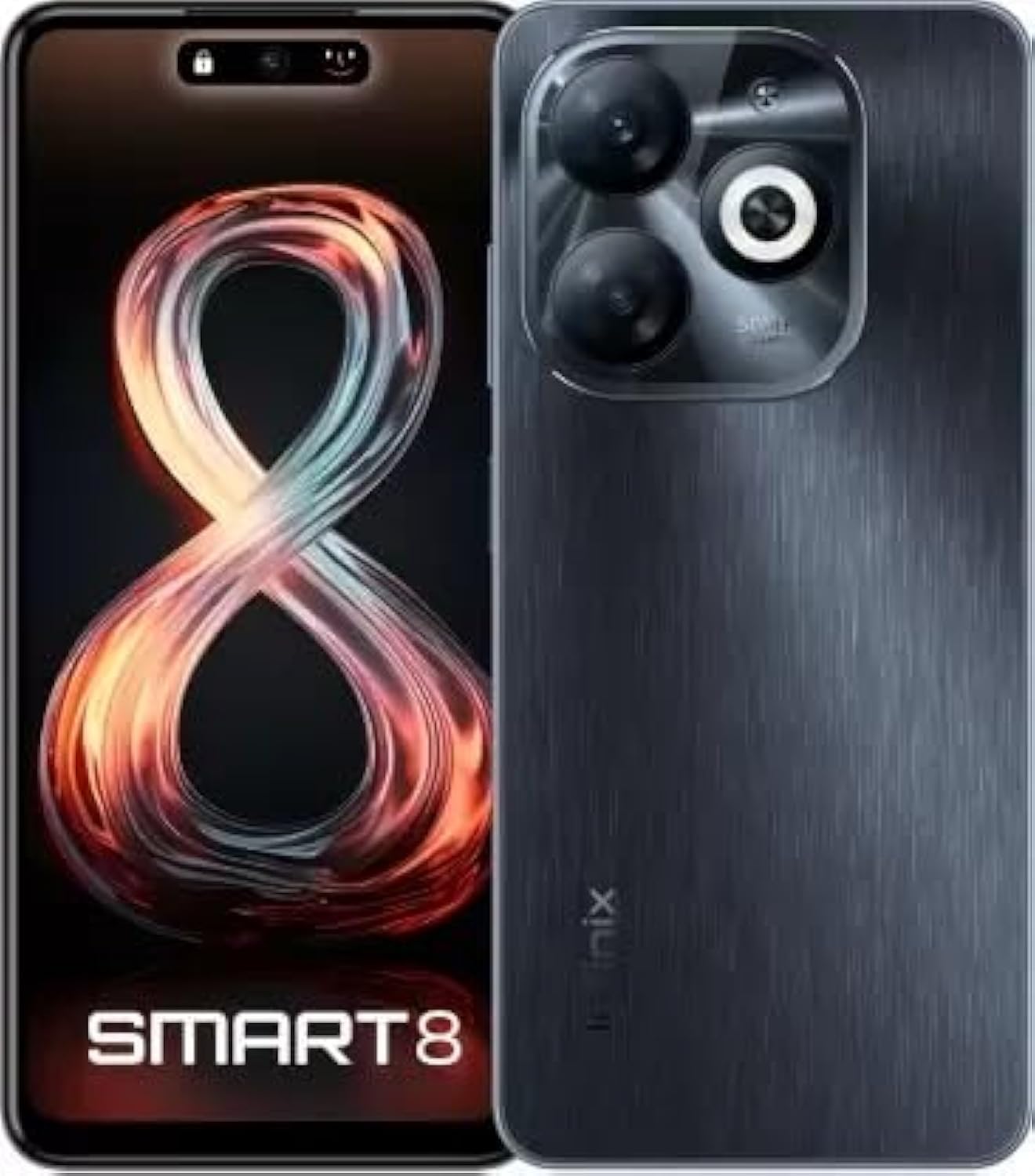
Image: Infinix Smart 8 smartphone in Timber Black, showcasin其時尚的設計和相機模組。
盒子裡有什麼
Upon unboxing your Infinix Smart 8, please verify that all the following items are included:
- 聽筒
- 適配器
- USB Type-C電纜
- TPU外殼
- SIM 卡頂針
- 快速入門指南
- 保固卡
- Xclub 卡
設定指南
1. 插入 SIM 卡和記憶卡
Locate the SIM card tray on the side of your device. Use the provided SIM ejector pin to open the tray. Insert your Nano-SIM card(s) and/or a microSD card (for expandable storage up to 1 TB) into the designated slots. Ensure the cards are correctly oriented as shown in the diagram in the Quick Start Guide. Gently push the tray back into the device until it clicks into place.
2. 開機/關機
- 開機: 按住電源按鈕(通常在右側),直到出現 Infinix 標誌。
- 關閉電源: 按住電源按鈕,然後從螢幕上出現的選項中選擇「關機」。
- 重啟: 按住電源按鈕,然後從選項中選擇“重新啟動”。
3. 初始設定
The first time you power on your device, you will be guided through an initial setup process. This includes selecting your language, connecting to a Wi-Fi network, setting up your Google account, and configuring security features like fingerprint unlock. Follow the on-screen prompts to complete the setup.
操作說明
基本導航
- 觸碰: 點擊圖示開啟應用程式或選擇項目。
- 滑動: 在螢幕上滑動手指即可捲動或在螢幕之間導航。
- 捏: 使用兩根手指放大或縮小照片 web 頁。
- 長按: 按住某個項目可查看更多選項或移動它。
撥打電話和發送訊息
To make a call, open the Phone app, enter the number, and tap the call icon. To send a message, open the Messages app, tap the new message icon, enter the recipient's number or select from contacts, type your message, and tap send.
連接到網絡
- 無線上網: 前往「設定」>「網路與網際網路」>「Wi-Fi」。開啟Wi-Fi,選擇所需的網絡,並根據需要輸入密碼。
- 藍牙: 前往「設定」>「已連線的裝置」>「藍牙」。開啟藍牙,然後與可用裝置配對。
- 移動數據: Ensure your SIM card is active. Go to Settings > Network & internet > Mobile network to manage data usage and settings.
主要特點
The Infinix Smart 8 offers a range of features designed to enhance your mobile experience:
- 內存和存儲: Equipped with 4 GB RAM and 64 GB internal storage, expandable up to 1 TB via microSD card.
- 展示: Features a 16.76 cm (6.6 inch) HD+ Display with a 90 Hz refresh rate and 5000 Nits brightness for clear and vibrant visuals.
- 網路攝影系統: A powerful 50MP main camera with AI Lens and a 5MP front camera for high-quality photos and selfies.
- 電池: A large 5000 mAh battery ensures extended usage on a single charge.
- 處理器: Powered by a G36 Processor for smooth performance and multitasking.
- 連接性: Supports 4G cellular networks, Bluetooth, USB, and Wi-Fi.
- 安全: Includes a fingerprint sensor for secure and convenient unlocking.
相機使用
Your Infinix Smart 8 comes with an advanced camera system to capture your moments.
後置攝像頭
The main rear camera is 50 Megapixels, complemented by an AI Lens for enhanced image processing. It features a Quad-LED Flashlight for improved low-light photography.
前置鏡頭
The front camera is 5 Megapixels, perfect for clear selfies and video calls.

圖片:詳細 view of the Infinix Smart 8's rear camera setup, highlighting the 50MP dual camera and Quad-LED flashlight.
To access the camera, tap the Camera app icon. You can switch between photo, video, and other modes. Tap the shutter button to take a picture or start/stop recording a video.
顯示訊息
The Infinix Smart 8 features a vibrant 6.6-inch HD+ display.
- 尺寸: 16.76 公分(6.6 吋)
- 解決: 1600 x 720 像素
- 刷新率: 90 Hz for smoother scrolling and gaming.
- 亮度: Up to 5000 Nits, ensuring visibility even in bright sunlight.
- 類型: Punch-Hole Display design.

Image: The Infinix Smart 8's 6.6-inch HD+ display, illustrating its punch-hole design and high brightness.
技術規格
Below are the detailed technical specifications for the Infinix Smart 8:
| 特徵 | 規格 |
|---|---|
| 作業系統 | 安卓 |
| 記憶體 | 4GB |
| 內部儲存 | 64GB |
| 可擴充儲存 | 高達 1 TB |
| 處理器 | G36處理器 |
| 顯示尺寸 | 16.76 公分(6.6 吋)高清+ |
| 顯示解析度 | 1600 x 720 像素 |
| 後置攝像頭 | 50萬像素+AI鏡頭 |
| 前置鏡頭 | 5MP |
| 電池容量 | 5000毫安培時 |
| 通話時間 | 25 小時 |
| 無線通訊 | Cellular (4G Ready) |
| 連接技術 | 藍牙、USB、Wi-Fi |
| 全球定位系統 | 格洛納斯 |
| 音訊插孔 | 是的 |
| 物品重量 | 350克 |
| 產品型號 | smart 8 |

Image: A visual summary of the Infinix Smart 8's technical specifications, including RAM, storage, battery, and processor details.
電池資訊
The Infinix Smart 8 is equipped with a 5000 mAh battery, providing amp日常使用的電源。
- 容量: 5000 毫amp 時間
- 談話時間: 充飽電後最長可使用 25 小時。
- 收費: Use the provided Adaptor and USB Type-C Cable for optimal charging.
For best battery life, avoid fully discharging the battery frequently and use the original charger.
故障排除
If you encounter issues with your Infinix Smart 8, refer to the following common solutions:
- 設備未開機: Ensure the battery is charged. Connect the charger and wait a few minutes before attempting to power on again. If unresponsive, try a forced restart by holding the power button for 10-15 seconds.
- 應用程式崩潰/卡頓: Close the problematic app and reopen it. If the issue persists, clear the app's cache (Settings > Apps > [App Name] > Storage & cache > Clear cache). Consider updating the app or the phone's software.
- 網路訊號差: 請檢查您的SIM卡是否已正確插入。嘗試重啟設備。確保您身處網路覆蓋區域。
- 電池電量快速耗盡: Reduce screen brightness, close unused apps running in the background, disable unnecessary notifications, and turn off Wi-Fi/Bluetooth when not in use.
- 觸控螢幕無反應: 重啟設備。如果問題仍然存在,請確保螢幕清潔無水。
For more complex issues, refer to the official Infinix support web網站或聯絡客服。
維護和保養
To ensure the longevity and optimal performance of your Infinix Smart 8, follow these maintenance guidelines:
- 打掃: 請使用柔軟、不起毛的布清潔螢幕和機身。避免使用刺激性化學物質或研磨性材料。
- 溫度: 請勿將設備暴露在極端溫度(過熱或過冷)或陽光直射下長時間。
- 水暴露: 本設備不防水。請避免接觸水或其他液體。
- 軟體更新: Regularly check for and install software updates to benefit from performance improvements and security patches.
- 貯存: Avoid overfilling your device's storage. Regularly clear unnecessary files and app caches.
保固和支持
Your Infinix Smart 8 is covered by a 7-day service center replacement/repair policy from the date of purchase. Please retain your purchase receipt and the warranty card for service claims.
- 製造商: Infinix (G mobile devices private ltd)
- 免費電話支援: 18004190525
- 在線支持: Visit the official Infinix web提供常見問題、支援資源和聯絡資訊的網站。
For any issues or queries, please contact the manufacturer's support team.
重要安全訊息
請仔細閱讀以下安全訊息,以防止人身傷害或設備損壞:
- Do not attempt to disassemble, repair, or modify the device yourself. This can cause damage, fire, or electric shock.
- Use only original or certified compatible chargers and accessories.
- 避免將設備暴露於明火或極端高溫下。
- 請勿將設備丟入火中或水中。
- 請將設備及其配件放在兒童和寵物接觸不到的地方。
- 請遵守當地有關手機使用的法律法規,尤其是在駕駛時。
產品結束view 影片
觀看此官方產品視頻,以獲得更直觀的了解。view of the Infinix Smart 8's features and capabilities.
影片:官方結束view of the Infinix Smart 8 smartphone, detailing its technical specifications, key features, camera, and display.