
一、簡介
This manual provides essential information for the safe and effective operation of your GOYOJO GW256 Thermal Imaging Camera. The GW256 is a handheld infrared thermal imager designed for various applications including home inspection, HVAC, electrical, plumbing leak detection, and mechanical maintenance. It features a 256x192 IR resolution and dual-light fusion technology for enhanced visibility and detailed thermal analysis.
請在使用本設備前仔細閱讀本手冊,以確保其正常運作並防止設備損壞或人身傷害。
2. 安全訊息
始終遵守以下安全預防措施:
- Do not point the camera directly at strong light sources (e.g., sun, lasers) as this may damage the sensor.
- 避免設備掉落或受到強烈撞擊。
- Do not disassemble or modify the camera. Repairs should only be performed by authorized personnel.
- Keep the camera away from water and excessive humidity.
- 請僅使用指定的充電配件。
- 確保操作環境的溫度和濕度在規定的範圍內。
3. 包裝內容
確認包裹內所有物品齊全:
- GOYOJO GW256 Thermal Imaging Camera
- USB 線
- 用戶手冊(本文檔)
- 鋰離子電池(預先安裝或單獨販售)
- Thermal Imaging Image Analysis Software (downloadable or on included media)
4. 產品結束view
The GOYOJO GW256 is designed for comfortable handheld use, featuring a robust exterior and an ergonomic grip. Its intuitive button layout allows for easy navigation and operation.

圖 4.1:正面 view of the GOYOJO GW256 Thermal Imaging Camera, showing the display screen and control buttons.
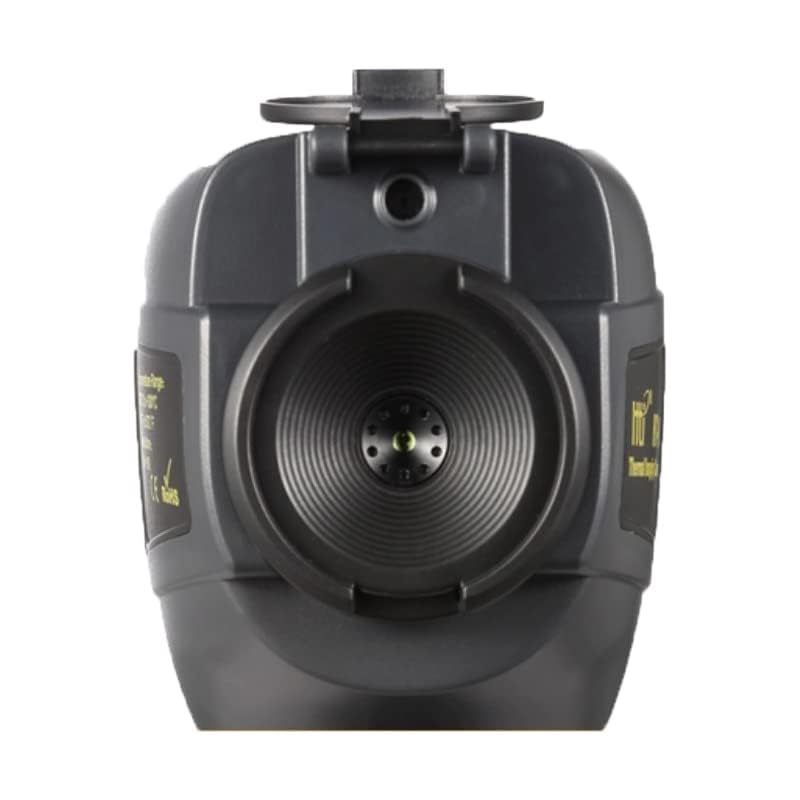
圖 4.2:頂部 view of the GOYOJO GW256, highlighting the infrared sensor and protective lens cover.
4.1 組件和控件
- 顯示螢幕: 3.2-inch LCD for real-time thermal imaging and menu navigation.
- 電源按鈕: 打開/關閉設備。
- 選單按鈕: 進入主選單,進行設定和選項操作。
- 選擇按鈕: 確認選擇或進入子選單。
- 導航按鈕(上/下/左/右): 用於菜單導航和參數調整。
- 輸入按鈕: Confirms actions.
- USB連接埠: 用於資料傳輸和計費。
- 紅外線鏡頭: 捕獲熱輻射。
- 可見光相機: Captures visual images for dual-light fusion.
5. 設定
5.1 電池充電
The GW256 is powered by a rechargeable Lithium Ion battery. Before first use, ensure the battery is fully charged.
- 將提供的 USB 連接線連接到相機的 USB 連接埠。
- 將 USB 連接線的另一端連接到相容的 USB 電源轉接器(不包含)或電腦的 USB 連接埠。
- 裝置上的充電指示燈會顯示充電狀態。充滿電通常需要幾個小時。
5.2 初次上電
Press and hold the Power button until the screen illuminates. The device will boot up and display the live thermal image.
6. 操作說明
6.1 基本操作
Once powered on, the camera displays a real-time thermal image. The screen will show temperature readings, emissivity settings, and battery status.
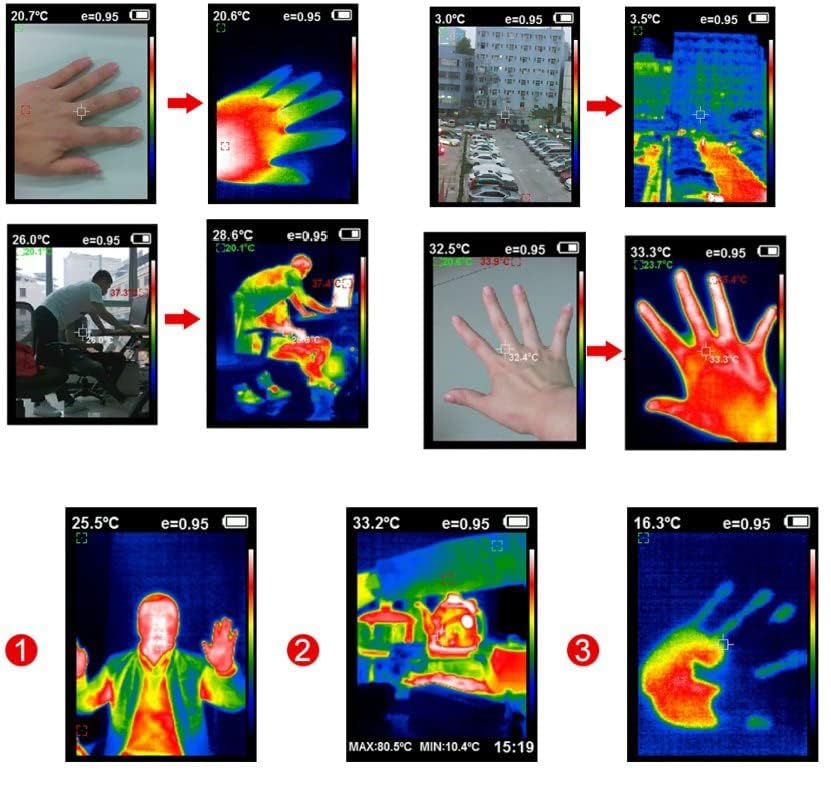
圖 6.1:Examples of thermal images, demonstrating the camera's ability to visualize heat signatures from various objects and environments.
6.2 種成像模式
The GW256 supports multiple imaging modes to suit different inspection needs. These modes adjust the color palette used to represent temperature differences.

Figure 6.2: The camera offers five distinct imaging modes: Rainbow, Iron Red, Cold Color, White Hot, and Black Hot, allowing users to select the best visual representation for their specific application.
6.3 Cold & Hot Spot Tracking
The camera automatically identifies and tracks the hottest and coldest points within the field of view, displaying their temperatures on the screen. This feature is crucial for quickly pinpointing anomalies.
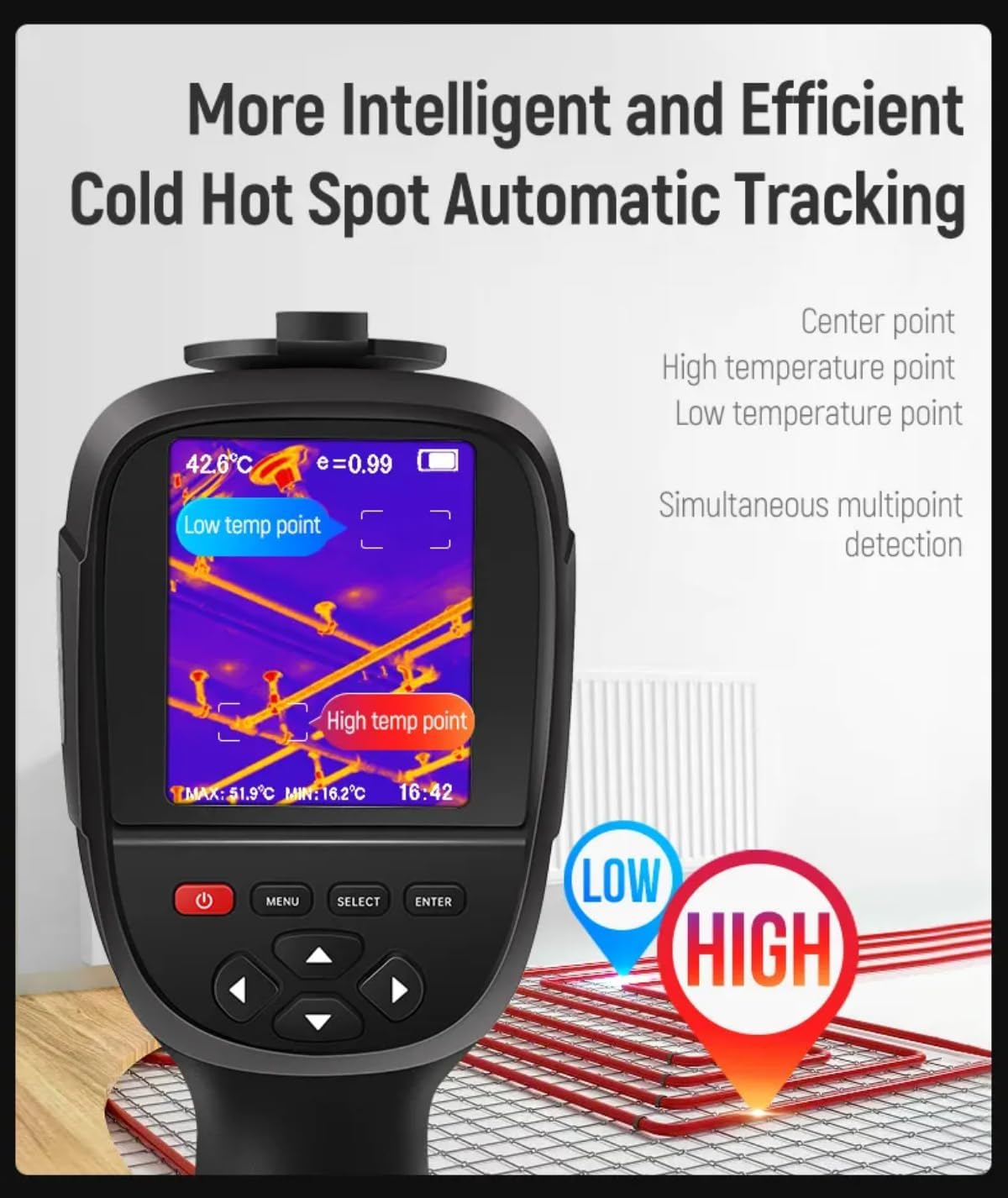
Figure 6.3: The display shows automatic tracking of the lowest and highest temperature points, indicated by "Low temp point" and "High temp point" markers.

Figure 6.4: The camera's interface highlights the maximum, minimum, and center temperature points on a thermal image, aiding in rapid anomaly detection.
6.4 資料儲存與傳輸
The camera can capture and store thermal images (JPG) and videos (MP4). These files can be easily transferred to a computer for further analysis.
- To capture an image, press the designated capture button (refer to device interface for exact button).
- To record video, press the designated record button.
- 使用提供的 USB 數據線將相機連接到您的計算機。
- The camera will appear as a removable storage device. You can then copy file直接。
- Use the included Thermal Imaging Image Analysis Software for detailed post-processing of captured data.
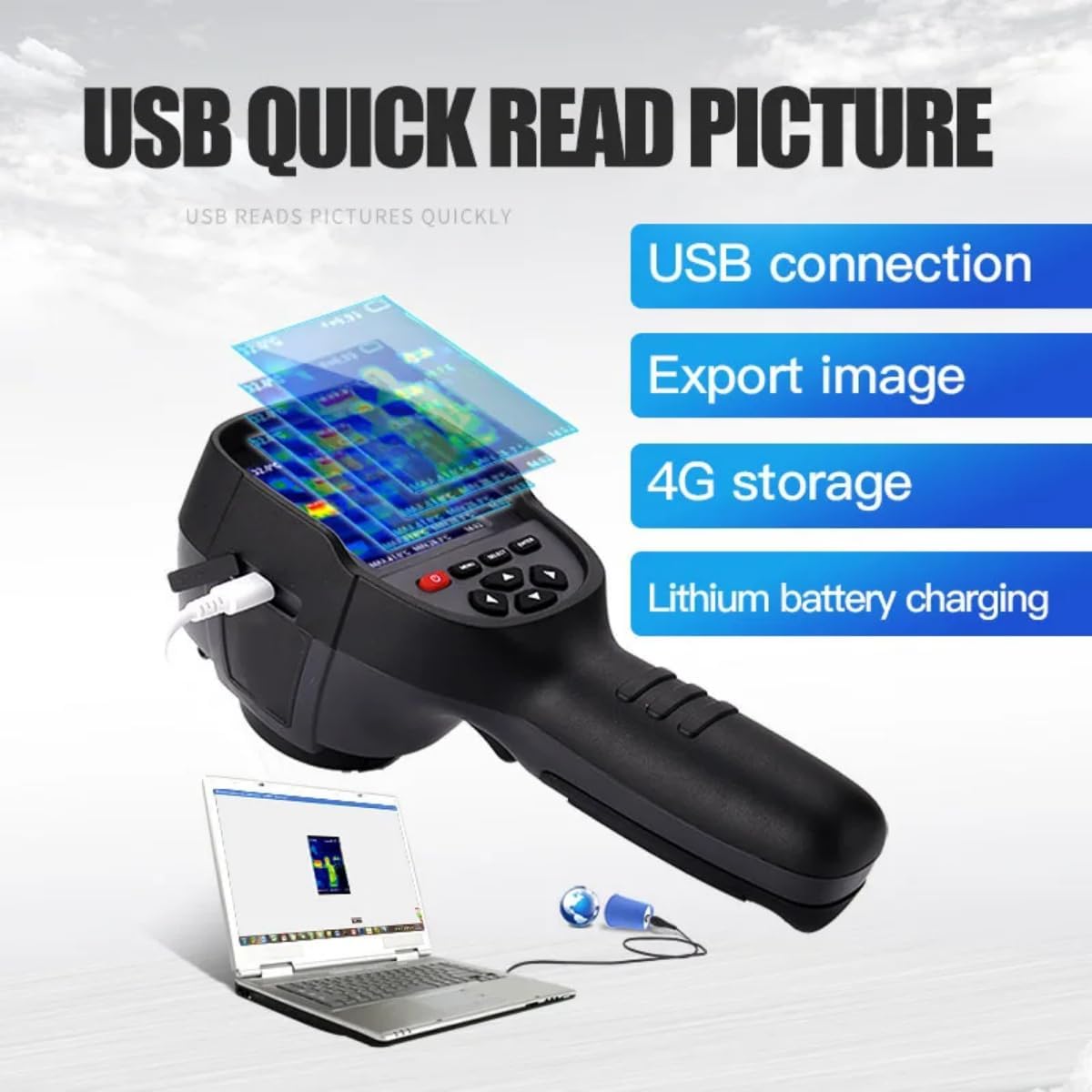
Figure 6.5: The camera supports USB connectivity for quick transfer of captured images and videos to a computer.
6.5 應用
The GOYOJO GW256 is a versatile tool suitable for a wide range of professional and personal applications:
- Electrical Diagnosis: Identifying overheating components in electrical panels and circuits.
- 家庭維護: Detecting insulation gaps, drafts, and moisture issues.
- 機械設備維護: Spotting friction, wear, and overheating in machinery.
- Construction Inspection: Assessing building envelopes for energy efficiency and structural integrity.
- 管道: Locating hidden water leaks and blockages.
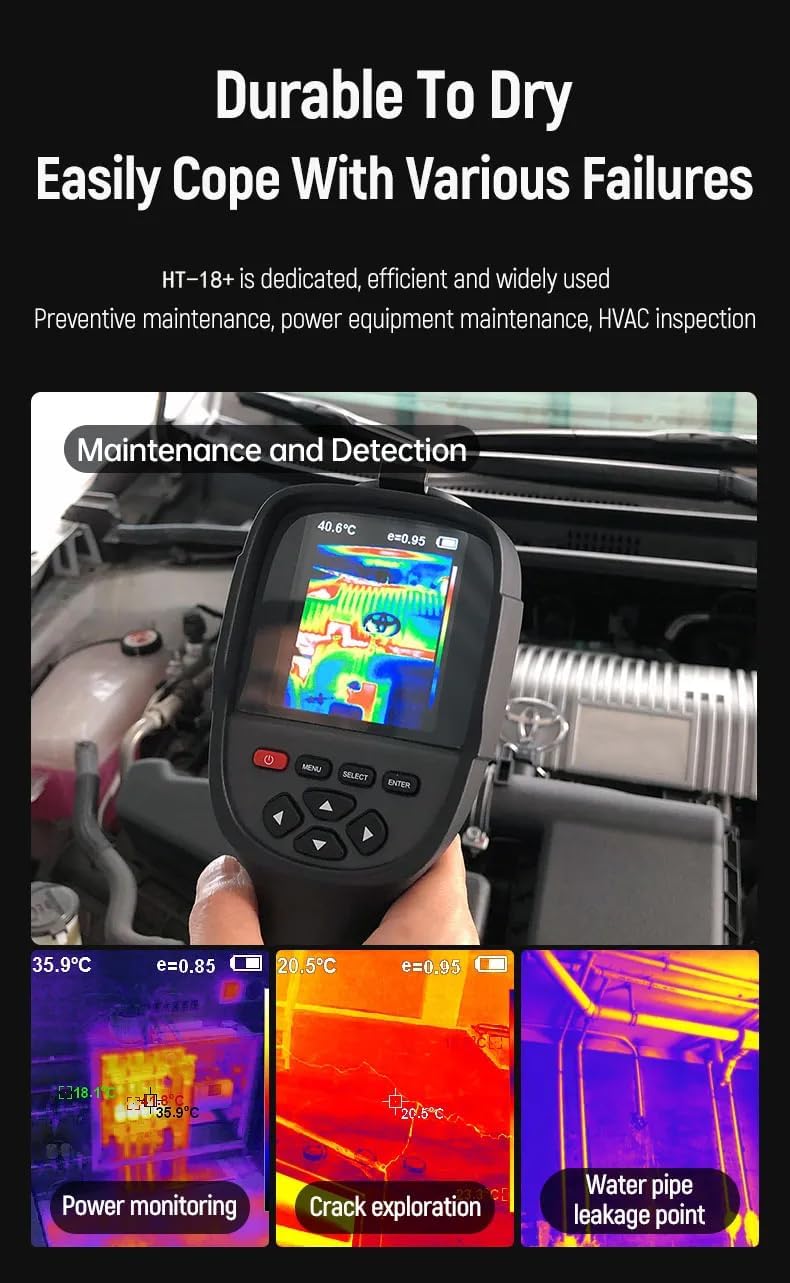
Figure 6.6: The camera's utility in diverse applications, including monitoring electrical systems, inspecting for cracks, and identifying water pipe leaks.
7、維護保養
7.1 清潔
- 用柔軟的布擦拭相機機身。amp 布。請勿使用磨蝕性清潔劑或溶劑。
- For the lens, use a specialized lens cleaning cloth and solution. Avoid touching the lens directly with fingers.
- 清潔前,請確保設備已斷電並斷開所有電源。
7.2 儲存
- 請將相機存放在陰涼乾燥處,避免陽光直射和極端溫度。
- 如果長時間存放,請確保電池部分充電(約 50%),以延長其使用壽命。
8。 故障排除
| 問題 | 可能的原因 | 解決方案 |
|---|---|---|
| 相機無法開機。 | 電池電量耗盡。 | 為電池充滿電。 |
| 圖片模糊不清。 | 鏡頭髒了或起霧了。 | 使用柔軟的無絨布清潔鏡頭。 |
| 無法轉移 file發送到電腦。 | USB cable faulty or driver issue. | Try a different USB cable or port. Ensure camera is in data transfer mode. Install necessary drivers if prompted. |
| 溫度讀數似乎不準確。 | Incorrect emissivity setting or environmental factors. | Adjust emissivity setting based on the material being measured. Ensure no obstructions between camera and target. |
If the problem persists, please contact GOYOJO customer support.
9. 規格
| 特徵 | 細節 |
|---|---|
| 紅外分辨率 | 256x192像素(35200像素) |
| 溫度範圍 | -4~1022°F (-20~550°C) |
| 熱靈敏度 (NETD) | 0.07℃ |
| 展示 | 3.2吋液晶屏 |
| 成像模式 | Thermal, Visual, Dual-Light Fusion |
| 調色盤 | Rainbow, Iron Red, Cold Color, White Hot, Black Hot |
| 測量點 | Center point, Hot spot, Cold spot |
| 發射率設定 | Adjustable (9 units) |
| 距離測量 | 0.5m至40m |
| 貯存 | 4GB internal storage (for images/videos) |
| File 格式 | JPG (images), MP4 (videos) |
| 連接性 | USB |
| 電池類型 | 鋰離子(包含) |
| 物品重量 | 850克 |
| 方面 | 26.2 x 13.2 x 11.7 厘米 |

Figure 9.1: Summary of key specifications, including 35200 pixels, 0.5s fast temp capture, 3 temp measuring points, 3.2 inch TFT display, emissivity setting, and 0.5-40m measurement range.
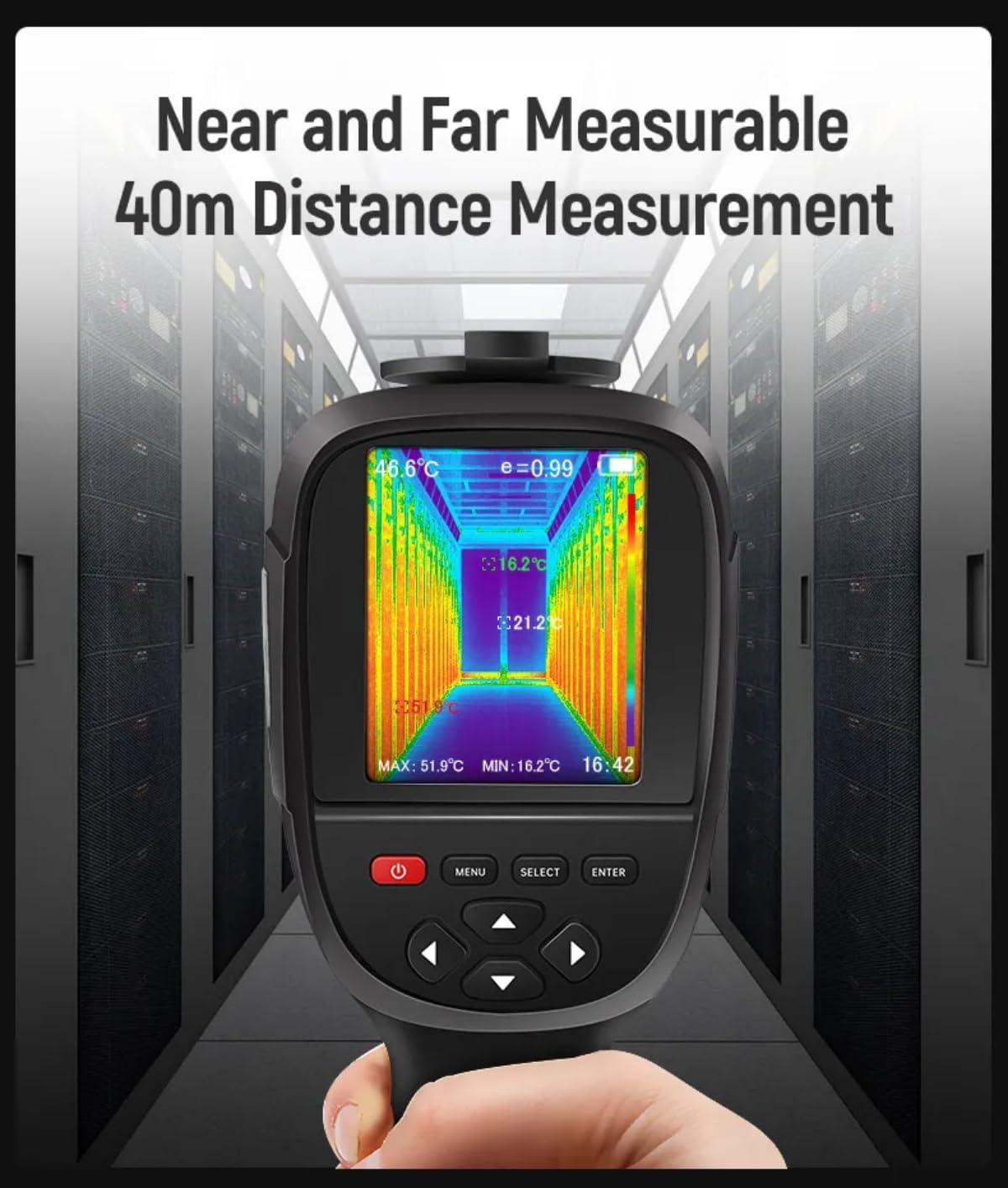
Figure 9.2: The camera's capability for near and far distance measurement, up to 40 meters.
10. 保固和支持
GOYOJO products are manufactured to high quality standards. For warranty information and technical support, please refer to the warranty card included with your product or visit the official GOYOJO web地點。
For direct support, you may contact GOYOJO customer service via the contact information provided on their official web網站或透過您購買產品的零售商。
注意:保固條款和條件可能因地區而異。請保留您的購買憑證以用於保固索賠。