
一、簡介
This manual provides comprehensive instructions for the installation, operation, and maintenance of your ErgoAV ERDHM2-01B Motion Desk Mount for Dual Monitors. This desk mount is designed to securely hold two monitors, each up to 34 inches and weighing between 4.4 to 22 lbs, offering flexible positioning and an integrated docking solution for an organized workspace.
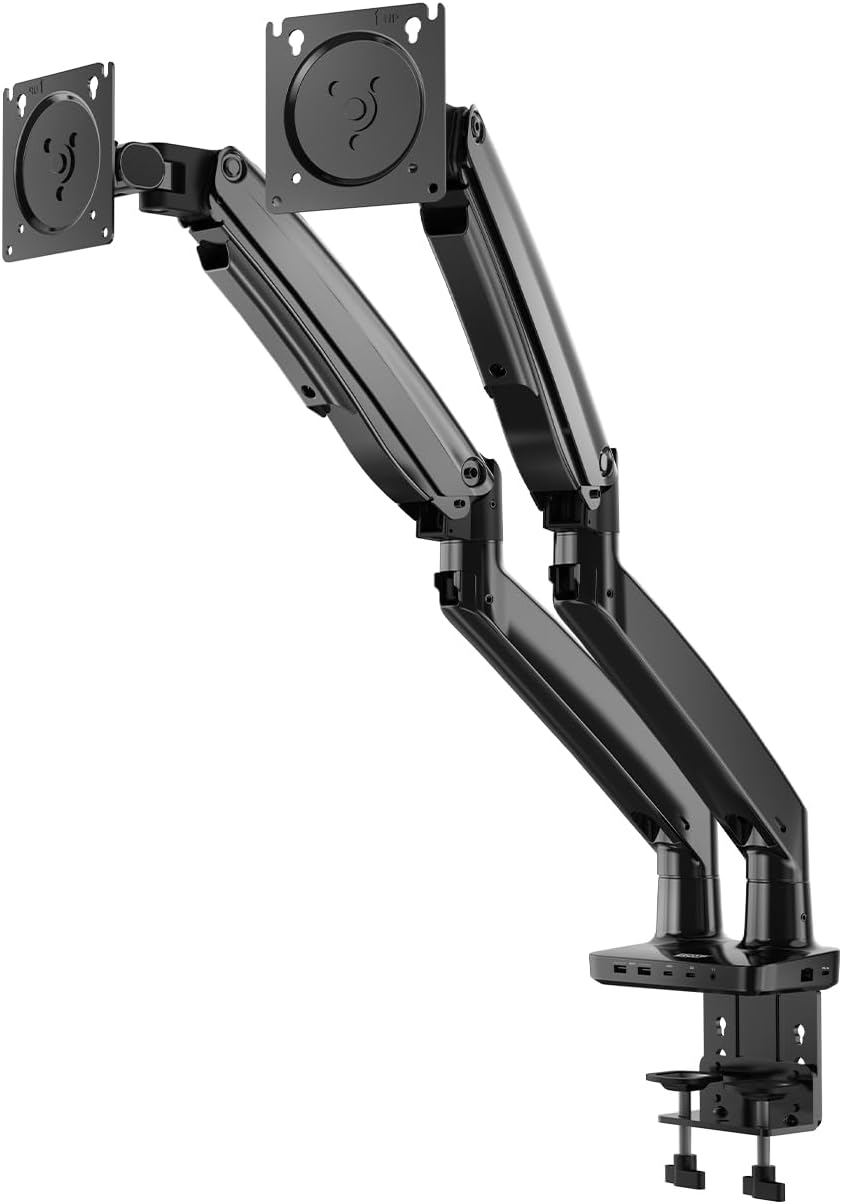
Image 1: The ErgoAV ERDHM2-01B Motion Desk Mount, a dual monitor arm with a desk clamp base and integrated ports.
2.產品特點
- 雙顯示器支援: Accommodates two monitors ranging from 13 to 34 inches, each weighing 4.4 to 22 lbs.
- Full Range Motion: Offers 15 inches of vertical adjustment, 360° rotation, and 45° tilt for optimal view荷蘭國際集團角度。
- 整合式擴充座: Features 2 USB-C power ports (75W for laptops, 20W for phones/tablets), 2 HDMI ports (4K@60Hz and 4K@30Hz), 2 USB-A 3.0 ports (up to 5 Gbps), an Ethernet port, and a 3.5mm AUX port.
- VESA 兼容性: Supports 75mm x 75mm and 100mm x 100mm VESA patterns.
- 內建電纜管理: Helps maintain a clean and organized workspace.
- 堅固的結構: Heavy-duty design ensures stability and durability.

圖 2:詳細 view of the integrated ports on the desk mount base, including USB-C (75W and 7.5W), USB-A, HDMI, and a 3.5mm audio jack.

Image 3: The desk mount's built-in dock in use, showing connections for USB-C, USB-A, HDMI, Ethernet, and 3.5mm AUX, creating a streamlined setup with dual monitors, keyboard, mouse, and headphones.

圖 4:一個超過view of the desk mount's features, including universal compatibility, easy adjustment, heavy-duty design, and monitor compatibility specifications (size, load capacity, VESA patterns).
3. 設定說明
Follow these steps to properly install your ErgoAV Motion Desk Mount.
- 準備您的工作空間: Clear your desk of any obstructions. Ensure your desk surface is sturdy enough to support the mount and two monitors.
- 連接桌面 Clamp: 固定辦公桌clamp to the edge of your desk. Tighten the clamp screws until the mount is firmly attached and stable.
- Assemble the Monitor Arms: Attach the monitor arms to the main pole of the desk mount. Ensure all connections are secure.
- Attach Monitors to VESA Plates:
- Carefully remove your monitors from their original stands.
- Align the VESA mounting holes on the back of your monitors with the VESA plates on the monitor arms.
- Use the provided screws to securely attach the monitors to the VESA plates. Do not overtighten.
- 調整顯示器位置: Once monitors are attached, adjust the height, tilt, swivel, and rotation to your desired viewing positions. The gas spring arms allow for smooth adjustments.
- 連接電纜: Route monitor power and video cables through the integrated cable management channels. Connect your devices to the built-in dock's USB-C, HDMI, USB-A, Ethernet, and AUX ports as needed.
4. 操作顯示器支架
The ErgoAV Motion Desk Mount offers versatile adjustments for an ergonomic setup.

Image 5: Illustrations showing the full range of motion capabilities: tilting the monitor up and down, rotating it 360 degrees, and swiveling it left and right.
- 高度調整: Gently push or pull the monitor arm to raise or lower your monitor. The gas spring mechanism will hold it in place.
- 傾斜調整: Tilt your monitor screen up or down to reduce glare and find your optimal viewing angle (up to 45°).
- 旋轉: 將顯示器旋轉 360° 即可在橫向和縱向模式之間切換。
- 旋轉: Swivel the monitor arms left or right to share your screen with others or adjust your view荷蘭國際集團的位置。
- 擴充座用途:
- USB-C 供電: Connect your laptop to the 75W USB-C port for charging and data transfer. Use the 20W USB-C port for charging phones or tablets.
- HDMI 連接埠: Connect your monitors via the HDMI ports for video output (supports 4K@60Hz and 4K@30Hz).
- USB-A 端口: Use the USB-A 3.0 ports for connecting peripherals like keyboards, mice, or external drives.
- 以太網端口: Connect an Ethernet cable for a stable wired network connection.
- 3.5 毫米輔助接口: 連接耳機或揚聲器。

Image 6: A diagram illustrating the maximum arm height of 22.4 inches and maximum arm extension of 27.2 inches, demonstrating the full adjustability of the monitor arm.
5、維護保養
定期維護可確保顯示器支架的使用壽命和最佳效能。
- 打掃: 用柔軟的布擦拭安裝表面。amp 布。避免使用研磨性清潔劑或溶劑。
- 檢查連接: 定期檢查所有螺絲和螺栓,確保它們緊固牢靠。
- 纜線管理: Ensure cables are neatly routed and not pinched or strained.
- 氣彈簧張力: If monitors do not hold their position, adjust the gas spring tension screw (usually located on the arm joint) according to the instructions provided with the mount.
6。 故障排除
請參閱本節以了解常見問題及其解決方案。
- Monitor Not Holding Position:
- 解決方案: The gas spring tension may need adjustment. Locate the tension adjustment screw on the arm (often marked with '+' and '-' signs) and turn it clockwise to increase tension for heavier monitors, or counter-clockwise to decrease tension for lighter monitors.
- Monitors Wobble:
- 解決方案: 確保辦公桌清潔amp is securely tightened to the desk. Check that all VESA plate screws are firmly attached to the monitors.
- No Display from HDMI Ports:
- 解決方案: Verify that the USB-C cable from your laptop to the mount's main input is correctly connected and capable of video output. Ensure HDMI cables are securely plugged into both the mount and the monitors. Check monitor input settings.
- USB連接埠無法正常運作:
- 解決方案: Ensure the USB-C cable from your laptop to the mount is fully connected and supports data transfer. Try connecting a different device to confirm port functionality.
7. 規格
| 特徵 | 細節 |
|---|---|
| 型號 | ERDHM2-01B |
| 品牌 | 爾格AV |
| 顯示器尺寸相容性 | 13 - 34 inches per monitor |
| 負載能力 | 4.4 - 22 lbs per monitor |
| VESA 相容性 | 75mmx75mm, 100mmx100mm |
| 垂直調整 | 最大 15 英寸 |
| 旋轉 | 360° |
| 傾斜角度 | 高達 45° |
| 最大臂高 | 22.4英寸 |
| 最大手臂伸展 | 27.2英寸 |
| 整合連接埠 | 2x USB-C (75W PD, 20W PD), 2x HDMI (4K@60Hz, 4K@30Hz), 2x USB-A 3.0, 1x Ethernet, 1x 3.5mm AUX |
| 物品重量 | 15.7磅 |
| 顏色 | Black wood grain finish |
| 統一產品程式碼 | 810082201192 |
8. 保固和支持
For warranty information, technical support, or to purchase replacement parts, please visit the official ErgoAV web請造訪其網站或直接聯絡客服。請保留購買收據,以便進行保固索賠。
ErgoAV Official Web地點: www.ergoav.com