
介紹
This manual provides detailed instructions for the setup, operation, and maintenance of your PDP Afterglow Wave Wireless Headset. Designed for an immersive audio experience, this headset is compatible with Xbox Series X|S, Windows 10/11 PC, PlayStation PS5/PS4, and various Bluetooth-enabled devices.

Image: The PDP Afterglow Wave Wireless Headset, showcasing its black design and customizable RGB lighting on the earcups.
產品特點
- 可定制的 RGB 照明: Personalize your headset with millions of color combinations and lighting effects via the free PDP Control Hub app.
- 舒適的設計: Features soft, memory foam ear cushions and swivel earcups for extended gaming sessions and comfortable storage.
- 沉浸式音頻: Equipped with 50mm drivers for clear highs and deep lows.
- 便利的控件: On-ear volume controls and a game/chat balance dial for quick audio adjustments.
- 降噪麥克風: Provides clear communication, with a flip-to-mute function for privacy.
- 多功能連接: Connects wirelessly via a low-latency USB dongle to consoles or via Bluetooth to mobile devices.
- 廣泛的兼容性: Officially licensed for Xbox, and compatible with Windows 10/11 PC, PlayStation consoles (PS5/PS4), and most Bluetooth devices.
- 電池壽命長: 一次充電可播放長達 16 小時。
設定說明
1. 為耳機充電
Before initial use, fully charge the headset. Connect the included USB charging cable to the headset's charging port and to a powered USB port (e.g., console, PC, USB wall adapter). The headset's RGB lights will pulse during charging and should turn solid when fully charged. A full charge typically takes approximately 8 hours and provides up to 16 hours of battery life.
Image: The headset highlighting its 16-hour battery life for extended gaming sessions.
2. Connecting to Xbox/PC (Wireless Dongle)
- Insert the USB wireless dongle into an available USB port on your Xbox console or PC.
- Power on the headset by pressing and holding the Power button until the lights illuminate.
- The headset and dongle should automatically pair. A solid light on the dongle and headset indicates a successful connection.
- Adjust volume using the on-ear controls.
Image: The headset emphasizing its cross-compatibility with various gaming platforms and Bluetooth devices.
3. Connecting via Bluetooth (Mobile Devices, PS5/PS4)
- 確保耳機已關閉。
- Press and hold the Bluetooth button on the headset until the indicator light begins to flash, indicating pairing mode.
- On your device (e.g., smartphone, tablet, PlayStation console), navigate to Bluetooth settings and select "Afterglow Wave" from the list of available devices.
- Once connected, the headset's Bluetooth indicator light will become solid.
操作說明
耳機控制
- 電源按鈕: 長按可開/關機。短按可查看電池狀態。
- 音量旋鈕: 旋轉調整整體音量。
- 遊戲/聊天餘額調整: 調整遊戲音訊和聊天音訊之間的平衡。
- 模式按鈕: Cycles through different RGB lighting effects. Press and hold to turn RGB lights on/off.
- 麥克風: Flip the microphone boom up to mute. Flip down to unmute.
Image: Close-up of the headset's noise-canceling microphone, illustrating the flip-to-mute feature.
PDP 控制中心應用程式
Download the free PDP Control Hub app from the Microsoft Store (for Xbox/PC) or your device's app store (for mobile) to customize your headset:
- Modify RGB lighting zones and effects.
- Adjust audio settings and equalizer presets.
- 更新耳機韌體。
Image: Diagram showing the customizable RGB lighting zones on the headset, managed via the PDP Control Hub app.
維護
- 打掃: 請使用柔軟的乾布清潔耳機。避免使用研磨性清潔劑或溶劑。
- 貯存: Store the headset in a cool, dry place away from direct sunlight and extreme temperatures. The swivel earcups allow for a flat storage position.
- 電池保養: To prolong battery life, avoid fully discharging the headset frequently. Charge regularly, even if not in use for extended periods.
- 耐水性: This headset is not water resistant. Avoid exposure to liquids.
故障排除
| 問題 | 可能的解決方案 |
|---|---|
| 無聲音或音量過低 |
|
| 麥克風不工作 |
|
| Headset disconnects randomly or poor signal |
|
| RGB 燈不工作 |
|
規格
| 特徵 | 細節 |
|---|---|
| 型號名稱 | 餘輝波無線耳機 |
| 型號 | 049-032-BK |
| 連接性 | Wireless (USB Dongle), Bluetooth |
| 藍牙版本 | 4.0 |
| 藍牙範圍 | 20 英尺 |
| 音訊驅動器大小 | 50 毫米動態驅動器 |
| 阻抗 | 32歐姆 |
| 電池壽命 | 長達 16 小時 |
| 充電時間 | 約8小時 |
| 麥克風 | 降噪功能,翻轉靜音 |
| 控制 | On-ear Volume, Game/Chat Balance, Mode Button (RGB) |
| 相容性 | Xbox Series X|S, Windows 10/11 PC, PlayStation PS5/PS4, Bluetooth devices |
| 重量 | 1.19磅(約0.54公斤) |
| 材料 | 聚碳酸酯(PC) |
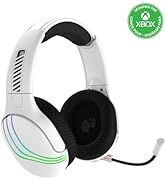
Image: The headset highlighting its 50mm drivers for immersive audio quality.
保固資訊
PDP products are covered by a manufacturer's warranty. For specific details regarding your PDP Afterglow Wave Wireless Headset warranty period and terms, please refer to the official PDP web請造訪網站或聯絡客服。請保留購買憑證以備保固之用。
支援
For further assistance, technical support, or to download the PDP Control Hub app, please visit the official PDP web地點:
您還可以在他們的支援頁面上找到常見問題和其他資源。