
1. 產品結束view
The Amazon Echo Show 8 (3rd Generation) is a smart display designed to enhance your daily life with immersive entertainment, smart home control, and seamless communication. Featuring an 8-inch HD touchscreen and spatial audio, it offers a rich visual and auditory experience. The device integrates a built-in smart home hub for simplified control of compatible devices and a 13 MP camera for clear video calls.
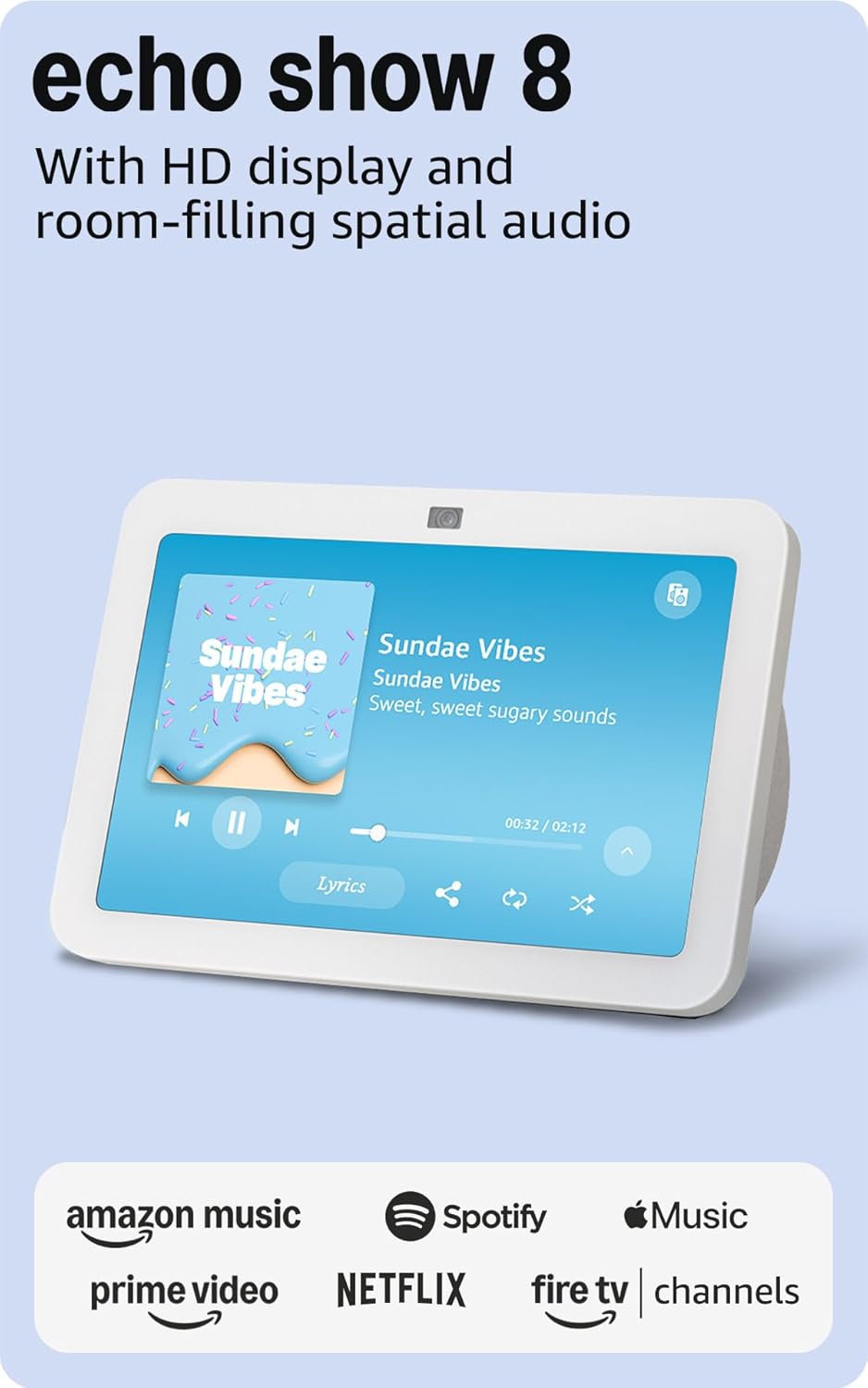
圖片:正面 view of the Amazon Echo Show 8 (3rd Gen) in Glacier White, displaying a music interface.
2. 包裝內容
- Echo Show 8(第三代)設備
- Glacier White power adapter (30W) with 4.9 ft. cable
- 快速入門指南
3. 設置指南
3.1 初次上電
- Connect the power adapter to the Echo Show 8 and plug it into a wall outlet.
- The device will power on automatically and display the Amazon logo.
3.2 網絡連接
- Follow the on-screen instructions to select your language and connect to your Wi-Fi network. The Echo Show 8 supports dual-band Wi-Fi (802.11a/b/g/n/ac).
- For simplified setup, Amazon Wi-Fi simple setup allows compatible devices to connect to your Wi-Fi network in a few easy steps.
3.3 Amazon Account Login
- Sign in with your Amazon account credentials. An Amazon account is required for full functionality.
- If you do not have an Amazon account, you can create one at 亞馬遜網站.
非個性化
Follow the prompts to personalize your device, including setting up Visual ID for personalized greetings and content display based on who is near the device. Alexa processes images on the device to recognize you.
4. 操作說明
4.1 使用 Alexa 進行語音指令
The Echo Show 8 is primarily voice-controlled. Simply say "Alexa" followed by your command or question. Examp其中包括:
- “Alexa,播放音樂。”
- “Alexa,現在天氣怎麼樣?”
- “Alexa,設定10分鐘的計時器。”
- “Alexa,顯示前門相機畫面。”
4.2 觸控螢幕導航
The 8-inch HD touchscreen allows for intuitive navigation and control:
- 從頂部向下滑動: Access quick settings like Home, Settings, Do Not Disturb, Brightness, Notifications, Alarms, Photo Frame, Communicate, Music, Smart Home, Video, and Routines.
- Swipe left from the right edge: View adaptive content such as calendar, reminders, news, and suggested activities.
- Tap icons: Interact with on-screen elements, select options, or open applications.

Image: Amazon Echo Show 8 (3rd Gen) on a kitchen counter, displaying weather information.
4.3個手勢
The Echo Show 8 supports gestures for quick actions:
- Hold your palm towards the camera: Dismiss timers and alarms.
5.主要特點
5.1 Spatial Audio and HD Display
Experience immersive entertainment with room-filling spatial audio and an 8-inch HD touchscreen. The device features 2 x 2" full range neodymium drivers with a passive bass radiator for rich sound. Room adaptation technology automatically analyzes acoustics for optimal sound.
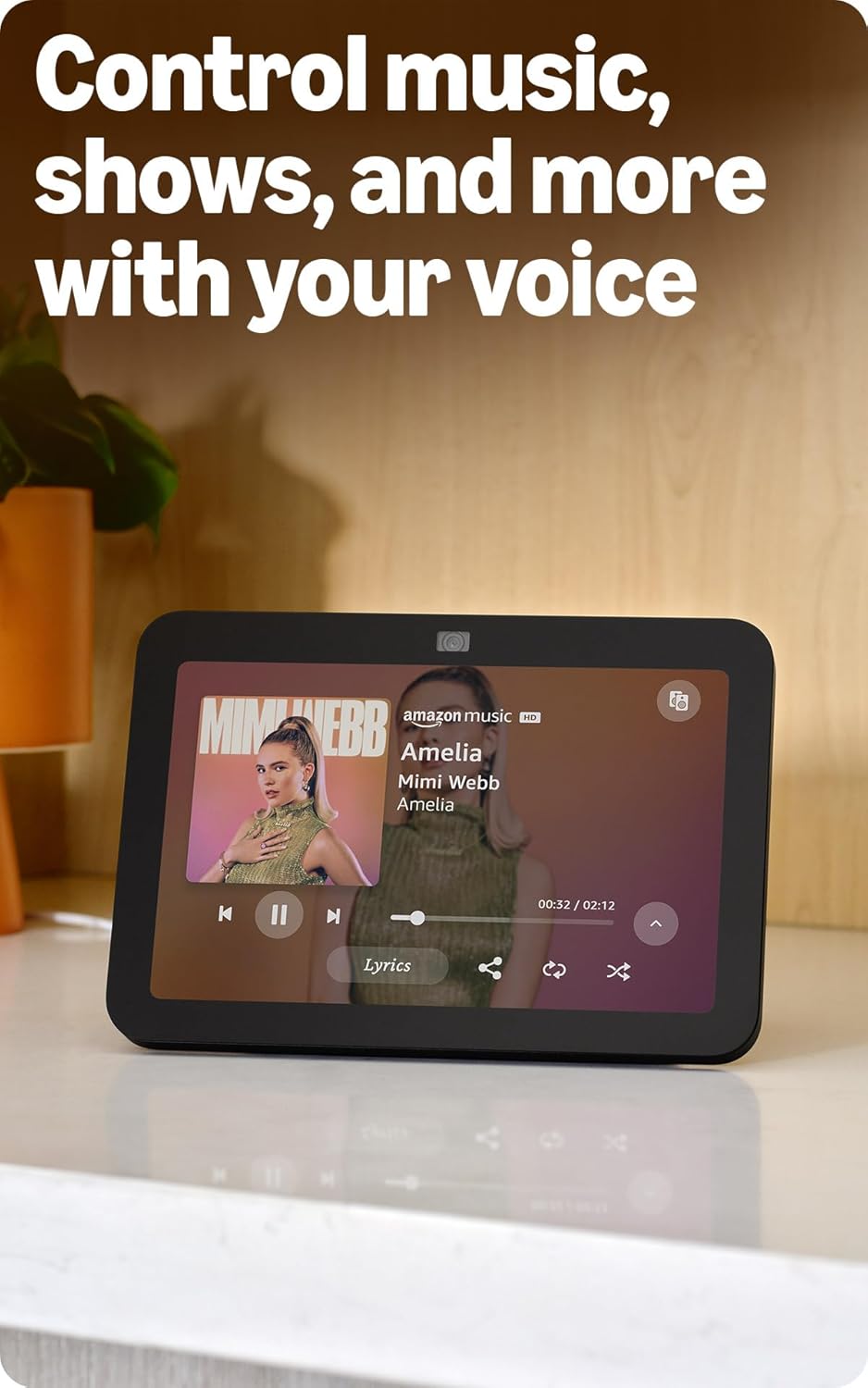
Image: Amazon Echo Show 8 (3rd Gen) showing music playback with lyrics on screen.
5.2 Enhanced Camera for Video Calls
The 13 MP centered camera with auto-framing and noise reduction technology ensures crisper video calls. The camera can keep you centered in the frame as you move. A built-in camera shutter provides privacy when needed.
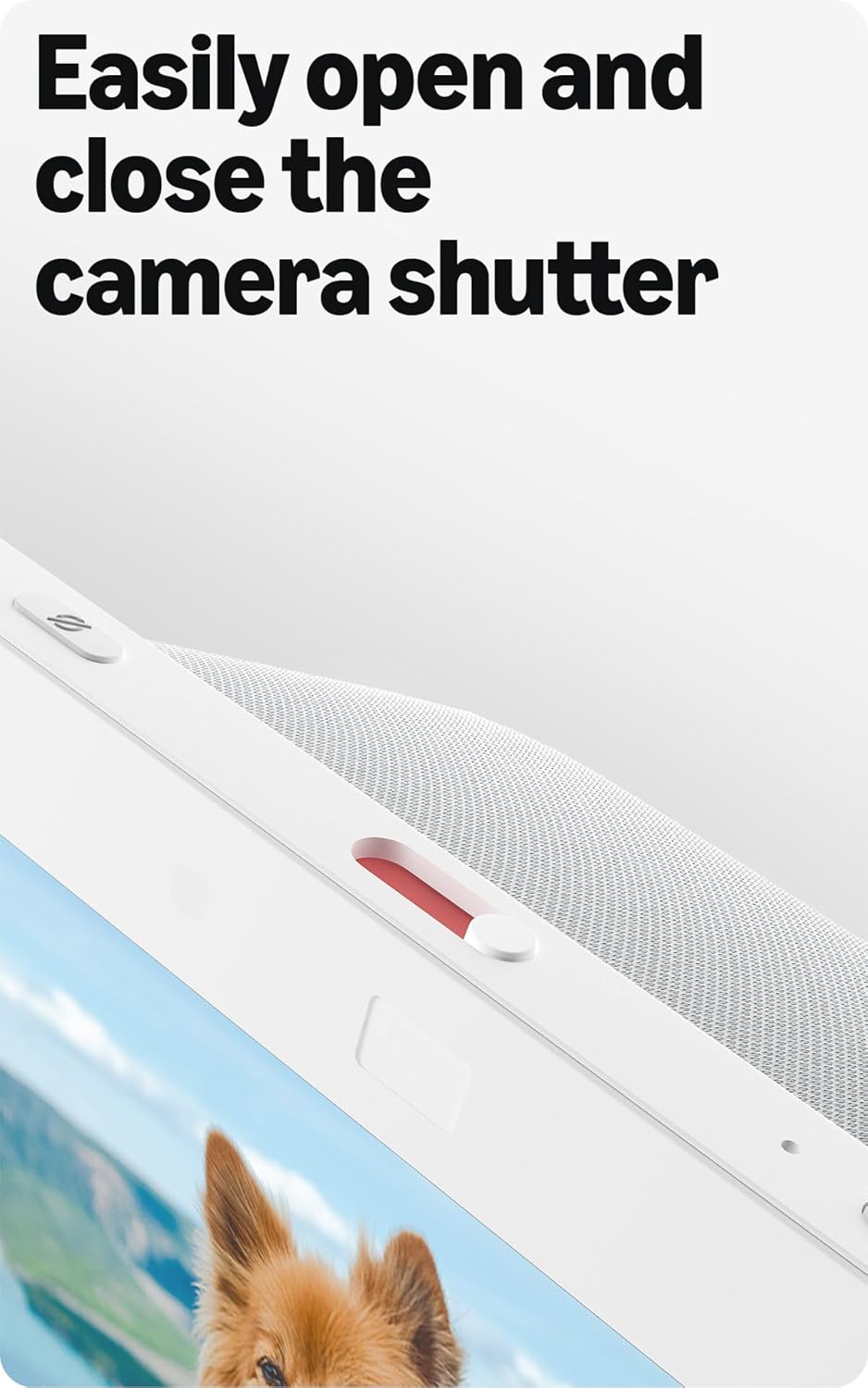
Image: Close-up of the top of the Echo Show 8 (3rd Gen) showing the physical camera shutter control.
5.3 Built-in Smart Home Hub
The Echo Show 8 includes a built-in smart home hub compatible with Zigbee, Matter, and Thread Border Router protocols. This allows you to pair and control a wide range of smart devices directly from your Echo Show 8 without needing a separate hub. Manage cameras, lights, and more using the display or your voice.
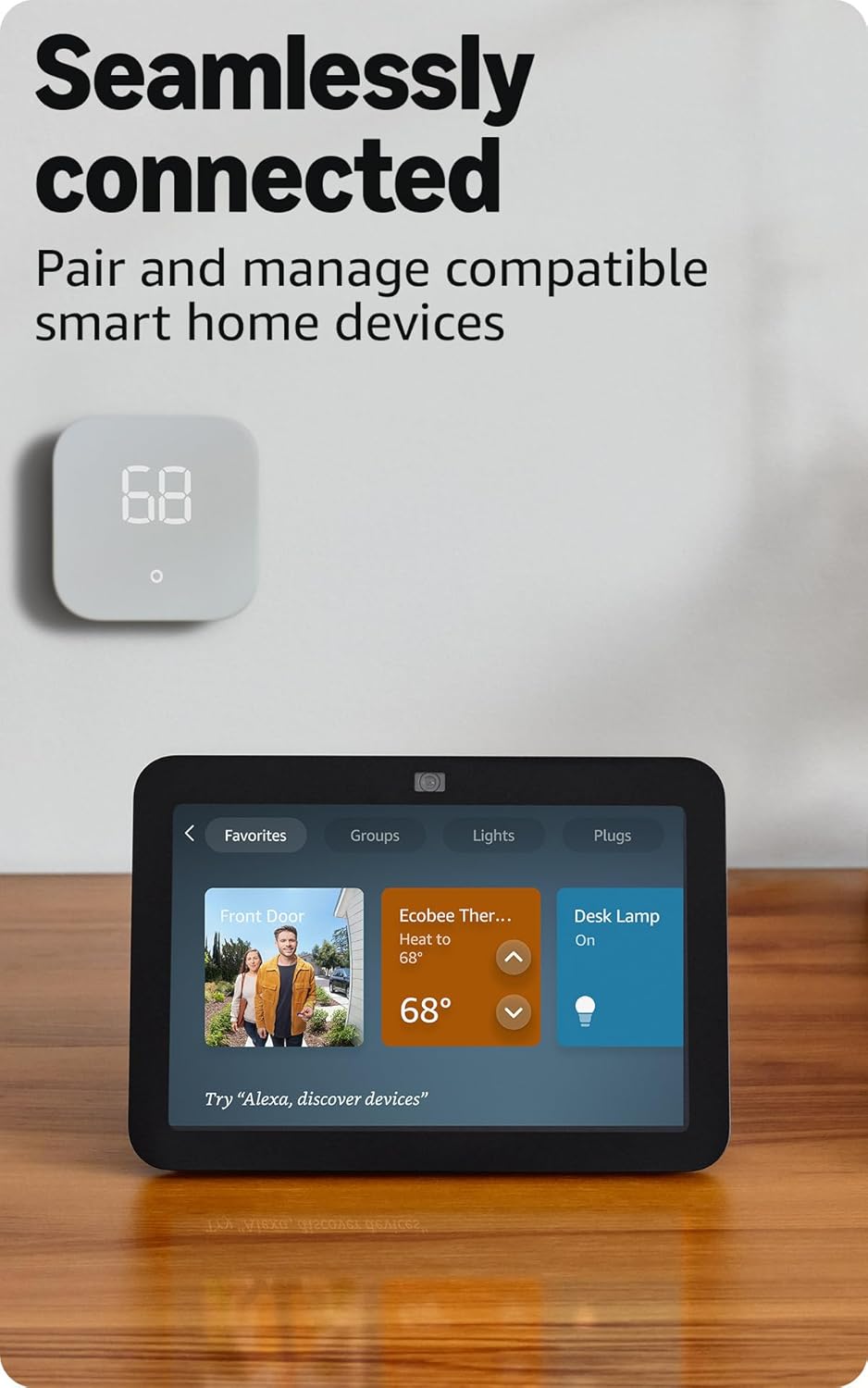
Image: Amazon Echo Show 8 (3rd Gen) screen showing smart home device controls for lights and thermostats.
5.4 Adaptive Content
Adaptive Content adjusts the information displayed on the screen based on your proximity. Glance at your calendar or reminders from afar, or see more detailed content when you're nearby. Shortcut icons on the home screen provide easy access to frequently used widgets.
6. 隱私功能
Amazon Echo Show 8 is designed with multiple layers of privacy controls:
- 喚醒詞技術: The device only begins listening after detecting the wake word ("Alexa").
- 串流指標: Visual indicators confirm when audio or video is being streamed to the cloud.
- 麥克風/攝影機關閉按鈕: 一個實體按鈕可以讓你斷開麥克風和攝影機的電子連接。
- 內建相機快門: A physical slider covers the camera lens for complete visual privacy.
- Voice Recordings: 你有能力 view 並刪除您的錄音。
7. 規格
| 特徵 | 細節 |
|---|---|
| 尺寸 | 7.9” x 5.5” x 4.2”(200 毫米 x 139 毫米 x 106 毫米) |
| 重量 | 36.6 盎司(1034 克) |
| 展示 | 8.0吋高清觸控螢幕 |
| 相機 | 13萬畫素居中鏡頭,內建快門 |
| 無線網路連線 | 雙頻 Wi-Fi (802.11a/b/g/n/ac) |
| 智能家居中心 | Zigbee + Matter + Thread 邊界路由器 |
| 藍牙連接 | A2DP, AVRCP support |
| 聲音的 | 2 x 2” full range neodymium drivers with passive bass radiator |
| 處理器 | Octa-Core SoC with Amazon AZ2 Neural Network Engine |
| 世代 | Echo Show 8(第三代)- 2023 年發布 |
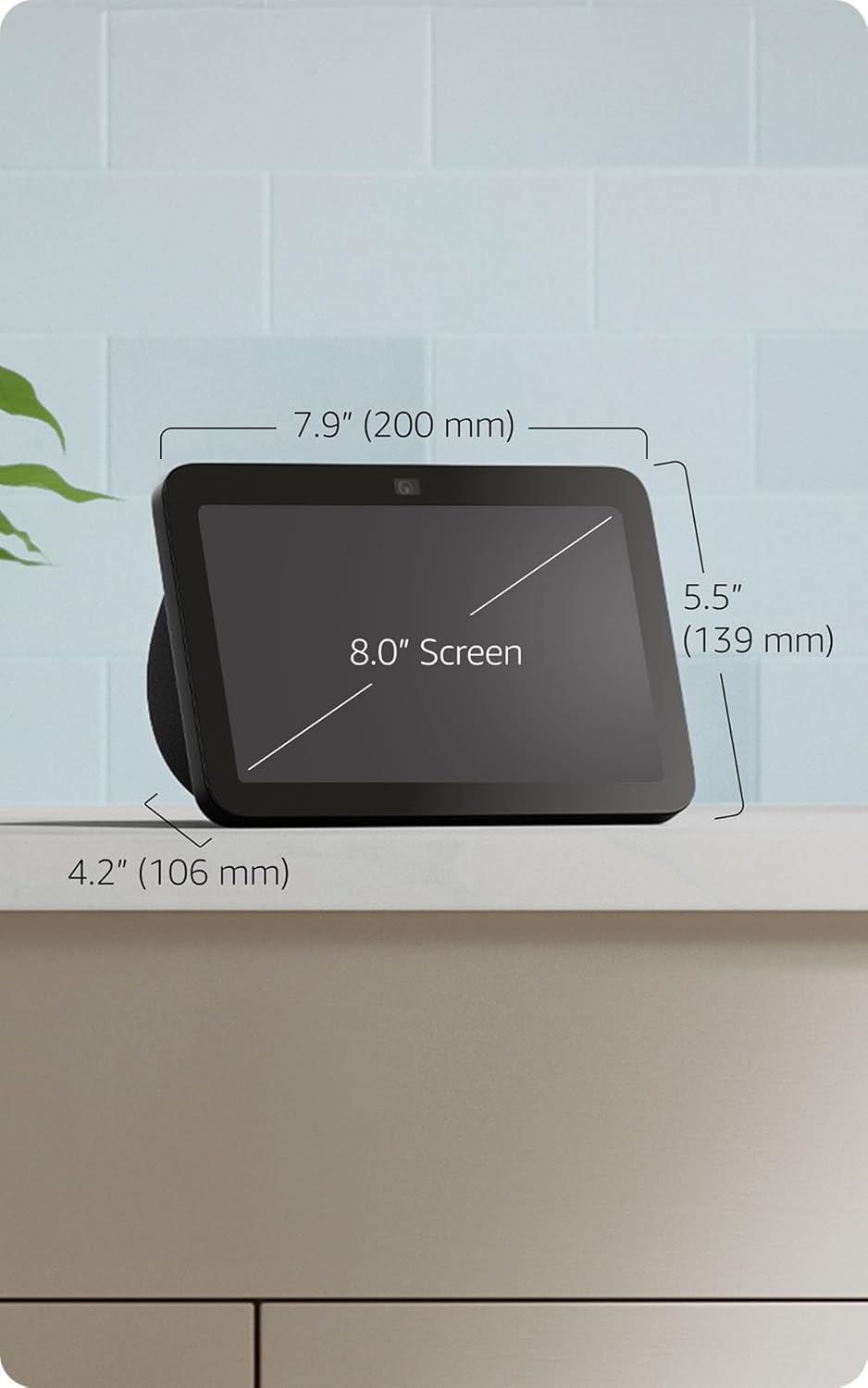
Image: Amazon Echo Show 8 (3rd Gen) with key dimensions labeled.
8。 故障排除
8.1 設備無回應
- 請確保設備已插電,且電源轉接器已牢固連接。
- 檢查您的網路連線。
- Verify that the microphone is not muted (red light on top indicates mute).
- 拔掉電源插頭 30 秒鐘,然後再插上,即可重新啟動裝置。
8.2 Wi-Fi 連線問題
- 請確認您的Wi-Fi密碼是否正確。
- 將 Echo Show 8 移近您的 Wi-Fi 路由器。
- 重新啟動您的Wi-Fi路由器和數據機。
8.3 攝影機無法運作
- Ensure the camera shutter is open.
- Check that the camera is not disabled in the device settings or Alexa app.
9、維護保養
- 打掃: Use a soft, lint-free cloth to clean the screen and device exterior. Avoid abrasive cleaners or sprays.
- 軟體更新: The device automatically receives software security updates. Ensure it is connected to Wi-Fi for updates.
- 放置: Place the device on a stable surface, away from heat sources, direct sunlight, and liquids.
10. 輔助功能
Echo Show 8 包含多種輔助使用:
- 點選喚醒 Alexa: 可透過觸控螢幕磁貼或鍵盤存取 Alexa。
- 自適應聆聽: 這樣可以讓你在 Alexa 回應之前有更多時間說完。
- 理想演講費率: 控制 Alexa 的說話速度。
- Alexa字幕、通話字幕、隱藏式字幕: 為支援的內容提供文字說明。
- 展示與講解: Helps blind or visually impaired users identify products by saying "Alexa, what am I holding."
- 嗓音View 屏幕閱讀器: 方便盲人或視力障礙使用者存取。
- 螢幕放大鏡: 放大/縮小和環繞螢幕。
- 附近時通知: Plays notification sounds when detected near the device.
- Kindle朗讀: Alexa reads Kindle books aloud.
- 即時文字: 在視訊通話中即時輸入文字。
- 還有其他設置,例如顏色反轉、顏色校正、請求聲音等等。
若要啟用這些功能,請前往 設定 → 輔助功能 在您的裝置上。
11. 保固和支持
The Amazon Echo Show 8 (3rd Gen) includes a 1-year limited warranty and service. Optional 1-year, 2-year, and 3-year extended warranties are available for U.S. customers and sold separately. Use of Echo Show 8 is subject to these terms.
如需更多協助,請造訪亞馬遜支援中心 web網站或聯絡客服。