
一、簡介
The iFLYTEK A.I.Note X2 XF-DX-T210E is an advanced E-ink smart notebook designed for reading, note-taking, drawing, and on-the-go use. It features a 10.3-inch HD Carta flexible E-ink screen, a powerful 2.3GHz 8-Core CPU, and runs on Android 9.0. This manual provides essential information for setting up, operating, and maintaining your device.
2. 包裝內容
Please verify that all items listed below are present in your product package.
- iFLYTEK A.I.Note X2 Device
- Electromagnetic Pen (No battery required)
- USB Type-C電纜
- Protective Cover (may vary by package)
- 快速入門指南
- 保固卡

Image: Contents of the iFLYTEK A.I.Note X2 retail package, showing the device, stylus, charging cable, and documentation laid out.
3.設備結束view
3.1 物理尺寸
The iFLYTEK A.I.Note X2 measures 243mm in length, 173mm in width, and has a thickness of 5.8mm. Its lightweight design makes it suitable for portability.
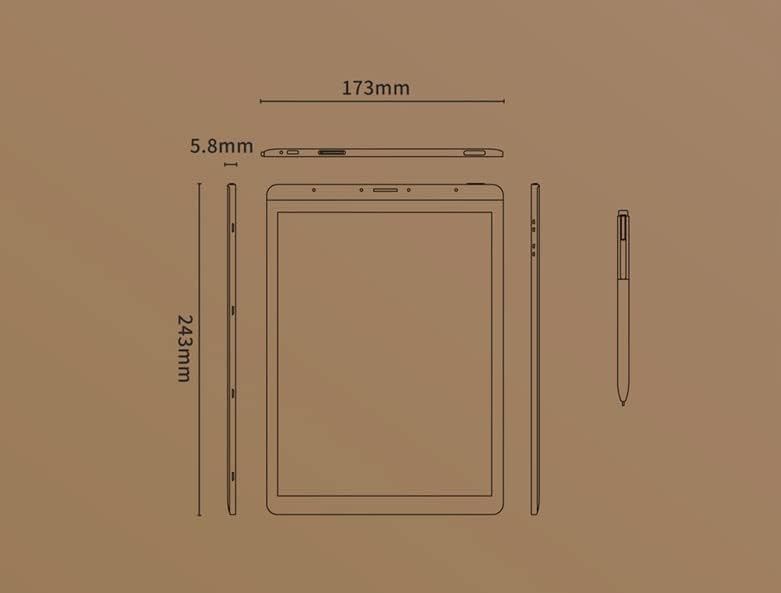
Image: Diagram illustrating the precise dimensions of the iFLYTEK A.I.Note X2 device and its accompanying stylus.
3.2 組件和端口
Familiarize yourself with the device's external features:
- 10.3" HD Carta Flexible E-ink Screen: Main display for reading and interaction.
- USB C 型端口: 用於充電和數據傳輸。
- 電源按鈕: 開啟/關閉設備或使其進入睡眠狀態。
- 麥克風陣列: Four-microphone array for audio input.
- 3.5 mm Headphones Jack: 用於音頻輸出。
- Electromagnetic Pen: For precise input, note-taking, and drawing.
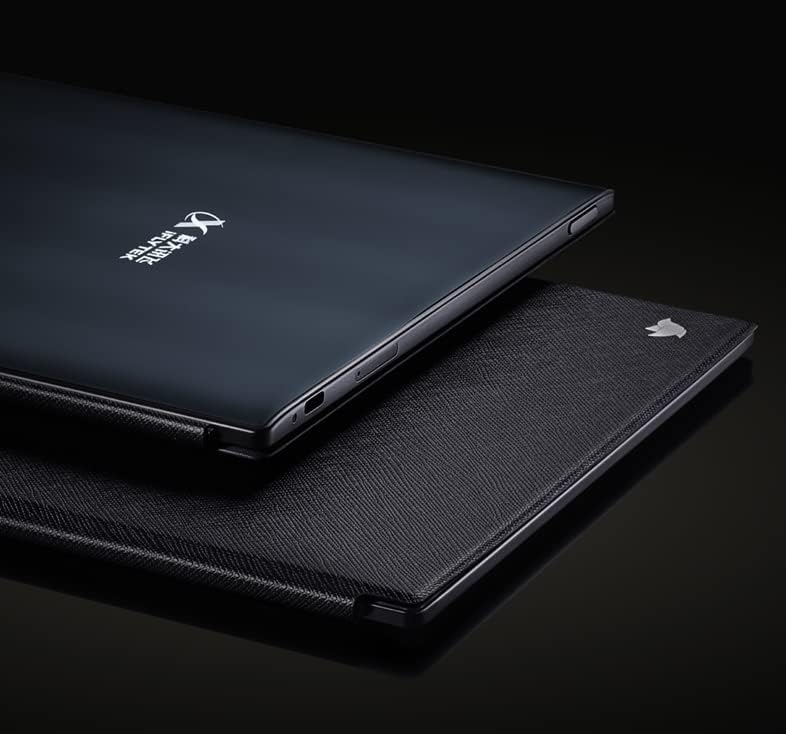
圖片:特寫 view of the iFLYTEK A.I.Note X2's side profile, highlighting the slim design and the location of the USB-C port and other physical controls.
4. 設定
4.1 初始充電
Before first use, fully charge your iFLYTEK A.I.Note X2. Connect the provided USB Type-C cable to the device's charging port and a compatible USB power adapter (not included) or a computer's USB port. The charging indicator will show the charging status.
4.2 開關機
- 開機: 按住電源鍵直到螢幕亮起。
- 關閉電源: 按住電源按鈕,然後從螢幕選項中選擇「關機」。
- 入睡/醒來: 短按電源按鈕。
4.3 初始配置
Upon first power-on, follow the on-screen prompts to complete the initial setup, which may include:
- 語言選擇
- 無線網絡連接
- 時間和日期設定
- User account setup (if applicable)
5. 操作說明
5.1 瀏覽介面
The device uses a capacitive touch screen for navigation. Swipe, tap, and pinch gestures are supported. The electromagnetic pen provides precise input for writing and drawing.
5.2 記筆記和繪圖
Access the note-taking application to create new notes or drawings. The electromagnetic pen offers 4096 levels of pressure sensitivity for a natural writing experience. Various pen types, line thicknesses, and colors (simulated grayscale) are available within the application.

Image: The iFLYTEK A.I.Note X2 screen displaying detailed handwritten notes, demonstrating its digital ink capabilities.
5.3 閱讀文檔
The E-ink screen is designed for comfortable reading. Transfer documents (e.g., PDF, EPUB) to the device via USB or cloud services. Open the reading application to browse and read your files. You can annotate documents directly with the pen.

Image: The iFLYTEK A.I.Note X2 displaying a document with text, alongside its stylus, illustrating its use for reading and interaction.
5.4 連接性
The device supports Wi-Fi for internet access and content synchronization. It also features cellular connectivity (4G) for broader network access. Bluetooth may be available for connecting accessories.
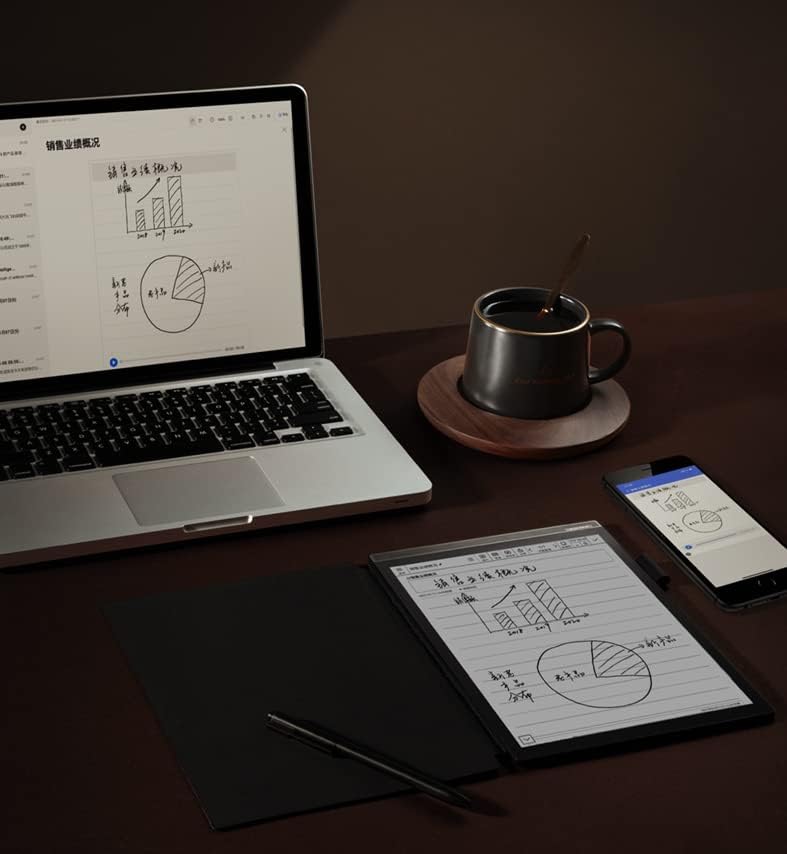
Image: The iFLYTEK A.I.Note X2 on a desk, demonstrating its integration with a laptop and smartphone for a connected workflow.
6、維護保養
6.1 清潔設備
Use a soft, lint-free cloth to gently wipe the screen and body of the device. Do not use abrasive cleaners, alcohol, or solvents, as these can damage the screen and finish. Avoid getting moisture into ports.
6.2 電池保養
The device is equipped with a 4200mAh Polymer Li-ion battery. For optimal battery life, avoid exposing the device to extreme temperatures. Charge the device regularly, but avoid leaving it fully discharged for extended periods.
7。 故障排除
If you encounter issues with your iFLYTEK A.I.Note X2, refer to the following common solutions:
- 設備未開機: 請確保設備已充電。將其連接電源後再試一次。
- 螢幕無反應: 按住電源鍵 10-15 秒進行軟重啟。如果問題仍然存在,請確保螢幕清潔無塵。
- 筆沒在寫字: Check if the pen tip is worn or damaged. Ensure the pen is within the screen's active area. The pen does not require batteries.
- Wi-Fi 連線問題: Verify your Wi-Fi password and ensure the device is within range of the router. Try restarting both the device and the router.
- 運轉緩慢: Close unused applications and clear cache if available in settings. Consider a factory reset as a last resort (this will erase all data).
8. 規格
Detailed technical specifications for the iFLYTEK A.I.Note X2 XF-DX-T210E:
| 特徵 | 規格 |
|---|---|
| 型號 | XF-DX-T210E |
| 方面 | 243毫米×173毫米×5.8毫米 |
| 展示 | 10.3" HD Carta flexible E-ink screen, 1872 x 1404 (227DPI), 16 level grayscale |
| 觸碰 | Capacitive touch + Electromagnetic pen |
| 筆 | No battery, 4096 levels of pressure sensitivity |
| 中央處理器 | 2.3GHz 四核 |
| 記憶體 | 2GB |
| 內部儲存 | 64GB |
| 作業系統 | Android 9.0 (Android 9 Pie) |
| 電池 | 4200mAh Polymer Li-ion |
| 連接性 | USB Type-C, Wi-Fi, 4G Cellular |
| 聲音的 | Four-Microphone array, 3.5 mm Headphones Jack |
| 生物辨識安全 | 指紋辨識 |
9. 保固和支持
For warranty information and customer support, please refer to the warranty card included in your package or visit the official iFLYTEK web網站。請保留購買憑證,以便進行保固索賠。
製造商: 科大訊飛
ASIN: B09VXKMMJS