
OMTech B09MQKFSLL
OMTech 50W CO2雷射雕刻機使用手冊
品牌:OMTech
Model: B09MQKFSLL
產品結束view
The OMTech 50W CO2 Laser Engraver is a versatile machine designed for engraving and cutting various non-metallic materials such as wood, glass, acrylic, and leather. It features a 300x500mm work area, a powerful 50W DC laser tube, and advanced digital control for precise and efficient operation. This manual provides essential information for setting up, operating, maintaining, and troubleshooting your laser engraver to ensure safe and optimal performance.

圖 1:正面 view of the OMTech 50W CO2 Laser Engraver, highlighting its compact design and accessible work area.
設定和安裝
Before operating your OMTech laser engraver, follow these steps carefully to ensure proper setup and safety.
1. 開箱及放置
- 小心地從包裝中取出機器和所有配件。
- Place the engraver on a stable, level surface capable of supporting its weight (approximately 75 kg). Ensure adequate ventilation around the machine.
- Keep the machine away from flammable materials and direct sunlight.
2. 連接組件
- 電源連接: Connect the power cable to the machine and a grounded 220V outlet.
- 空氣輔助: The built-in air assist helps clear debris during engraving. Ensure the air pump is connected and functioning.
- 水冷: Connect the water pump and tubing for the laser tube cooling system. Ensure the water reservoir is filled with distilled water and the pump is submerged and circulating water before turning on the laser.
- 排氣系統: Connect the exhaust hose to the machine and vent it to the outside to remove smoke and fumes.

Figure 2: Essential accessories included with your laser engraver, crucial for proper setup and operation.
3. 軟體安裝和連接
- Install the provided laser control software (e.g., LightBurn, CorelDRAW, AutoCAD compatible) on your computer.
- Connect the engraver to your computer via USB or Ethernet cable. The machine also supports U-Flash disk for offline operation.
- Familiarize yourself with the control panel for basic machine functions.
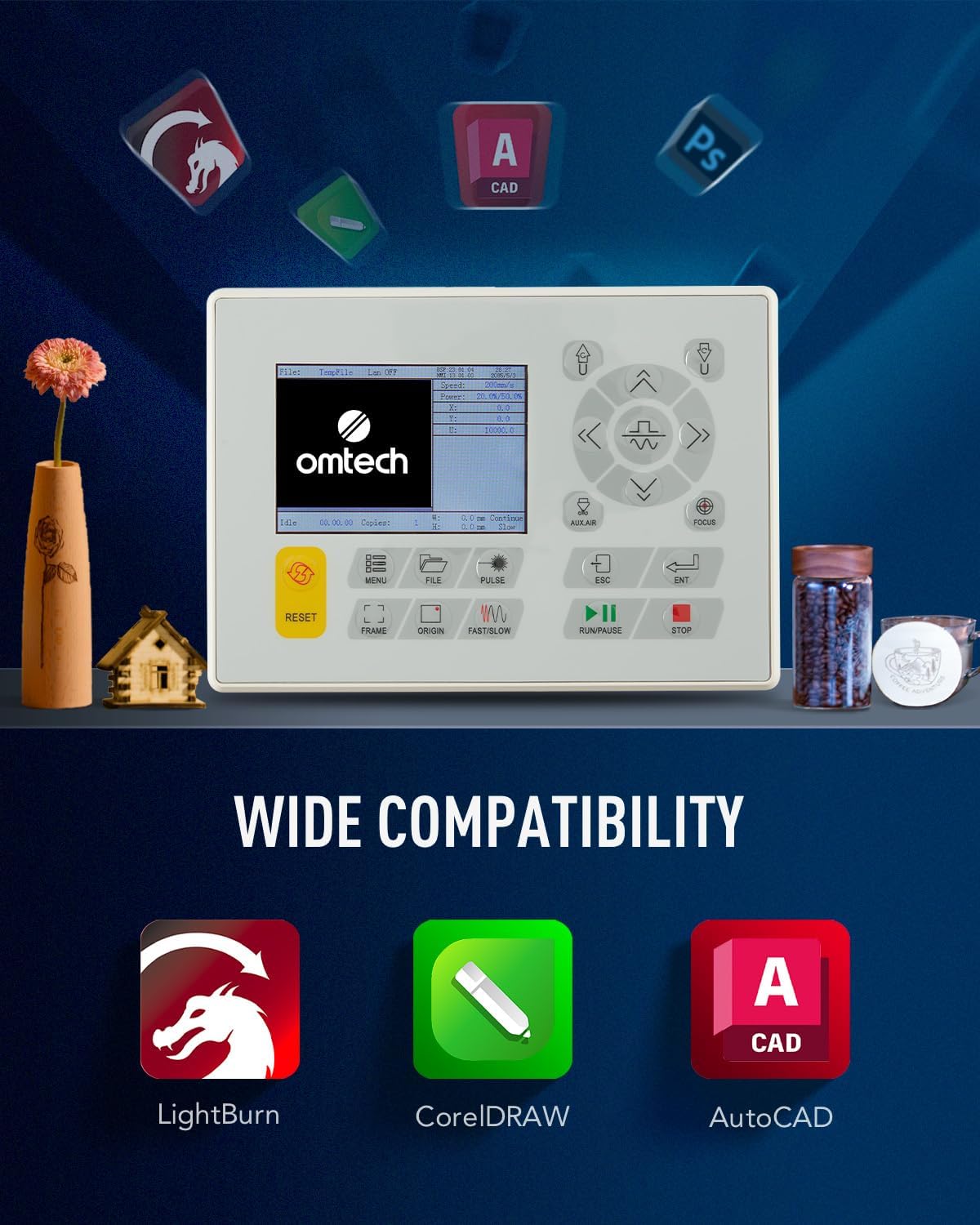
Figure 3: The machine's control panel and icons representing compatible software for design and operation.
操作說明
Follow these steps for safe and effective operation of your laser engraver.
1. Preparing Your Design and Material
- Create or import your design using the laser software.
- Select the appropriate material (e.g., wood, acrylic, leather) and place it securely on the honeycomb or aluminum blade workbed.
- Adjust the laser focus using the red dot pointer for optimal engraving/cutting results.

Figure 4: The laser head with its red dot pointer, used for precise material positioning and focus adjustment.
2. Executing Engraving/Cutting
- Set the desired power and speed settings in the software based on your material and desired outcome. The machine supports speeds up to 600 mm/s.
- Ensure the lid is closed. The machine has a safety interlock that cuts the laser beam if the lid is opened during operation.
- Initiate the engraving or cutting process from the software or control panel.
- Monitor the process through the flame-retardant view窗口。

Figure 5: The laser engraver actively processing a design on a wooden surface, demonstrating its precision.
3. 術後
- Once the process is complete, wait for the exhaust system to clear any remaining fumes.
- Carefully remove the engraved or cut material.
- Turn off the machine and disconnect power if not in use for an extended period.
維護
Regular maintenance is crucial for extending the lifespan and ensuring the optimal performance of your laser engraver.
1. Cleaning Laser Lenses and Mirrors
- Periodically clean the laser lenses and reflective mirrors with a lint-free cloth and lens cleaning solution. This prevents residue buildup that can affect laser beam quality.
- The built-in air assist helps reduce debris on lenses during operation.

Figure 6: The CO2 laser tube, a critical component requiring proper cooling and care.
2. 水冷系統
- 定期檢查冷卻水箱中的水位,並根據需要添加蒸餾水。
- Change the water periodically to prevent algae growth and maintain cooling efficiency.
3. 一般清洗
- Keep the work area and the interior of the machine clean from dust and debris.
- Clean the honeycomb and aluminum blade workbeds regularly to ensure proper material placement and airflow.
故障排除
本節將介紹您可能遇到的常見問題及其可能的解決方案。
| 問題 | 可能的原因 | 解決方案 |
|---|---|---|
| 雷射不發射 | Lid open, water cooling issue, laser tube failure, power supply issue. | Ensure lid is closed. Check water flow and temperature. Inspect laser tube for damage. Verify power supply connections. |
| 雕刻/切割品質差 | Incorrect focus, dirty lenses/mirrors, incorrect power/speed settings, material issues. | Adjust focus. Clean optical components. Calibrate power and speed settings for the material. Ensure material is flat. |
| 機器無回應 | Software communication error, emergency stop engaged, power issue. | Restart software and machine. Check USB/Ethernet connection. Disengage emergency stop button. Verify power supply. |
If you encounter issues not listed here or require further assistance, please contact OMTech customer support.
規格
Key technical specifications for the OMTech 50W CO2 Laser Engraver.
| 特徵 | 細節 |
|---|---|
| 製造商 | 歐姆泰克 |
| 產品尺寸 | 102 x 65 x 63 厘米 |
| 重量 | 75公斤 |
| 雷射功率 | 50瓦 |
| 卷tage | 220伏 |
| 最大限度。 雕刻速度 | 600毫米/秒 |
| 加工區 | 300 x 500 毫米 |
| Workbeds | 蜂巢鋁刀片 |
| 連接性 | USB Cable, Ethernet Cable, U-Flash Drive, Offline |

Figure 7: Visual representation of the machine's dimensions and a summary of its technical specifications.
保固和支持
OMTech provides support for its products. For any issues or inquiries, please refer to the following information:
- 退貨政策: 自購買日起 30 天內,產品可享有退款或換貨服務。
- 客戶支援: For technical assistance, troubleshooting, or warranty claims, please contact OMTech Direct NL, the seller, or visit the official OMTech store on Amazon.
- OMTech專賣店: Visit the OMTech Store
Ask a question about this manual
Ask about setup, troubleshooting, compatibility, parts, safety, or missing instructions. Manuals+ will review the question and use this page’s manual context to help answer it.