
AutoFull Gaming Chair
AutoFull C3 Gaming Chair User Manual
Model: Gaming Chair | Brand: AutoFull
1. 介紹及結束view
The AutoFull C3 Gaming Chair is designed to provide optimal comfort and ergonomic support for extended periods of sitting, whether for gaming or office work. This manual provides essential information for setup, operation, and maintenance to ensure a long-lasting and comfortable experience with your new chair.

Figure 1.1: AutoFull C3 Gaming Chair, Brown variant.
2. 安全訊息
為確保安全操作並防止損壞,請遵守以下準則:
- 請勿超過建議的最大體重限制350磅。
- Ensure all bolts and screws are securely tightened during assembly and periodically check for looseness.
- 避免站在椅子上或將椅子當作踏腳凳。
- 調整過程中,請勿讓手部和手指接觸運轉部件。
3. 設定和組裝
Your AutoFull C3 Gaming Chair requires assembly. Please refer to the detailed 安裝手冊(PDF) for step-by-step instructions and a complete list of components. Ensure all parts are present before beginning assembly.
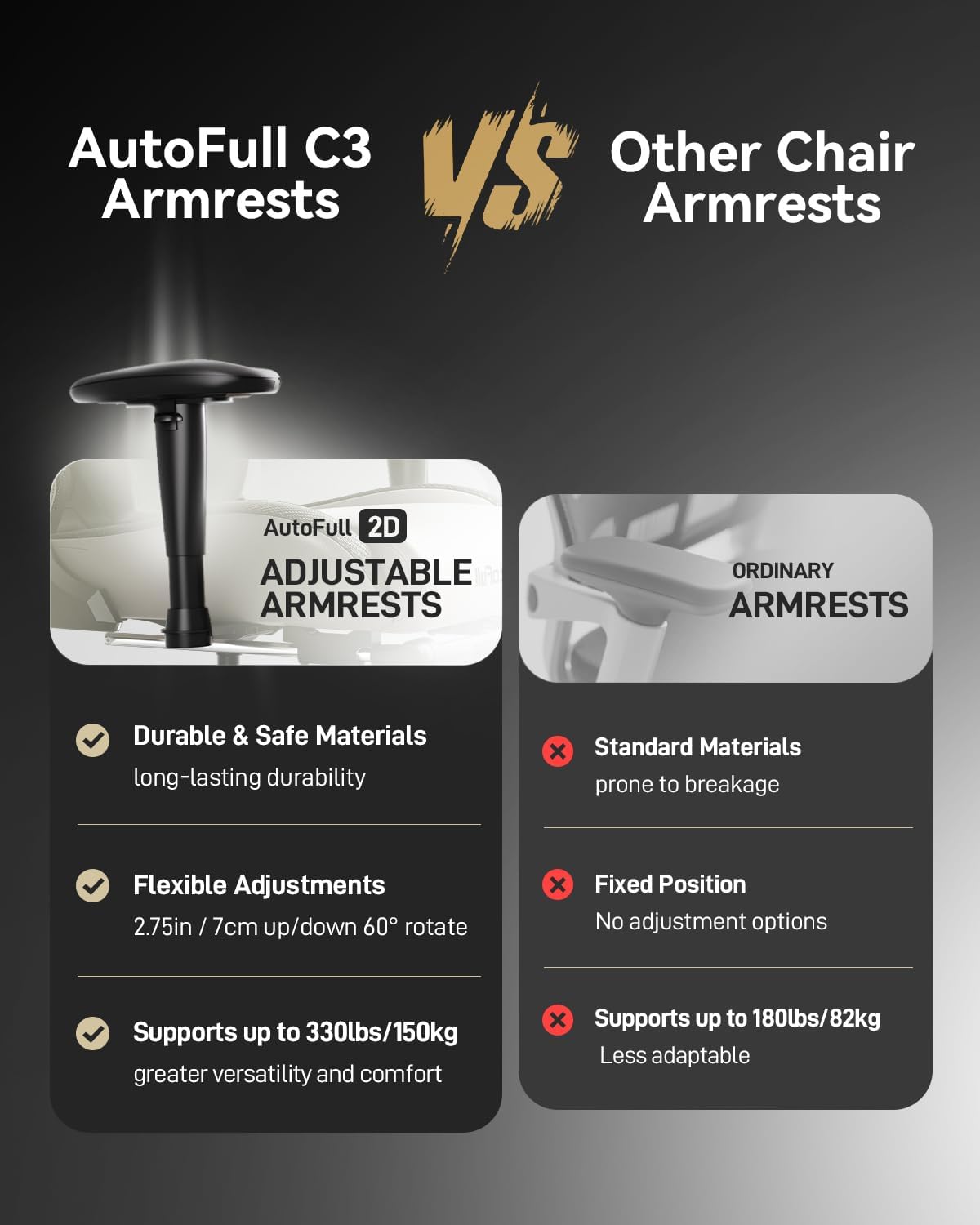
Figure 3.1: Key dimensions and recline capabilities of the AutoFull C3 Gaming Chair.
4. 操作說明
4.1 人體工學調整
The AutoFull C3 Gaming Chair is designed with multiple adjustment points to customize your seating experience:
- 腰部支撐: The ergonomic lumbar pillow is designed to fit the natural curve of your spine, providing optimal support. It uses high-density memory foam for enhanced comfort and pressure dispersion.
- 傾斜功能: The chair's back can tilt freely between 90° (upright for work/gaming) and 155° (relaxed position for rest). Use the recline lever located on the side of the chair to adjust the angle.
- 可調節扶手: The armrests can be adjusted up, down, left, and right to provide personalized support for your arms and shoulders.
- 腳踏板: Extend the built-in footrest for comfortable resting positions, especially when reclining.

Figure 4.1: Head-to-toe ergonomic support features of the chair.
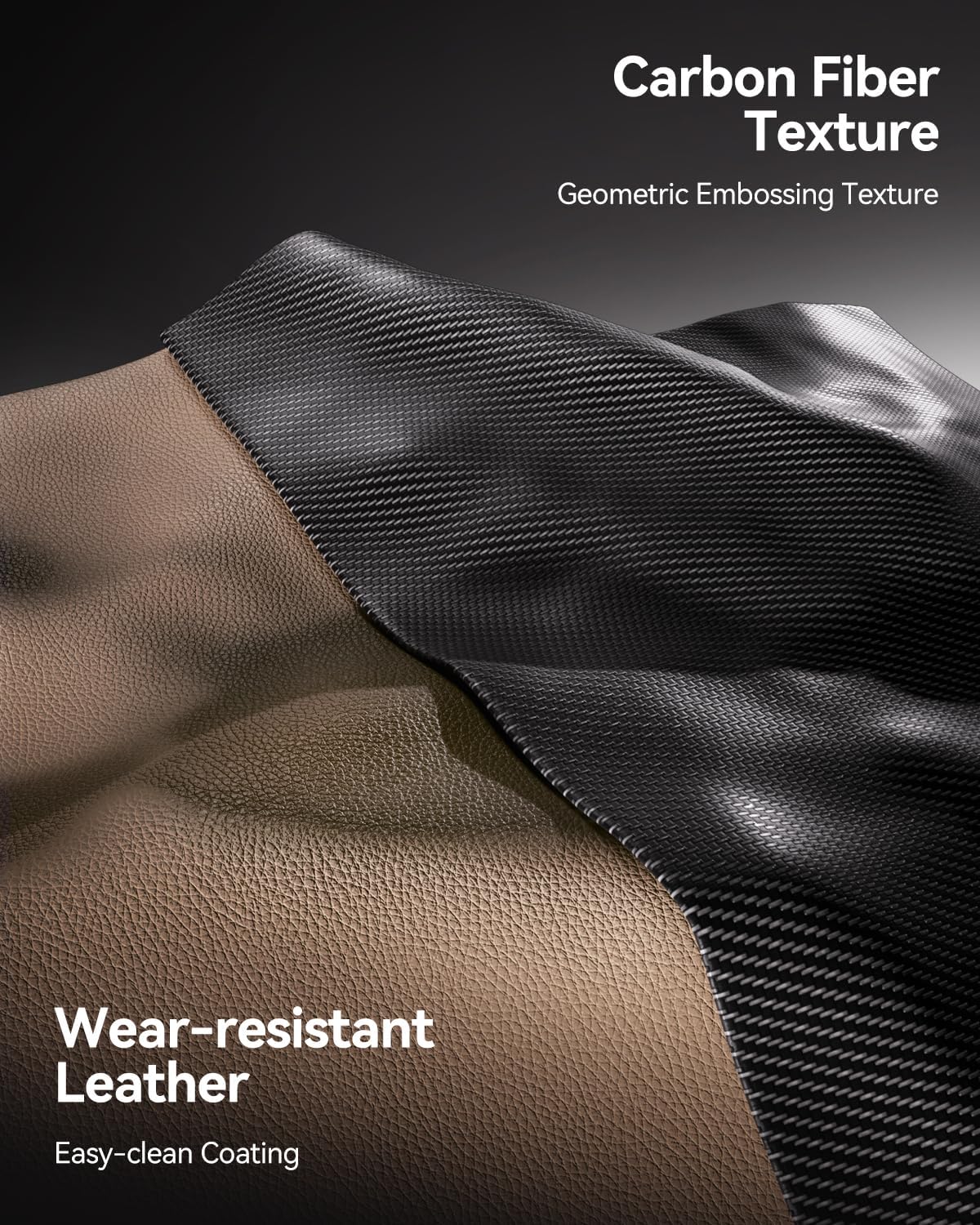
Figure 4.2: AutoFull C3 armrests offer durable materials, flexible adjustments (2.75in vertical, 60° rotate), and support up to 330lbs.

Figure 4.3: The chair offers flexibility with 90° for PC gaming, 110° for reading, and 155° for relaxing.
4.2 舒適功能
The seat of the AutoFull gaming chair is crafted from high-elastic polyurethane sponge, providing a comfortable, sofa-like feel. Its 4.33-inch thickness evenly distributes body pressure, ensuring comfort even during prolonged use.
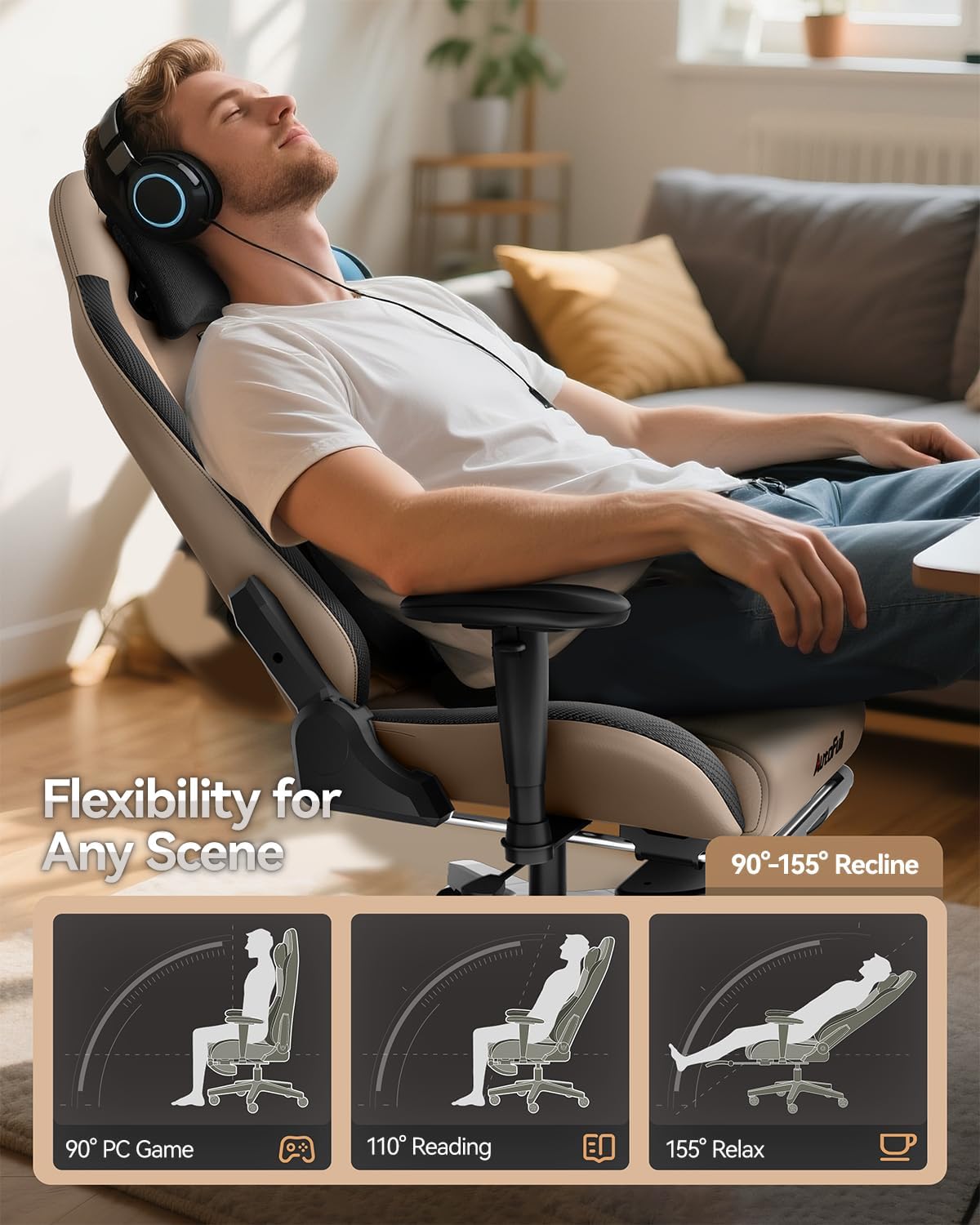
Figure 4.4: High-density sponge provides a soft feel and firm support, creating a sofa-like sitting experience.
5、維護保養
To maintain the quality and longevity of your AutoFull C3 Gaming Chair, follow these care instructions:
- 打掃: 用廣告擦乾淨amp cloth. Avoid harsh chemicals or abrasive cleaners that may damage the PU leather finish.
- 定期檢查: 定期檢查所有螺絲和連接處,確保它們緊固牢靠。
- 材質護理: The chair features breathable, wear-resistant PU leather with an easy-clean coating for long-lasting durability.
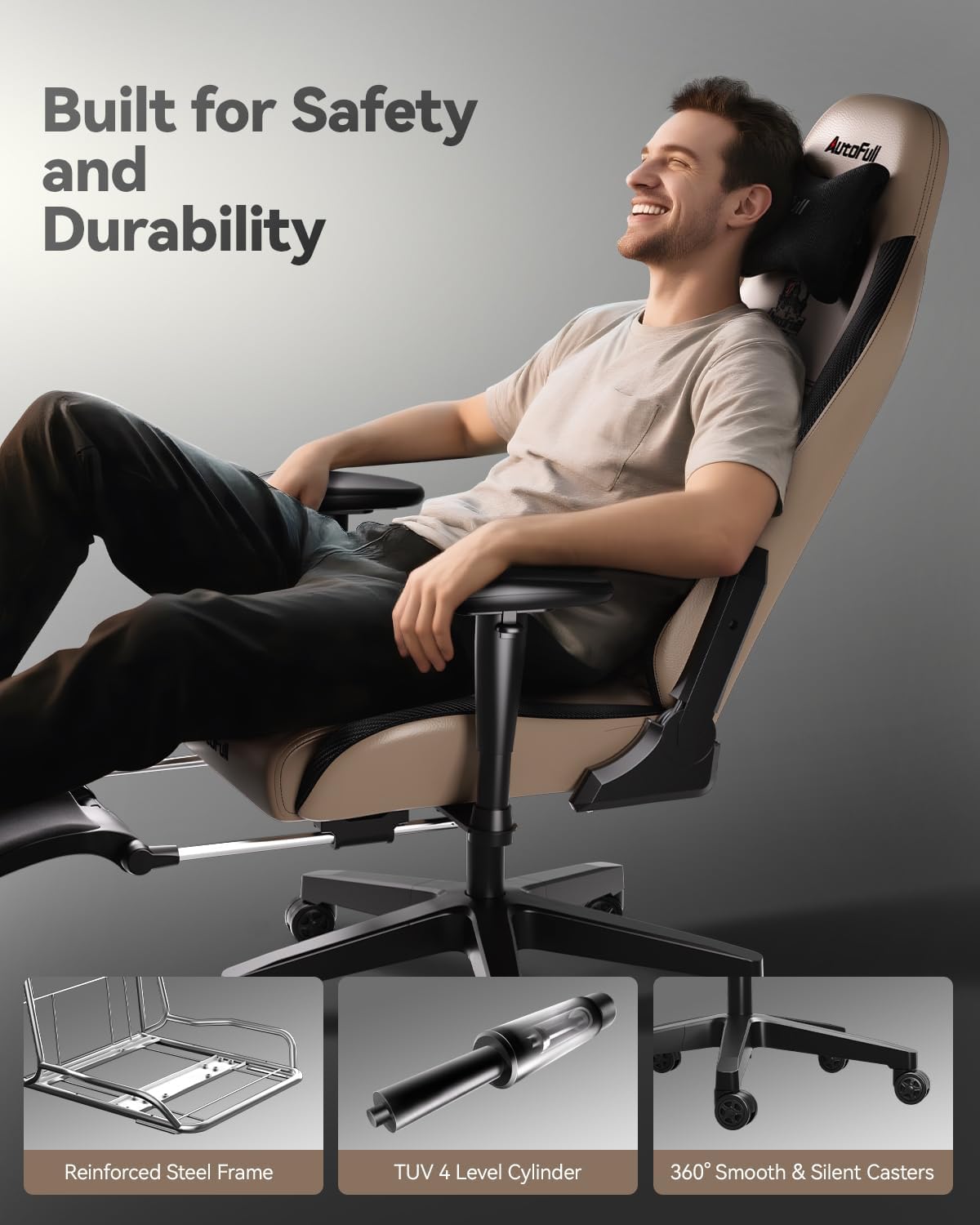
Figure 5.1: The chair features durable, wear-resistant PU leather with a geometric embossing texture.
6。 故障排除
If you encounter any issues with your AutoFull C3 Gaming Chair, please consider the following:
- 吱吱聲/噪音: Check all bolted connections and tighten any loose screws. Applying a small amount of lubricant to moving parts (e.g., gas lift, casters) may also help.
- 穩定性問題: Ensure the chair is on a flat, even surface. Verify that the base and gas cylinder are correctly assembled and seated.
- Adjustment Problems: Confirm that adjustment levers are fully engaged or disengaged. If a lever feels stuck, do not force it.
For persistent issues or concerns not addressed here, please contact AutoFull customer support.
7. 規格
Key specifications for the AutoFull C3 Gaming Chair:
- 品牌: 自動填充
- 型號名稱: 電競椅
- 顏色: 棕色的
- 產品尺寸: 19.7 英吋深 x 27.6 英吋寬 x 47.2 英吋高
- 最大重量建議: 350 磅
- 材料: PU皮革,記憶海綿
- 斜躺位置計數: 2 (90°-155°)
- 物品重量: 56.8磅
- 氣瓶: SGS Level 4 certified
- 根據: Unified all-steel frame, Nylon base
- 腳輪: PU-wrapped wheels for silent & smooth gliding
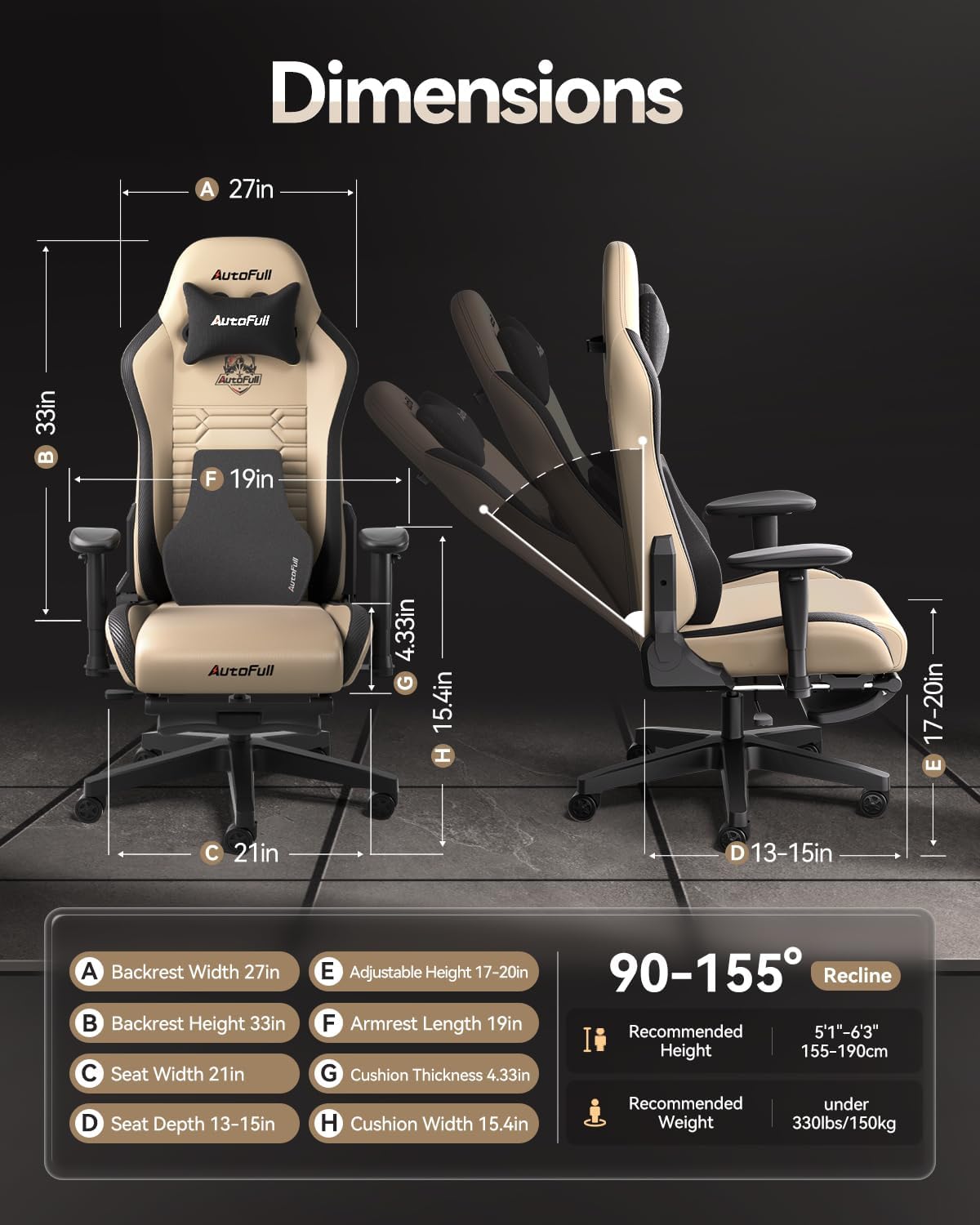
Figure 7.1: Engineered for safety with a robust chassis, TUV 4-Level Cylinder, and silent casters.
8. 保固和支持
AutoFull stands behind the quality of its products:
- 保固單: AutoFull gaming chair provides users with 36 months of parts replacement or repair service.
- 返回: 享受30天輕鬆退貨。
- 客戶支援: If you have any suggestions or require assistance with your computer chair, please feel free to contact AutoFull customer support.
Ask a question about this manual
Ask about setup, troubleshooting, compatibility, parts, safety, or missing instructions. Manuals+ will review the question and use this page’s manual context to help answer it.