
Sartorius MCA125S-2S00-I
Sartorius Cubis II Semi-Micro Balance MCA125S-2S00-I User Manual
Model: MCA125S-2S00-I
一、簡介
This manual provides essential instructions for the safe and efficient operation, setup, and maintenance of your Sartorius Cubis II Semi-Micro Balance, model MCA125S-2S00-I. This high-performance laboratory balance is designed for precise weighing applications requiring a 0.01 mg division and a maximum load of 120g. It features a modular design, an MCA Interface, and an integrated Draft Shield I to ensure accurate and repeatable results in R&D and analytical laboratories.
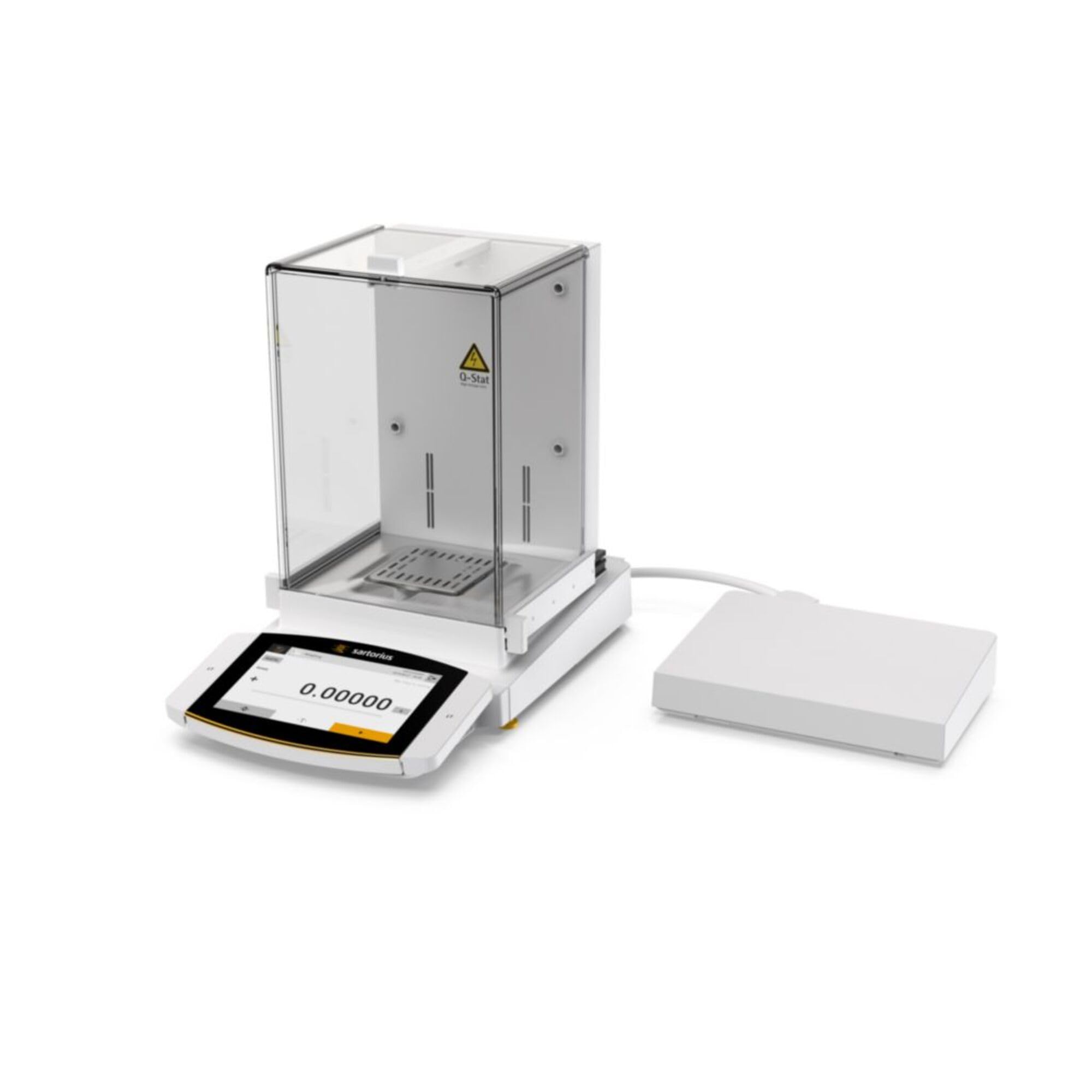
Figure 1: Sartorius Cubis II Semi-Micro Balance MCA125S-2S00-I with Draft Shield I. This image shows the complete balance unit, including the weighing pan and the protective draft shield.
2. 安全訊息
Always observe the following safety precautions to prevent injury and damage to the balance:
- Read this entire manual before operating the balance.
- Operate the balance only in a stable, level environment free from vibrations, drafts, and extreme temperature fluctuations.
- Ensure the power supply matches the balance's requirements (100-240V).
- Do not expose the balance to corrosive chemicals or excessive moisture.
- Only use Sartorius-approved accessories and spare parts.
- 清潔或進行任何維護之前,請斷開電源線。
- Do not attempt to open or repair the balance yourself. Refer servicing to qualified personnel.
3.開箱及初步檢查
Carefully unpack all components and check for any visible damage. Retain the original packaging for future transport or storage.
- Open the shipping carton and remove the balance unit and accessories.
- 請核對裝箱單上所列的所有零件是否齊全。
- Inspect the balance for any signs of damage incurred during shipping. If damage is found, contact your supplier immediately.
4. 設定
4.1 安置
Place the balance on a sturdy, level, and vibration-free surface. Avoid locations near air conditioning vents, open windows, or direct sunlight, which can cause temperature fluctuations and affect weighing accuracy.
4.2 Draft Shield Assembly
The Cubis II MCA125S-2S00-I comes with Draft Shield I. Assemble the draft shield components according to the diagrams provided in the separate assembly guide (if applicable) or by carefully following the intuitive design. Ensure all glass panels are securely seated to prevent air currents from affecting measurements.
Figure 2: Illustrative image of the balance with Draft Shield I. This image highlights the transparent draft shield enclosure, crucial for protecting the weighing pan from air currents.
4.3 平衡
The balance must be perfectly level for accurate measurements. Use the leveling feet located at the base of the balance and the integrated spirit level (bubble level) to adjust until the bubble is centered.
- Locate the spirit level, usually at the front or side of the balance.
- Adjust the two rear leveling feet until the bubble is centered in the spirit level.
- Adjust the front leveling foot (if present) to fine-tune the level.
4.4 電源連接
Connect the power adapter to the balance and then plug it into a suitable electrical outlet (100-240V AC). Allow the balance to warm up for at least 30 minutes after connecting power before performing any measurements to ensure optimal stability.
5. 操作說明
5.1 開關機
按 開/關 button (often indicated by a circle with a vertical line) to power on the balance. To turn off, press and hold the same button until the display shuts down.
5.2 Basic Weighing Procedure
- 確保稱量盤乾淨且為空。
- Close the draft shield doors.
- 按 皮重 or 零 按下此按鈕可將顯示值設為零。
- 小心地將待稱重物品放在稱重盤的中央。
- Close the draft shield doors.
- Wait for the stability indicator (usually a circle or asterisk) to appear on the display, indicating a stable reading.
- Read the weight displayed in milligrams (mg).
- Remove the item from the weighing pan.
5.3 使用去皮功能
The tare function allows you to weigh the net weight of a substance by subtracting the weight of its container.
- 將空容器放在稱重盤上。
- Close the draft shield doors.
- 按 皮重 button. The display will show zero.
- 將待稱量的物質加入容器中。
- Close the draft shield doors and wait for a stable reading. The displayed value is the net weight of the substance.
5.4 MCA Interface
The MCA Interface provides advanced control and data management capabilities. Refer to the separate MCA Interface user guide for detailed instructions on navigating menus, configuring settings, and connecting to external devices or software. This interface allows for customization of weighing applications, data logging, and compliance features.
6. 校準
Regular calibration is crucial for maintaining the accuracy of your balance. The Cubis II balance may feature internal calibration (isoCAL) or require external calibration using certified weights.
6.1 Internal Calibration (isoCAL)
If your balance is equipped with isoCAL, it will perform automatic internal calibration at set intervals or when temperature changes occur. You can also initiate it manually via the menu. Consult the MCA Interface user guide for specific steps.
6.2 External Calibration
For external calibration, you will need certified calibration weights appropriate for the balance's capacity and readability. The procedure typically involves:
- Accessing the calibration menu on the MCA Interface.
- Following the on-screen prompts to place and remove the specified calibration weights.
- Confirming the calibration process.
Always use certified weights and ensure they are clean and handled with gloves to avoid contamination.
7、維護保養
Proper maintenance ensures the longevity and accuracy of your balance.
7.1 清潔
- 清潔前請務必先斷開平衡器與電源的連接。
- 使用柔軟、不起毛的布ampened with a mild cleaning agent (e.g., isopropyl alcohol or a mild soap solution) to clean the exterior surfaces.
- Remove the weighing pan and draft shield components for separate cleaning. Wash them with mild detergent and rinse thoroughly. Ensure they are completely dry before reassembling.
- Do not use abrasive cleaners, strong solvents, or immerse the balance in water.
- Avoid spraying cleaning agents directly onto the balance; apply them to the cloth first.
7.2 環境條件
Maintain a stable environment. Avoid rapid temperature changes, high humidity, and strong air currents. Store the balance in a clean, dry place when not in use.
8。 故障排除
This section addresses common issues you might encounter. For problems not listed here, contact Sartorius customer support.
| 問題 | 可能的原因 | 解決方案 |
|---|---|---|
| 讀數不穩定 | Drafts, vibrations, unstable surface, temperature fluctuations, dirty weighing pan. | Ensure draft shield is closed. Relocate balance to a stable, vibration-free area. Check leveling. Allow balance to acclimatize. Clean weighing pan. |
| 餘額功能無法開啟 | No power supply, faulty power cable/adapter. | Check power cable connection. Verify power outlet. Try a different power adapter if available. |
| 讀數不准確 | Not calibrated, incorrect leveling, temperature drift, overloading. | Perform calibration. Re-level the balance. Allow warm-up time. Do not exceed 120g max load. |
| 顯示錯誤訊息 | Internal fault, overload, communication error. | Refer to the MCA Interface user guide for specific error codes. Turn off and restart the balance. If persistent, contact support. |
9. 規格
Key technical specifications for the Sartorius Cubis II Semi-Micro Balance MCA125S-2S00-I:
- 模型: MCA125S-2S00-I
- 品牌: 賽多利斯
- Maximum Load (Maxload): 120克
- Readout Accuracy (Division): 0.01毫克
- 介面: MCA Interface
- Draft Shield: Draft Shield I
- 電源供應: 100-240V
- 包含的組件: 平衡
- 外形尺寸: 小型的
10. 保固和支持
For detailed warranty information, please refer to the warranty card included with your product or visit the official Sartorius website. In case of technical issues, service requirements, or questions not covered in this manual, please contact your local Sartorius representative or authorized service center. Provide your model number (MCA125S-2S00-I) and serial number when requesting support.
Sartorius Contact Information: 請參考 www.sartorius.com/en/global-contacts 區域聯繫方式。
Ask a question about this manual
Ask about setup, troubleshooting, compatibility, parts, safety, or missing instructions. Manuals+ will review the question and use this page’s manual context to help answer it.