
一、簡介
The JBL LIVE 400BT are on-ear wireless headphones designed to deliver JBL Signature Sound. These headphones feature Bluetooth connectivity, a built-in microphone for hands-free calls, and integrated voice assistant support (Amazon Alexa). They also include Ambient Aware and TalkThru technologies for enhanced situational awareness and convenient conversations without removing the headphones. The headphones offer up to 24 hours of battery life and can be used with an audio cable when the battery is depleted.
2. 包裝內容
打開包裝後,請確認所有物品齊全:
- JBL LIVE 400BT Headphones
- 充電線
- Aux Cable (3.5 mm)
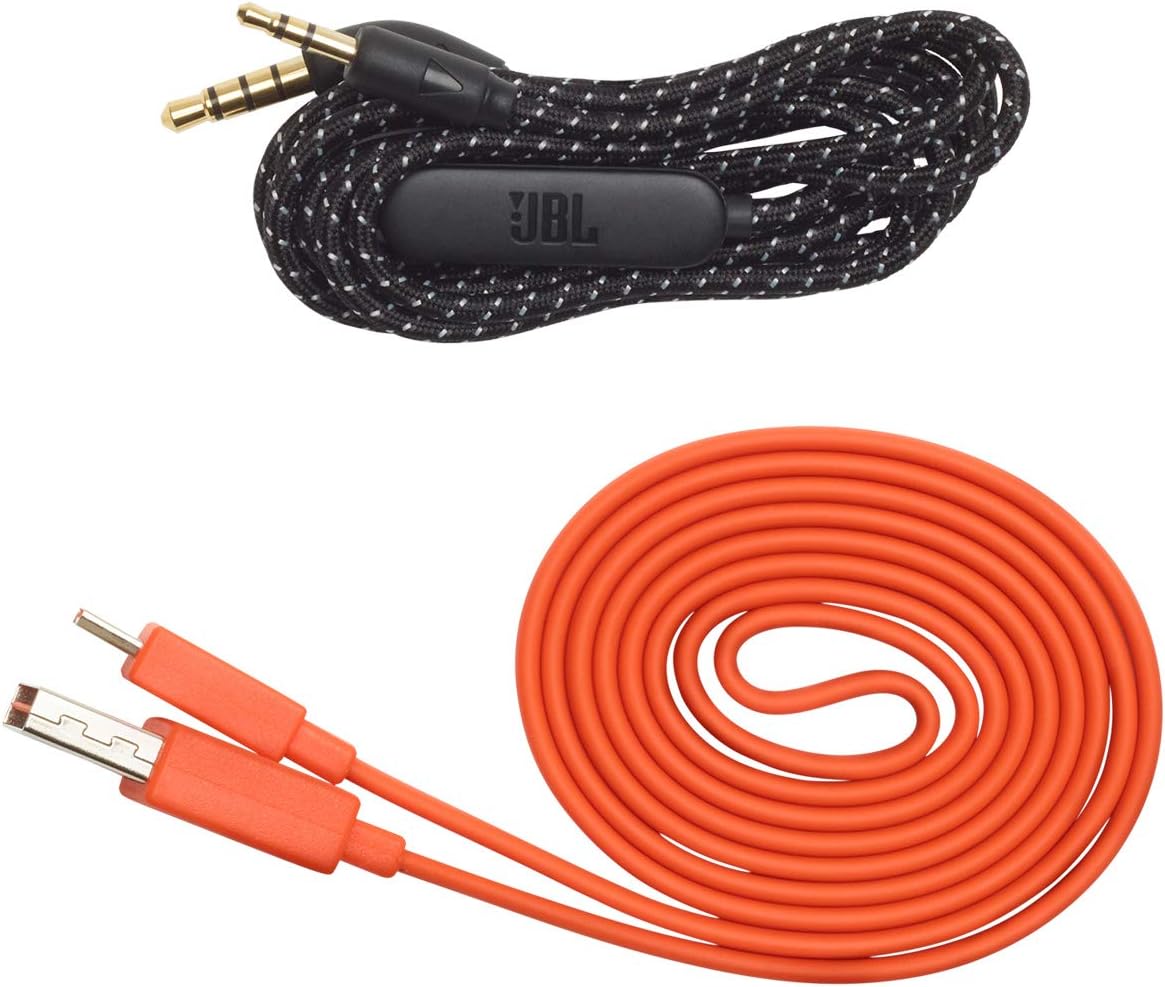
Image: JBL LIVE 400BT headphones shown with the included charging cable and 3.5mm aux cable.
3. 設定
3.1. 耳機充電
Before first use, fully charge your JBL LIVE 400BT headphones. A full charge provides up to 24 hours of playback. A quick 15-minute charge can provide an additional 2 hours of listening time.
- 將提供的充電線連接到耳機上的充電連接埠。
- 將充電線的另一端連接到 USB 電源(例如,牆壁適配器、電腦 USB 連接埠)。
- 耳機上的 LED 指示燈會顯示充電狀態。充飽電後,指示燈通常會熄滅或改變顏色。
3.2. 開機/關機
- To power on, slide the power switch located on the right earcup.
- To power off, slide the power switch back to the off position.
3.3.藍牙配對
The JBL LIVE 400BT headphones use Bluetooth 4.0 for wireless connectivity with a range of up to 10 meters.
- 確保耳機電源已關閉。
- Slide the power switch to the "on" position and hold it for approximately 3-5 seconds until the LED indicator flashes blue, indicating pairing mode.
- 在您的裝置(智慧型手機、平板電腦、電腦)上,啟用藍牙並搜尋可用裝置。
- Select "JBL LIVE 400BT" from the list of available devices.
- 連接後,LED 指示燈將變為穩定的藍色。

Image: The right earcup of the JBL LIVE 400BT headphones, highlighting the power switch and LED indicator for Bluetooth pairing.
4. 耳機操作
4.1. 基本控制
The headphones feature intuitive controls on the earcups for managing audio and calls.
- 播放/暫停: 按一次多功能按鈕。
- 下一曲目: 雙擊多功能按鈕。
- 上一曲目: 三次按下多功能按鈕。
- 音量調高/調低: 請使用專用音量按鈕。
- 接聽/結束通話: 在來電或通話過程中,按一下多功能按鈕。
- 拒絕來電: 來電時,按住多功能按鈕 2 秒鐘。
4.2. Voice Assistant (Amazon Alexa)
Access Amazon Alexa directly from your headphones. Use the JBL App to set up your voice assistant preference.
- Ensure your headphones are connected to your smartphone via Bluetooth.
- Download and open the JBL Headphones App.
- Follow the in-app instructions to select and configure Amazon Alexa as your voice assistant.
- Once configured, tap the left earcup to activate Alexa and issue commands (e.g., "Play my favorite playlist," "Check the weather").
4.3. Ambient Aware and TalkThru Technology
These features allow you to stay connected to your surroundings or have conversations without removing your headphones.
- 環境感知: A touch of the Ambient Aware button (located on the left earcup) increases ambient sound, allowing you to hear what's happening around you while music continues at a lower volume.
- 對話: Activate TalkThru mode by pressing the TalkThru button (located on the left earcup). This significantly drops the music volume, enabling clear conversations with others without removing the headphones.
Video: Official JBL demonstration of the LIVE 400BT headphones, highlighting features like JBL Signature Sound, Ambient Aware, TalkThru technology, and voice assistant integration.
4.4. 有線連接
If the battery runs out or you prefer a wired connection, use the provided 3.5mm audio cable.
- 將 3.5 公釐音訊線的一端插入耳機上的音訊插孔。
- 將另一端插入音訊來源的 3.5mm 輸出連接埠。
- The headphones will function passively, without requiring battery power.
5、維護保養
Proper care ensures the longevity of your JBL LIVE 400BT headphones.
- 打掃: 請使用柔軟的乾布清潔耳罩和頭帶。避免使用刺激性化學物質或研磨性材料。
- 貯存: When not in use, store the headphones in a cool, dry place. Avoid extreme temperatures. The headphones are foldable for compact storage.
- 電池保養: 為延長電池壽命,請避免頻繁地將耳機電量完全耗盡。即使不經常使用,也應定期充電。
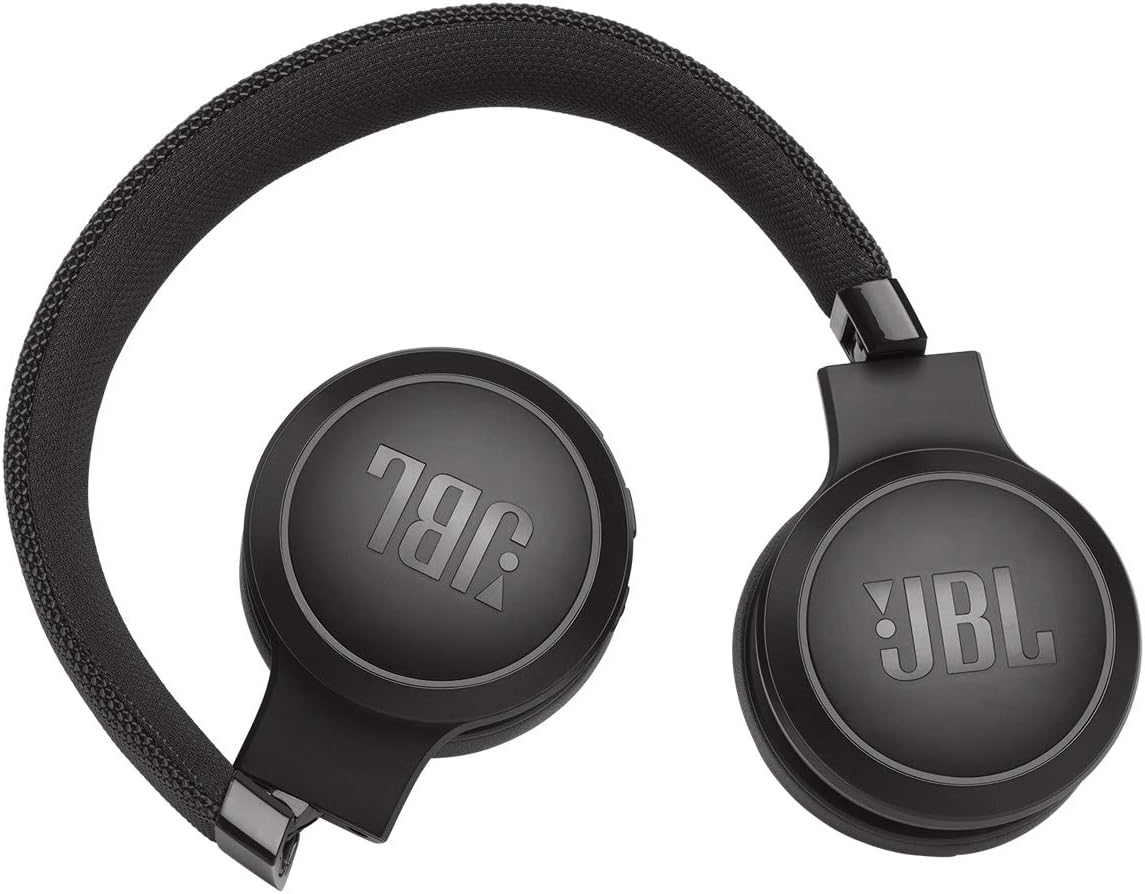
Image: JBL LIVE 400BT headphones shown in a folded position, demonstrating their portability and ease of storage.
6。 故障排除
If you encounter issues with your JBL LIVE 400BT headphones, refer to the following common solutions.
6.1. No Power / Cannot Turn Off
- 給電池充電: Ensure the headphones are fully charged. A low battery can cause unexpected behavior.
- 電源循環: If the headphones are stuck on or cannot be turned off, try connecting them to a charger for a few minutes, then attempt to power off again.
- 出廠重置: If the issue persists, a factory reset may resolve it. Consult the JBL support website or the full user manual for specific factory reset instructions for your model, as this often involves a combination of button presses.
6.2 藍牙連線問題
- 確保處於配對模式: Verify the headphones are in pairing mode (flashing blue LED).
- 設備距離: Make sure the headphones are within 10 meters of your Bluetooth device.
- 忘記裝置: On your device, "forget" or "unpair" the JBL LIVE 400BT from your Bluetooth settings, then attempt to pair again.
- 重新啟動設備: Restart both your headphones and the Bluetooth device.
6.3. 無聲音或音量過低
- 檢查音量水平: Ensure volume is turned up on both the headphones and your connected device.
- Correct Output: Verify that your device is sending audio to the JBL LIVE 400BT.
- 有線連接: If using the aux cable, ensure it is fully inserted into both the headphones and the audio source.
7. 規格
| 特徵 | 規格 |
|---|---|
| 型號名稱 | JBL LIVE 400 - Black (JBLLIVE400BTBLKAM) |
| 品牌 | JBL |
| 連接技術 | 藍牙 |
| 無線通訊技術 | 藍牙 |
| 藍牙版本 | 4.0 |
| 藍牙範圍 | 10米 |
| 音訊驅動器大小 | 40毫米 |
| 音訊驅動類型 | 動態驅動器 |
| 頻率響應 | 20KHz |
| 靈敏度 | 106分貝 |
| 阻抗 | 32歐姆 |
| 電池壽命 | 24小時 |
| 充電時間 | 2 小時 |
| 耳機插孔 | 3.5 mm傑克 |
| 控制類型 | Alexa, Touch, Voice Assistant |
| 控制方式 | 觸摸、語音 |
| 噪音控制 | Active Noise Cancellation (basic_noise_control) |
| 材料 | 仿造皮 |
| 物品重量 | 6.6盎司(185.8公克) |
| 產品尺寸 | 8.07 x 2.17 x 8.78 英寸 |
| 首次可用日期 | 7 年 2019 月 XNUMX 日 |
8. 保固和支持
For warranty information, technical support, or further assistance, please visit the official JBL support web或聯絡其客服。請保留購買憑證,以便進行保固索賠。
您可以在這裡找到更多資源和聯絡資訊。 亞馬遜上的 JBL 商店.