
介紹
The Philips LED A19 SceneSwitch light bulb offers three distinct light settings without the need for a dimmer switch. This innovative bulb allows you to easily change the ambiance of your room using your existing standard light switch. Enjoy functional light, natural light, or a cozy warm glow, all from a single bulb.
This manual provides essential information for the proper installation, operation, maintenance, and troubleshooting of your Philips SceneSwitch LED bulbs.
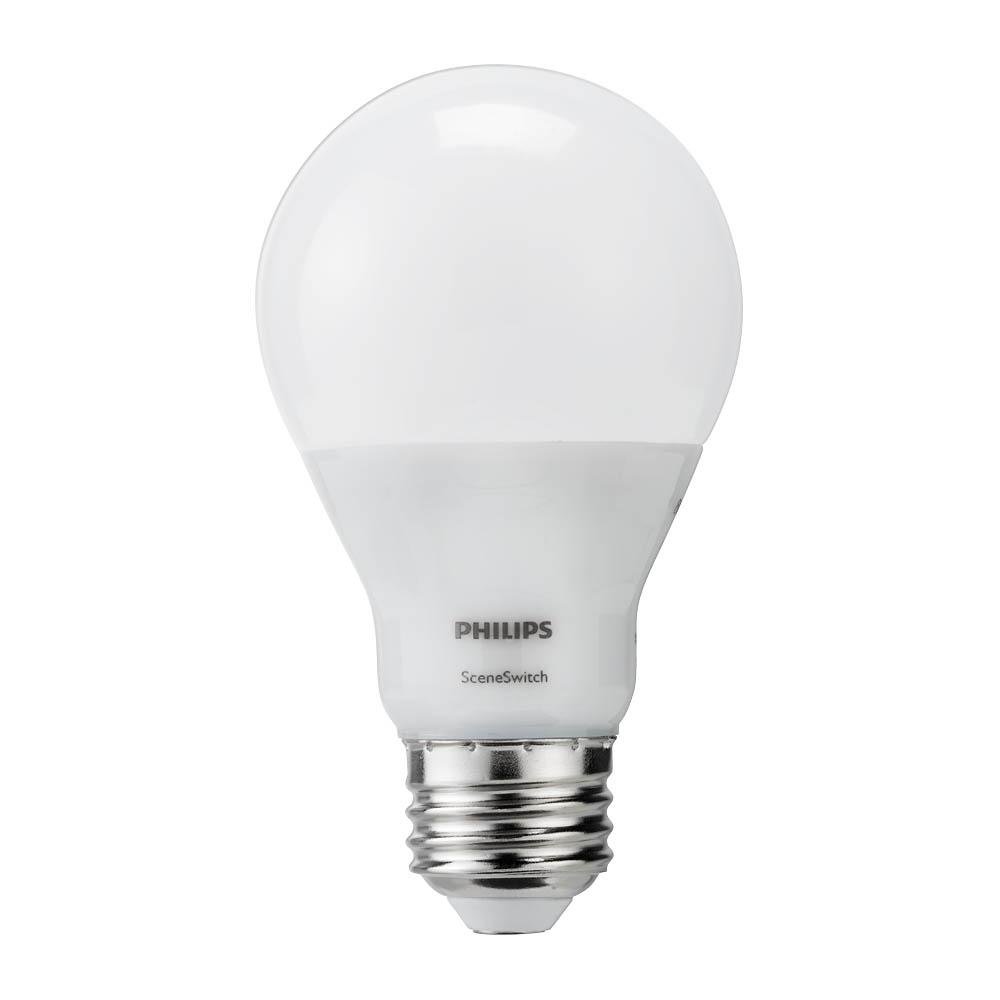
Image: The Philips LED A19 SceneSwitch bulb, demonstrating its ability to provide different light settings from a single unit.
設定
安裝
- Ensure the power to the light fixture is turned off at the wall switch or circuit breaker before installation.
- Carefully remove your existing light bulb from the fixture.
- Screw the Philips LED A19 SceneSwitch bulb into the E26 medium base socket until it is finger-tight. Do not overtighten.
- 恢復燈具的電源。
兼容性說明
- These bulbs are designed to work with standard on/off light switches.
- Philips SceneSwitch bulbs are 不相容 with traditional dimmer switches. Using them with a dimmer may cause flickering or damage.
- 這些燈泡是 不相容 with Philips HUE products or other smart home systems.
操作說明
Changing Light Settings
The Philips SceneSwitch bulb features three distinct light settings that can be cycled through using your standard light switch:
- Bright (Functional Light): Turn the switch ON. The bulb will illuminate at its brightest setting (800 lumens, 2700 Kelvin).
- Medium (Warm and Inviting): Turn the switch OFF, then immediately ON again (within 5 seconds). The bulb will switch to a medium brightness (320 lumens, 2500 Kelvin).
- Low (Warmer and Cozy): Turn the switch OFF, then immediately ON again (within 5 seconds). The bulb will switch to its lowest brightness (80 lumens, 2200 Kelvin).
Repeat the OFF-ON sequence to cycle through the settings. If the bulb is left OFF for more than 6 seconds, its auto-memory feature will recall the last used setting when turned ON again.
影片示範
Video: This video demonstrates the Philips SceneSwitch functionality, showing how to cycle through different brightness levels using a standard light switch.
維護
打掃
清潔燈泡時,請確保電源已關閉且燈泡已冷卻。用乾燥柔軟的布輕輕擦拭。請勿使用液體清潔劑或研磨性材料。
替代品
These LED bulbs have an expected lifespan of 15,000 hours under normal use. When the bulb reaches the end of its life, replace it with another Philips SceneSwitch LED A19 bulb or a compatible LED bulb.
故障排除
- Bulb is flickering or not changing settings:
Ensure the bulb is not installed in a fixture controlled by a dimmer switch. SceneSwitch bulbs are not compatible with dimmers. If multiple bulbs are in one fixture and get out of sync, quickly toggle the switch OFF and ON several times to reset them to the brightest setting. - 燈泡不亮:
Check that the bulb is screwed in securely into the socket. Verify that the light fixture has power and that the circuit breaker is not tripped. - Bulbs in a multi-bulb fixture are out of sync:
If multiple SceneSwitch bulbs are connected to the same switch and their settings become unsynchronized, quickly toggle the light switch OFF and ON several times. This action should reset all bulbs to the brightest setting, allowing you to then cycle them together.
規格
| 品牌 | 飛利浦 |
| 型號 | 464883 |
| 光型 | 引領 |
| 燈泡形狀尺寸 | A19 |
| 燈泡底座 | E26 中底 |
| 笏tage (最大值) | 9/4/2 Watts (depending on setting) |
| 白熾燈當量 | 60瓦 |
| 亮度 | 800 / 320 / 80 Lumens (depending on setting) |
| 色溫 | 2700K / 2500K / 2200K (depending on setting) |
| 淺色 | Soft White with Warm Glow Effect |
| 卷tage | 120伏 |
| 壽命 | 15,000小時 |
| 室內/室外使用 | Indoor (suitable for humid indoor areas) |
| 特別報道 | 3-Setting SceneSwitch, Energy Efficient |
保固資訊
Philips SceneSwitch LED bulbs come with a 5-year limited warranty. This warranty covers defects in materials and workmanship under normal use. Please retain your proof of purchase for warranty claims.
For detailed warranty terms and conditions, please refer to the official Philips web網站或聯絡客戶支援。
客戶支援
If you encounter any issues or have questions regarding your Philips LED A19 SceneSwitch light bulbs that are not addressed in this manual, please contact Philips customer support.
造訪飛利浦官方網站 web本網站提供聯絡資訊、常見問題及其他產品資源。