
一、簡介
The We R Memory Keepers Alphabet Punch Board is a versatile crafting tool designed to quickly and easily create custom letters and numbers for various projects. Ideal for banners, paper crafting, school assignments, and office organization, this punch board allows you to produce uniform 5x3 inch characters with precision and ease.

Image 1.1: The We R Memory Keepers Alphabet Punch Board as packaged.
2. 包含的內容
Your We R Memory Keepers Alphabet Punch Board package includes the following components:
- One (1) Alphabet Punch Board
- One (1) Instruction Sheet
3. 設定
The Alphabet Punch Board is designed for immediate use directly out of its packaging. No assembly is required. Simply remove the board and its components from the packaging. Ensure all parts are present and undamaged before beginning your crafting project.

圖 3.1:結束view of the Alphabet Punch Board components.
4. 操作說明
Follow these steps to create letters and numbers using your Alphabet Punch Board:
4.1. Basic Letter Punching
- Prepare Your Paper: Cut your desired paper or cardstock to the appropriate size as indicated in the included instruction sheet. For optimal results, use paper that is not too thick or too thin for the punches.
- Position the Paper: Place the paper onto the punch board, aligning it with the guides for the specific letter or number you wish to create. The board has marked areas for different parts of each character.
- Punch the Shapes: Use the designated punches to cut out the required shapes. Press firmly and evenly to ensure a clean cut.
- Score and Fold (if applicable): Some letters may require scoring and folding to achieve their final shape. Use the scoring tool and guide on the board as instructed.
- 修剪多餘部分: Use the integrated trimmer to remove any excess paper, completing the letter or number.
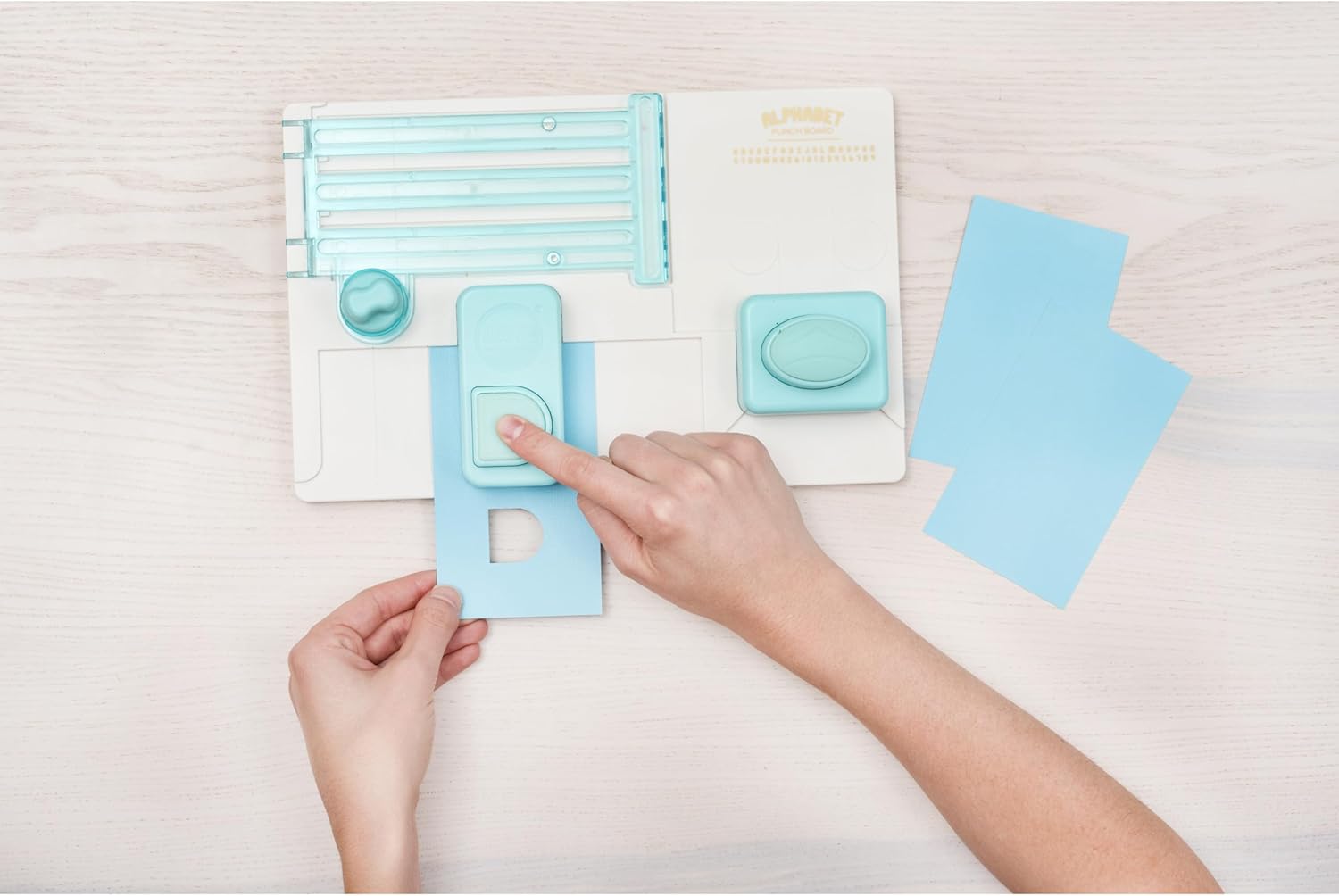
Image 4.1: Demonstrating the punching action on the board.
4.2. Creating Banners and Projects
The letters and numbers created with the punch board are perfect for various crafting projects. For banners, you can punch holes at the top of each letter and string them together. The consistent size of the characters ensures a professional and uniform look for all your creations.

圖片 4.2:範例ample of a greeting card made with the punch board.

圖片 4.3:範例ample of a banner created using the punch board.
4.3 教學視頻
For a visual guide on how to use the Alphabet Punch Board, please watch the official product video below:
Video 4.4: Official demonstration of the We R Memory Keepers Alphabet Punch Board in use.
5、維護保養
To ensure optimal performance and longevity of your Alphabet Punch Board, keep it clean and free of paper debris. Use a soft, dry cloth to wipe down the surface after each use. Periodically check the cutting blades for any accumulated paper fragments and carefully remove them if present. Replacement blades may be available from the manufacturer for continued sharp cuts.
6。 故障排除
If you experience issues such as uneven cuts or paper jams, ensure your paper is properly aligned within the guides and that the punches are fully depressed. Verify that the paper thickness is suitable for the punch board. If problems persist, refer to the detailed instruction sheet included with your product or visit the We R Memory Keepers support web站點以獲取進一步幫助。
7. 規格
| 特徵 | 細節 |
|---|---|
| 材料 | 塑膠 |
| 顏色 | 多色 |
| 物品重量 | 1.54 磅(0.7 公斤) |
| 操作模式 | 手動的 |
| 產品尺寸 | 12.28 x 2 x 10.24 英寸 |
| 型號 | 660889 |
| 統一產品程式碼 | 046959293384, 787162513585, 633356608899, 781068155160 |
| 製造商 | 我們是記憶守護者 |
| 首次可用日期 | 14 年 2016 月 XNUMX 日 |
8. 保固和支持
For warranty information, product support, or additional crafting ideas and tutorials, please visit the official We R Memory Keepers web站點位於 www.wermemorykeepers.com. You can also download the companion app for further instructions and creative inspiration via http://onelink.to/8b2s5q.

Image 8.1: Back of product packaging with support information.


